1. Selelekela
The Portronics Apollo 30 is a 30W wireless Bluetooth portable speaker designed for high-definition audio playback and karaoke functionality. It features a wireless microphone, RGB LED lighting, and a robust battery for extended playtime. This manual provides detailed instructions to help you maximize your experience with the Apollo 30 speaker.

Image: The Portronics Apollo 30 speaker, showcasing its integrated RGB lighting and accompanying wireless microphone.
2. Likahare tsa Sephutheloana
Ka kopo netefatsa hore lintho tsohle tse thathamisitsoeng ka tlase li kenyelelitsoe ka har'a sephutheloana sa hau:
- 1 x Portronics Apollo 30 Party Speaker
- 1 x Wireless Karaoke Microphone
- 1 x USB Type-C Cable ea ho tjhaja
- 1 x Cable ea AUX
- 1 x Buka ea Mosebelisi
3. Tataiso ea ho seta
3.1 Ho lefisa Sebui
- Locate the Type-C charging port on the speaker.
- Connect the provided Type-C charging cable to the speaker and a compatible USB power adapter (not included).
- The LED indicator will show charging status. A full charge typically takes approximately 3-4 hours.
- Disconnect the charging cable once fully charged to preserve battery life.

Image: Speaker highlighting the Type-C fast charging port and echo control functionality.
3.2 Ho Matlafatsa/Ho tima
- To power on, press and hold the power button located on the top panel of the speaker until the LED lights illuminate.
- To power off, press and hold the power button again until the LED lights turn off.

Setšoantšo: Ka botlalo view of the speaker's control panel, including the power button and other function keys.
3.3 Ho kopanya ha Bluetooth ha pele
- Netefatsa hore sebui se butswe mme se maemong a ho kopanya a Bluetooth (e bontshwang ke LED e benyang).
- Ho sesebelisoa sa hau (smartphone, tablet, laptop), ea ho litlhophiso tsa Bluetooth.
- Batla available devices and select "Portronics Apollo 30" from the list.
- Once paired, the speaker will emit an audible confirmation, and the LED indicator will become solid.

Image: The speaker demonstrating seamless Bluetooth 5.4 pairing with a mobile device.
4. Litaelo tsa Ts'ebetso
4.1 Ho bapala ka molumo
- Mokhoa oa Bluetooth: After successful pairing, play audio from your connected device. Use the speaker's volume controls or your device's volume controls to adjust the sound level.
- Papali ea USB: Kenya USB drive e nang le molumo files into the USB port. The speaker will automatically detect and begin playing music.
- Mokhoa oa AUX: Connect an audio source using the provided AUX cable to the AUX input port. The speaker will switch to AUX mode.
4.2 Using the Wireless Karaoke Microphone
- Power On Mic: Press and hold the power button on the microphone to turn it on. It will automatically connect to the Apollo 30 speaker.
- Taolo ea Bolumo: Use the '+' and '-' buttons on the microphone to adjust its volume independently.
- Echo Control: The speaker features an Echo Control function. Use the dedicated echo control buttons on the speaker's top panel to add or reduce echo effects to your vocals.
- Voice Changer: The microphone may include a voice changer feature. Refer to the microphone's specific instructions for activation and use.
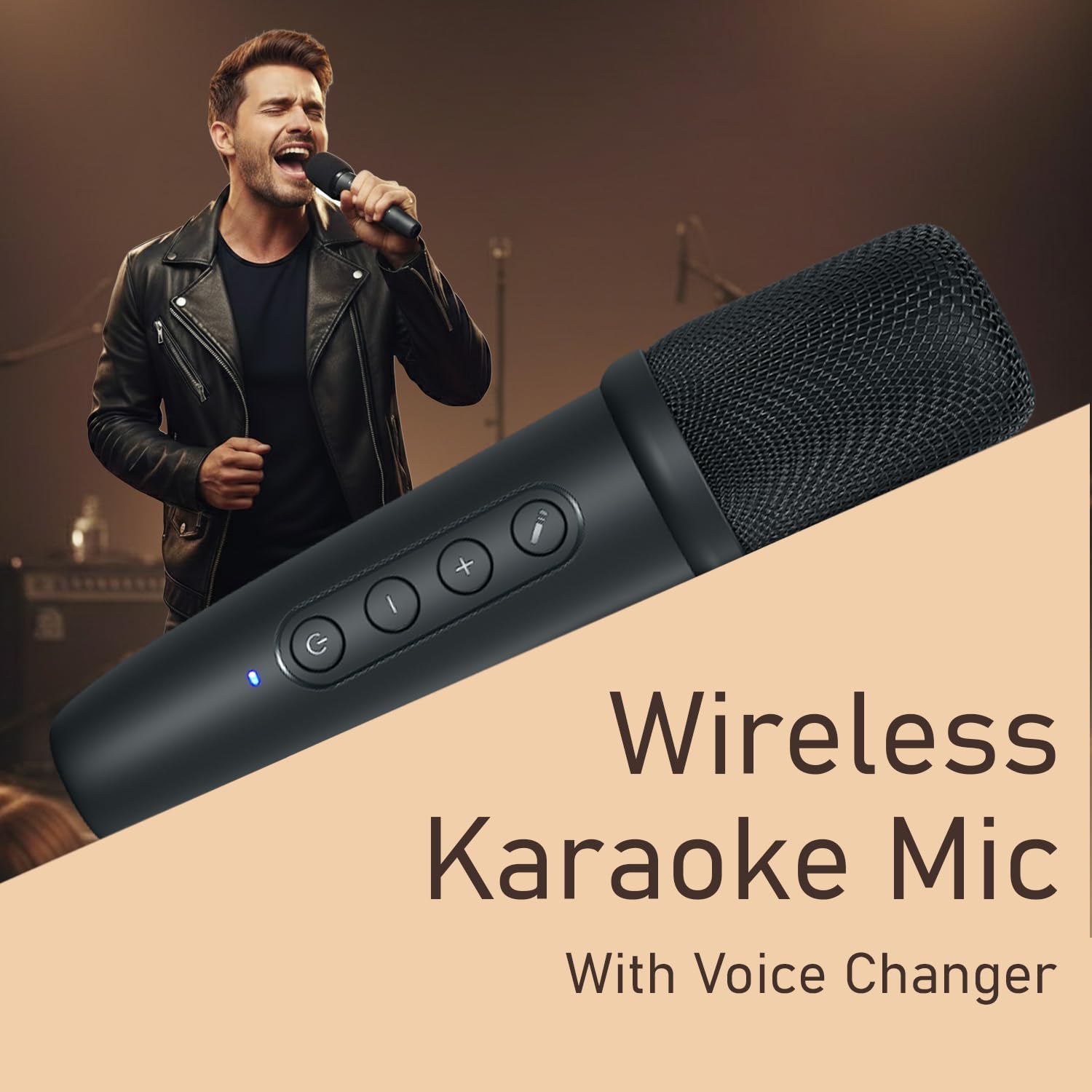
Image: A user demonstrating the wireless karaoke microphone in use.
4.3 RGB LED Light Control
- The Apollo 30 features dynamic RGB LED lights.
- Use the dedicated light control button on the speaker's top panel to cycle through different lighting modes or to turn the lights off.
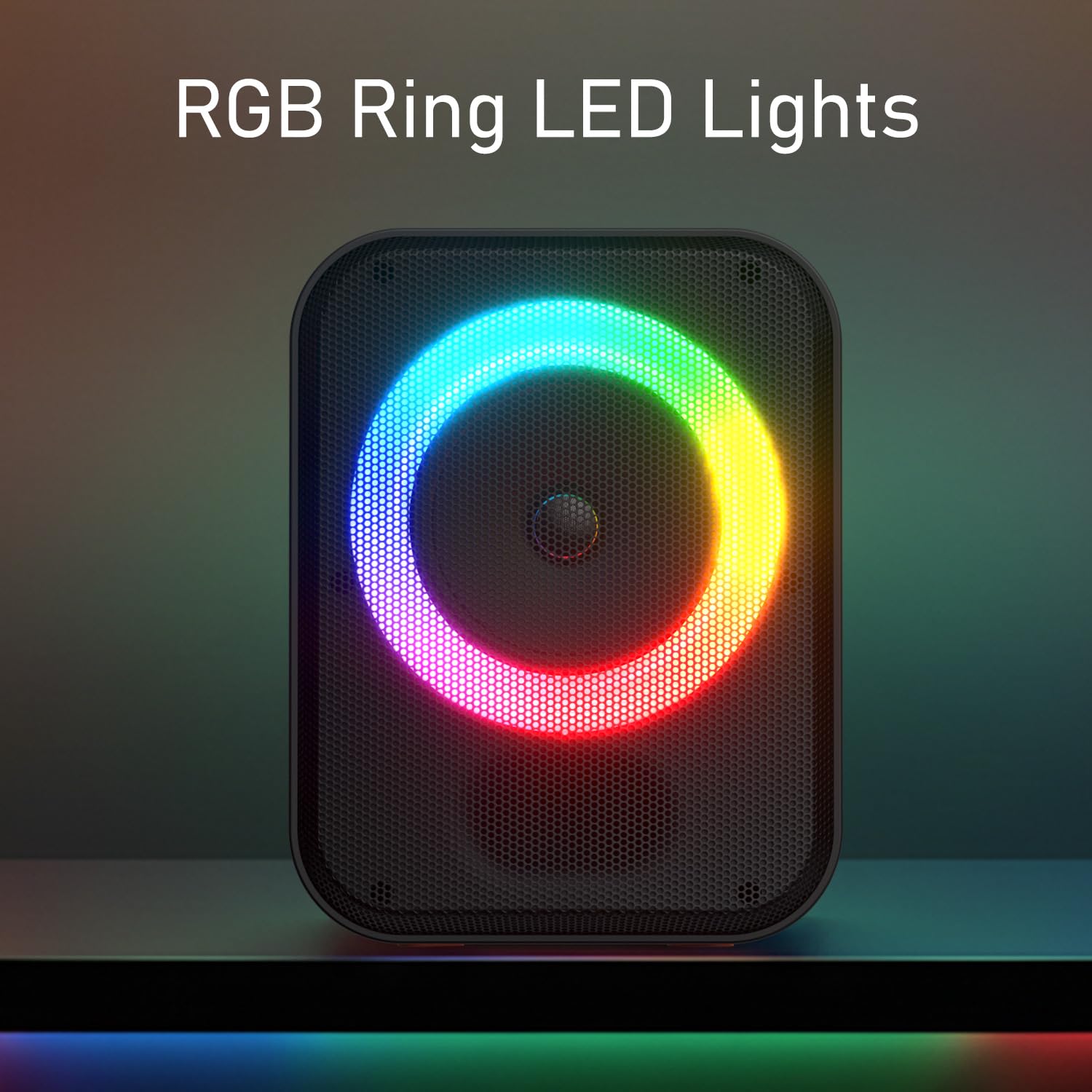
Image: The speaker displaying its vibrant RGB ring LED lights.
5. Tlhokomelo
- Ho hloekisa: Use a soft, dry cloth to clean the speaker's exterior. Avoid using abrasive cleaners or solvents.
- Polokelo: Beha sebui sebakeng se pholileng, se omileng hole le khanya ea letsatsi le mocheso o feteletseng.
- Tlhokomelo ea Betri: Ho lelefatsa bophelo ba betri, qoba ho ntsha sebui ka botlalo kgafetsa. Se tjhaje kgafetsa, leha se sa sebediswe ka nako e telele.
6. Ho rarolla mathata
| Bothata | Lebaka le ka khonehang | Tharollo |
|---|---|---|
| Sebui ha se sebetse. | Betri e tlase kapa ha e na tjhaja. | Tjhafisa sebui o sebedisa thapo e fanoeng ya Type-C. |
| Ha ho molumo o tsoang ho sebui. | Volume too low, incorrect input mode, or device not paired. | Increase volume on both speaker and connected device. Ensure correct input mode (Bluetooth, USB, AUX). Re-pair Bluetooth device. |
| Pairing ea Bluetooth ea hloleha. | Speaker not in pairing mode, device too far, or interference. | Ensure speaker is in pairing mode. Move device closer to speaker. Turn off other Bluetooth devices. Forget "Portronics Apollo 30" on your device and try pairing again. |
| Microphone ha e sebetse. | Microphone not powered on, low battery, or out of range. | Ensure microphone is powered on and charged. Move microphone closer to the speaker. |
| Mabone a RGB ha a sebetse. | Lights turned off or specific mode selected. | Press the light control button to cycle through modes or turn them on. |
7. Litlhaloso
| Sebopeho | Lintlha |
|---|---|
| Lebitso la Mohlala | Apollo 30 |
| Nomoro ea Mohlala | POR-2737 |
| Output Wattage | 30 Watts |
| Theknoloji ea Khokahano | Bluetooth V5.4 |
| Lisebelisoa tse lumellanang | Laptop, Smartphone, Letlapa |
| Kenyeletso ya Modumo | Wireless Microphone, USB, AUX |
| Likarolo Tse Khethehileng | 30W HD Bluetooth Speaker, ECHO Control, Type C Fast Charging, Wireless Karaoke Mic, RGB LED Light |
| Mofuta oa Leshala | Lithium Polymer (E kenyelelitsoe) |
| Nako ea ho bapala | Ho fihlela lihora tse 5 |
| Boema-kepe ba ho tjhaja | Mofuta oa C |
| Lintho tse bonahalang | ABS Plastiki |
| Litekanyo tsa Sehlahisoa | 26.5 x 18 x 15 cm, |
| Boima ba Ntho | 1 lik'hilograma |
| Naha ea tlhaho | India |
8. Tiisetso le Tšehetso
For warranty information, technical support, or any product-related inquiries, please contact Portronics customer service.
- Lengolo-tsoibila: help@portronics.com
- Mohala: +91 9555-245-245
- Aterese ea Moetsi: Portronics Digital Pvt ltd, First Floor Property No D 8 Upper Basement Sector 8 Noida Uttar Pradesh 201301, India.
Ka kopo, boloka rasiti ea hau bakeng sa likopo tsa tiisetso.


