1. Selelekela
This manual provides detailed instructions for the proper use, setup, and maintenance of your Baseus Eli 2i Fit Open-Ear Headphones. Please read this manual thoroughly before using the product to ensure optimal performance and longevity.
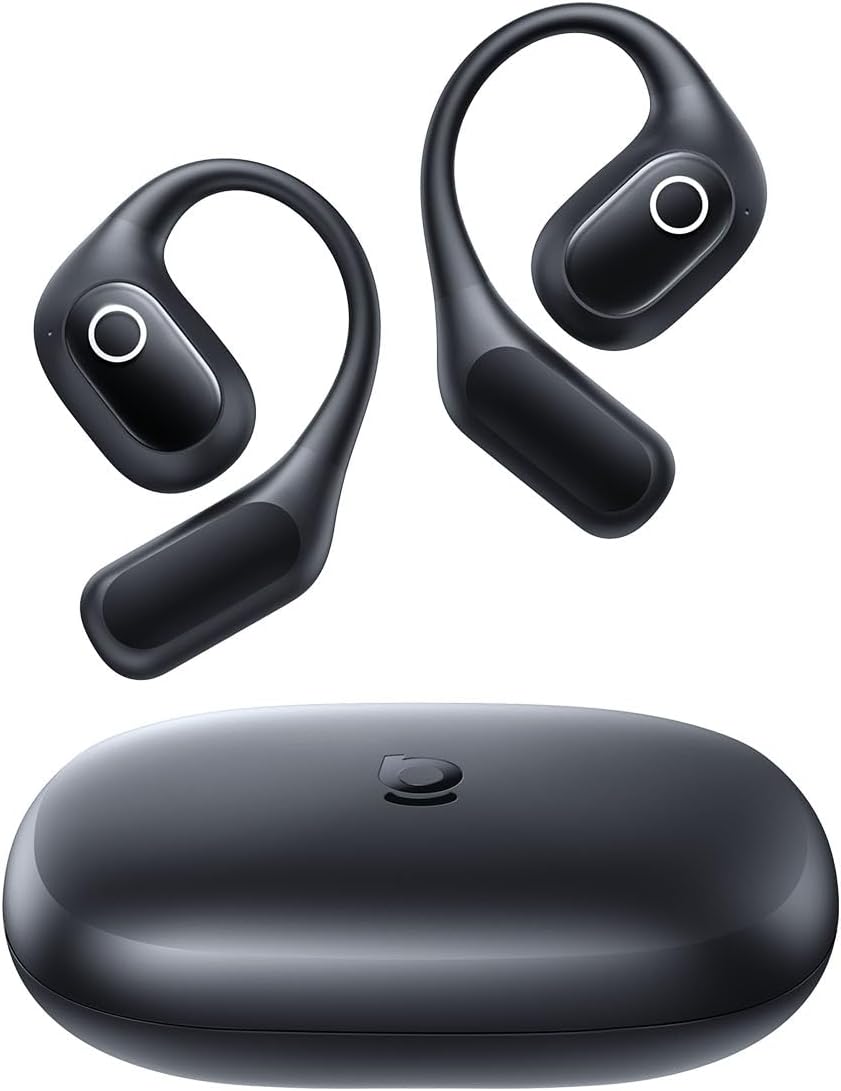
Figure 1.1: Baseus Eli 2i Fit Open-Ear Headphones and Charging Case
2. Likahare tsa Sephutheloana
Netefatsa hore lintho tsohle li teng ka har'a sephutheloana sa hau:
- Baseus Eli 2i Fit Headphones (Left and Right)
- Nyeoe ea ho tjhaja
- USB-C Charging Cable (not explicitly listed but standard for such devices)
- Bukana ea mosebelisi (tokomane ena)
3. Sehlahisoa Overview
The Baseus Eli 2i Fit headphones feature an open-ear design for comfort and situational awareness, combined with advanced audio technologies.

Figure 3.1: In-depth audio features including BassUp Technology, U-shape directional speaker, and PU-wool diaphragm for rich sound.

Figure 3.2: Internal structure illustrating the 14.2mm dynamic drivers and PU-wool polymer composite diaphragm for enhanced bass and detailed sound.

Figure 3.3: The 1.5 mm-thin U-shape directional speaker ensures sound is delivered precisely to your ears, minimizing leakage.
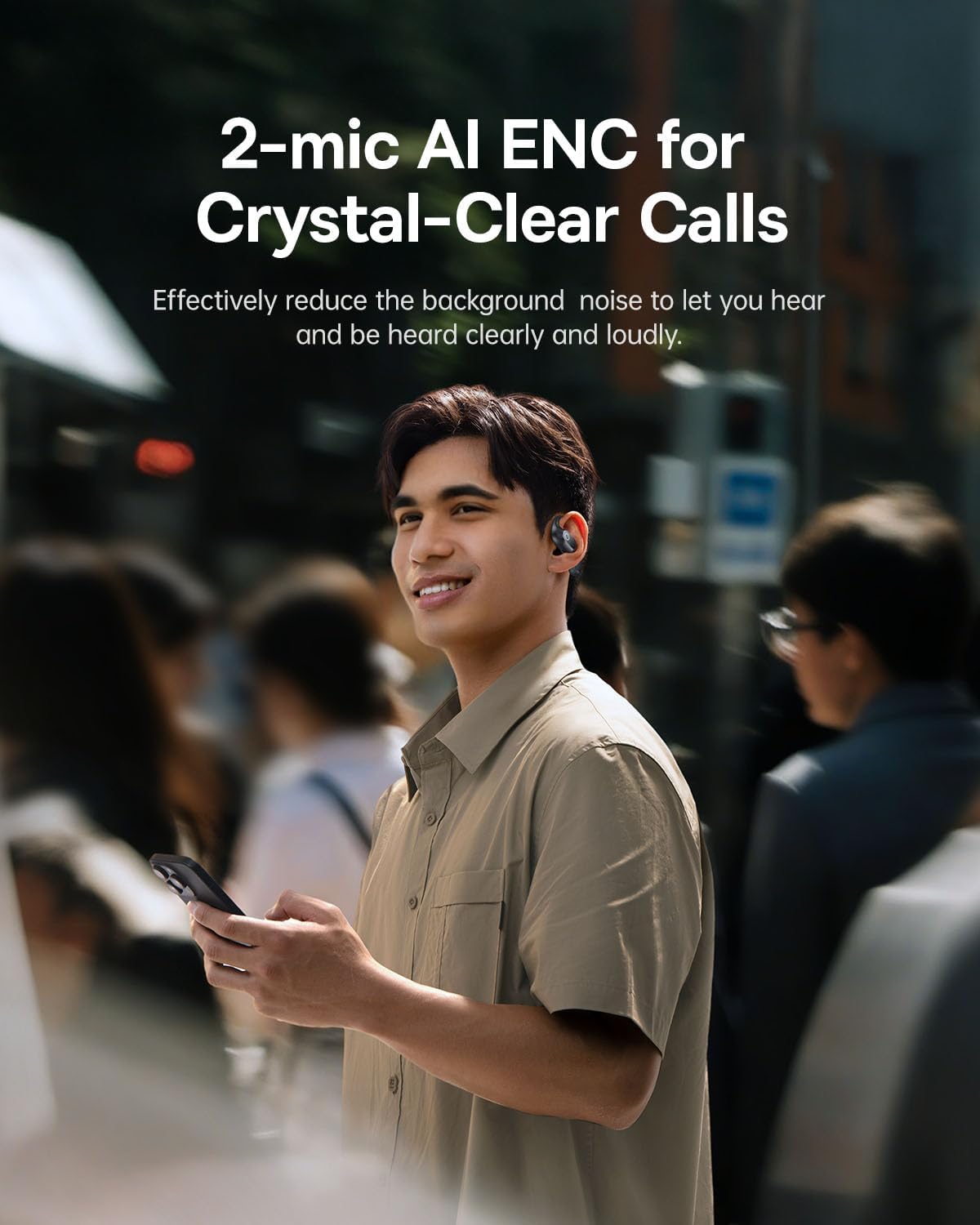
Figure 3.4: Dual-mic AI ENC system for crystal-clear calls, effectively reducing background noise in various environments.
4. Seta
4.1 Ho tjhaja Li-headphone le Nyeoe
Pele o sebelisoa pele, tjhaja li-headphone le mokotla oa ho tjhaja ka botlalo.
- Kenya li-headphone ka har'a mokotla oa ho tjhaja.
- Connect the charging case to a power source using a USB-C cable.
- The indicator light on the case will show charging status. Refer to the quick start guide for specific light patterns.
- A full charge provides approximately 11 hours of playtime for the headphones, with the charging case extending total playtime to 36 hours. A 15-minute charge can provide up to 2.5 hours of playtime.

Figure 4.1: Battery performance details, including playtime per full charge, total playtime with charging case, and fast charging capability.
4.2 Ho hokahanya ha Bluetooth
Ho hokela li-headphones ho sesebelisoa:
- Ensure the headphones are charged and inside the charging case.
- Open the charging case. The headphones will automatically enter pairing mode (indicated by a flashing light, refer to quick start guide for specifics).
- Sesebedisweng sa hao (smartphone, tablet, khomphuta), kenya Bluetooth.
- Batla available Bluetooth devices and select "Baseus Eli 2i Fit".
- Once connected, the headphones will indicate successful pairing (e.g., a voice prompt or solid light).
- The headphones will automatically reconnect to the last paired device when taken out of the case, if Bluetooth is enabled on the device.
5. Litaelo tsa Ts'ebetso
5.1 Ho Roala Li-headphone
The Baseus Eli 2i Fit features an ergonomic open-ear design for a secure and comfortable fit.
- Gently place the ear hook over your ear, ensuring the speaker rests comfortably near your ear canal without entering it.
- Adjust the earbud for a snug fit. The lightweight design (8.8g per earpiece) and shape-memory alloy ensure stability during various activities.

Figure 5.1: The feather-light design (8.8g) and soft, skin-friendly TPU material ensure comfort for extended wear.

Figure 5.2: The ergonomic ear-hook design provides a secure fit, ideal for sports and active lifestyles.
5.2 Taolo ea ho ama
The headphones feature touch controls for managing audio playback and calls. Specific touch gestures may vary; please refer to the quick start guide included with your product for a detailed list of functions such as:
- Bapala/Emisa mmino hanyenyane
- Skip tracks (Next/Previous)
- Araba / Emisa di-call
- Kenya mothusi oa lentsoe
6. Tlhokomelo
Proper maintenance ensures the longevity and performance of your headphones.
- Ho hloekisa: Use a soft, dry, lint-free cloth to clean the headphones and charging case. Do not use abrasive cleaners or solvents.
- Mathata a Metsi: The headphones are IPX5 water-resistant, meaning they can withstand sweat and light splashes. Do not submerge them in water or expose them to heavy rain. Ensure they are dry before placing them back in the charging case.
- Polokelo: Store the headphones in their charging case when not in use to protect them from dust and damage.
- Tlhokomelo ea Betri: Qoba ho ntsha betri ka botlalo kgafetsa. Lefisa khafetsa ho boloka bophelo ba betri.

Figure 6.1: IPX5 water resistance protects the headphones from sweat and splashes during workouts.
7. Ho rarolla mathata
If you encounter issues with your Baseus Eli 2i Fit headphones, refer to the following common solutions:
| Bothata | Tharollo e ka khonehang |
|---|---|
| Li-headphone ha li sebetse | Ensure headphones are charged. Place them in the charging case and connect the case to power. |
| Ha e khone ho tsamaisana le sesebelisoa | 1. Ensure Bluetooth is enabled on your device. 2. Make sure headphones are in pairing mode (open case). 3. Forget the device from your Bluetooth list and try pairing again. 4. Ensure headphones are within range (approx. 10 meters). |
| Ha ho modumo kapa modumo o tlase | 1. Check volume levels on both headphones and your connected device. 2. Ensure headphones are properly connected to your device. 3. Try reconnecting the headphones. |
| Boleng ba mohala ha bo botle | 1. Ensure the microphones are not obstructed. 2. Move to an environment with less background noise. 3. Check your device's network connection. |
| Chelete ea ho tjhaja ha e lefelle | 1. Check the USB-C cable and power adapter. 2. Ensure the charging port is clean and free of debris. |
8. Litlhaloso
Key technical specifications for the Baseus Eli 2i Fit Open-Ear Headphones:
- Lebitso la Mohlala: Baseus Eli 2i Fit
- Theknoloji ea Khokahano: Wireless
- Theknoloji ea puisano e se nang mohala: Bluetooth 6.0
- Sebopeho sa Earpiece: Tsebe e Bulehileng
- Weight (per earpiece): 8.8g (hoo e ka bang)
- Bophelo ba Betri (Li-headphone): Ho fihla ho lihora tse 11 (tefiso e le 'ngoe)
- Bophelo ba Betri (e na le Case ea ho Chaja): Ho fihlela lihora tse 36
- Charge e potlakileng: 2.5 hours playtime on 15-minute charge
- Boemo ba ho Hanela Metsi: IPX5
- Mofuta oa Taolo: Touch Control
- Maekerofounu: Dual-mic AI ENC for clear calls
- Mofuta oa Audio Driver: Mokhanni ea Matla
- Hangata Karabo: 20 KHz (upper limit, lower limit not specified)
- Tšitiso: 16 ohm
- Boitsebiso: Silicone (ear hooks)
- Boholo ba Sehlahisoa: 3.6 x 2.6 x 1.1 inches (charging case)
- UPC: 810196183650
9. Tiisetso le Tšehetso
For warranty information and customer support, please refer to the warranty card included with your product or visit the official Baseus websebaka. Boloka bopaki ba hau ba theko bakeng sa likopo life kapa life tsa waranti.
Moetsi: Baseus
Ikopanye le: Refer to Baseus official support channels for assistance.


