1. Selelekela
The Baseus Inspire XP1 Adaptive Noise Cancelling Earbuds are designed to provide a high-fidelity audio experience with advanced noise cancellation capabilities. Featuring Sound by Bose technology and Dolby Spatial Audio, these earbuds offer immersive sound and clear communication. This manual provides instructions for setup, operation, and maintenance to ensure optimal performance.
2. Likahare tsa Sephutheloana
Netefatsa hore lintho tsohle li teng ka har'a sephutheloana sa hau:
- Baseus Inspire XP1 Noise Cancelling Wireless Earbuds
- Nyeoe ea ho tjhaja
- Li-earpin (boholo ba S/M/L)
- Cable ea ho tjhaja ea USB-C
- Bukana ea Mosebelisi

Image: Package contents of the Baseus Inspire XP1 earbuds.
3. Sehlahisoa Overview
The Baseus Inspire XP1 earbuds feature a contoured in-ear fit with umbrella-shaped liquid silicone tips for comfort and noise isolation. They are equipped with a 6-mic sound sensor array for clear calls and touch-sensitive surfaces for control.

Image: Baseus Inspire XP1 Earbuds.
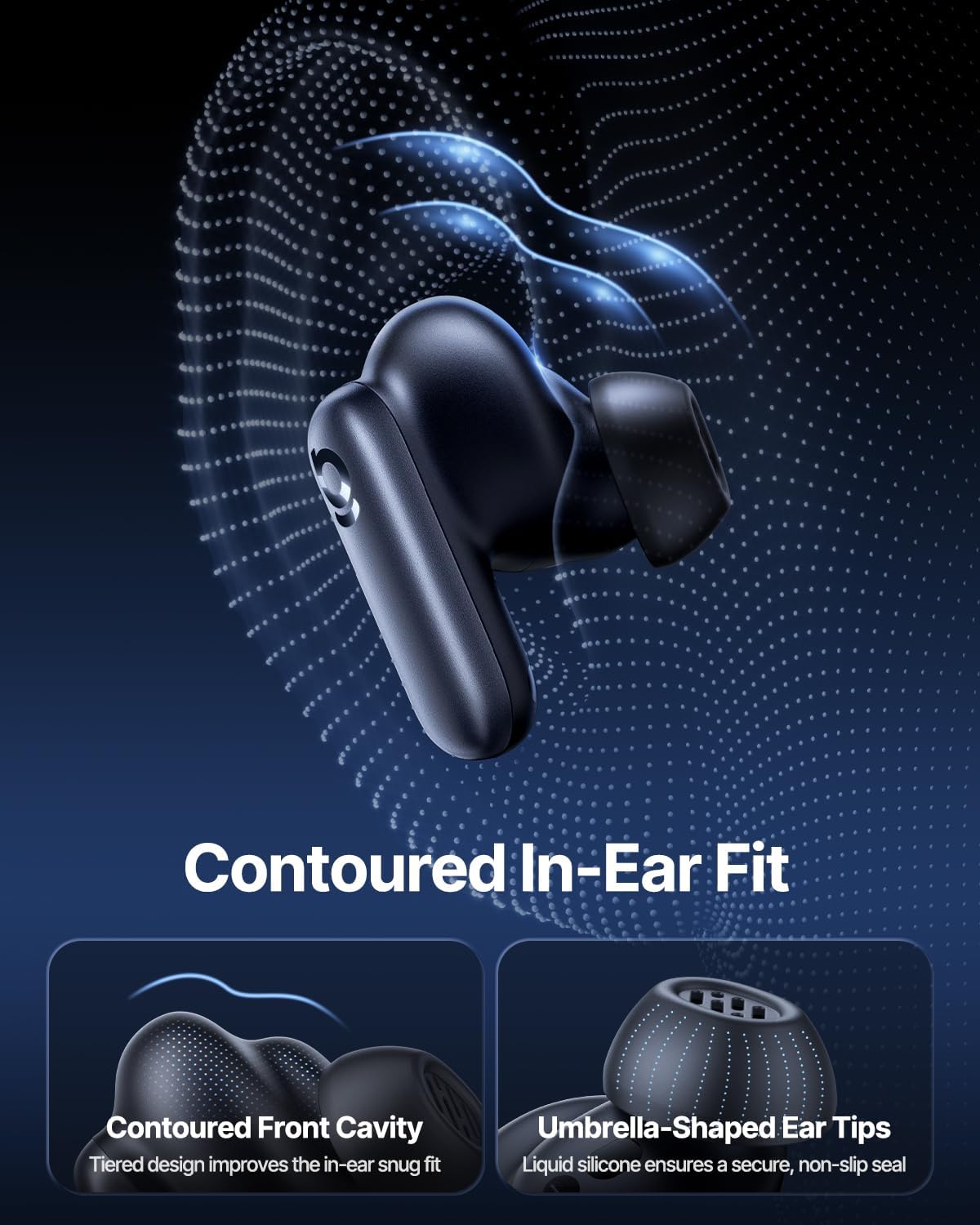
Image: Contoured In-Ear Fit and Umbrella-Shaped Ear Tips.
4. Seta
4.1 Ho Kopanya ha Pele
- Tlisa li-Earbuds: Place both earbuds into the charging case and close the lid. Connect the USB-C charging cable to the case and a power source. The indicator light on the case will show charging status.
- Kenya Mokhoa oa ho Kopanya: Open the charging case. The earbuds will automatically enter pairing mode, indicated by a flashing light on the earbuds or case.
- Hokela ka Bluetooth: Ho sesebelisoa sa hau (smartphone, tablet, laptop), ea ho litlhophiso tsa Bluetooth 'me u nolofalletse Bluetooth. Batla "Baseus Inspire XP1" in the list of available devices and select it to connect.
- Netefatso: Once connected, a voice prompt will confirm successful pairing, and the indicator light will turn solid or off.
4.2 Baseus App Installation
For full functionality, including Dolby Audio, custom EQ settings, and adaptive tuning, download the official Baseus App from your device's app store (iOS App Store or Google Play Store). The app allows for personalized control of your listening experience.
Setšoantšo: Sebopeho sa Smart App Control.
5. Litaelo tsa Ts'ebetso
5.1 Ho Bulela/Ho tima
- Matlafatsa: Bula lebokose la ho tjhaja, mme di-earbud di tla itshunya ka bohona mme di leke ho hokela sesebediswa sa ho qetela se kopantsweng.
- Tlosa motlakase: Beha li-earbuds ka har'a mokotla oa ho tjhaja 'me u koale sekoahelo. Li tla tima 'me li qale ho tjhaja.
5.2 Taolo ea ho ama
The earbuds feature touch-sensitive surfaces for various functions:
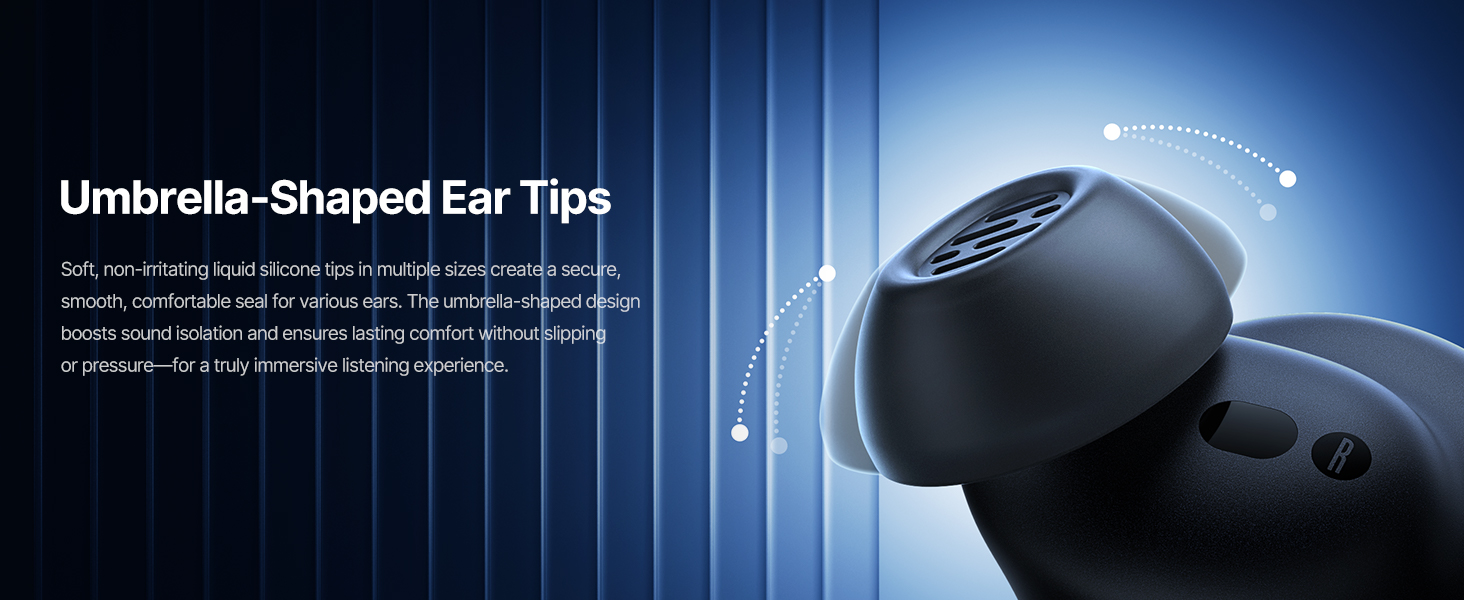
Image: Touch Control Guide.
- Bapala/Emisa Mmino: Tobetsa habeli earbud efe kapa efe.
- Araba/Emisa Mehala: Tobetsa habeli earbud efe kapa efe.
- Hana Mehala: Tlanya 'me u tšoare li-earbud ka metsotsoana e 1.5.
- Fetosa ANC/Mokhoa oa Ponaletso: Tlanya 'me u tšoare li-earbud ka metsotsoana e 1.5.
- Sebelisa Mothusi oa Lentsoe: Tobetsa li-earbud tse peli hararo.
5.3 Adaptive Noise Cancellation (ANC) and Transparency Mode
The Inspire XP1 earbuds feature Premium Adaptive ANC, which dynamically adjusts noise reduction up to -50 dB based on your environment. Transparency Mode allows you to hear your surroundings without removing the earbuds.

Image: Premium Adaptive ANC in use.
Switch between ANC and Transparency Mode by tapping and holding the touch surface for 1.5 seconds, or manage settings via the Baseus App.
5.4 High-Efficiency Clear Calls
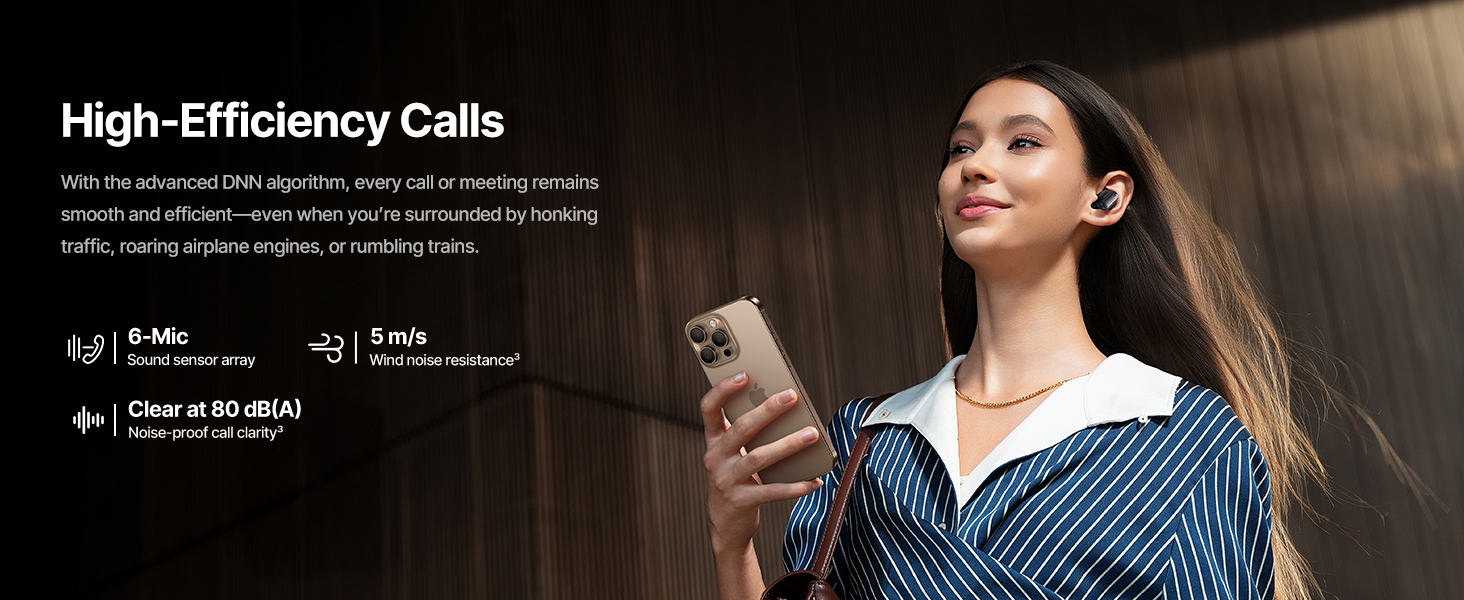
Equipped with a 6-mic sound sensor array and AI algorithms, the earbuds provide clear calls by reducing wind noise and environmental distractions up to 80 dB(A).
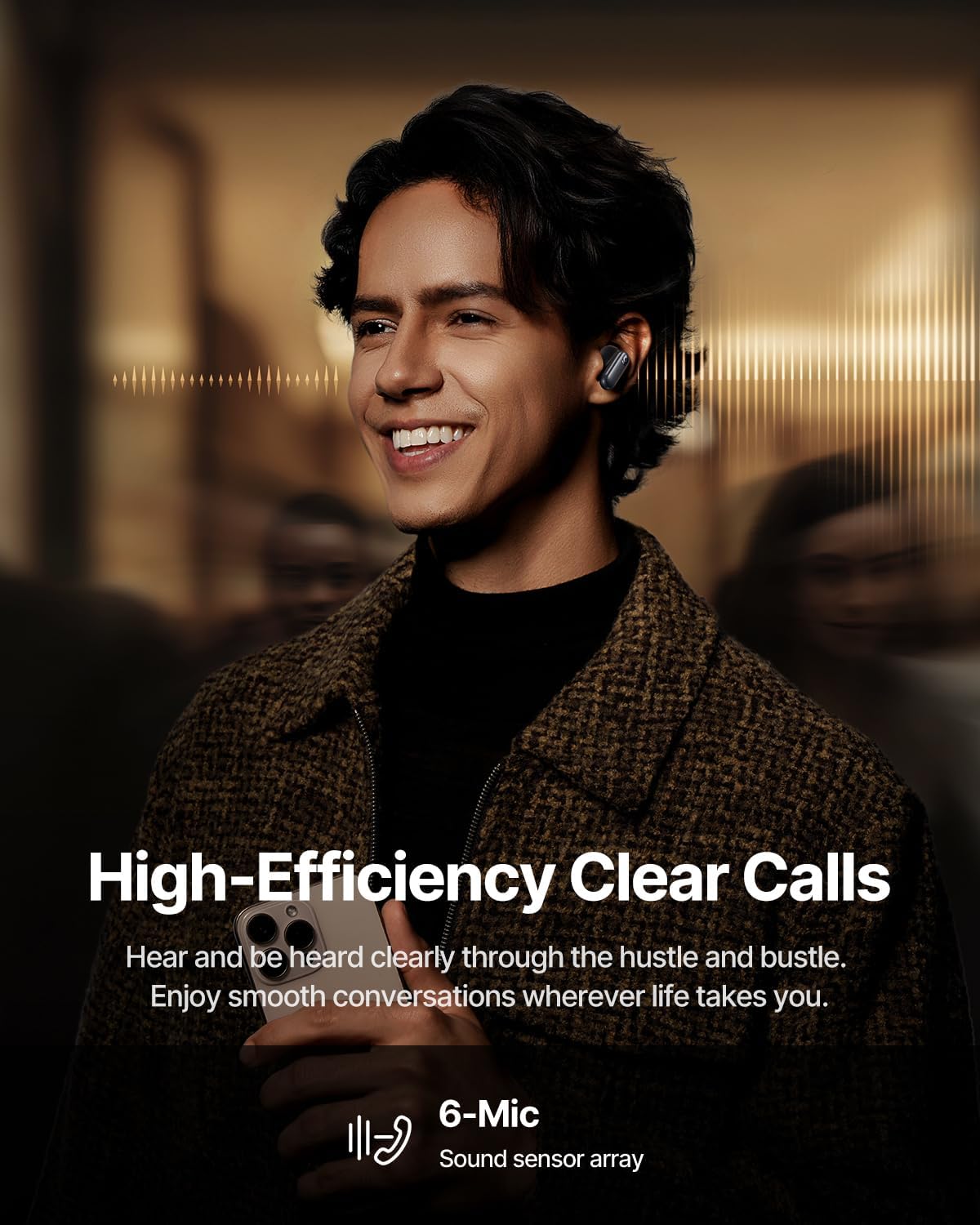
Image: High-Efficiency Clear Calls.
5.5 Ho tjhaja le Bophelo ba Betri
The earbuds offer extended playtime with the charging case:
- ANC E Tlohile: Up to 8 hours per charge, and up to 45 hours with the charging case.
- ANC E Buletsoe: Up to 6 hours per charge, and up to 35 hours with the charging case.
- Tefiso e potlakileng: Metsotso e 10 ea ho tjhaja e fana ka lihora tse ka bang 2.5 tsa ho bapala.

Image: Day-and-Night Playtime.
5.6 Instant Multipoint Connection
Utilize Baseus Smart-Connect and Bluetooth 6.1 for seamless switching between two paired devices, such as a phone and a laptop, enabling uninterrupted calls and multitasking.
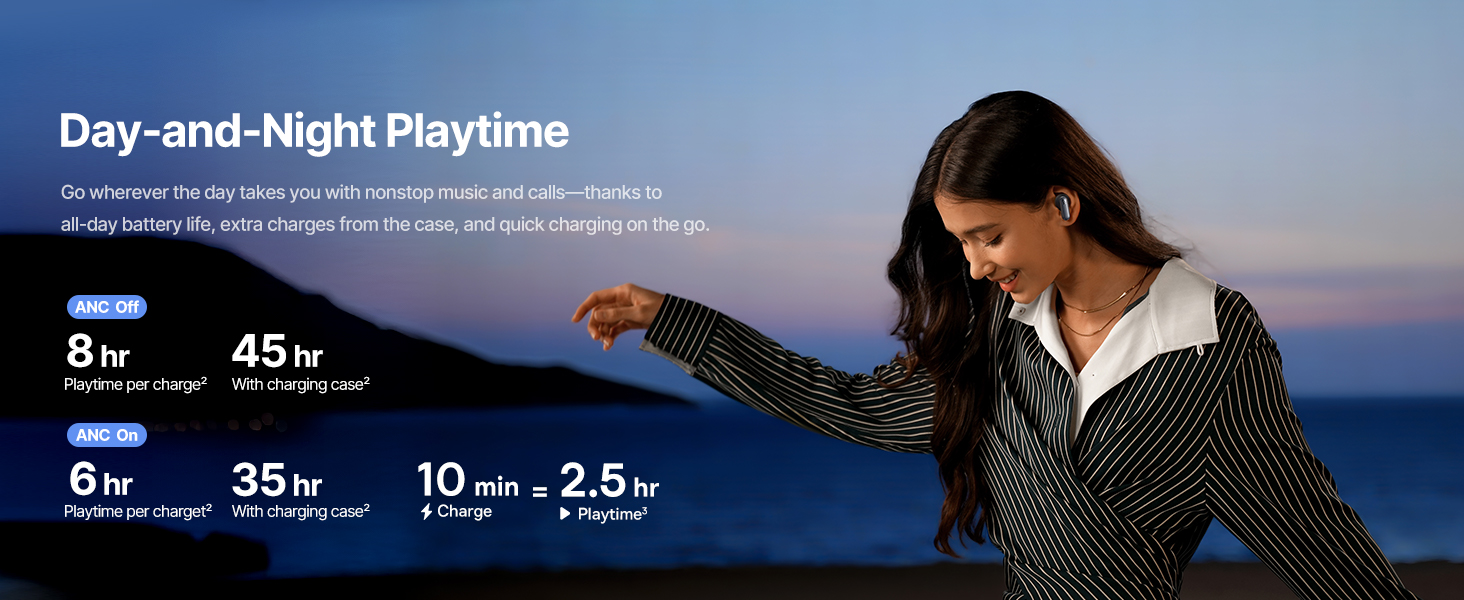
Image: Instant Multipoint Connection.
6. Tlhokomelo
- Ho hloekisa: Hloekisa li-earbud le lebokose la ho tjhaja khafetsa ka lesela le bonolo, le omileng, le se nang lesela. U se ke ua sebelisa thepa e khorofo kapa lik'hemik'hale tse matla.
- Eartips: Remove and clean the silicone eartips with mild soap and water if necessary. Ensure they are completely dry before reattaching.
- Boema-fofane ba ho tjhaja: Keep the USB-C charging port free of dust and debris.
- Polokelo: When not in use, store the earbuds in their charging case to protect them and maintain battery life. Avoid extreme temperatures.
7. Ho rarolla mathata
7.1 Earbuds Not Pairing
- Ensure the earbuds are charged and the charging case lid is open.
- Koala 'me u bule Bluetooth ea sesebelisoa sa hau.
- Lebala sesebelisoa ho li-setting tsa hau tsa Bluetooth 'me u leke ho li lokisa hape.
- Try resetting the earbuds (refer to the Baseus App or Baseus support for specific reset instructions).
7.2 Ha ho na Molumo kapa Molumo o tlase
- Lekola maemo a molumo sesebelisoa sa hau le li-earbud.
- Netefatsa hore li-earbud li lutse hantle litsebeng tsa hau.
- Verify that the earbuds are connected to the correct audio output on your device.
- Hloekisa lithōle life kapa life tse tsoang ho li-earbud.
7.3 Mathata a ho lefisa
- Etsa bonnete ba hore thapo ea ho tjhaja e hoketsoe ka mokhoa o sireletsehileng ka khase le mohloling oa matla.
- Leka thapo e fapaneng ea USB-C le adaptara ea motlakase.
- Hloekisa likhokahano tse tjhajang li-earbud le ka har'a mokotla.
8. Litlhaloso
Image: Product Specifications.
| Lebitso la Mohlala | Baseus Inspire XP1 |
| Theknoloji ea Khokahano | Bluetooth 6.1, E se nang mohala |
| Theknoloji ea puisano e se nang mohala | Bluetooth 6.1 |
| Taolo ea Lerata | Adaptive Noise Cancellation, Environmental Noise Cancellation |
| Audio Driver Size | 10 limilimithara |
| Maqhubu a Range | 20 Hz - 20,000 Hz |
| Bophelo ba Battery (ANC Off) | Lihora tse 8 (li-earbud), Lihora tse 45 (ka lebokose la ho tjhaja) |
| Boema-kepe ba ho tjhaja | USB-C |
| Mokhoa oa ho Laola | App, Touch |
| Lintho tse bonahalang | Silicone |
| Boima ba Ntho | 7.8 lik'hilograma |
9. Tiisetso le Tšehetso
Baseus products are covered by a limited warranty. For detailed warranty information, product support, or to contact customer service, please visit the official Baseus website or refer to the warranty card included in your package.
U ka boela ua etela ho Lebenkele la Baseus ho Amazon bakeng sa lisebelisoa tse eketsehileng le lintlha tsa sehlahisoa.


