1. Selelekela
This manual provides comprehensive instructions for the setup, operation, and maintenance of your ASprink A64M Bluetooth Shipping Label Printer. The A64M is designed for efficient thermal label printing, featuring a compact design and versatile connectivity options for various label sizes.
2. Se ka Lebokoseng
- ASprink A64M Bluetooth Shipping Label Printer
- 100 Thermal Labels (4x6 inches)
- Adapter ea Matla
- Cable ea USB
- Bukana ea mosebelisi (tokomane ena)
3. Seta
3.1. Loading Labels
The A64M printer features an innovative built-in label bin that can accommodate up to 250 4x6 inch roll labels internally. Alternatively, folded labels can be loaded via the rear slot.
- Bula Sekoaelo sa Printer: Gently lift the top cover of the printer.
- Insert Label Roll: Place the label roll into the internal bin. Ensure the labels feed from the bottom of the roll and the print side is facing up.
- Adjust Guide Rails: Slide the adjustable guide rails to fit the width of your labels snugly, preventing misalignment during printing.
- Feed Labels: Pull the leading edge of the labels through the printer's output slot until it extends slightly past the cutter.
- Kwala Sekoahelo: Koala sekoaelo sa khatiso ka mokhoa o sireletsehileng.

Image: Internal label bin with adjustable components for label loading.
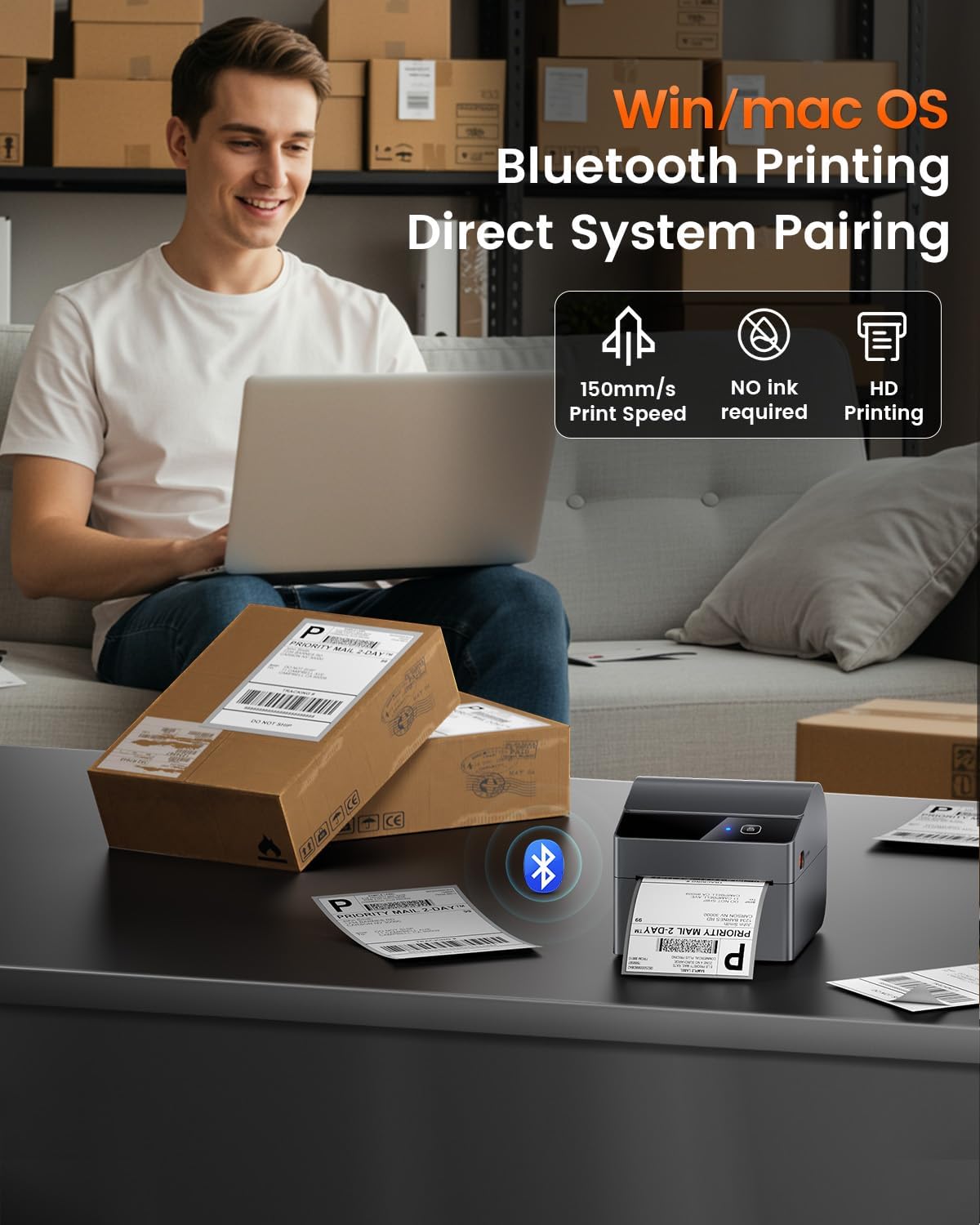
Image: Detail of label roll insertion and guide adjustment.
3.2. Khokahano
The A64M printer offers both Bluetooth and USB connectivity.
- Khokahano ea Bluetooth:
The printer supports Bluetooth 5.0 for wireless printing from Android, iOS, Windows, and macOS devices. Ensure Bluetooth is enabled on your device and pair with the A64M printer.

Image: Bluetooth connectivity with various devices.
- Khokahano ea USB:
For a wired connection, use the provided USB cable to connect the printer to your computer. The printer is compatible with all major computer systems via USB.
3.3. Calibration ea pele
After loading labels and connecting the printer, it is recommended to perform an initial calibration to ensure accurate label detection and printing.
- Matlafatsa: Bulela printa.
- Calibration e Ikemetseng: The printer typically performs an automatic calibration when powered on with labels loaded. If not, refer to the printer's specific button sequence for manual calibration (usually involves holding a feed button).
4. Ts'ebetso
4.1. Mokhoa oa ho hatisa
Once connected and calibrated, you can initiate printing from your device. Ensure your label design matches the physical label size for optimal results.

Image: ASprink A64M printer in operation.
4.2. Boholo ba Leibole bo Tshehetswang
The A64M printer supports a wide range of thermal label widths from 1 inch to 4 inches. This includes standard 4x6 inch shipping labels, as well as smaller labels for various applications.

Setšoantšo: Examples of supported label sizes.
4.3. High-Definition Printing
The printer delivers clear and sharp prints with a maximum black and white print resolution of 300 dpi, ensuring barcodes and text are easily scannable and readable.
4.4. Platform Compatibility
The ASprink A64M is compatible with major shipping and e-commerce platforms, facilitating seamless integration into your workflow.

Image: Compatible platforms for the A64M printer.
5. Tlhokomelo
5.1. Tlhokomelo e Akaretsang
- Keep the printer clean and free from dust. Use a soft, dry cloth for external cleaning.
- Qoba ho beha printa mochesong o feteletseng kapa letsatsing le tobileng.
- Netefatsa hore ho na le moea o kenang hantle ho potoloha printa nakong ea ts'ebetso.
5.2. Label Care
The included thermal labels are designed for durability and clarity:
- Fade-Resistant: Labels are designed to resist fading over time.
- E hanana le Scratch: The label surface is resistant to minor scratches.
- Oil-Proof: Labels maintain integrity when exposed to oils.
Store thermal labels in a cool, dry place away from direct light to preserve their quality.
6. Ho rarolla mathata
This section addresses common issues you might encounter with your ASprink A64M printer. For more detailed troubleshooting, please refer to the official support resources.
- Printa ha e arabe:
- Check if the printer is powered on and properly connected via USB or Bluetooth.
- Qala khatiso le sesebelisoa sa hau se hokahaneng bocha.
- Ensure printer drivers are correctly installed for USB connections.
- Boleng bo Fosahetseng ba Khatiso:
- Verify that you are using thermal labels designed for thermal printers.
- Clean the print head if smudges or lines appear (refer to manufacturer guidelines for cleaning).
- Ensure the label roll is loaded correctly and the guide rails are adjusted.
- Labels Not Feeding Correctly:
- Hlahloba hore na ho na le litšitiso life kapa life tseleng ea leibole.
- Ensure the label roll is not jammed and is properly seated in the internal bin or rear slot.
- Perform a label calibration.
- Mathata a Khokahano ea Bluetooth:
- Ensure Bluetooth is enabled on both the printer and your device.
- Unpair and re-pair the printer with your device.
- Move the printer closer to your device to ensure a strong signal.
7. Litlhaloso
| Sebopeho | Lintlha |
|---|---|
| Lebitso la Mohlala | A64M |
| Brand | ASsprink |
| Theknoloji ea Khatiso | Mocheso |
| Theknoloji ea Khokahano | USB, Bluetooth |
| Bokhoni bo Felletseng ba Leqephe la Kenyeletso | 250 (for 4x6 inch rolls) |
| Boholo ba Media bo tšehelitsoeng | 1" - 4" width, including 4x6 inches |
| Boholo ba Qeto ea Khatiso ea Botsho le Bosoeu | 300 dpi |
| Sephetho sa Mohatisi | Monochrome |
| Tšobotsi e Khethehileng | Network Ready, Portable |
| Kenyellelitsoe Likaroloana | 100 Thermal Labels |
| Mmala | Ntsho |
| Tšebeliso e khethehileng Bakeng sa Sehlahisoa | Shipping labels, Barcode printing, Retail pricing, Inventory management, E-commerce logistics, Warehouse organization, Retail tagging, Home decluttering |
8. Ts'ehetso le Warranty
For technical support, warranty information, or further assistance, please visit the official ASprink website or contact their customer service. Details can typically be found on the product packaging or the ASprink brand store.
ASprink Brand Store: Visit ASprink Store on Amazon
9. Video ea Sehlahisoa
Video: Pontšo ea semmuso ea video ea sehlahisoaasing the ASprink A64M Label Printer for small businesses, highlighting its features and functionality.


