1. Selelekela
The WORX Nitro 40V Brushless Cordless Earth Auger WG865 is designed for efficient and powerful post hole digging and tree planting. This tool offers performance equivalent to a 45 cc gas auger, powered by two 20V PowerShare Pro batteries. Its brushless motor ensures extended runtime and efficiency, delivering up to 59 ft/lbs of engine torque and 220 RPM. Key features include a lightweight design, non-slip ergonomic handles, an anti-kickback system for safety, two-speed settings, and a quick-connect system for easy bit changes.

Figure 1: WORX Nitro 40V Brushless Cordless Earth Auger (Model WG865) with included accessories.
2. Boitsebiso ba Tšireletseho
Kamehla bala le ho utloisisa litemoso le litaelo tsohle tsa polokeho pele o sebelisa sehlahisoa sena. Ho hloleha ho latela litemoso le litaelo ho ka baka ts'okelo ea motlakase, mollo, le/kapa kotsi e mpe.
- Thepa ea Tšireletso: Always wear appropriate safety glasses, hearing protection, and sturdy footwear when operating the auger.
- Secure Grip: Maintain a firm, two-handed grip on the handles during operation. The non-slip ergonomic handles are designed for enhanced control.
- Anti-Kickback System: The auger is equipped with an anti-kickback system that automatically cuts motor power during unexpected jams. This feature is crucial for user safety.
- Hlakola Sebaka sa Mosebetsi: Ensure the work area is clear of bystanders, pets, and any hidden obstacles (rocks, roots, utility lines) that could cause the auger to bind or kick back.
- Tšireletseho ea Battery: Use only specified WORX PowerShare batteries and chargers. Do not expose batteries to water or extreme temperatures.
- Moaparo o Loketseng: Avoid loose clothing or jewelry that could get caught in moving parts.

Figure 2: The anti-kickback system automatically stops the motor during unexpected jams, enhancing user safety.
3. Likahare tsa Sephutheloana
Netefatsa hore lintho tsohle li teng le hore li maemong a matle:
- WORX Nitro 40V Brushless Cordless Earth Auger Unit
- 8-inch Auger Drill Bit
- Two 20V 4.0 Ah PowerShare Pro Batteries
- Sesebelisoa sa betri
- Buka ea Tataiso
4. Seta
4.1 Ho hokela Bit ea Auger
- Align the shaft of the 8-inch auger drill bit with the drive shaft on the main auger unit.
- Push the bit onto the drive shaft until it clicks into place.
- Secure the bit using the quick-connect pin. Ensure the pin is fully inserted and locked to prevent the bit from detaching during operation.
4.2 Ho kenya Batri
- Ensure both 20V 4.0 Ah PowerShare Pro batteries are fully charged.
- Slide each battery into its designated slot on the auger unit until it locks securely.
- Verify that both batteries are firmly seated before operation.
Video 1: Demonstration of easy assembly and battery installation for the WORX Nitro Earth Auger.
5. Litaelo tsa Ts'ebetso
5.1 Starting the Auger
- With batteries installed and the auger bit securely attached, hold the unit firmly with both hands using the ergonomic handles.
- Locate the power switch and set it to the "ON" position.
- Press the trigger to start the auger.
5.2 Speed Settings and Reverse Function
The auger features two-speed settings and a reverse function:
- Lebelo le Tlase: Ideal for general soil digging, providing controlled power.
- Lebelo le phahameng: Suitable for more demanding tasks such as ice drilling (with an appropriate ice auger bit, sold separately).
- Mosebetsi oa ho Fetola: Use the reverse function to easily extract the auger bit from the ground if it gets stuck or to clear debris.
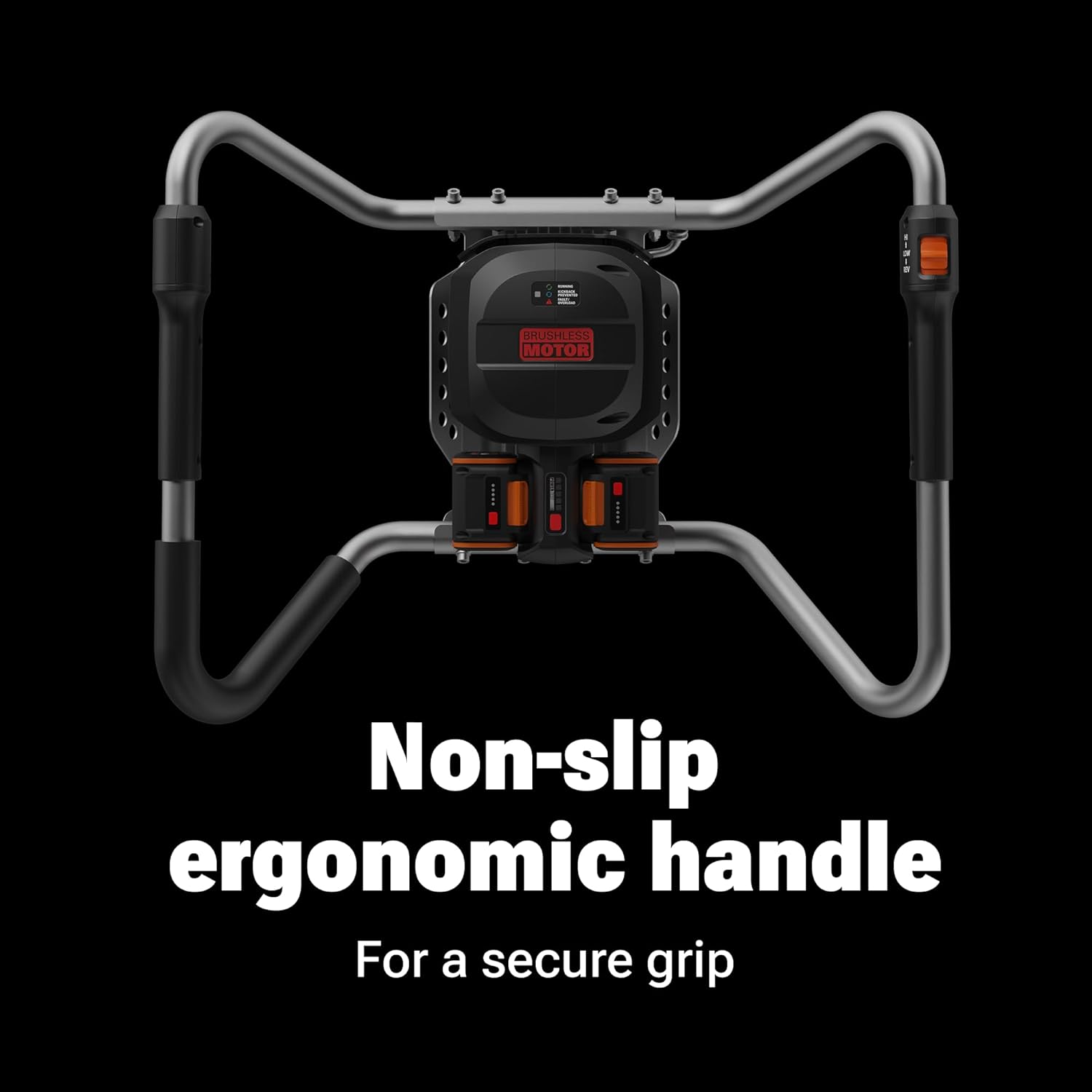
Figure 3: Non-slip ergonomic handles provide a secure grip and easy access to controls, including speed settings and reverse function.
5.3 Digging a Hole
- Position the auger bit vertically at the desired digging location.
- Hold the handles firmly and press the trigger to start the rotation.
- Apply steady, downward pressure as the auger drills into the soil. Allow the auger to do the work; excessive force is not necessary.
- If the auger encounters resistance or jams, release the trigger immediately. Use the reverse function to free the bit if necessary.
- Nako le nako phahamisa auger hanyane ho tlosa mobu o hlephileng ka lesobeng, ebe o tswela pele ho tjheka.
- Continue until the desired depth is reached. The auger can bore up to 38 holes on a single charge (using two 4.0 Ah PowerShare Pro batteries).

Figure 4: The WORX Nitro Earth Auger in action, demonstrating its capability to dig holes for various outdoor projects.
6. Tlhokomelo
Regular maintenance ensures optimal performance and longevity of your auger.
- Ho hloekisa: After each use, clean the auger bit and the main unit to remove soil, debris, and moisture. Use a damp lesela le sesepa se bobebe ha ho hlokahala.
- Tlhahlobo: Regularly inspect the auger bit for wear, damage, or dullness. Replace worn or damaged bits to maintain digging efficiency.
- Polokelo: Store the auger in a dry, secure location away from direct sunlight and extreme temperatures. Remove batteries before long-term storage.
- Tlhokomelo ea Betri: Store batteries in a cool, dry place. Do not store batteries in a discharged state for extended periods.
7. Ho rarolla mathata
- Auger Not Starting:
- Ensure batteries are fully charged and properly installed.
- Netefatsa hore switch ea motlakase e boemong ba "ON".
- Auger Jams During Operation:
- Lokolla thunya hang-hang.
- Use the reverse function to extract the bit.
- Clear any obstacles (rocks, roots) from the hole before resuming.
- Reduced Digging Performance:
- Check the auger bit for wear or damage; replace if necessary.
- Netefatsa hore libeteri li tjhajiloe ka botlalo.
8. Litlhaloso
| Tlhaloso | Boleng |
|---|---|
| Nomoro ea Mohlala | WG865 |
| Mohloli oa Matla | 40V (2 x 20V Lithium Ion Batteries) |
| Mofuta oa Enjene | Brushless |
| Torque ea enjine | Up to 59 ft/lbs |
| Ha ho Moroalo Lebelo | 220 RPM |
| Auger Bit Diameter | 8 inches (included) |
| Boima (ka libeteri) | 30 liponto |
| Litekanyo tsa Sehlahisoa | 43.7 x 24.4 x 18.3 lisenthimithara |
| Bokhoni ba Battery | 2 x 20V 4.0 Ah PowerShare Pro |

Figure 5: The high-efficiency brushless motor provides extended runtime and power.
9. Tiisetso le Tšehetso
For warranty information, technical support, or to purchase replacement parts, please refer to the official WORX website or contact customer service. Keep your purchase receipt as proof of purchase.


