1. Selelekela
The EMEET C950 4K Webcam is designed to provide high-quality video and audio for various communication needs, including remote meetings, online education, and live streaming. It features 4K UHD resolution, PDAF autofocus, and a noise-canceling microphone for clear and stable performance.
2. Likahare tsa Sephutheloana
- EMEET C950 4K Webkam
- Cable ea USB
- Bukana ea Mosebelisi
3. Sehlahisoa Overview
EMEET C950 webcam features a compact design with an integrated clip for easy mounting on monitors or laptops. It includes a lens, a built-in microphone, and a physical privacy cover.

Setšoantšo: Pele view of the EMEET C950 4K Webcam, showing the lens and the integrated privacy cover.

Image: The EMEET C950 4K Webcam mounted on a monitor, demonstrating its PDAF autofocus capability on a user's face during a video call.
4. Litaelo tsa ho seta
4.1 Ho kenya Webkam
The webcam features a flexible bracket for secure placement on top of your computer monitor or laptop screen. Adjust the bracket to fit the thickness of your display. The bracket allows for vertical angle adjustments of 15° forward and 90° backward.

Image: Illustration of the webcam's flexible bracket, showing 90-degree and 15-degree vertical adjustments, along with icons for Windows, macOS, Android, and Linux compatibility.
4.2 Connecting to Your Computer (Plug & Play)
- Connect the USB cable from the webcam to an available USB 2.0 port on your computer.
- The webcam is plug-and-play, meaning no additional drivers are typically required for basic functionality. Your operating system should automatically detect and install the necessary components.

Image: A close-up of the EMEET C950 webcam's USB cable being plugged into a laptop, illustrating its plug-and-play functionality.
4.3 Ho Tsamaellana ha Sistimi
The EMEET C950 is compatible with major operating systems:
- Windows (Win10, 11)
- macOS (10.14 and above)
- Android TV V7.0 and above
It operates seamlessly in USB Video Device Class mode.
4.4 Setting Up 4K Resolution
To utilize the 4K resolution, ensure your computer's settings are configured correctly. The actual video resolution may vary depending on the camera software or applications used (e.g., PotPlayer/OBS).
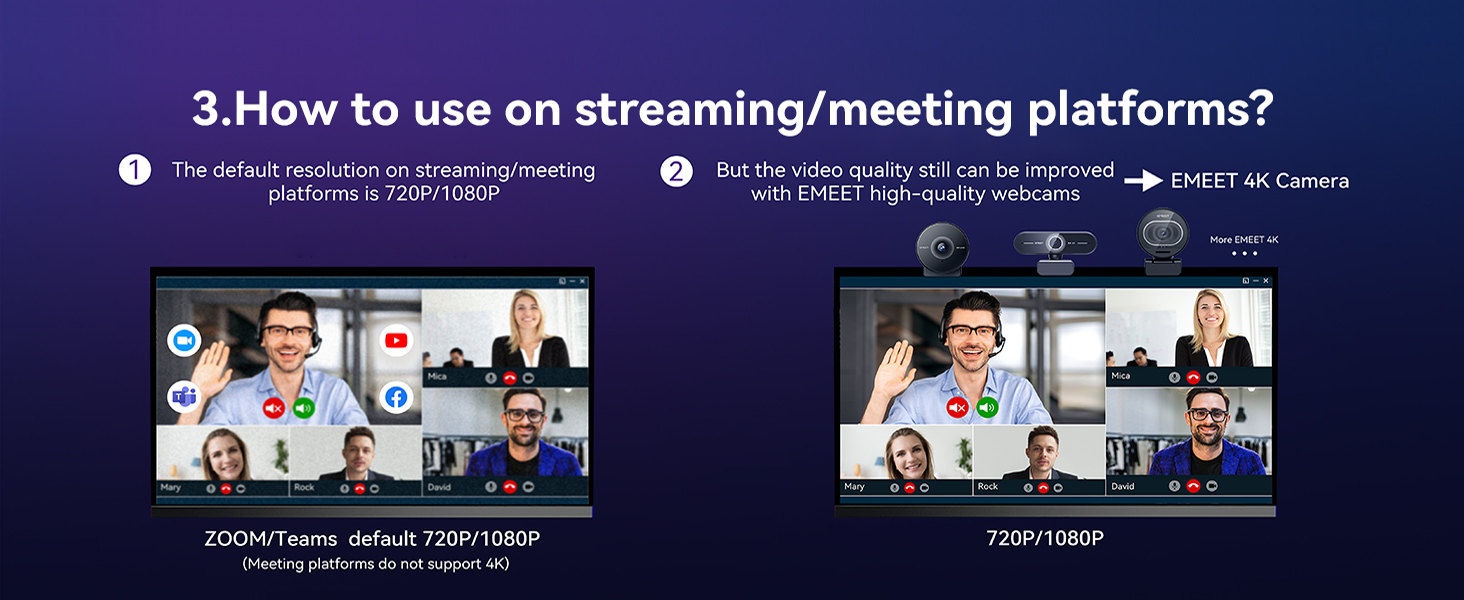
Image: A visual guide demonstrating the steps to configure 4K resolution settings on both Windows and macOS operating systems for the webkh'am.
5. Litaelo tsa Ts'ebetso
5.1 Using with Communication Platforms
The EMEET C950 is fully compatible with popular platforms such as Zoom, Microsoft Teams, Google Meet, Cisco Webex, Facetime, GoToMeeting, Lifesize, Slack, and Line. After connecting, select the EMEET C950 as your preferred camera and microphone in the application's settings.
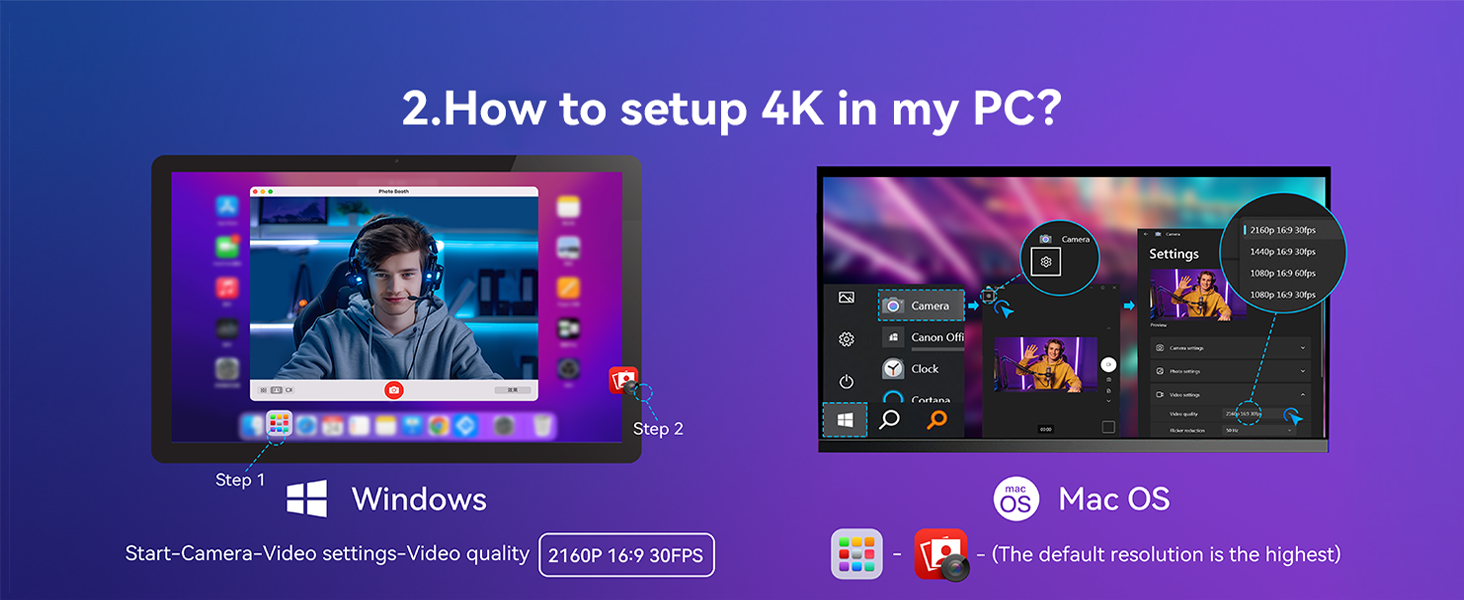
Image: A comparison illustrating the video quality difference between standard 720p/1080p on meeting platforms and the enhanced quality provided by the EMEET 4K Camera.
5.2 Video Resolution and Frame Rates
The webcam supports resolutions and frame rates from 4K@30FPS to 1080P@60FPS. For optimal 4K experience, a 4K display is recommended.
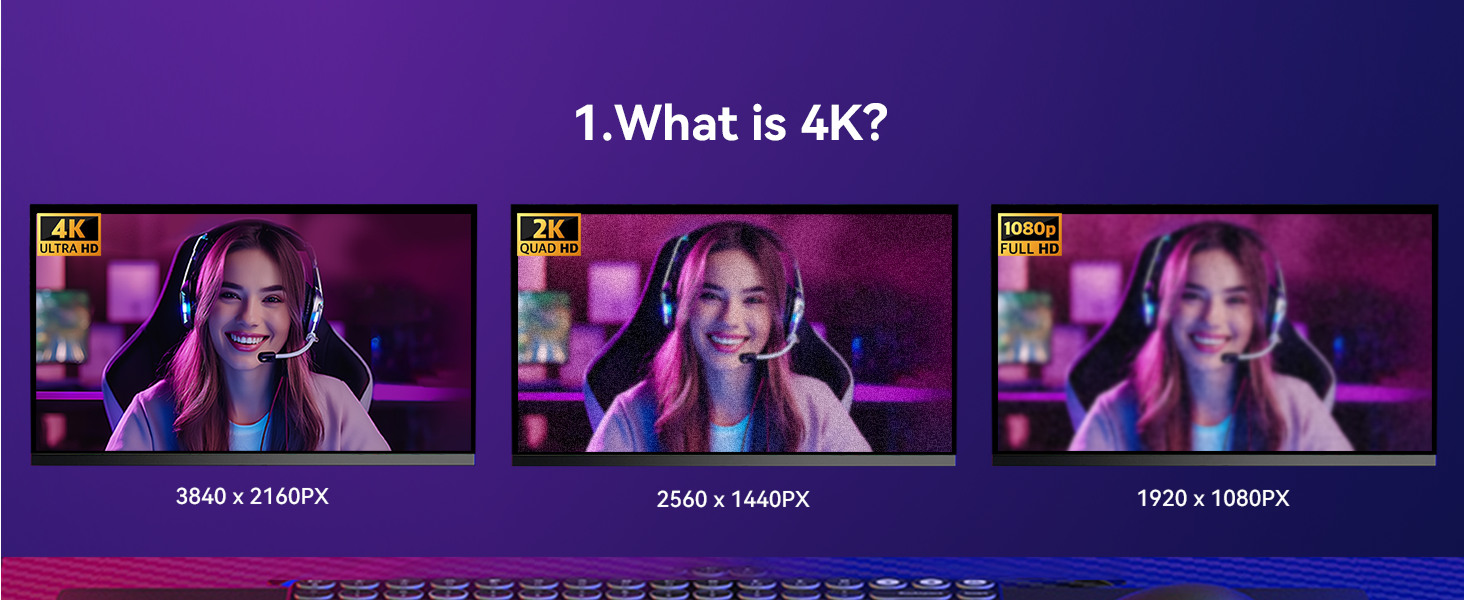
Image: A visual comparison demonstrating the clarity and detail differences between 4K (3840x2160px), 2K (2560x1440px), and 1080p (1920x1080px) resolutions.
5.3 PDAF Autofocus
The PDAF (Phase Detection Autofocus) system provides fast, precise, and stable focusing. The recommended focusing distance under natural lighting conditions is between 4 inches and 10 feet. The 70° Field of View (FOV) helps keep the focus on you, minimizing background distractions.
5.4 Noise-Canceling Microphone
The built-in noise-canceling microphone ensures clear audio capture up to 6 feet away, reducing background noise for improved communication.

Image: A graphic representation of the EMEET C950 webcam's noise cancellation feature, showing how it separates voice from ambient noise.
5.5 Tšireletso ea Lekunutu
The webcam includes a physical privacy cover. Slide the cover over the lens when not in use to ensure your privacy.

Image: An illustration showing a hand sliding the physical privacy cover over the lens of the EMEET C950 webkh'am.
5.6 EMEETLINK Software
For advanced customization of image settings and firmware updates, download and install the EMEETLINK software. This software allows you to tailor your video experience.

Image: A screenshot of the EMEETLINK software interface, displaying various camera settings and customization options for the webkh'am.
6. Tlhokomelo
To ensure the longevity and optimal performance of your EMEET C950 webcam, latela litataiso tsena tsa tlhokomelo:
- Ho hloekisa: Sebelisa lesela le bonolo, le omeletseng ho hloekisa webcam lens and body. Avoid abrasive cleaners or solvents that could damage the surfaces.
- Polokelo: When not in use, especially during travel, engage the privacy cover to protect the lens. Store the webcam in a clean, dry place.
- Ho tšoara: Qoba ho lahla webcam or subjecting it to strong impacts. Do not attempt to disassemble the device.
7. Ho rarolla mathata
If you encounter issues with your EMEET C950 webcam, sheba ditharollo tse latelang tse tlwaelehileng:
- Ha ho na Video/Molumo:
- Etsa bonnete ba hore thapo ea USB e hokahane ka mokhoa o sireletsehileng ho lisebelisoa tse peli webkhamera le khomphutha ea hau.
- Verify that the EMEET C950 is selected as the camera and microphone input in your application's settings (e.g., Zoom, Teams).
- Check your computer's privacy settings to ensure applications have permission to access the camera and microphone.
- Boleng bo Fosahetseng ba Video:
- Netefatsa hore ho na le mabone a lekaneng tikolohong ea hau.
- Check your application's video settings to confirm the resolution is set to 4K or 1080P.
- Hloekisa weblense ea cam e nang le lesela le bonolo.
- Ntlafatsa the webcam's firmware using the EMEETLINK software.
- Mathata a Autofocus:
- Ensure you are within the recommended focusing distance (4 inches to 10 feet).
- Avoid rapid movements or extreme low-light conditions that might affect autofocus performance.
- Noise in Audio:
- Netefatsa hore microphone ha e sitisoe.
- Fokotsa lerata la bokamorao tikolohong ea hau.
Bakeng sa thuso e eketsehileng, ka kopo sheba karolo ea tšehetso.
8. Litlhaloso
| Sebopeho | Lintlha |
|---|---|
| Litekanyo tsa Sehlahisoa | 1.9 x 1.9 x 1.5 lisenthimithara |
| Boima ba Ntho | 3.04 lik'hilograma |
| Ntho Nomoro ea Mohlala | E3133 |
| Theknoloji ea sensor ea lifoto | CMOS |
| Qeto ea ho nka video | 4K |
| Bolelele bo Holimo ba Tsepamiso | 1000 limilimithara |
| Maximum Aperture | 4 f |
| Sebopeho sa Video Capture | MP4 |
| Sebopeho sa Audio se tšehelitsoeng | AAC, MP3 |
| Theknoloji ea Khokahano | USB |
9. Tiisetso le Tšehetso
EMEET provides comprehensive support for its products:
- Tiisetso: The EMEET C950 4K Webcam comes with a 2-year exclusive warranty.
- Tšehetso ea tekheniki: Lifetime professional technical team support is available.
- Nako ea Karabo: Customer inquiries typically receive a reply within 24 hours.
Bakeng sa tšehetso, ka kopo etela EMEET ea semmuso websaete kapa ikopanye le litšebeletso tsa bareki ka kotloloho.

Image: An infographic detailing EMEET's customer support, highlighting a 24-hour response time, a 2-year warranty, and lifetime professional technical support.


