Selelekela
The JBL Live Flex 3 wireless in-ear Bluetooth earbuds offer a premium audio experience with advanced features designed for convenience and sound quality. This manual provides detailed instructions for setup, operation, and maintenance to ensure optimal performance of your earbuds.

Image: The JBL Live Flex 3 earbuds, featuring an open-back stick design, are shown alongside their smart charging case. The earbuds are black with metallic accents, and the case has a small display screen.
Se ka Lebokoseng
Netefatsa hore likarolo tsohle li teng ka har'a sephutheloana:
- 1 Pair of JBL Live Flex 3 Earbuds
- 4 Pairs of Ear Tips in Different Sizes
- 1 Cable ea ho tjhaja ea USB-C
- 1 Smart Charging Case
- 1 Warranty Bill/Warning
- 1 Quick Guide/Safety Sheet

Image: The JBL Live Flex 3 earbuds are placed inside their open charging case. Icons around the image highlight features such as wireless charging, Google Finder for locating lost earbuds, water and dust resistance, and control via the JBL Headphones app.
Tlhophiso
1. Ho Kopanya ha Pele
- Matlafatsa: Bula mokotla oa ho tjhaja. Li-earbud li tla kena mokhoeng oa ho para ka bohona.
- Khokahano ea Bluetooth: On your device (smartphone, tablet, computer), navigate to the Bluetooth settings and select "JBL Live Flex 3" from the list of available devices.
- FastPair (Android 6.0+): For Android devices running 6.0 or higher, a pop-up notification will appear on your screen when the earbuds are nearby. Tap to connect.
- Microsoft Swift Pair (Windows 10 v1803+): For Windows 10 devices (version 1803 or later), a notification will appear to facilitate quick pairing.
2. JBL Li-headphones App
Enhance your listening experience by downloading the JBL Headphones app. The app allows you to customize audio settings, manage noise cancellation, and access additional features. Batla "JBL Headphones" in your device's app store.
Litaelo tsa Ts'ebetso
Litaolo tsa ho Tšoara
The JBL Live Flex 3 earbuds feature intuitive touch controls. Specific functions can be customized via the JBL Headphones app.
- Bapala/Emisa: Tlanya hang ho earbud.
- Pina e Latelang: Tobetsa habeli tsebeng e ka ho le letona.
- Pina e fetileng: Tobetsa Hararo tsebeng e ka letsohong le letšehali.
- Araba/Khaola mohala: Tlanya hang ho earbud.
- Hana Mohala: Tobetsa 'me u hatelle e 'ngoe ea li-earbud.
- Sebelisa Mothusi oa Lentsoe: Press and hold on the right earbud (customizable).
Smart Charging Case Features
The innovative smart charging case provides direct control over your earbuds without needing your phone.

Image: The JBL Live Flex 3 smart charging case is shown with its display screen active, illustrating equalizer settings. The screen shows 'EQUALIZER' at the top, with 'JAZZ' selected, and a toggle switch for the equalizer function. The JBL logo is visible below the screen.
- Tloaelo ea Molumo: Adjust equalizer settings directly from the case's touch screen.
- Taolo ea Lerata: Toggle True Adaptive Noise Cancellation or Ambient Aware modes.
- Molumo oa Sebaka: Enable or disable spatial audio features.
- Litsebiso: Manage message preview litlhophiso.
- Taolo ea Mehala: Answer or reject calls directly from the case.
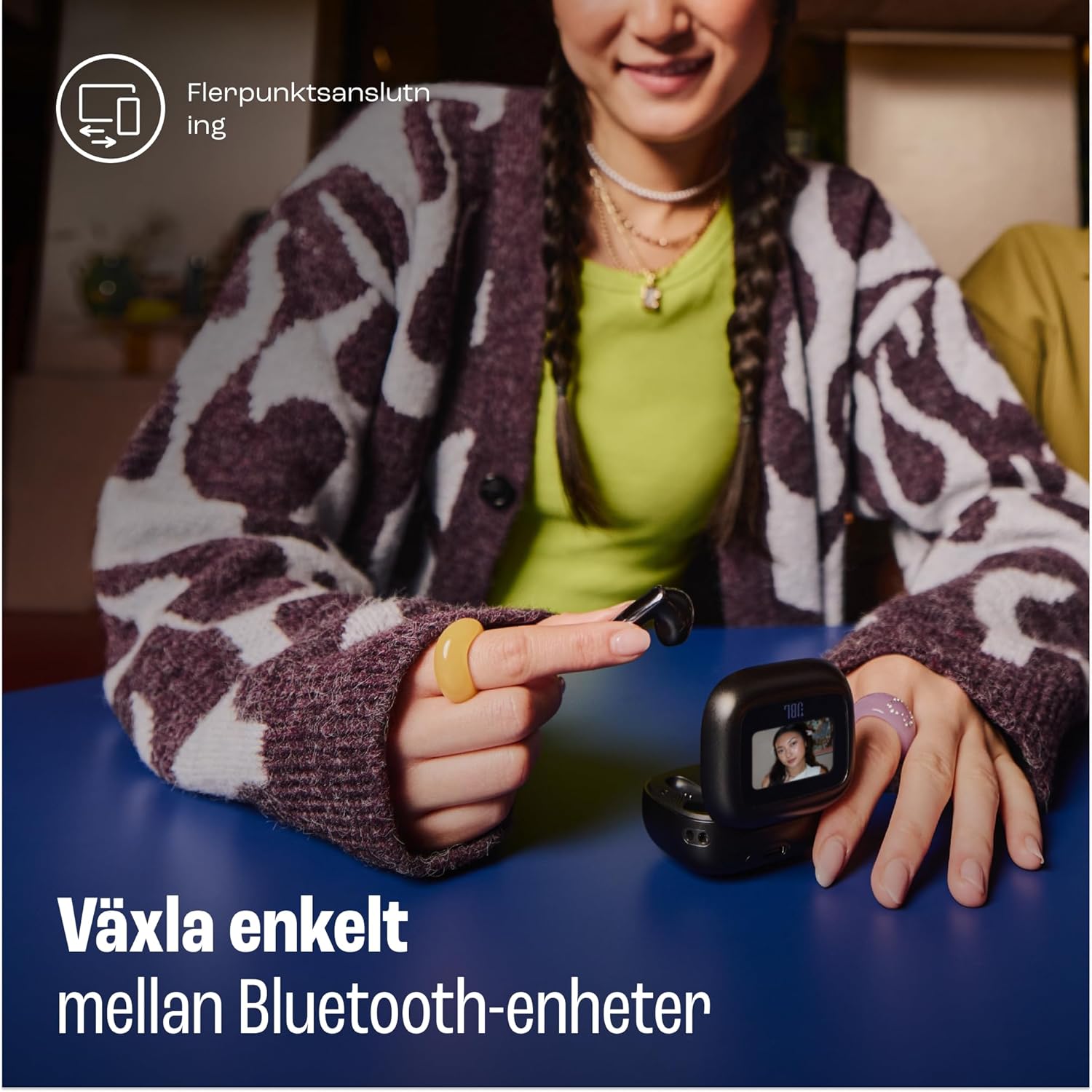
Image: A woman is shown using the touch screen of the JBL Live Flex 3 smart charging case to interact with her devices. The text on the image indicates the ability to easily switch between Bluetooth devices, highlighting the multi-point connection feature.
True Adaptive Noise Cancellation
The earbuds feature True Adaptive Noise Cancellation, which uses four noise-sensing microphones to adapt to your surroundings in real-time. This allows you to filter out external noise for an immersive listening experience.

Image: The JBL Live Flex 3 earbuds are depicted with a graphic of sound waves, illustrating the True Adaptive Noise Cancellation feature. The text emphasizes the ability to fine-tune your audio experience by adjusting noise reduction.
Multi-point Audio Switch Connection
Seamlessly switch between two Bluetooth devices. For example, you can transition from watching a video on your tablet to answering a call on your phone without re-pairing.
Google Finder
If you misplace your earbuds, utilize the Google Finder service to help locate them within a network of Android devices.
Ho Hanyetsa Metsi le Lerōle
The JBL Live Flex 3 earbuds are IP54 rated, making them water and dust-resistant. This protection allows for use during outdoor activities in various weather conditions.
Ho tjhaja le Betri
The earbuds and charging case provide a combined playtime of up to 50 hours.

Image: The JBL Live Flex 3 charging case is open, displaying the earbuds inside. Text overlays indicate a total of 50 hours of uninterrupted playtime with wireless charging, broken down into 10 hours from the earbuds, an additional 40 hours from the charging case, and 4 hours of playtime from a 10-minute charge.
- Nako ea ho bapala ea Earbud: Ho fihla ho lihora tse 10 ka tefiso e le 'ngoe.
- Kakaretso ea Nako ea ho Bapala ka Nyeoe: Ho fihlela lihora tse 50.
- Ho tjhaja kapele: A 10-minute charge provides approximately 4 hours of playtime.
- Ho lefisa Nyeoe: Connect the provided USB-C cable to the charging port on the case and a power source. The case also supports wireless charging.
- Tlhokomelo ea Betri: To prolong battery life, fully charge the battery at least once every 3 months. Battery life may vary based on usage and environmental conditions.
Tlhokomelo
- Ho hloekisa: Regularly clean the earbuds and charging contacts with a dry, soft cotton swab. Avoid using harsh chemicals or abrasive materials.
- Polokelo: Ha li sa sebelisoe, boloka li-earbud ka mokotlaneng oa tsona oa ho tjhaja ho li sireletsa le ho li boloka li tjhajiloe.
- Khahlamelo ea Metsi: While water-resistant, avoid prolonged submersion in water. Ensure earbuds are dry before placing them back in the charging case.
Ho batle phoso
- Ha ho Molumo: Ensure earbuds are charged and properly paired. Check device volume and earbud placement.
- Mathata a Khokahano: Leka ho tlosa li-earbud le ho li kopanya hape. Netefatsa hore ha ho na lisebelisoa tse ling tsa Bluetooth tse sitisang.
- Li-Earbud ha li Chafi: Clean the charging contacts on both the earbuds and the case. Ensure the charging cable is securely connected.
- Ho Hlakola lerata ha ho sebetse: Verify that True Adaptive Noise Cancellation is enabled via the smart case or JBL Headphones app.
Litlhaloso
| Sebopeho | Tlhaloso |
|---|---|
| Lebitso la Mohlala | JBL Live Flex 3 |
| Theknoloji ea Khokahano | Wireless (Bluetooth 5) |
| Taolo ea Lerata | Ho Hlakola lerata ho Adaptive |
| Kakaretso ea Bophelo ba Betri | Lihora tse 50 (ka mokotla oa ho tjhaja) |
| Nako ea ho tjhaja | 15 minutes (for fast charge) |
| Boemo ba ho hanyetsa Metsi | IP54 (E hanana le Metsi) |
| Boima ba Ntho | 72 lik'hilograma |
| Mofuta oa Taolo | Touch Control |
| Kenyellelitsoe Likaroloana | Earbuds, Ear Tips, USB-C Cable, Charging Case, Warranty, Quick Guide |
Warranty le Tšehetso
For warranty information and customer support, please refer to the warranty bill included in your package or visit the official JBL websebaka. U ka boela ua etela ho JBL Store ho Amazon bakeng sa lintlha tse ling tsa sehlahisoa le mehloli ea tšehetso.


