Selelekela
Thank you for choosing the TELEFUNKEN TE40750B45I2K Smart TV. This manual provides essential information for setting up, operating, and maintaining your television. Please read these instructions carefully before using your TV and retain them for future reference.
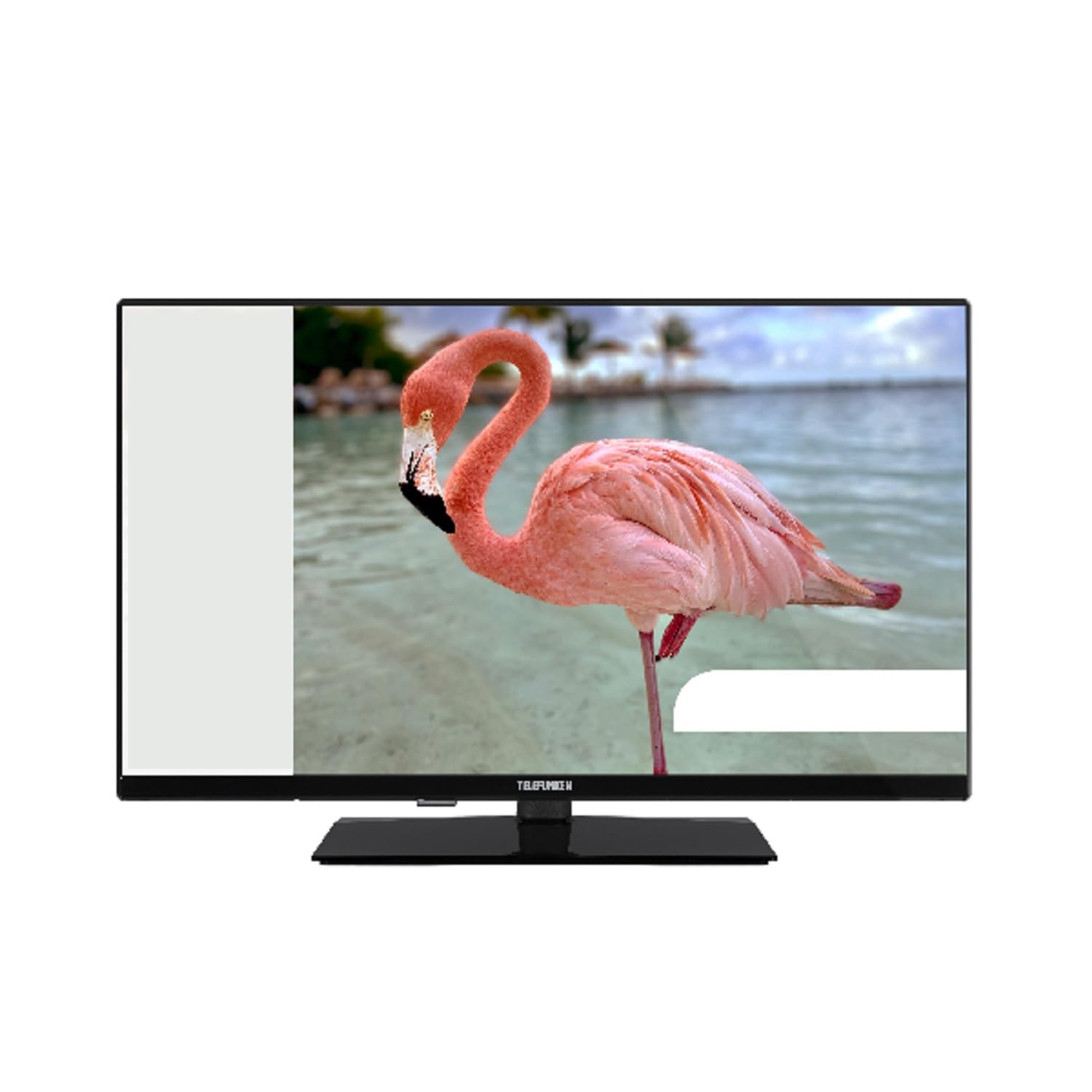
This image shows the TELEFUNKEN TE40750B45I2K Smart TV, a 40-inch model with a sleek black finish and its included stand. The screen displays a vibrant image, highlighting its Full HD LED display capabilities.
Tlhophiso
1. Unpacking and Stand Assembly
- Tlosa TV ka hloko sephutheloana sa eona.
- Attach the included base to the television using the provided screws. Ensure it is securely fastened to prevent the TV from tipping.
2. Matla a Ho kopanya
- Connect the power cord to the TV's power input, then plug it into a 220-240V AC, 50 Hz electrical outlet.
3. Ho hokahanya lisebelisoa tsa ka ntle
TV ea hau e fana ka likou tse fapaneng tsa khokahano bakeng sa lisebelisoa tsa kantle:
- HDMI: For high-definition audio and video devices like Blu-ray players, game consoles, or set-top boxes.
- USB: Bakeng sa ho hokela lisebelisoa tsa polokelo ea USB ho bapala media files.
- Ethernet: Bakeng sa khokahanyo ea marang-rang ea marang-rang.
- Component Input (YPbPr via VGA): Bakeng sa ho hokela disebediswa ho sebediswa dikheibole tsa video tsa dikarolo.
- Composite Video/Audio Input: Bakeng sa ho hokahanya lisebelisoa tsa khale ho sebelisa lithapo tse kopaneng tsa video le li-stereo audio.
- Molumo oa Li-headphone: Bakeng sa ho hokahanya li-headphone.
4. Tlhophiso ea Pele
- Upon first power-on, the On-Screen Display (OSD) will guide you through the initial setup process.
- Perform an Jarolla ka ho iketsa Patlo to find available digital channels (DVB-T2/C/C S2). The TV supports HEVC (H.265) decoding.
- Connect to your Wi-Fi network or use the Ethernet port for internet access to enable Smart TV features.
Litaelo tsa Ts'ebetso
Mesebetsi ea Motheo
- Matla: Use the remote control or the TV's power button to turn the TV on or off.
- Khetho ea Channel: Use the channel up/down buttons or enter channel numbers directly.
- Taolo ea Bolumo: Fetola molumo o sebelisa likonopo tsa holimo/tlase.
Smart TV Features (Android OS)
Your TELEFUNKEN Smart TV runs on Android OS, providing access to a variety of applications and online services.
- Litšebeletso tsa Marang-rang: Access popular streaming platforms such as Netflix, Hulu, and Amazon Prime Video directly from your TV.
- Khokahano ea Wi-Fi: Connect to your home network wirelessly for seamless internet access.
Mecha ea phatlalatso
- USB Media Player: Insert a USB storage device into the USB port to play supported media files. The TV supports MP3, WMA, MPG, MPEG, MP4, MOV, AVI, JPG, PNG, and GIF formats.
Lintlha tse tsoetseng pele
- Tataiso ea Lenaneo la Elektroniki (EPG): View program schedules for digital channels.
- Timer Sleep Function: Set a timer for the TV to automatically turn off.
- Fast Text - TeleText: Access TeleText services on compatible channels.
- Senotlolo sa Batsoali: Set restrictions on channels or programs.
- Hotel Mode (Passive): A specialized mode for hotel environments.
- Mokhoa o atometsang: Adjust the screen display to zoom in on content.
- Litlhophiso tsa molumo: Customize your audio experience with Dolby Audio support, a 5-band equalizer, and DOLBY DIGITAL PLUS audio mode.
Tlhokomelo
Ho hloekisa TV
- Kamehla u tlose TV pele u hloekisa.
- Sebelisa lesela le bonolo, le omileng ho hlakola skrine le khabinete. Bakeng sa matheba a manganga, a soeufale hanyaneampKenya lesela ka metsi kapa sesepa se bonolo, se sa halefeng se etselitsoeng lisebelisoa tsa elektroniki ka ho khetheha.
- Avoid using alcohol, benzene, thinners, or other volatile substances, as they may damage the TV's surface.
Lisebelisoa tsa Software
- Periodically check for available software updates through the TV's settings menu to ensure optimal performance and access to the latest features.
- Information regarding guaranteed software update periods is not available.
Ho batle phoso
If you encounter issues with your TV, please refer to the following common solutions before contacting support.
- Ha ho Matla: Ensure the power cord is securely plugged into both the TV and the wall outlet. Check if the outlet is functional.
- Ha ho Senepe/Molumo: Verify that the correct input source is selected. Check all cable connections to external devices. For no sound, ensure volume is not muted or too low.
- Boleng bo Fosahetseng ba Litšoantšo: Check antenna or cable connections. Adjust picture settings in the TV menu.
- Remote Control ha e sebetse: Tlosa libeteri. Netefatsa hore ha ho na litšitiso lipakeng tsa remote le sensor ea IR ea TV.
- Mathata a Khokahano ea Marang-rang: For Wi-Fi, ensure the router is on and within range. For Ethernet, check the cable connection. Try restarting your router and TV.
- Lisebelisoa tsa Smart TV ha li sebetse: Ensure a stable internet connection. Try restarting the app or the TV. Check for app updates.
If the problem persists after trying these steps, please contact TELEFUNKEN customer support.
Litlhaloso
| Lebitso la Mohlala | TE40750B45I2K |
| Brand | TELEFUNKEN |
| Boholo ba skrine | 40 lisenthimithara (100 cm) |
| Bontša Theknoloji | LED |
| Mofuta oa Panel | D-LED |
| Qeto | 1920 x 1080 (HD e felletseng) |
| Smart TV | Yes (Android Operating System) |
| Litšebeletso tsa Inthanete tse tšehelitsoeng | Netflix, Hulu, Video ea Amazon Prime |
| Phapang karo-karolelano | 208.33:1 |
| Khanya | 250 cd/m² |
| Nako ea Karabelo | 9.5 ms |
| Mofuta oa Tuner | HD DVB-T2/C/C S2 |
| HEVC (H.265) Dekowuta | Ee |
| Bokhoni ba Polokelo ea Lenaneo (Digital S/S2) | 200 likanale |
| Bokhoni ba Polokelo ea Lenaneo (Digital T/T2/C) | 1000 likanale |
| Khokahano | HDMI, USB, Ethernet, Wi-Fi, Component (YPbPr via VGA), Composite Video/Audio, Headphone Output |
| Kakaretso ea likou tsa USB | 1 |
| Audio Output Power (RMS) | 2x8W RMS (10% THD) |
| Dolby Audio | Ee |
| Tlhatlhobo ea DTS | Che |
| Equalizer | Lihlopha tse 5 |
| Mokhoa oa Audio | DOLBY DIGITAL PLUS |
| Media Player Supported Files (USB) | MP3, WMA, MPG, MPEG, MP4, MOV, AVI, JPG, PNG, GIF |
| Phepelo ea motlakase | 220-240V AC 50 Hz |
| Dimensions (without base, WxDxH) | 90.2 x 5.3/8.7 x 51.7 cm |
| Dimensions (with base, WxDxH) | 90.2 x 23.5 x 57 cm, |
| Boima bo kahare | 6.65 lik'hilograma |
| Litekanyo tsa VESA | M4 100x100 |
Warranty le Tšehetso
For warranty information, please refer to the documentation provided with your purchase or contact your retailer. For technical support, please visit the official TELEFUNKEN websebaka kapa ikopanye le litšebeletso tsa bareki.
- Information regarding the availability of spare parts is not provided.
- Information regarding guaranteed software update periods is not available.


