1. Selelekela
The TEAMGROUP PD20M Magnetic External SSD is a high-performance, ultra-portable storage solution designed for seamless data transfer and expansion across various devices. Featuring USB 3.2 Gen 2x2 Type-C connectivity, it offers read and write speeds of up to 2000MB/s, making it ideal for demanding tasks such as 4K ProRes HDR video recording on compatible devices like the iPhone 15 and 16 Pro Max. Its magnetic design ensures convenient attachment, enhancing portability and ease of use.
2. Likarolo tsa lihlahisoa
- Ultra-Thin and Lightweight: At just 8.2 mm thick and weighing 40 g, the PD20M is exceptionally portable.
- Phetiso ea Lebelo le Phahameng: Experience up to 20 Gbps (2000MB/s) read and write speeds with USB 3.2 Gen 2x2 Type-C.
- Moralo oa Magnetic: Features MagSafe compatibility for secure and convenient attachment to devices like the iPhone 15 Pro series.
- Broad sebeletsana USB Type-C ensures plug-and-play functionality with a wide range of devices, including desktops, laptops, smartphones, iPhone 15/16 Pro Max, and iPads.
- Ideal for Content Creation: Supports 4K ProRes HDR recording, making it a perfect partner for expanding iPhone 15/16 storage capacity for professional video work.

Image: The ultra-thin design of the PD20M SSD allows for easy portability, fitting comfortably into a pocket.

Image: Key features and specifications of the PD20M Mag Portable SSD.
3. Likahare tsa Sephutheloana
Netefatsa hore lintho tsohle li teng ka har'a sephutheloana sa sehlahisoa sa hau:
- 1 x TEAMGROUP PD20M Magnetic External SSD (2TB capacity)
- 1 x USB Type-C ho ea ho Type-C Cable

Image: The retail packaging of the PD20M SSD, indicating its capacity and compatibility.
4. Seta le Khokahano
The TEAMGROUP PD20M SSD is designed for plug-and-play convenience. Follow these steps to connect and begin using your SSD:
- Identify Your Device's Port: Ensure your device (e.g., iPhone 15/16 Pro Max, iPad, laptop, desktop) has a USB Type-C port.
- Hokela Cable: Use the provided USB Type-C to Type-C cable. Insert one end into the USB Type-C port on the PD20M SSD and the other end into the USB Type-C port on your host device.
- Magnetic Attachment (for compatible devices): For iPhone 15 Pro series and other MagSafe-compatible devices, align the SSD with the magnetic area on the back of your device for a secure attachment.
- Tsebiso ea Sesebediswa: Your operating system (iOS, macOS, Windows, Android) should automatically detect the SSD. It may appear as an external drive or storage device.
- Formatting (if necessary): For first-time use or if you encounter issues, you may need to format the SSD to a file system compatible with your operating system (e.g., exFAT for cross-platform compatibility, APFS for macOS, NTFS for Windows). Refer to your device's operating system documentation for formatting instructions.

Image: The PD20M SSD connected to an iPhone via its USB-C port, ready for data transfer or recording.

Image: The magnetic attachment feature of the PD20M SSD provides a secure and convenient connection to compatible devices.

Image: The PD20M SSD connected to a laptop, demonstrating its high-speed data transfer capabilities.
5. Litaelo tsa Ts'ebetso
Once connected, the PD20M SSD functions like any other external storage device. Here are common operations:
- File Phetiso: Hula o dihele files between your device's internal storage and the PD20M SSD. For large files, the high-speed USB 3.2 Gen 2x2 interface will ensure rapid transfers.
- Direct Recording (iPhone 15 Pro series): For iPhone 15 Pro and Pro Max models, you can directly record 4K ProRes HDR video to the PD20M SSD, bypassing the phone's internal storage limitations. Ensure your iPhone settings are configured to save recordings to external storage.
- Boloka le ho Boloka: Use the SSD to back up important documents, photos, videos, and other data from your computer or mobile device.
- Gaming Storage: Compatible with gaming consoles (PS4, PS5, Xbox One) for expanding game storage. Refer to your console's manual for specific setup instructions for external drives.
Bohlokoa: Always safely eject or unmount the SSD from your operating system before physically disconnecting it to prevent data corruption.
6. Tlhokomelo le Tlhokomelo
To ensure the longevity and optimal performance of your TEAMGROUP PD20M SSD, follow these guidelines:
- Tšoara ka Tlhokomeliso: While SSDs are more durable than traditional HDDs, avoid dropping the device or subjecting it to strong impacts.
- Omisa: Protect the SSD from moisture and liquids.
- Mocheso: Operate and store the SSD within recommended temperature ranges (typically 0°C to 70°C operating, -40°C to 85°C storage). Avoid extreme heat or cold.
- Bohloeki: Keep the USB-C port free of dust and debris. Use a soft, dry cloth to clean the exterior.
- Ho Ntša Moro o Sireletsehileng: Always use the "Safely Remove Hardware" option on Windows, "Eject" on macOS, or similar functions on other operating systems before disconnecting the SSD.
- Lisebelisoa tsa Firmware: Periodically check the TEAMGROUP official website for any available firmware updates for your SSD model, which can improve performance and stability.
7. Ho rarolla mathata
If you encounter issues with your TEAMGROUP PD20M SSD, try the following troubleshooting steps:
- SSD ha e fumanehe:
- Ensure the USB-C cable is securely connected to both the SSD and your device.
- Try a different USB-C port on your device.
- Test with a different USB-C cable, preferably one known to support USB 3.2 Gen 2x2 speeds. Some cables may not support the full bandwidth.
- Qala komporo kapa sesebelisoa sa hau bocha.
- Check your device's Disk Management (Windows) or Disk Utility (macOS) to see if the drive is recognized but unformatted or uninitialized.
- Lebelo le Butle la Phetisetso:
- Ensure your device's USB-C port supports USB 3.2 Gen 2x2 (20 Gbps). Older USB versions will result in lower speeds.
- Verify you are using the provided cable or a high-quality USB 3.2 Gen 2x2 compatible cable.
- The file system format can impact performance. Ensure it's optimized for your primary operating system.
- Palo e kholo ea tse nyane files transfer slower than a few large files.
- Ensure your device's drivers for USB ports are up to date.
- SSD Disconnects Randomly:
- Check the cable for damage or loose connections.
- Ensure your device's power settings are not configured to turn off USB ports to save power.
- Avoid excessive bending or strain on the cable during use.
- Mofuthu oa Mocheso:
- It is normal for the SSD to generate some heat during intensive operations (e.g., large file transfers, 4K video recording). If it becomes excessively hot and performance drops, ensure it has adequate airflow and is not covered.
If these steps do not resolve your issue, please contact TEAMGROUP customer support.
8. Lintlha tsa Setegeniki
| Sebopeho | Tlhaloso |
|---|---|
| Lebitso la Mohlala | PD20M |
| Nomoro ea Mohlala | TPSEG2002T0C108 |
| Bokhoni | 2 TB |
| Sehokedi | USB 3.2 Gen 2x2 Type-C |
| Bala Lebelo | Ho fihla ho 2000 MB/s |
| Ngola Lebelo | Ho fihla ho 2000 MB/s |
| Litekanyo (LxWxH) | 2.76 x 2.44 x 0.33 inches (70 x 62 x 8.2 mm) |
| Boima ba 'mele | 1.41 ounces (40 g) |
| Mmala | Ntsho |
| Likarolo Tse Khethehileng | Magnetic (MagSafe compatible), Portable |
| Lisebelisoa tse lumellanang | Desktop, Laptop, Smartphone, iPhone 15, iPhone 16, iPad, PS4, PS5, Xbox One |
| Moetsi | TEAMGROUP |
| Letsatsi la Pele la ho Fumana | La 28 Hlakubele 2024 |
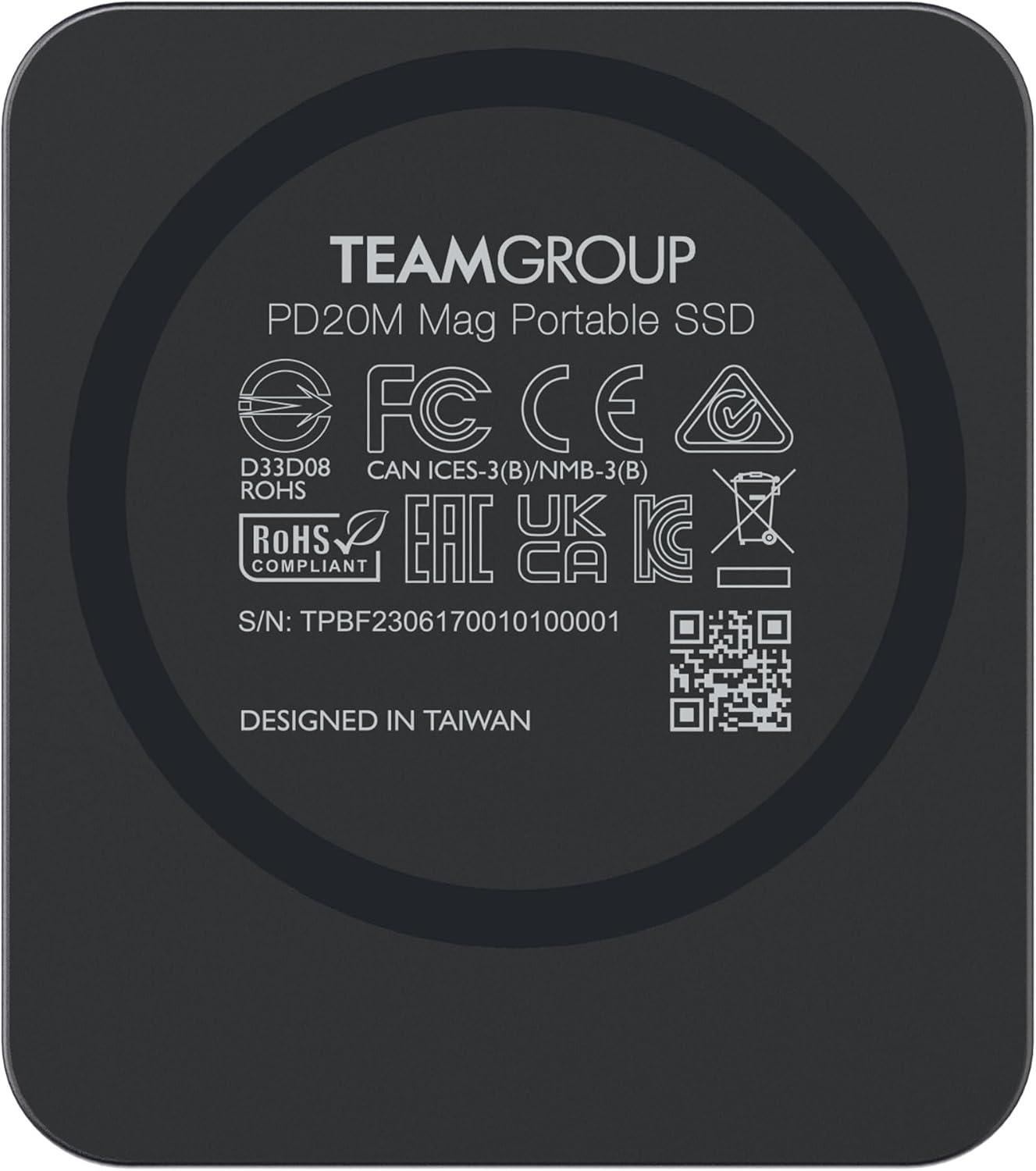
Setšoantšo: Ka morao view of the PD20M SSD, displaying product information and certifications.
9. Tiisetso le Tšehetso
TEAMGROUP products are designed for reliability and performance. The PD20M SSD typically comes with a 3-year limited warranty, as indicated by the manufacturer. For specific warranty terms and conditions, please refer to the warranty card included with your product or visit the official TEAMGROUP websebaka.
Tšehetso ea Bareki:
If you require technical assistance, have questions about your product, or need to initiate a warranty claim, please contact TEAMGROUP customer support through their official website. Have your product model number (TPSEG2002T0C108) and serial number (found on the back of the device) ready when contacting support.
Lisebelisoa tsa Marang-rang:
- Etela ofisiri TEAMGROUP Websebaka for product information, drivers, and support.
- Explore the TEAMGROUP Store on Amazon bakeng sa lihlahisoa tse eketsehileng le tlhahisoleseding.
10. Livideo tsa Sehlahisoa sa Semmuso
Ha ho livideo tsa semmuso tse tsoang ho morekisi tse fumanoeng ho data e fanoeng hore e kenngoe bukeng ena.


