1. Selelekela
Thank you for choosing the Baseus E13 TWS Bowie Headphones. This manual provides essential information for setting up, operating, and maintaining your new wireless earbuds. Please read it carefully before use to ensure optimal performance and longevity of your device.
2. Likahare tsa Sephutheloana
Netefatsa hore lintho tsohle li teng ka har'a sephutheloana sa hau:
- Baseus E13 TWS Bowie Headphones (Left and Right Earbuds)
- Nyeoe ea ho tjhaja
- USB Charging Cable
- Li-Cushions tsa tsebe (boholo bo fapaneng)
- Bukana ea mosebelisi (tokomane ena)

Image: The Baseus E13 TWS Bowie Headphones, including the earbuds, charging case, and the included USB charging cable.
3. Sehlahisoa Overview
The Baseus E13 TWS Bowie Headphones feature a compact design with a charging case for portability and extended battery life.

Image: The Baseus E13 TWS Bowie Headphones, showing both earbuds resting in their open charging case.
4. Seta
4.1 Ho tjhaja li-Earbuds le Case
- Qoso ea pele: Pele o sebedisa la pele, tjhaja di-earbud le lebokose la ho tjhaja ka botlalo.
- Ho lefisa Nyeoe: Connect the provided USB charging cable to the charging port on the case and a compatible USB power source. The indicator light on the case will show charging status.
- Ho tjhaja li-Earbuds: Place the earbuds into the charging case. Ensure they are correctly seated; the indicator lights on the earbuds will confirm charging.
A full charge provides up to 30 hours of total playback time with the charging case.
4.2 Ho hokahanya ha Bluetooth
- Matlafatsa: Bula mokotla oa ho tjhaja. Li-earbud li tla bulela 'me li kenye mokhoa oa ho para.
- Kenya tshebetsong Bluetooth: Sesebedisweng sa hao (smartphone, tablet, jj), kenya tshebetsong Bluetooth.
- Kgetha Sesebediswa: Batla "Baseus E13" in the list of available Bluetooth devices and select it to connect.
- Netefatso: Potso ea lentsoe e tla netefatsa hore ho kopantsoe ho atlehile.
Li-earbud li tla hokela hape sesebelisoa sa ho qetela se parang ha se ntšoa ka har'a kesi, haeba Bluetooth e butse sesebelisoa.
4.3 Taolo ea App
Enhance your experience by downloading the official Baseus app. The app allows for customizable controls, EQ settings, and other features.
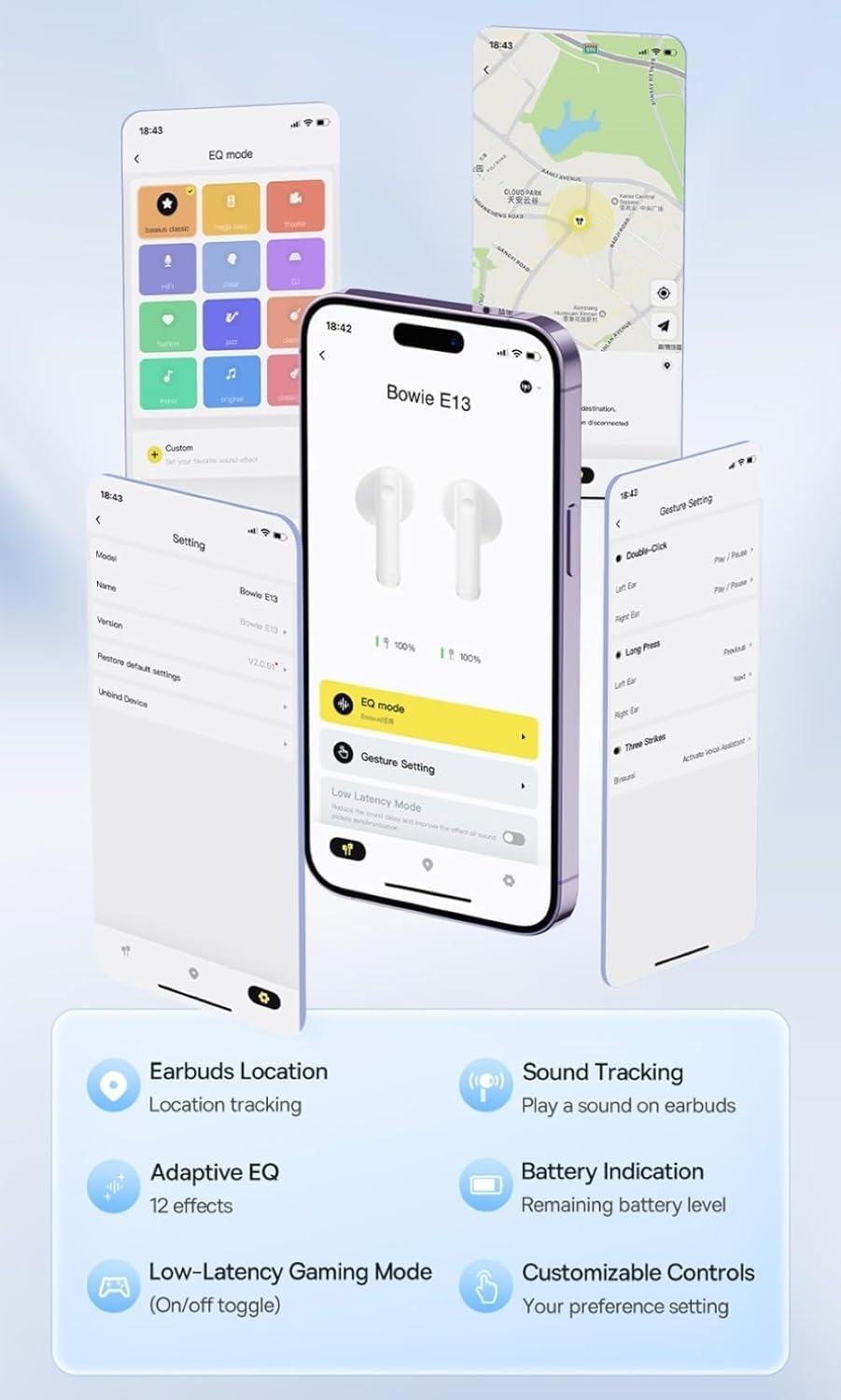
Image: Multiple smartphone screens displaying the Baseus app interface, highlighting features such as EQ mode, gesture settings, low-latency gaming mode, earbud location tracking, sound tracking, adaptive EQ with 12 effects, battery indication, and customizable controls.
5. Ts'ebetso
5.1 Litaolo tsa Motheo
The Baseus E13 TWS Bowie Headphones feature touch controls for easy management of audio and calls. Specific gestures can be customized via the Baseus app.
- Bapala/Emisa: Tobetsa hang feela ho li-earbud.
- Pina e Latelang: Tobetsa habeli tsebeng e ka ho le letona.
- Pina e fetileng: Tlanya habeli tsebeng e ka letsohong le letšehali.
- Araba/Khaola mohala: Tobetsa hang feela ho li-earbud.
- Hana Mohala: Tobetsa ho e 'ngoe ea li-earbud nako e telele.
- Sebelisa Mothusi oa Lentsoe: Tlanya gararo ho e 'ngoe ea li-earbud.
5.2 Low-Latency Gaming Mode
For an optimized gaming experience, activate the 0.06s ultra-low latency gaming mode through the Baseus app. This reduces audio delay, providing faster response times.
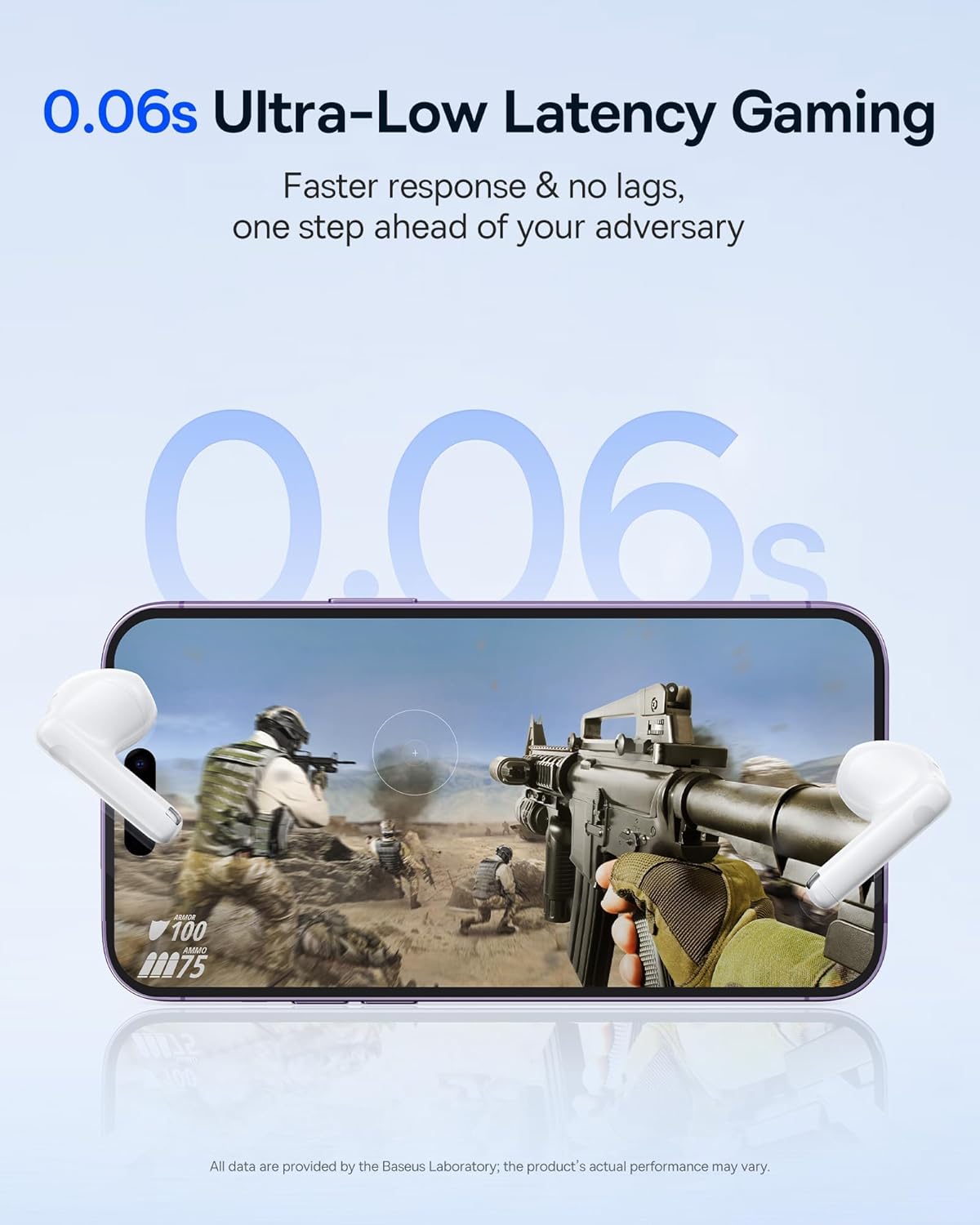
Image: The Baseus E13 TWS Bowie Headphones positioned near a smartphone screen displaying a fast-paced first-person shooter game, emphasizing the 0.06s ultra-low latency feature for gaming.
5.3 Ho bapala ka molumo
Enjoy up to 30 hours of continuous audio playback with the assistance of the charging case. Each earbud provides several hours of playback on a single charge, with the case offering multiple recharges.

Image: The Baseus E13 TWS Bowie Headphones and their charging case, overlaid with a graphic prominently displaying '30H', signifying the total audio playback time achievable with the case.
5.4 Boleng ba Maikutlo
The earbuds are equipped with a large 12mm diaphragm, designed to restore each note with remarkable depth and accuracy, providing a powerful low-frequency audio experience.

Image: A detailed cutaway diagram of a Baseus E13 TWS earbud, focusing on the internal structure of the large 12mm diaphragm and its contribution to sound quality.
5.5 Khokahano
Utilizing Bluetooth 5.3 technology, the headphones offer a faster and more stable wireless connection, ensuring smooth audio transmission and enhanced sound quality.

Setšoantšo: E bonaletsang view of a Baseus E13 TWS earbud, revealing its internal circuitry and specifically highlighting the integrated Bluetooth 5.3 chip for advanced wireless connectivity.
6. Ho Roala Li-Earbud
The earbuds are designed with a mini stem and a lightweight profile, featuring a 45° wearing angle for a comfortable and secure fit.

Image: A woman wearing a Baseus E13 TWS earbud, illustrating the ergonomic design with a mini stem and lightweight construction for a comfortable user experience.
7. Tlhokomelo
- Ho hloekisa: Hloekisa li-earbud le mokotla oa ho tjhaja khafetsa ka lesela le bonolo, le omeletseng, le se nang lint. U se ke ua sebelisa lik'hemik'hale tse thata kapa lisebelisoa tse senyang.
- Mathata a Metsi: The earbuds are water resistant. Avoid submerging them in water or exposing them to excessive moisture. Dry thoroughly if they come into contact with liquids.
- Polokelo: Ha li sa sebelisoe, boloka li-earbud ka mokotlaneng oa tsona oa ho tjhaja ho li sireletsa le ho li boloka li tjhajiloe. Boloka sebakeng se phodileng, se omileng hole le mocheso o feteletseng.
- Tlhokomelo ea Betri: To preserve battery life, avoid fully discharging the earbuds and case frequently. Charge them regularly, even if not in constant use.
8. Ho rarolla mathata
If you encounter issues with your Baseus E13 TWS Bowie Headphones, refer to the following common solutions:
- Ha ho Molumo:
- Netefatsa hore li-earbud li tjhajiloe.
- Check Bluetooth connection to your device.
- Adjust volume on both earbuds and connected device.
- Li-Earbud ha li Kopane:
- Beha li-earbuds morao ka mokotlaneng, koala, ebe o bula hape ho kenya mokhoa oa ho para.
- Forget "Baseus E13" from your device's Bluetooth list and attempt to pair again.
- Ensure earbuds are within range of your device.
- Mathata a ho tjhaja:
- Verify the charging cable is securely connected to both the case and power source.
- Leka kou e fapaneng ea USB kapa adaptara ea motlakase.
- Ensure charging contacts on earbuds and in case are clean and free of debris.
- Earbud e le 'ngoe ha e sebetse:
- Netefatsa hore li-earbud ka bobeli li tjhajiloe.
- Try resetting the earbuds (refer to app or Baseus support for specific instructions).
9. Litlhaloso
| Brand | Baseus |
| Lebitso la Mohlala | E13 TWS |
| Theknoloji ea Khokahano | Wireless (Bluetooth 5.3) |
| Ho Bea Litsebe | Tsebeng |
| Sebopeho sa Foromo | True Wireless |
| Tšitiso | 32 ohm |
| Mofuta oa Taolo | Touch controls, App |
| Lintho tse bonahalang | Plastiki |
| Boima ba Ntho | 0.07 lik'hilograma |
| Boemo ba ho hanyetsa Metsi | Ha e kene metsi |
| Boholo ba Sebaka sa Ts'ebetso | 10 Limithara |
| Kakaretso ea Bophelo ba Betri | Ho fihlela lihora tse 30 (ka nyeoe ea ho tjhaja) |
| Likarolo Tse Khethehileng | 0.06s ultra-low latency, Faster and more stable 5.3 wireless chip, Lightweight and Mini Design, Powerful low frequency controller |
10. Tiisetso le Tšehetso
Baseus products are designed for reliability and performance. For warranty information, please refer to the warranty card included with your purchase or visit the official Baseus website. For technical support or further assistance, please contact Baseus customer service or visit the Lebenkele la Baseus ho Amazon.


