1. Selelekela
This manual provides essential instructions for the safe and efficient use of your SONY VAIO Pro PK VJPK11 laptop. Please read this manual thoroughly before operating your device and retain it for future reference. It covers setup, operation, maintenance, and troubleshooting to ensure optimal performance and longevity of your laptop.
2. Sehlahisoa Overview
The SONY VAIO Pro PK VJPK11 is a portable computing device designed for productivity and multimedia. Familiarize yourself with its components and features.

Setšoantšo sa 2.1: Pele view of the SONY VAIO Pro PK VJPK11 laptop. This image displays the laptop open, revealing the screen, keyboard, and touchpad. The VAIO logo is visible on the screen, and an Intel Core i5 sticker is on the palm rest.
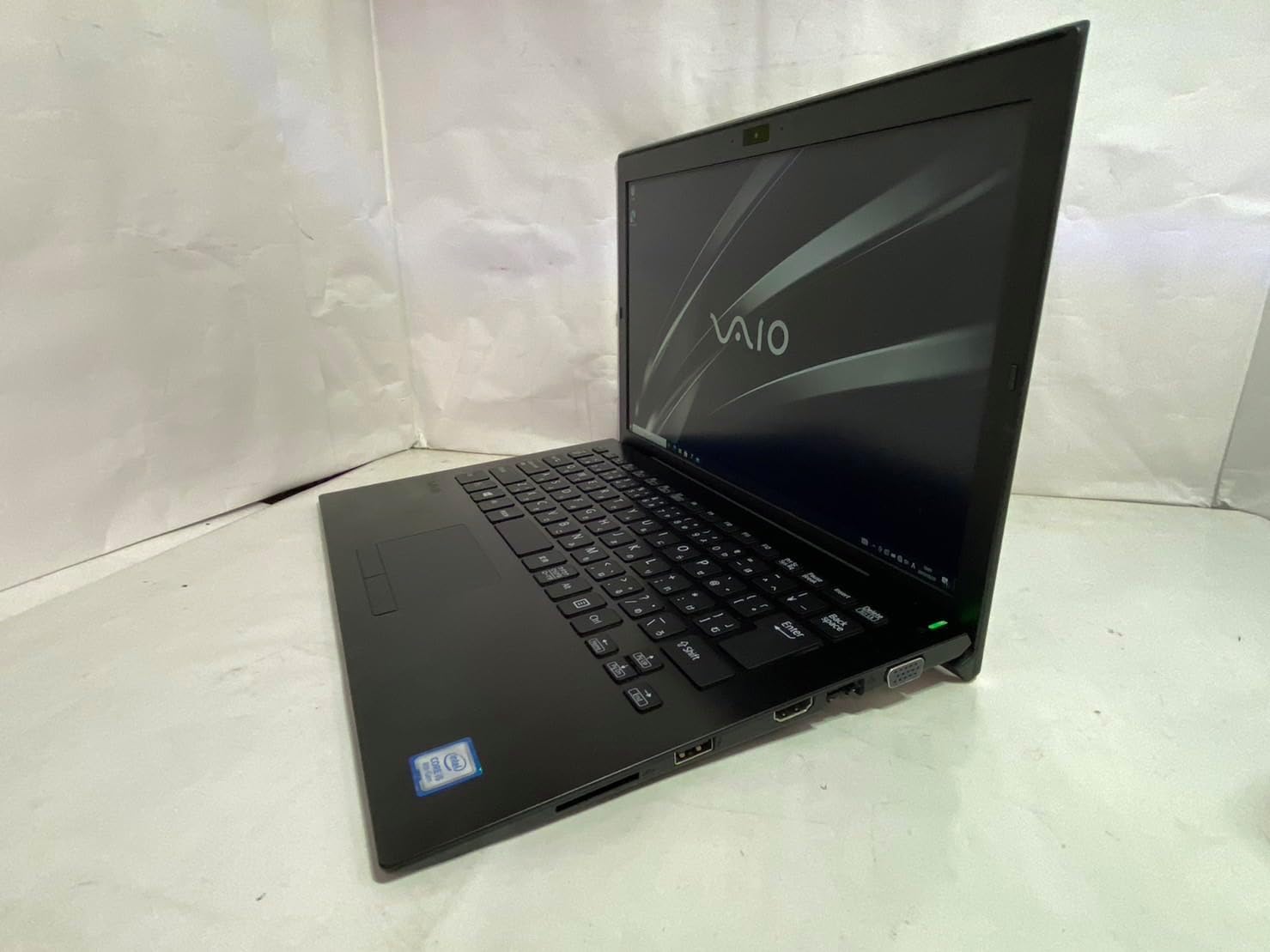
Setšoantšo sa 2.2: Lehlakore le letshehadi view of the SONY VAIO Pro PK VJPK11 laptop. This image shows the left side of the laptop, highlighting various ports such as USB, HDMI, and a VGA port, along with a ventilation grille.

Setšoantšo sa 2.3: Holimo view of the SONY VAIO Pro PK VJPK11 laptop with the lid closed. This image displays the sleek black finish of the laptop's lid, featuring the prominent silver VAIO logo in the center.
3. Seta
3.1 Ho phutha
Carefully remove the laptop and all accessories from the packaging. Ensure all components are present:
- SONY VAIO Pro PK VJPK11 Laptop
- Adapter ea AC le Khoele ea Matla
- Litokomane (bukana ena, tlhahisoleseding ea tiisetso)
3.2 Ho hokela Matla
- Hokela adaptara ea AC boema-kepeng ba ho kenya matla ho laptop ea hau.
- Hokela thapo ea motlakase ho adaptara ea AC.
- Insert the power cord into a grounded electrical outlet.
- Allow the battery to charge fully before initial use, or use the laptop while connected to power.
3.3 Initial Boot-Up and Windows Setup
Press the power button to turn on the laptop. Follow the on-screen instructions to complete the Windows 10 Pro setup process. This typically involves selecting your region, language, accepting license agreements, and creating a user account.
4. Litaelo tsa Ts'ebetso
4.1 Ho Bulela/Ho tima
- Ho Matlafatsa: Press the power button located on the laptop.
- Ho Koala: Click the Start button, then Power, and select 'Shut down'.
- Ho qala bocha: Click the Start button, then Power, and select 'Restart'.
- Ho Robala: Click the Start button, then Power, and select 'Sleep', or close the laptop lid.
4.2 Keyboard le Touchpad
The laptop features a standard QWERTY keyboard and a multi-touch touchpad. Use the touchpad for cursor control and gestures. Refer to Windows settings for customizing touchpad sensitivity and gestures.
4.3 Lithako tse hokelang
- Lisebelisoa tsa USB: Connect USB devices (e.g., mouse, external drive) to the available USB 3.0 ports.
- Pontšo ea ka ntle: Use the HDMI or VGA port to connect an external monitor or projector. Press Konopo ea Windows + P to manage display modes.
- Wired Network (LAN): Connect an Ethernet cable to the LAN port for a wired internet connection.
- Karete ea SD: Insert an SD card into the dedicated SD card slot for data transfer.
4.4 Ho sebelisa Webcam and Bluetooth
- Webkhamera: E kopantsoeng webcam can be used for video calls and conferencing. Access it through applications like Camera or communication software.
- Bluetooth: Enable Bluetooth in Windows settings to connect wireless devices such as headphones, speakers, or mice.
5. Tlhokomelo
5.1 Ho hloekisa Laptop
Sebelisa lesela le bonolo, le se nang lint hanyenyane dampened with water or a screen cleaner to clean the display and exterior surfaces. Avoid harsh chemicals or abrasive materials. Ensure the laptop is powered off and unplugged before cleaning.
Tlhokomelo ea Battery
To prolong battery life, avoid extreme temperatures. If storing the laptop for an extended period, ensure the battery is charged to approximately 50%.
5.3 Lintlafatso tsa Software
Regularly check for and install Windows updates and driver updates from the SONY support websebaka sa ho netefatsa botsitso le ts'ireletso ea sistimi.
5.4 Data Backup
Periodically back up your important data to an external drive or cloud storage to prevent data loss.
6. Ho rarolla mathata
This section addresses common issues you might encounter with your SONY VAIO Pro PK VJPK11.
6.1 Ha ho Matla
- Ensure the AC adapter is securely connected to the laptop and a working power outlet.
- Netefatsa hore motlakase oa sebetsa ka ho hokela sesebelisoa se seng.
- Haeba betri e ntšitsoe ka botlalo, e lumelle hore e tjhaje metsotso e seng mekae pele o leka ho e bulela.
6.2 Mathata a Pontšo
- If the screen is blank, try adjusting the display brightness using the function keys.
- If an external monitor is connected, ensure the correct display output mode is selected (Windows key + P).
- Qala hape laptop.
6.3 Mathata a Khokahano ea Wi-Fi
- Netefatsa hore Wi-Fi e butse litlhophiso tsa Windows.
- Qala hape router ea hau le modem.
- Sheba hore na lisebelisoa tse ling li ka hokela marang-rang a tšoanang a Wi-Fi.
- Ntlafatsa bakhanni ba hau ba marang-rang a se nang mohala.
6.4 Laptop Running Slow
- Koala lits'ebetso tse sa hlokahaleng tse sebetsang ka morao.
- Sheba Task Manager bakeng sa lits'ebetso tse jang CPU kapa RAM e ngata.
- Run a disk cleanup and defragmentation (for HDD, not necessary for SSD).
- Netefatsa hore Windows le li-driver li ntse li le teng.
7. Litlhaloso
Key technical specifications for the SONY VAIO Pro PK VJPK11 laptop:
| Sebopeho | Tlhaloso |
|---|---|
| Mohlala | SONY VAIO Pro PK VJPK11 (VJPK11C11N) |
| processor | Intel Core i5-8250U (1.60GHz) |
| RAM | 8.00GB DDR3 SDRAM |
| Polokelo | 256GB SSD (SATA) |
| Pontšo | 14.0-inch Wide (1920x1080 pixels) |
| Litšoantšo | Intel Integrated Graphics |
| Mokhoa oa tšebetso | Windows 10 Pro 64bit |
| Boema-kepe | VGA, HDMI, USB 3.0, LAN, SD Card Slot |
| Khokahano | LAN, Bluetooth |
| Webkam | Kopantsoeng Webkam |
8. Tiisetso le Tšehetso
For information regarding your product's warranty, please refer to the warranty card included with your purchase or visit the official SONY support website. For technical assistance, contact SONY customer support or your authorized dealer.
Ts'ehetso ea Marang-rang: https://www.sony.com/electronics/support


