1. Selelekela
Thank you for choosing the SCHNEIDER SCVCO23DBE Multi-task Stick Vacuum Cleaner. This appliance is designed to provide efficient cleaning for hard floors by combining vacuuming and mopping functions. Please read this manual thoroughly before operating the device to ensure safe and correct usage. Keep this manual for future reference.
Litaelo tsa Bohlokoa tsa Tšireletso
- Kamehla hakolla sesebelisoa phepelong ea motlakase pele u hloekisa kapa u lokisa.
- Se ke oa qoelisa sesebelisoa, thapo ea motlakase, kapa polaka ka metsing kapa maro a mang.
- Sesebelisoa sena ke sa ts'ebeliso ea lapeng feela. Se sebelise kantle kapa molemong oa khoebo.
- Beha moriri, liaparo tse hlephileng, menoana le likarolo tsohle tsa 'mele hole le libaka tse bulehileng le tse tsamaeang.
- Do not pick up flammable or combustible materials, hot ashes, or large, sharp objects.
- Ensure the water tanks are correctly installed before operation.
- Lebela bana ho etsa bonnete ba hore ha ba bapale ka sesebelisoa.
2. Sehlahisoa Overview
The SCHNEIDER SCVCO23DBE is a versatile cleaning device designed for hard floors. It integrates vacuuming and mopping capabilities into a single unit, featuring a dirt sensor for optimized cleaning.
Likarolo tse Kenyelelitsoe
- SCHNEIDER SCVCO23DBE Stick Vacuum Cleaner unit
- Roller Brushes (for hard floors)
- Bukana ea Mosebelisi
- Setsi sa ho tjhaja
- Sesebelisoa sa ho Hloekisa
Likarolo tsa Bohlokoa
- Dirt Sensor Technology: The integrated dust sensor automatically adjusts suction power and water injection levels based on the detected dirt. An LED indicator on the screen changes from red (dirty floor) to blue (clean floor) to provide real-time cleaning status.
- Edge Cleaning Brush: Equipped with an exclusive brush designed to clean along baseboards, corners, and obstacles within 5mm, ensuring thorough cleaning in hard-to-reach areas.
- Bophelo bo Bolelele ba Battery: Powered by a 5200 mAh Lithium-ion battery, offering up to 50 minutes of continuous cleaning on a single charge, optimized by the dirt sensor.
- Ts'ebetso e habeli: Simultaneously vacuums and mops hard floors, reducing cleaning time and effort.

Figure 2.1: The SCHNEIDER SCVCO23DBE Multi-task Stick Vacuum Cleaner on its charging base, showcasing its design and included cleaning tool.
3. Seta
3.1 Kopano
- Hlakola likarolo tsohle tsa sephutheloana.
- Kenya mofeng karolong e kholo ea vacuum cleaner ho fihlela e tobetsa hantle sebakeng sa eona.
- Ensure the clean water tank and dirty water tank are correctly seated in their respective compartments.
- Place the roller brush into the brush head and secure it.
3.2 Tefiso ea Pele
Before first use, fully charge the appliance. This typically takes several hours.
- Place the vacuum cleaner on its charging base.
- Connect the power adapter to the charging base and plug it into a suitable wall outlet.
- The LED display will indicate the charging status. A full charge is indicated when the battery icon shows 100%.

Figure 3.1: The vacuum cleaner positioned on its charging base, ready for or undergoing charging.
4. Litaelo tsa Ts'ebetso
4.1 Ho Tlatsa Tanka ea Metsi a Hloekileng
- Tlosa tanka ea metsi a hloekileng ho tsoa yuniti e kholo.
- Open the tank cap and fill with clean tap water up to the 'MAX' line. For enhanced cleaning, a small amount of non-foaming, hard-floor cleaning solution can be added (refer to solution manufacturer's instructions).
- Close the cap securely and reinsert the tank into the appliance.
4.2 Powering On and Cleaning Modes
- Press the Power button on the handle to turn on the appliance.
- The appliance will typically start in automatic cleaning mode. In this mode, the dirt sensor will detect the level of dirt on the floor and adjust suction and water flow accordingly.
- Observe the LED indicator on the display: Khubedu indicates a dirty area, while Boputsoa indicates a clean area.
- Guide the vacuum cleaner across the hard floor surface. The combined vacuum and mop action will clean the floor.
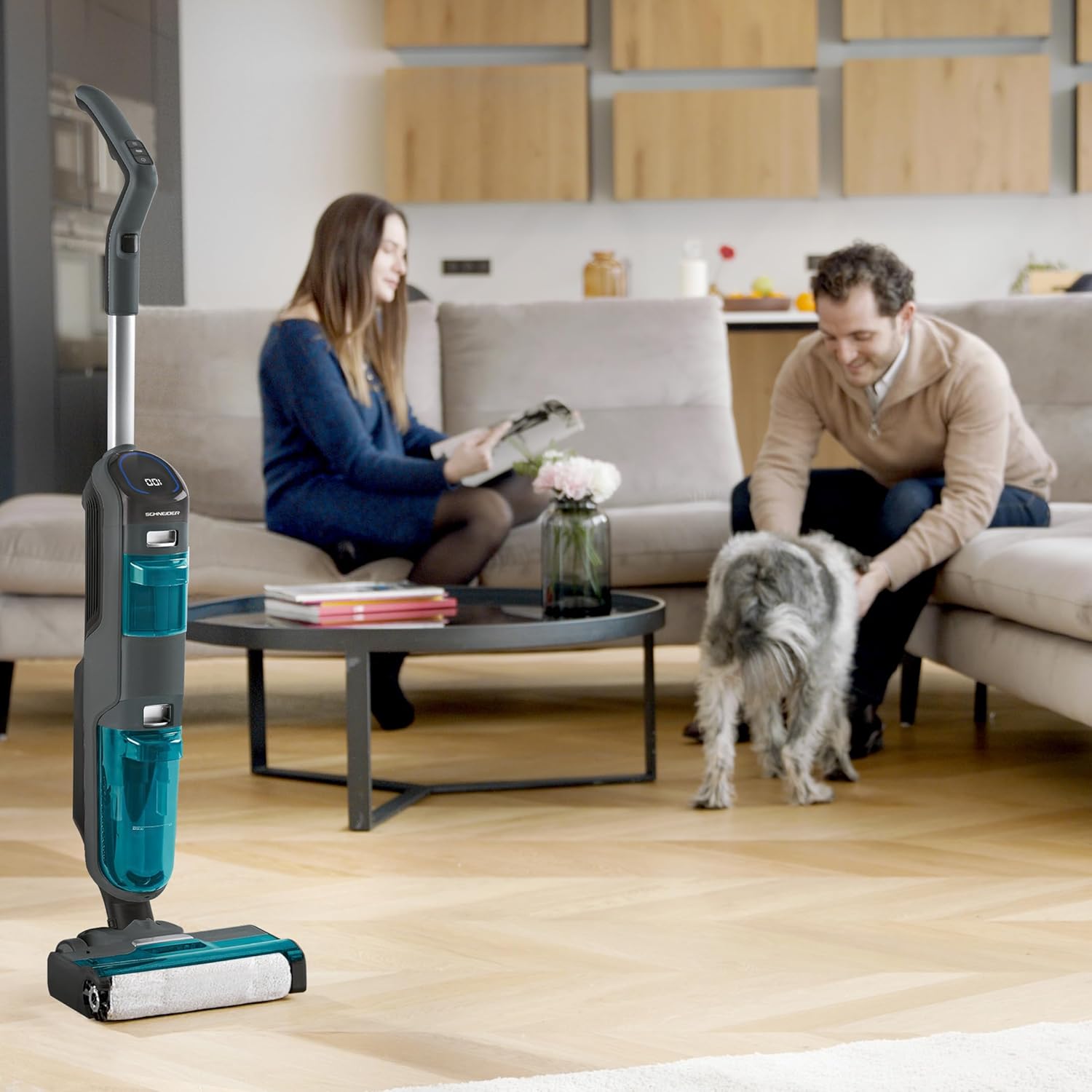
Figure 4.1: A user demonstrating the operation of the vacuum cleaner on a hard floor surface.
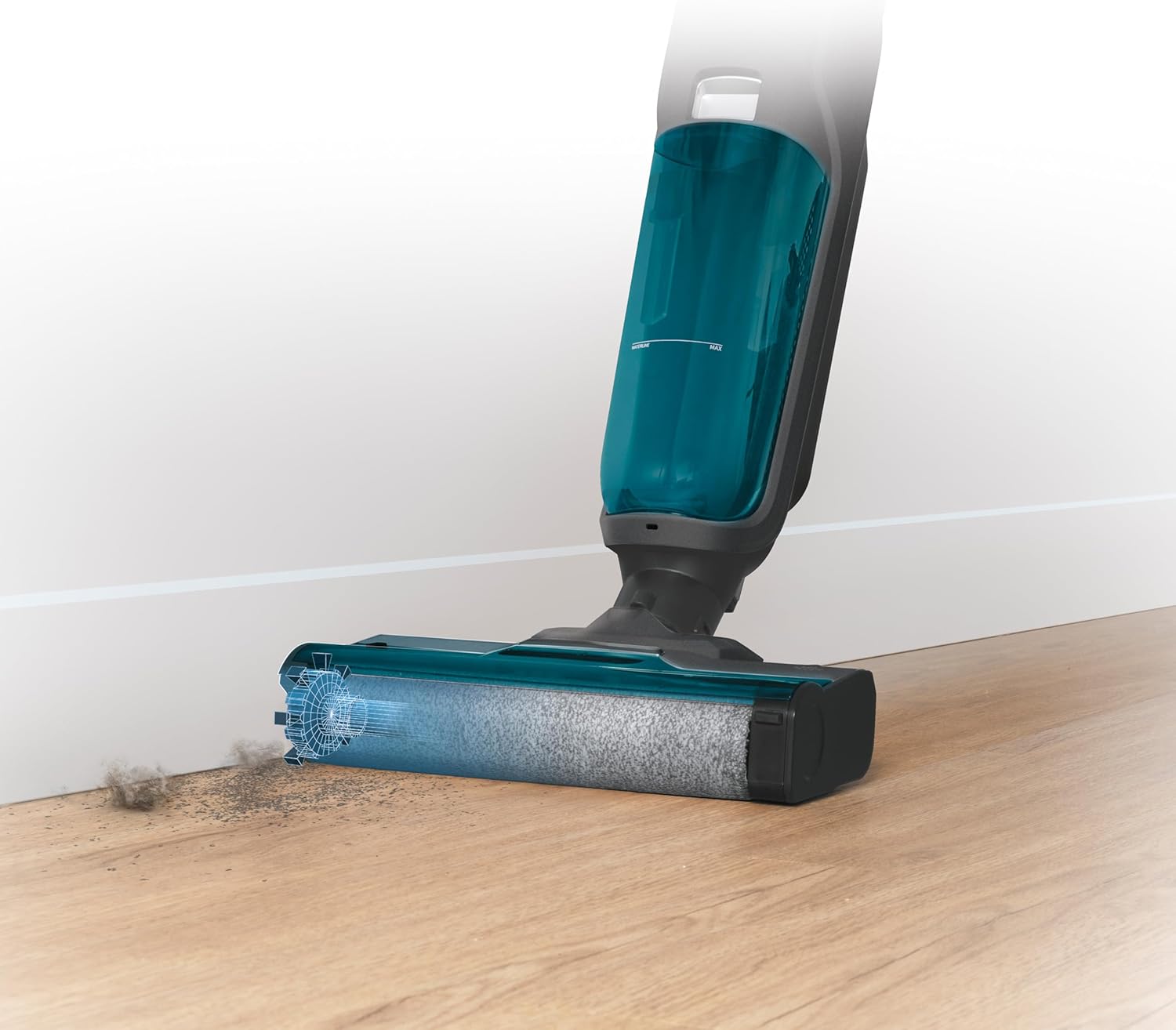
Figure 4.2: The brush head effectively cleaning dirt accumulated along a baseboard, highlighting its edge-cleaning capability.

Setšoantšo sa 4.3: Ho tloha holimo holimo view of the vacuum cleaner's handle and control panel, displaying the LED screen with cleaning status indicators.
5. Tlhokomelo
Tlhokomelo ea kamehla e netefatsa ts'ebetso e nepahetseng 'me e lelefatsa nako ea bophelo ea sesebelisoa sa hau.
5.1 Emptying and Cleaning the Dirty Water Tank
Empty the dirty water tank after each use or when the 'Dirty Water Tank Full' indicator appears.
- Tima sesebelisoa 'me u ntše tanka ea metsi e litšila.
- Open the tank and carefully pour out the dirty water.
- Rinse the tank thoroughly with clean water. Use the provided cleaning tool to remove any solid debris or hair from the filter screen inside the tank.
- Lumella tanka hore e omelle ka ho feletseng pele u e kenya hape.
5.2 Ho hloekisa Brush ea Roller
The roller brush should be cleaned regularly to prevent tangles and maintain cleaning efficiency.
- Turn off the appliance and remove the brush cover.
- Carefully remove the roller brush.
- Use the cleaning tool to cut and remove any tangled hair or fibers from the brush.
- Rinse the roller brush under running water.
- Allow the brush to air dry completely before reinserting it.

Figure 5.1: The roller brush in action, demonstrating its ability to clean liquid spills and debris, emphasizing the need for regular cleaning.
5.3 Ho Hloekisa Sefe ea Moea
The air filter should be cleaned periodically to maintain suction power.
- Locate the air filter, usually found near the dirty water tank.
- Remove the filter and tap it gently over a waste bin to dislodge dust.
- If heavily soiled, rinse the filter under cold running water. Ensure it is completely dry before reinserting.
6. Ho rarolla mathata
If you encounter any issues with your SCHNEIDER SCVCO23DBE, please refer to the following common problems and solutions before contacting customer support.
| Bothata | Lebaka le ka khonehang | Tharollo |
|---|---|---|
| Sesebelisoa ha se bulela | Betri e felile Konopo ea matla ha ea tobetsoa ka nepo | Hlahisa betri ka botlalo Netefatsa hore konopo ea matla e tobetse ka thata |
| Matla a fokolang a ho hula | Tanka ea metsi a litšila e tletse Sesefa sa moea se koalehile Roller brush tangled Obstruction in air path | Hlatsoa 'me u hloekise tanka ea metsi a litšila Hloekisa kapa fetola sefe ea moea Hloekisa borashe ba rolara Sheba le ho tlosa litšitiso leha e le life |
| Metsi a sa tsoaneng | Tanka ea metsi e hloekileng ha e na letho Water nozzle clogged | Tlatsa tanka ea metsi a hloekileng hape Clean the water nozzle (refer to maintenance section) |
| LED indicator remains red on clean floor | Dirt sensor is dirty Floor not completely clean | Wipe the dirt sensor with a damp lesela Continue cleaning the area until the indicator turns blue |
7. Litlhaloso
Technical details for the SCHNEIDER SCVCO23DBE Multi-task Stick Vacuum Cleaner.
| Sebopeho | Tlhaloso |
|---|---|
| Nomoro ea Mohlala | SCVCO23DBE |
| Brand | SCHNEIDER |
| Matla | 150 Watts |
| Moqtage | Li-volts tse 18 |
| Mofuta oa Leshala | Lithium-ion (5200 mAh) |
| Boipuso | Ho fihlela metsotso e 50 |
| Bokhoni ba Tanka ea Metsi a Hloekileng | 680 limililithara |
| Boemo ba Lerata | 78 li-decibels |
| Boima ba 'mele | 4.5 lik'hilograma |
| Litekanyo (L x W x H) | 74 x 32 x 30 cm, |
| Keletso ea Bokaholimo | Mokato o thata |
| Likarolo Tse Khethehileng | Dirt Sensor, Edge Cleaning Brush |
8. Tiisetso le Tšehetso
This product is covered by a manufacturer's warranty. Please refer to the warranty card included in your product packaging for specific terms and conditions, including the warranty period and coverage details.
For technical support, spare parts, or warranty claims, please contact SCHNEIDER customer service. Contact information can typically be found on the manufacturer's official websetsheng kapa sephuthelong sa sehlahiswa.
When contacting support, please have your product model number (SCVCO23DBE) and proof of purchase readily available.


