1. Selelekela
Thank you for choosing Tayogo Bone Conduction Headphones, Model S2-0530. These innovative open-ear wireless earphones are designed to provide high-fidelity sound through bone conduction technology, allowing you to enjoy audio while remaining aware of your surroundings. They are ideal for activities such as running, sports, fitness, and general daily use.
This manual provides detailed instructions on how to set up, operate, and maintain your headphones to ensure optimal performance and longevity.
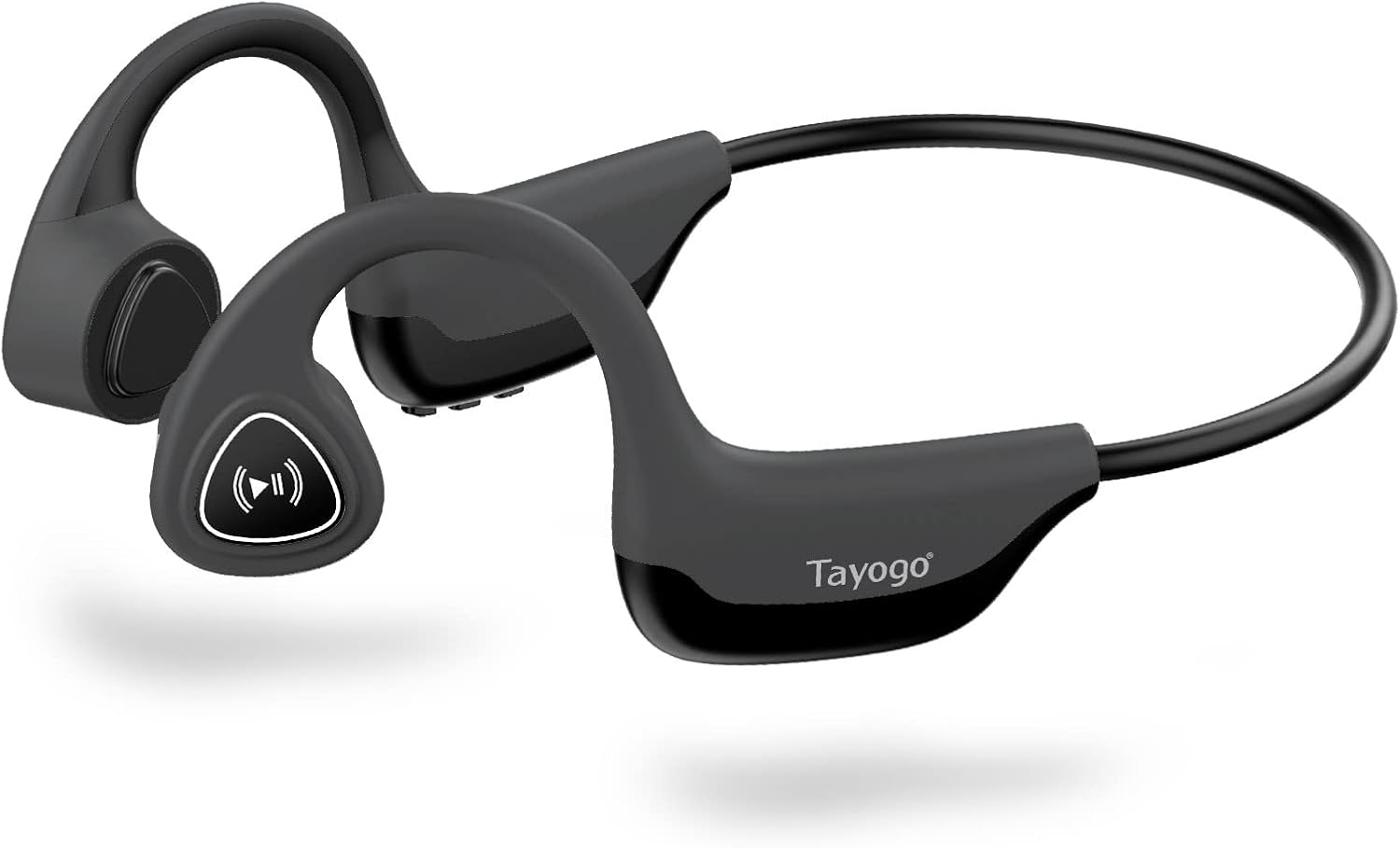
Figure 1: Tayogo Bone Conduction Headphones S2-0530
2. Likarolo tsa lihlahisoa
- Theknoloji e ncha ea ho khanna masapo: Delivers sound through vibrations to your cheekbones, bypassing the eardrum. This allows for open-ear listening, enhancing situational awareness and comfort.
- Khokahano e tsoetseng pele ea Bluetooth 5.0: Ensures stable and efficient wireless connection with various Bluetooth-compatible devices, including smartphones, tablets, and smartwatches.
- Comfortable, Lightweight Design: Features a full wrap-around design that fits securely behind the ears, providing a stable and comfortable experience during extended wear and physical activities.
- High-Fidelity Sound and Built-in Microphone: Offers dynamic range and deep bass for a rich audio experience, along with an integrated microphone for clear, hands-free calls.
- Bophelo ba Battery ba Nako e Telele: Equipped with a rechargeable battery providing up to six hours of continuous use on a single charge.
- Moralo o thibelang metsi: Built to withstand sweat and light splashes, making them suitable for workouts and outdoor activities.

Figure 2: Bone Conduction Design Principle

Figure 3: Sweatproof Feature and HIFI Sound Quality
3. Ho Qala: Seta
3.1 Ho tjhaja Li-headphone
Before first use, fully charge your Tayogo headphones. A charging cable is included in the box.
- Locate the USB charging port on the control module of the headphones.
- Connect the charging cable to the headphones' USB port.
- Connect the other end of the charging cable to a USB power source (e.g., computer USB port, wall adapter).
- The LED indicator light will illuminate during charging and change color or turn off when fully charged. Refer to the "Physical Buttons and Indicators" section for LED behavior.
3.2 Ho Matlafatsa/Ho tima
- Ho Matlafatsa: Press and hold the ON/OFF button (Power button) for approximately 3 seconds until the LED indicator flashes and you hear an audible prompt.
- Ho tima: Press and hold the ON/OFF button (Power button) for approximately 3 seconds until the LED indicator turns off and you hear an audible prompt.
3.3 Ho hokahanya ha Bluetooth
Pair your headphones with your Bluetooth-enabled device for wireless audio streaming.
- Netefatsa hore li-headphone li tima.
- Press and hold the ON/OFF button for approximately 5-7 seconds until the LED indicator flashes red and blue alternately, indicating pairing mode.
- Sesebedisweng sa hao (smartphone, tablet, jj.), bulela Bluetooth mme o batle disebediswa tse ntjha.
- Select "Tayogo S2-0530" or a similar name from the list of available devices.
- Once paired, the LED indicator will typically flash blue slowly, and you will hear a confirmation sound.
- Haeba u botsoa hore u fumane phasewete, kenya "0000".
Li-headphone li tla leka ka botsona ho hokela sesebelisoa sa ho qetela se palameng ha se buletsoe.
4. Litaelo tsa Ts'ebetso
4.1 Ho Roala Li-headphone
Place the headphones with the transducers resting on your cheekbones, just in front of your ears. The band should wrap around the back of your head.

Figure 4: Correct Wearing Position
4.2 Physical Buttons and Functions
The control module on the right side of the headphones houses the physical buttons for various functions.

Figure 5: Control Module Layout

Figure 6: Button Functions Overview
| Konopo/ Lesupa | Ketso | Mosebetsi |
|---|---|---|
| ON/OFF Button (Power) | Tobetsa 'me u tšoare metsotsoana e 3 | Motlakase/O tima |
| Press and hold for 5-7 seconds (from off) | Kenya Bluetooth pairing Mode | |
| Volume + / E latelang | Tobetsa hakgutshwane | Eketsa Molumo |
| Tobetsa nako e telele | Next Track | |
| Volume - / Previous | Tobetsa hakgutshwane | Fokotsa Molumo |
| Tobetsa nako e telele | Pina e Fetileng | |
| Multi-functional Button (Play/Pause/Assistant/Answer/Hang-up) | Single Press (during music) | Bapala/Emisa Mmino |
| Single Press (incoming call) | Araba Pitso | |
| Single Press (during call) | Ho letsetsa mohala | |
| Long Press (incoming call) | Hana Pitso | |
| Tobetsa habeli | Kenya Mothusi oa Lentsoe (Siri, Mothusi oa Google) | |
| Letšoao la LED | Bokhubelu bo tiileng | Ho tjhaja |
| Boputsoa (slow flash) | Connected/Operating Normally | |
| Red & Blue (alternating flash) | Mokhoa oa ho Pairing | |
| E tima | Fully Charged / Powered Off |
5. Tlhokomelo
Tlhokomelo e nepahetseng e netefatsa bophelo bo bolelele le ts'ebetso e nepahetseng ea li-headphone tsa hau.
- Ho hloekisa: Hlakola li-headphones ka bonolo, damp cloth. Do not use harsh chemicals or abrasive cleaners. Ensure the charging port is dry before charging.
- Polokelo: Boloka li-headphones sebakeng se phodileng, se omileng hole le khanya ea letsatsi le mocheso o feteletseng.
- Tlhokomelo ea Betri: To preserve battery life, avoid fully discharging the headphones frequently. If storing for an extended period, charge them to about 50% every few months.
- Mathata a Metsi: While sweatproof, these headphones are not designed for submersion in water. Avoid exposing them to heavy rain or swimming.
6. Ho rarolla mathata
If you encounter issues with your Tayogo headphones, refer to the following common problems and solutions:
| Bothata | Lebaka le ka khonehang | Tharollo |
|---|---|---|
| Li-headphone ha li na ho buloa. | Betri e tlase. | Jarisa li-headphone ka botlalo. |
| Konopo ea ho tima ha ea ka ea hatelloa nako e telele ho lekana. | Tobetsa 'me u tšoare konopo ea ON/OFF bakeng sa metsotsoana e 3. | |
| Ha e khone ho tsamaisana le sesebelisoa. | Headphones not in pairing mode. | Ensure headphones are off, then press and hold ON/OFF button for 5-7 seconds until LED flashes red/blue. |
| Bluetooth is off on your device. | Lumella Bluetooth sesebelisoa sa hau. | |
| Device is too far from headphones. | Keep devices within 10 meters (33 feet) range. | |
| Ha ho na molumo kapa molumo o tlase. | Volume too low on headphones or device. | Fetola molumo oa li-headphones le lisebelisoa tse hokahaneng. |
| Li-headphone ha lia hokahanngoa hantle. | Kopanya di-headphone hape le sesebediswa sa hao. | |
| Boleng ba lentsoe ha boa hlaka. | Tšitiso kapa lets'oao le fokolang. | Move closer to your device or away from sources of interference. |
| Improper wearing position. | Ensure transducers are firmly on cheekbones. |
7. Litlhaloso
| Sebopeho | Lintlha |
|---|---|
| Lebitso la Mohlala | S2-0530 |
| Brand | Tayogo |
| Theknoloji ea Khokahano | Bluetooth 5.0 |
| Theknoloji ea puisano e se nang mohala | bluetooth |
| Ho Bea Litsebe | Tsebe e Bulehileng |
| Sebopeho sa Foromo | Over Ear |
| Tšitiso | 8 ohm |
| Likarolo Tse Khethehileng | Microphone Included, Wireless, Sweatproof |
| Kenyellelitsoe Likaroloana | Thapo ea ho tjhaja |
| Mmala | Hlooho |
| Bophelo ba Betri (Haufinyane) | Ho fihlela lihora tse 6 tsa tšebeliso e tsoelang pele |
8. Tiisetso le Tšehetso
For detailed warranty information, please refer to the warranty card included with your purchase or visit the official Tayogo websebaka. Boloka bopaki ba hau ba theko bakeng sa likopo tsa waranti.
If you require further assistance or have questions not covered in this manual, please contact Tayogo customer support through their official channels.
You can often find support information on the manufacturer's websebaka: Tayogo Store on Amazon


