1. Selelekela
This manual provides instructions for the Timex TW2U56500 Men's Digital Watch. This timepiece features a durable resin case and a comfortable blue silicone band, designed for everyday use. It includes a digital display and the INDIGLO Night-Light for visibility in low-light conditions. Please read this manual thoroughly to understand the functions and proper care of your watch.
2. Likarolo tsa Bohlokoa
- Pontšo ea Dijiti: Clear and easy-to-read time display.
- INDIGLO Bosiu-Leseli: Electroluminescent backlight for illumination in the dark.
- Night-Mode: Activates INDIGLO with any button press for a set duration.
- Mathata a Metsi: Rated for 10 ATM (100 meters), suitable for swimming and snorkeling.
- Kaho e Ts'oarellang: Resin case and blue silicone band for resilience.
- Ho Thibela Tšabo: E etselitsoe ho mamella litšusumetso.
3. Tlhophiso ea Pele
Before using your watch, you may need to set the time and date. The watch typically has multiple buttons for navigation and setting.
3.1 Ho beha Nako le Letsatsi
- Fumana sebaka MOKHOA button (usually on the left side). Press it repeatedly until the time setting mode is displayed (often indicated by flashing digits).
- Sebelisa le HLOKOMELA or FETOLA button (often on the right side) to select the digit you wish to change (hours, minutes, seconds).
- Sebelisa le QALA/EMA or +/- button to increase or decrease the selected value.
- Repeat steps 2 and 3 for setting the date (month, day, year) if available in the setting sequence.
- Hang ha li-setting tsohle li nepahetse, tobetsa konopo MOKHOA konopo hape ho tsoa ho mokhoa oa ho seta.

Setšoantšo sa 1: Lehlakore view of the watch, illustrating the typical placement of control buttons for setting and operation.
4. Litaelo tsa Ts'ebetso
4.1 Pontšo ea Nako ea Motheo
In the default time mode, the watch displays the current time (hours, minutes, seconds) and often the day of the week and date.
4.2 Using INDIGLO Night-Light
Tobetsa ea INDIGLO button (often located on the top left or front of the watch) to illuminate the display for a few seconds. For continuous illumination in Night-Mode, press and hold the INDIGLO button until the Night-Mode icon appears on the display. In Night-Mode, any button press will activate the INDIGLO light for a short period.
4.3 Mekhoa ea ho Tsamaea
Tobetsa ea MOKHOA button to cycle through different functions such as:
- Chronograph (Stopwatch): For measuring elapsed time. Use QALA/EMA to begin/end and LAPU / SETSETSA to record laps or reset.
- Sebala nako: For countdown functions. Set the desired time and press QALA/EMA.
- Alamo: To set daily alarms. Use HLOKOMELA le +/- buttons to adjust the alarm time.
5. Tlhokomelo le Tlhokomelo
5.1 Ho hloekisa oache ea hau
Ho hloekisa oache ea hau, e hlakole ka damp cloth. Do not use harsh chemicals or abrasive cleaners, as these can damage the case or strap. For silicone bands, mild soap and water can be used.
5.2 Ho hanyetsa Metsi
Your watch is water-resistant to 10 ATM (100 meters). This means it is suitable for showering, swimming, and snorkeling. Do not press any buttons while the watch is submerged in water, as this can compromise the water seal. Avoid exposing the watch to extreme temperature changes.
5.3 Phetoho ea Betri
The watch uses a CR2032 battery. When the display dims or functions become erratic, it may be time to replace the battery. Battery replacement should ideally be performed by a qualified watch technician to ensure proper sealing and water resistance. Refer to the back of the watch for battery type information.

Setšoantšo sa 2: Ka morao view of the watch, displaying the stainless steel case back with battery type and water resistance details.
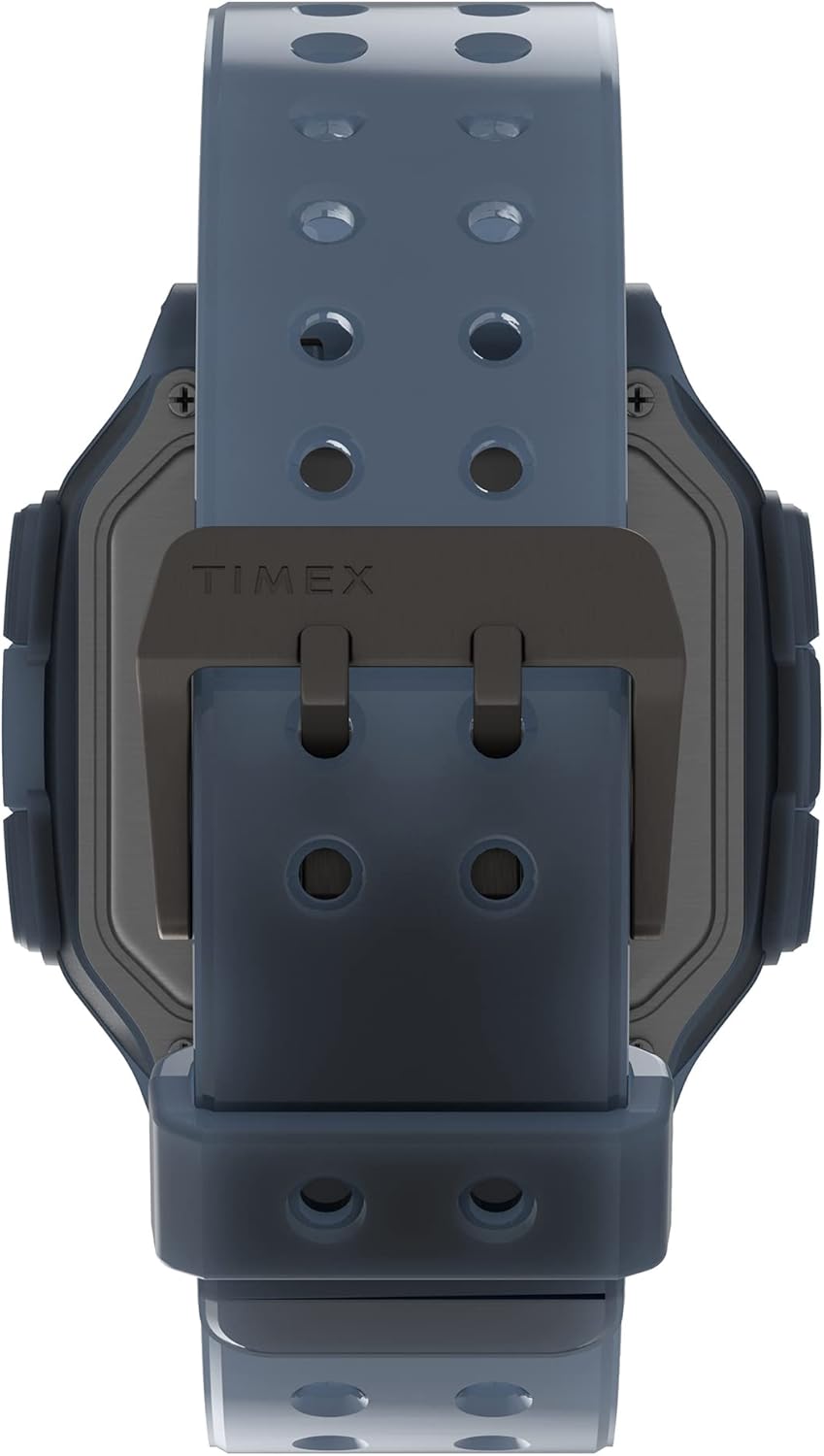
Setšoantšo sa 3: Detail of the watch's buckle and the back of the case, showing the strap attachment.
6. Ho rarolla mathata
| Bothata | Lebaka le ka khonehang | Tharollo |
|---|---|---|
| Pontšo ha e na letho kapa e lerootho. | Betri e tlase. | Fetola betri (CR2032). |
| Nako e fosahetse. | Nako ha ea beoa hantle kapa phetoho e sa reroang. | Refer to Section 3.1 to reset the time and date. |
| Leseli la INDIGLO ha le sebetse. | Betri e tlase kapa ho se sebetse hantle. | Check battery. If issue persists, contact support. |
| Watch fogging up internally. | Water ingress due to compromised seal. | Khaotsa ho sebelisa oache hang-hang 'me u batle tokiso ea litsebi ho thibela tšenyo e eketsehileng. |
7. Litlhaloso
- Nomoro ea Mohlala: TW2U56500
- Lebitso: Timex
- Nyeoe ea Nyeoe: Resin
- Case Diameter: 47 limilimithara
- Lisebelisoa tsa Band: Silicone
- Mofuta oa Pontšo: Dijithale
- Mathata a Metsi: 10 ATM (limithara tse 100)
- Mofuta oa Leshala: CR2032
- Boima ba Ntho: 63 g
- Boholo ba Sephutheloana: 10.5 x 10.5 x 8 cm,
8. Tiisetso le Tšehetso
Bakeng sa tlhahisoleseding e qaqileng ea tiisetso le tšehetso ea bareki, ka kopo sheba Timex ea semmuso websebaka kapa ikopanye le litšebeletso tsa bareki ka kotloloho. Boloka rasiti ea hau ea theko e le bopaki ba hore u rekile litseko tsa waranti.
Semolao Websebaka: www.licxengra.com


