1. Sehlahisoa Overview
The XCOAST JOLI XC Pro Smartwatch is a durable and robust 45 mm device designed to help you monitor your health and stay connected. It features a round display and a sleek black finish, offering a blend of style and functionality.

Setšoantšo sa 1.1: Pele view of the XCOAST JOLI XC Pro Smartwatch, showing the main watch face with current time, battery level, step count, calorie burn, and distance traveled.
Key features include time display, weather forecasts, alarm clock functionality, and comprehensive health tracking capabilities such as pulse, blood pressure, blood oxygen, sleep analysis, and cycle tracking.
2. Se Akarelletsoang
Upon unboxing your XCOAST JOLI XC Pro Smartwatch, please ensure all the following items are present:
- XCOAST JOLI XC Pro Smartwatch (Model: 570427)
- USB Charging Cable
- Bukana ea mosebelisi (tokomane ena)
3. Tataiso ea ho seta
3.1 Ho tjhaja Sesebediswa
Before first use, fully charge your smartwatch. Connect the magnetic charging cable to the charging contacts on the back of the watch and plug the USB end into a standard USB power adapter (not included) or a computer's USB port.

Setšoantšo sa 3.1: Lehlakore la profile of the XCOAST JOLI XC Pro Smartwatch, illustrating the slim design and the location of the side button, which is typically used for navigation or power functions.
Pontšo ea oache e tla bontša boemo ba ho tjhaja. Tefiso e felletseng e nka lihora tse ka bang 2.
3.2 Ho kopanya le Smartphone ea Hao
To unlock the full potential of your smartwatch, pair it with your smartphone via the dedicated companion application. The app is compatible with most modern smartphones.
- Khoasolla sesebelisoa: Scan the QR code in the quick start guide (if provided) or search for the official XCOAST app in your smartphone's app store (Google Play Store for Android, Apple App Store for iOS).
- Dumella Bluetooth: Netefatsa hore Bluetooth e kenelletse ho smartphone ea hau.
- Bula App: Launch the XCOAST app and follow the on-screen instructions to create an account or log in.
- Kenya Sesebelisoa: Within the app, navigate to the 'Add Device' or 'Pair Device' section. The app will search for nearby smartwatches.
- Khetha Oache ea Hao: Select 'JOLI XC Pro' from the list of discovered devices. Confirm the pairing request on both your smartphone and the smartwatch if prompted.

Figure 3.2: A user wearing the XCOAST JOLI XC Pro Smartwatch, demonstrating its integration into daily activities and implying its connectivity for tracking.
Once successfully paired, the watch will synchronize time and data with your smartphone.
4. Litaelo tsa Ts'ebetso
4.1 Tsamaiso ea Motheo
The JOLI XC Pro Smartwatch features a touch-sensitive display and a side button for navigation:
- Swaepela Hodimo/Fase: Tsamaea ka har'a menyetla le litsebiso.
- Swaepela ka ho le Letshehadi/Ka ho le letona: Access different feature screens (e.g., activity tracking, heart rate).
- Tlanya: Khetha ntho kapa netefatsa ketso.
- Konopo ea Lehlakoreng: Press to return to the previous screen or wake the display. Long press for power options.
4.2 Likarolo tsa ho Latela Bophelo bo Botle
The smartwatch offers comprehensive health monitoring:
- 24/7 Pulse & Blood Pressure Measurement: Monitor your heart rate and blood pressure continuously. Access readings by swiping to the respective screen.
- Blood Oxygen (SpO2) Analysis: Check your blood oxygen saturation levels.
- Tlhahlobo ea Boroko: Track your sleep patterns, including deep sleep, light sleep, and awake times. View litlaleho tse qaqileng ka har'a sesebelisoa se tsamaisanang le sona.
- Ho Latisa Baesekele: For female users, monitor menstrual cycles and receive timely reminders.

Figure 4.1: An infographic highlighting the health management features of the smartwatch, including 24/7 pulse and blood pressure measurement, blood oxygen monitoring, sleep analysis, and cycle tracking, emphasizing real-time tracking throughout the day.
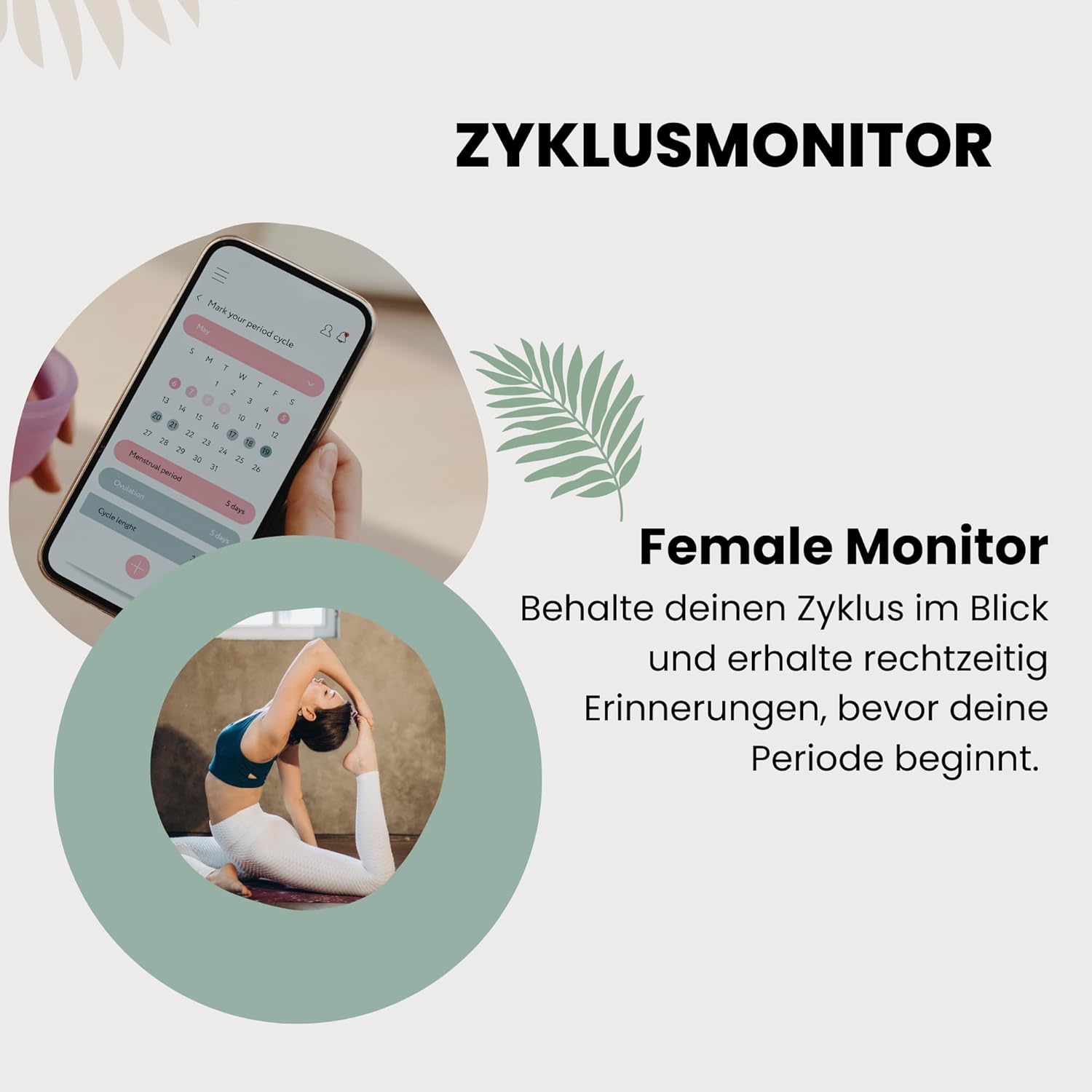
Figure 4.2: A visual representation of the female cycle monitor feature, showing a calendar interface on a smartphone screen and a user stretching, indicating the integration of health tracking with daily life. The text emphasizes keeping track of cycles and receiving timely reminders.
4.3 Notifications and Alerts
Once paired with your smartphone, the smartwatch can display notifications for calls, messages, and app alerts. Ensure notification permissions are granted in the XCOAST app and your phone's settings.
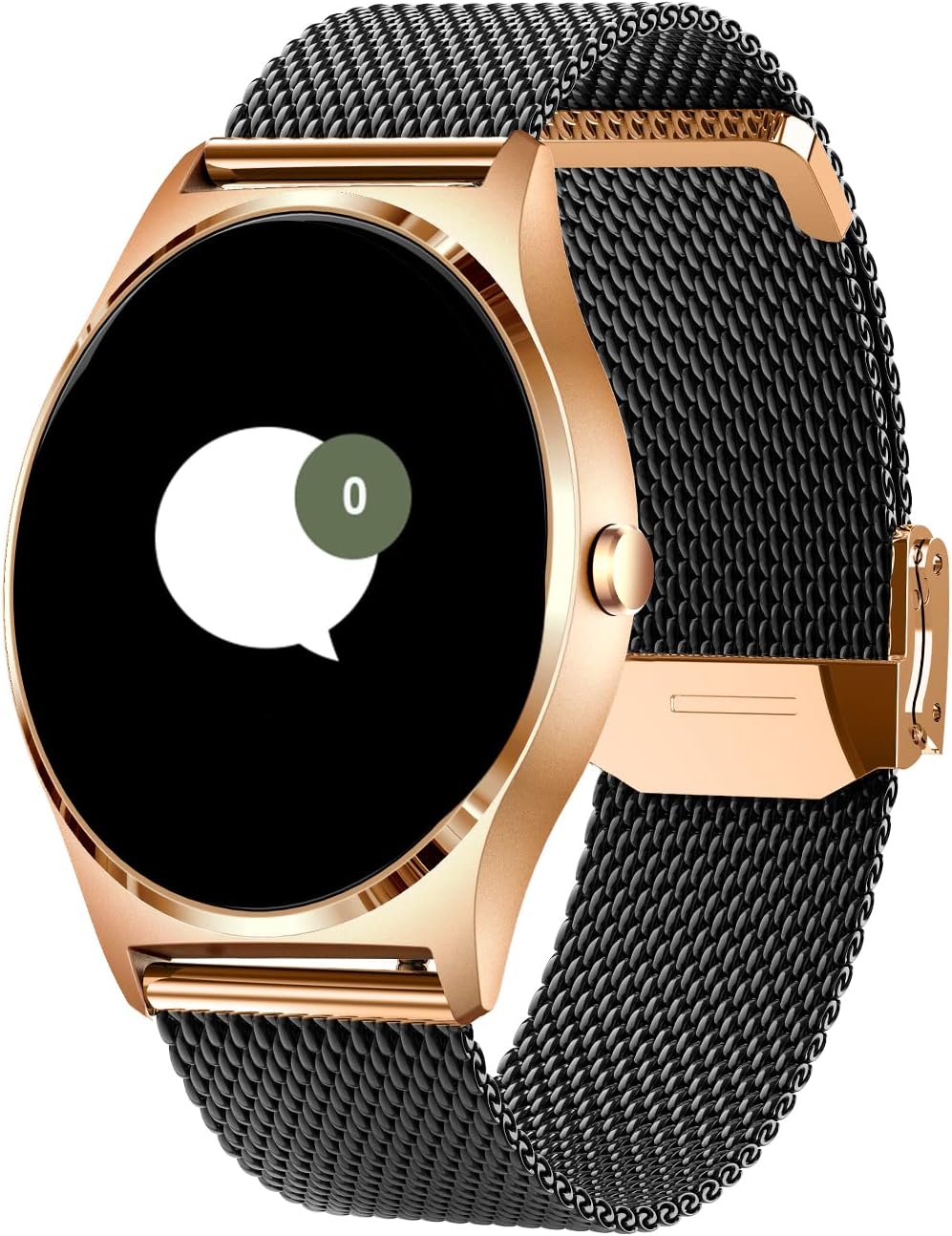
Figure 4.3: The smartwatch display showing a message notification icon, indicating that the device can receive and alert users to incoming communications from a paired smartphone.
Forecast ya lehodimo ya 4.4
Access real-time weather information directly on your wrist. Ensure the smartwatch is connected to your phone and the app has location permissions enabled to provide accurate local weather data.
4.5 Alamo Nako
Set and manage alarms through the smartwatch or the companion app. The watch will vibrate to alert you at the set time.
5. Tlhokomelo le Tlhokomelo
To ensure the longevity and optimal performance of your XCOAST JOLI XC Pro Smartwatch, follow these care guidelines:
- Ho hloekisa: Regularly wipe the watch and strap with a soft, damp lesela. Qoba ho sebelisa lik'hemik'hale tse bohale kapa lintho tse senyang.
- Mathata a Metsi: Sheba litlhaloso tsa sehlahisoa bakeng sa litekanyetso tsa ho hanyetsa metsi. Qoba ho beha oache metsing a chesang, mouoane, kapa li-jet tsa metsi tse nang le khatello e phahameng.
- Tlhokomelo ea Betri: Avoid fully discharging the battery frequently. Charge the watch regularly, even if not in daily use, to maintain battery health. Store in a cool, dry place.
- Polokelo: When not in use for extended periods, store the watch in a dry, dust-free environment away from direct sunlight and extreme temperatures.
6. Ho rarolla mathata
If you encounter issues with your smartwatch, please refer to the following common solutions:
- Shebella ha e bulehe: Netefatsa hore oache e tjhajiloe ka botlalo. E hokele ho tjhaja ebe o ema metsotso e mmalwa pele o leka ho e bulela hape.
- Cannot Pair with Smartphone:
- Netefatsa hore Bluetooth e butswe fonong ya hao mme watjhe e sebakeng se fihlellehang.
- Qala bocha smartphone ea hau le smartwatch.
- Tlosa cache ea Bluetooth fonong ea hau (haeba ho hlokahala) 'me u leke ho e kopanya hape.
- Ensure the XCOAST app is updated to the latest version.
- Inaccurate Health Readings:
- Netefatsa hore oache e aparoa hantle letsohong la hao, eseng ho lokoloha kapa ho u tiisa haholo.
- Hloekisa di-sensor tse ka morao ho oache.
- Note that smartwatch health readings are for reference only and should not replace professional medical advice.
- Litsebiso ha li Hlahe:
- Check notification permissions for the XCOAST app in your phone's settings.
- Netefatsa hore oache e hoketsoe ka Bluetooth.
- Verify that 'Do Not Disturb' mode is not active on either the watch or your phone.
Haeba bothata bo ntse bo tsoela pele, ka kopo ikopanye le ts'ehetso ea bareki.
7. Lintlha tsa Setegeniki
| Sebopeho | Tlhaloso |
|---|---|
| Brand | XCOAST |
| Nomoro ea Mohlala | 570427 |
| Mmala | Ntsho |
| Boholo ba skrine | 1.3 lisenthimithara |
| Sebopeho | Ratoa |
| Khokahano | bluetooth |
| GPS | Ha ho GPS |
| Mofuta oa Leshala | Lithium-ion |
| Bokhoni ba Battery | 130 mAh |
| Bokhoni ba ho Boloka Memori | 1 MB |
| Likarolo Tse Khethehileng | Time display, Weather forecast, Alarm clock, Cycle tracking |
| Lisebelisoa tse lumellanang | Smartphone |
| Moetsi | XLYNE |
8. Tiisetso le Tšehetso ea Bareki
The XCOAST JOLI XC Pro Smartwatch comes with a warranty covering manufacturing defects. Spare parts availability is guaranteed for 1 year from the date of purchase.
For warranty claims, technical support, or any other inquiries, please contact XCOAST customer support through their official website or the contact information provided with your purchase documentation. Please have your model number (570427) and proof of purchase ready when contacting support.


