Selelekela
The Hyper Tough 500-Lumen Rechargeable LED Headlamp is designed to provide hands-free illumination for various tasks, including heavy-duty projects, close-range work, and general lighting in garages or worksites. It features multiple light modes, a rechargeable lithium-ion battery, and a durable, water-resistant construction.

Image: The Hyper Tough 500-Lumen Rechargeable LED Headlamp.
Likarolo tsa Sehlahisoa
- Mefuta e 4 ea Leseli: Spot High, Spot Low, Flood High, and Flood Low for versatile lighting needs.
- Khanya e Phahameng: Up to 500 lumens in Spot High mode.
- Nako e Ekelitsoeng ea ho Matha: Up to 28 hours in Flood Low mode.
- Leqhoa le Fetohang la Hlooho: Two-way fully adjustable for comfort and secure fit.
- Betri e ka nchafatsoang hape: Integrated Lithium-ion battery with included USB charging cable.
- Kaho e Ts'oarellang: 1-meter impact-resistant and IPX4 water-resistant.
- Uniform Beam Pattern: Ideal for close-range work.
Litaba tsa Sephutheloana
- Hyper Tough 500-Lumen Rechargeable LED Headlamp (Mohlala 20887)
- Adjustable Head Strap (pre-attached)
- USB Charging Cable

Image: The Hyper Tough headlamp shown alongside its included USB charging cable.
Tlhophiso
- Ho Lokisa Leqhoa la Hlooho: Hloohoamp comes with a two-way adjustable head strap. To adjust, locate the buckles on the sides and top of the strap. Slide the strap through the buckles to achieve a comfortable and secure fit around your head. Ensure the headlamp unit is centered on your forehead.

Setšoantšo: Haufi view ea hloohoamp's adjustable strap mechanism.
- Qoso ea pele: Pele o sebelisoa pele, tjhaja hlooho ka botlaloamp. Connect the included USB charging cable to the headlamp's charging port and to a standard USB power source (e.g., computer, wall adapter). The charging indicator light will illuminate (typically red) during charging and change color (typically green or blue) when fully charged.

Image: The headlamp showing the USB charging port with a cable inserted.

Image: The headlamp displaying a green light, signifying that the battery is fully charged.
Litaelo tsa Ts'ebetso
Hloohoamp features a single power button to cycle through its various light modes.

Setšoantšo: Ho ea holimo view highlighting the location of the power button on the headlamp.
- Tlosa/Tima: Press the power button once to turn the headlamp on. Press and hold the power button for approximately 2 seconds to turn it off from any mode.
- Cycling Through Modes: Ka hloohoamp on, press the power button repeatedly to cycle through the following modes:
- Spot High Mode: Provides maximum focused brightness (500 lumens).

Image: The headlamp emitting a strong, concentrated beam in Spot High mode.
- Spot Low Mode: Reduced focused brightness (144 lumens) for longer run time.
- Flood High Mode: Wide, uniform beam (224 lumens) for close-range work.
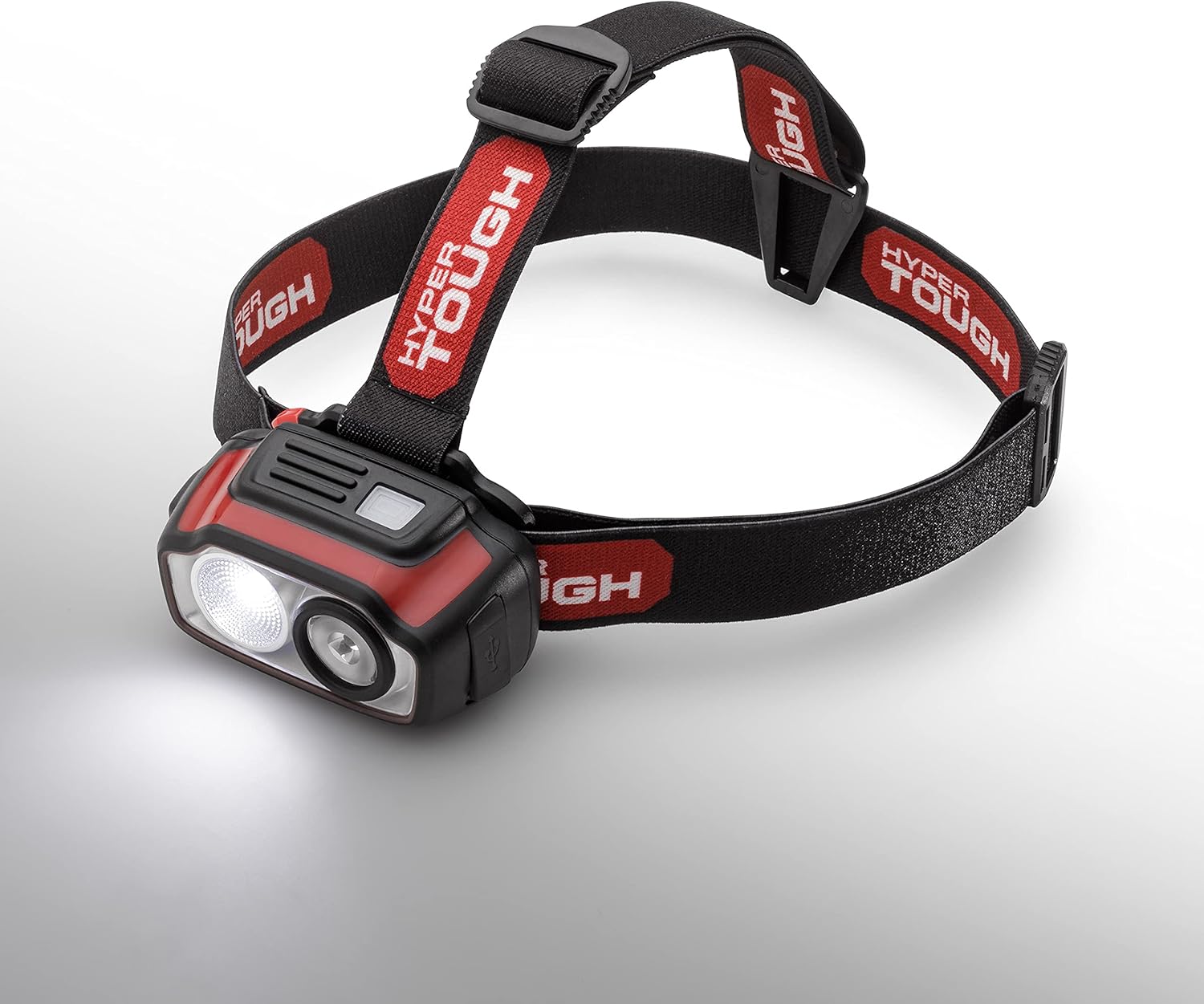
Image: The headlamp producing a broad, even light distribution in Flood High mode.
- Flood Low Mode: Lowest brightness (51 lumens) for extended run time and minimal glare.
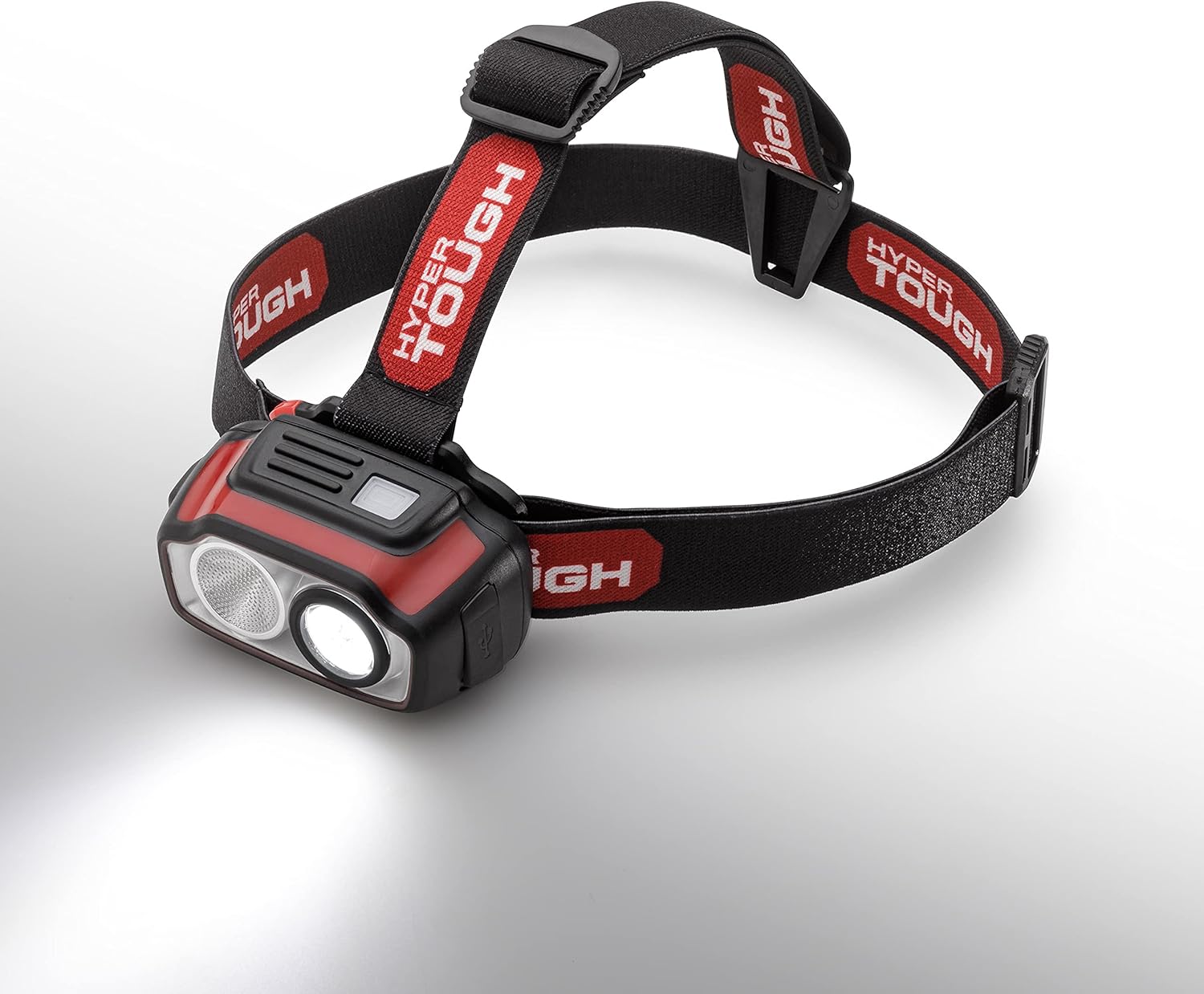
Image: The headlamp providing a gentle, wide illumination in Flood Low mode.
- Spot High Mode: Provides maximum focused brightness (500 lumens).
Litaelo tsa ho tjhaja
The Hyper Tough headlamp is equipped with a rechargeable Lithium-ion battery.
- Locate the USB charging port on the side of the headlamp.
- Insert the small end of the provided USB charging cable into the headlampboema-kepe.
Image: The headlamp's USB charging port with the charging cable connected.
- Connect the larger end of the USB cable to a powered USB port (e.g., computer, USB wall adapter, power bank).
- The charging indicator light will show the charging status. A red light typically indicates charging, while a green or blue light indicates a full charge.
Image: The headlamp displaying a green light, signifying that the battery is fully charged.
- Hang ha e tjhajilwe ka botlalo, tima thapo ya USB.
Tlhokomelo
- Ho hloekisa: Hlakola hloohoamp ka bonolo, damp lesela. Se ke oa sebelisa li-abrasive cleaners kapa solvents.
- Polokelo: Boloka hloohoamp sebakeng se phodileng, se omeletseng hole le letsatsi le otlolohileng ha se sa sebelisoe nako e telele.
- Tlhokomelo ea Betri: To prolong battery life, avoid completely draining the battery frequently. Recharge the headlamp regularly, even if not used often.
- Mathata a Metsi: Hloohoamp is IPX4 water-resistant, meaning it is protected against splashing water from any direction. It is not designed for submersion.
Ho batle phoso
- Sehloohoamp ha e bulele: Ensure the battery is charged. Connect to a USB power source and check the charging indicator.
- Leseli le lerootho: Betri e kanna ea ba tlase. Hlahisa hlooho hapeamp.
- Mathata a ho lefisa: Netefatsa hore thapo ea USB e hoketsoe ka mokhoa o sireletsehileng ho lihlooho tse peliamp and the power source. Try a different USB cable or power source.
- Strap discomfort: Adjust the two-way head strap to find a more comfortable and secure fit.
Litlhaloso
| Sebopeho | Lintlha |
|---|---|
| Brand | Hyper Tough |
| Nomoro ea Mohlala | 20887 |
| Mofuta oa Mohloli oa Leseli | LED |
| Khanya e tšoeu (Max) | 500 Lumens |
| Mohloli oa Matla | Matla a Battery (Lithium-Ion) |
| Spot High Mode | 500 lumens, 6h run time, 75-meter beam distance |
| Spot Low Mode | 144 lumens, 12h 15min run time, 40-meter beam distance |
| Flood High Mode | 224 lumens, 6h run time, 22-meter beam distance |
| Flood Low Mode | 51 lumens, 28h run time, 11-meter beam distance |
| Boemo ba ho hanyetsa Metsi | IPX4 (E hanana le Metsi) |
| Impact Resistance | 1-limithara |
| Litekanyo tsa Sehlahisoa | 1.77"D x 3.13"W x 1.78"H |
| Boima ba Ntho | 7.4 lik'hilograma |
Warranty le Tšehetso
For warranty information, technical support, or customer service inquiries, please refer to the contact information provided on the product packaging or visit the official Hyper Tough websebaka. Boloka rasiti ea hau ea theko e le bopaki ba hore u rekile.


