1. Selelekela
The Eko GBU Clip-On Chromatic Tuner is a versatile and easy-to-use device designed for accurate tuning of various stringed instruments. Utilizing vibration sensing, it provides precise tuning for guitars (acoustic, electric, classical), basses, ukuleles, mandolins, and violins. Its compact design and clip-on mechanism make it a convenient tool for musicians of all levels.

Setšoantšo sa 1.1: Pele view of the Eko GBU Clip-On Chromatic Tuner, showing the display and power button.
2. Seta
2.1. Ho kenya Battery
- Locate the battery compartment on the back of the tuner.
- Bula sekwahelo sa betri.
- Insert one CR2032 alkaline battery, ensuring the correct polarity (+/-).
- Koala sekoaelo sa betri ka mokhoa o sireletsehileng.
2.2. Ho hokela Tuner
The tuner features a padded clip designed to securely attach to the headstock of your instrument without causing damage.
- Gently open the clip.
- Attach the tuner to the headstock of your instrument, ensuring a firm and stable connection. The tuner's display should be visible to you.

Setšoantšo sa 2.1: Ka morao view of the Eko GBU Clip-On Tuner, showing the spring-loaded clip mechanism for attachment to an instrument's headstock.
2.3. Ho tima/Ho tima
Press and hold the power button (usually located on the front or side of the tuner) for approximately 2 seconds to turn the tuner on or off. The display will illuminate when powered on.
3. Operating the Tuner
3.1. Selecting Tuning Mode
The Eko GBU Tuner is a chromatic tuner, meaning it can detect and display any note. Some models may offer specific instrument modes (e.g., Guitar, Bass, Violin, Ukulele). If your tuner has a mode button, press it repeatedly to cycle through available modes. For general use, the chromatic mode (often indicated by 'C' or no specific instrument letter) is suitable for all instruments.
3.2. Tuning Your Instrument
- Ensure the tuner is securely clipped to your instrument's headstock.
- Pluck a single string on your instrument. The tuner will detect the vibration.
- The display will show the note being played and an indicator (needle or bars) to show if the note is flat, sharp, or in tune.
- Flat: If the indicator points to the left or shows a red/orange color, the note is flat. Tighten the string.
- E bohale: If the indicator points to the right or shows a red/orange color, the note is sharp. Loosen the string.
- In Tune: When the note is in tune, the indicator will be centered, and the display will typically turn green.
- Repeat this process for all strings until your instrument is accurately tuned.
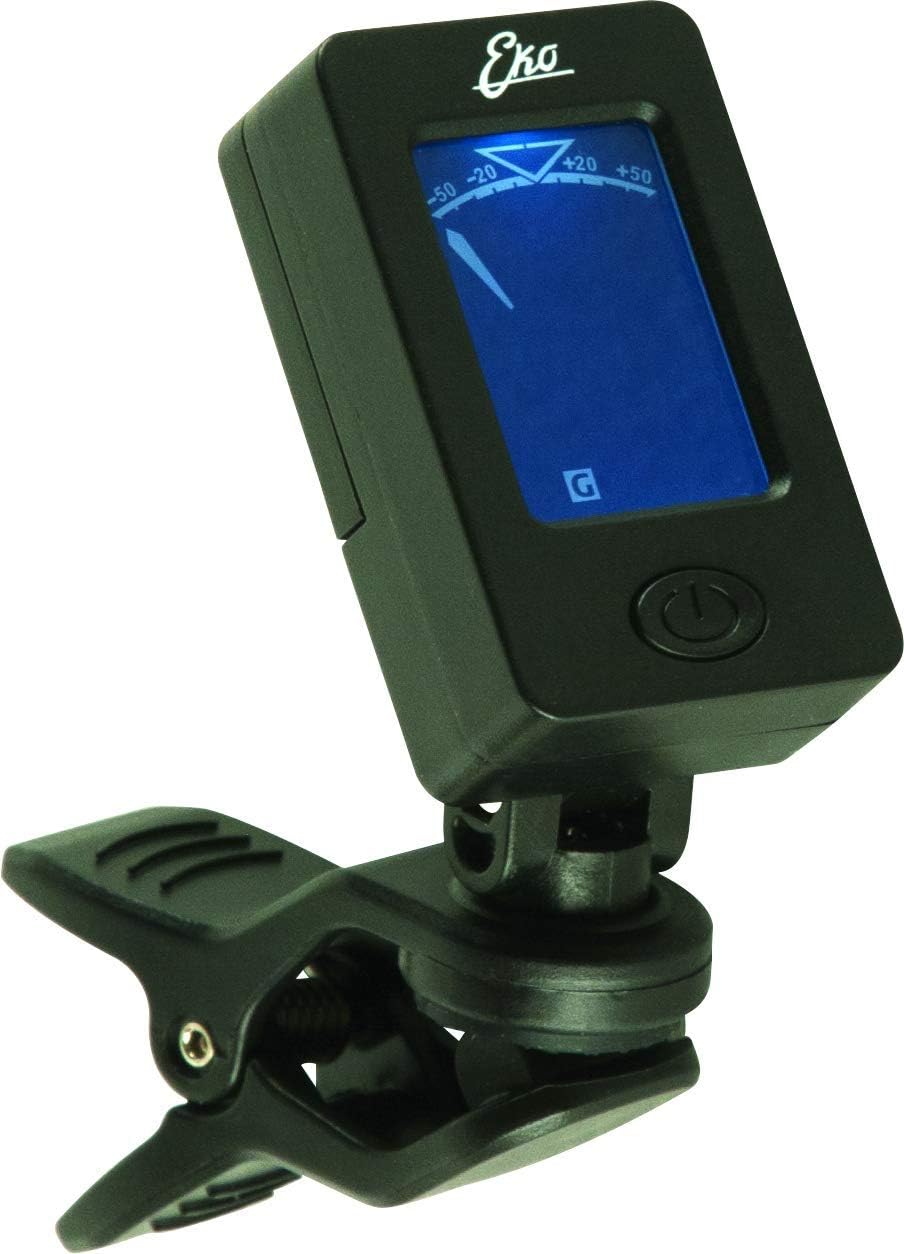
Image 3.1: The tuner display showing a note (e.g., 'G') and the tuning indicator, which moves left for flat, right for sharp, and centers when in tune.
4. Tlhokomelo
4.1. Ho hloekisa
To clean your tuner, gently wipe it with a soft, dry cloth. Do not use liquid cleaners or abrasive materials, as these can damage the display or casing.
4.2. Phetoho ea Battery
When the display dims or the tuner becomes unresponsive, it's time to replace the battery. Follow the battery installation steps in Section 2.1.
4.3. Polokelo
Store the tuner in a cool, dry place away from direct sunlight and extreme temperatures. If storing for an extended period, it is recommended to remove the battery to prevent leakage.
5. Ho rarolla mathata
- Tuner does not power on: Check if the battery is inserted correctly with the correct polarity. Replace the battery if it is depleted.
- Inaccurate tuning readings: Ensure the tuner is firmly clipped to the instrument's headstock. Environmental noise can sometimes interfere; try tuning in a quiet environment. Make sure you are plucking one string at a time clearly.
- Display is dim: This usually indicates a low battery. Replace the CR2032 battery.
6. Litlhaloso
| Sebopeho | Lintlha |
|---|---|
| Nomoro ea Mohlala | 16100420 |
| Mokhoa oa ho lokisa | Chromatic (C) |
| Mokhoa oa ho Khetholla | Sensor ea Vibration |
| Mohloli oa Matla | 1 x CR2032 Alkaline Battery |
| Lintho tse bonahalang | Plastiki |
| Boima ba Ntho | 454 g (approximately 1 lb) |
| Litekanyo tsa sephutheloana | 20.32 x 20.32 x 15.24 cm, |
7. Tiisetso le Tšehetso
For warranty information and customer support, please refer to the documentation included with your purchase or visit the official EKO Guitars websebaka. Boloka bopaki ba hau ba theko bakeng sa likopo life kapa life tsa waranti.


