1. Selelekela
This manual provides detailed instructions for the setup, operation, and maintenance of your Marathon Digital Desktop Clock, Model CL030050BK. This compact and versatile digital clock is designed for use on a desk or nightstand, offering time, date, day of the week, and temperature displays, along with a dual alarm function and a button-activated backlight.
2. Sehlahisoa Overview

Setšoantšo sa 2.1: Pele view of the Marathon Digital Desktop Clock CL030050BK, showing its large digital display with time, date, day, and temperature.
2.1 Likarolo tsa Bohlokoa
- Large, High-Quality Display: Enhanced contrast for clear legibility.
- Nightowl Super Glow Backlight: Button-activated, gentle blue backlight that illuminates for approximately 10 seconds.
- Mosebetsi oa Alarm tse peli: Separate alarm settings for weekdays (Monday-Friday) and weekends (Saturday-Sunday).
- Konopo ea Snooze: Conveniently located for temporary alarm suspension.
- Mekhoa e Mengata ea Pontšo: Time in 12 or 24-hour format, temperature in Fahrenheit or Celsius.
- Multilingual Day of Week: Displays the day of the week in seven languages: English, Dutch, French, Spanish, Italian, Danish, and German.
- Moralo o kopaneng le o bobebe: Ideal for desktop, nightstand, or travel.
2.2 Likahare tsa Sephutheloana
- 1 x Marathon Digital Desktop Clock CL030050BK
- 3 x AAA Batteries (e kenyelelitsoe)
- 1 x Buka ea Mosebelisi
3. Seta
3.1 Ho kenya Betri
- Sheba sekoaelo sa betri ka morao ho oache.
- Sulela sekoahelo tlase ho bula phaposi.
- Kenya libeteri tse 3 tse ncha tsa AAA, ho netefatsa polarity e nepahetseng (+ le -) joalo ka ha ho bontšitsoe ka har'a karolo.
- Kenya sekoahelo sa karolo ea betri sebakeng sa eona ka ho se sutumelletsa holimo ho fihlela se kena sebakeng sa sona.
3.2 Matla a Pele a Buletsoe
Upon successful battery installation, the clock display will activate, typically showing a default time and date. It is recommended to perform a reset after battery installation to ensure optimal performance.
3.3 Resetting the Clock
To reset the clock, use a thin, pointed object (like a paperclip) to press the recessed RETS'ELISITSOE button located on the back of the unit. This will clear all settings and return the clock to its factory defaults.
4. Litaelo tsa Ts'ebetso
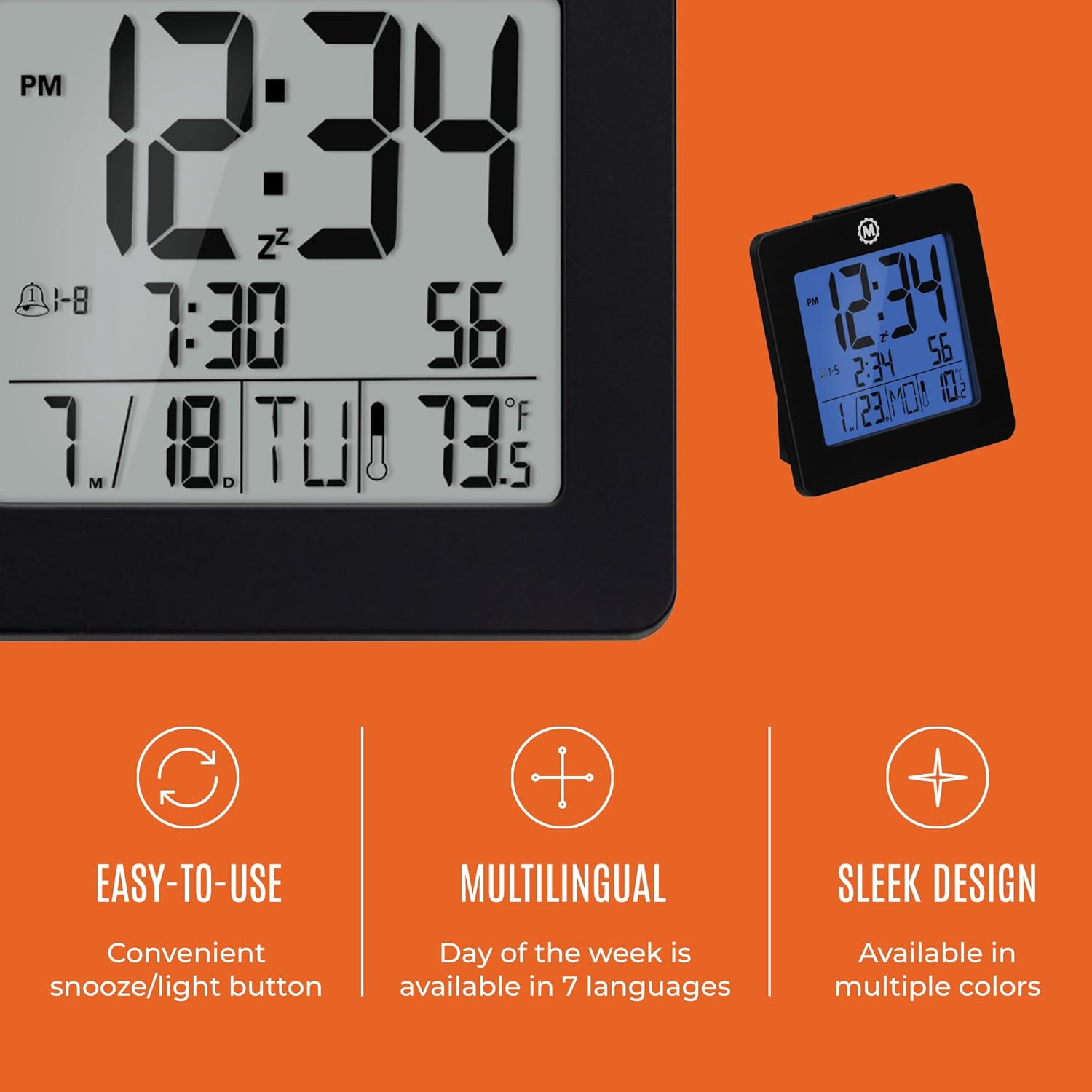
Setšoantšo sa 4.1: Ho fetaview of key features and design elements.
4.1 Konopo Mesebetsi
The clock features several buttons on the back for configuration:
- MOKHOA: Toggles between Time, Alarm, and Timer display modes.
- SET Enters setting mode for the currently displayed mode (Time, Alarm, Timer).
- UP / 12/24: In setting mode, increases the value. In time display mode, toggles between 12-hour and 24-hour format.
- DOWN / °C/°F: In setting mode, decreases the value. In time display mode, toggles between Celsius and Fahrenheit temperature units.
- LIGHT / SNOOZE: Activates the backlight for 10 seconds. When the alarm sounds, press to activate snooze.
- SETA HAPE: Resets the clock to factory defaults (requires a pointed object).
4.2 Ho beha Nako le Letsatsi
- Tobetsa ea MOKHOA konopo ho fihlela nako e bontshwa.
- Tobetsa o hatelle HLOKOMELA button for approximately 3 seconds until the year flashes.
- Sebelisa le UP or TLASE likonopo ho lokisa selemo.
- Tobetsa HLOKOMELA to confirm and move to the month setting.
- Repeat steps 3 and 4 to set the month, day, 12/24-hour format, hour, and minute.
- After setting the minutes, press HLOKOMELA to exit time/date setting mode.
4.3 Setting the Day of Week Language
While in time display mode, repeatedly press the UP or TLASE button to cycle through the 7 available languages for the day of the week display (English, Dutch, French, Spanish, Italian, Danish, German).
4.4 Setting the Temperature Unit
Ha o ntse o le mokgweng wa ho bontsha ka nako, tobetsa DOWN / °C/°F button to toggle the temperature display between Celsius (°C) and Fahrenheit (°F).
4.5 Setting the Dual Alarm
- Tobetsa ea MOKHOA button until the alarm time is displayed (indicated by an alarm icon).
- Tobetsa o hatelle HLOKOMELA button for approximately 3 seconds until the alarm hour flashes.
- Sebelisa le UP or TLASE likonopo ho lokisa hora ea alamo.
- Tobetsa HLOKOMELA to confirm and move to the alarm minute setting.
- Repeat steps 3 and 4 to set the alarm minute.
- After setting the minutes, press HLOKOMELA to select the alarm type: Weekday (1-5) or Weekend (6-7). Use UP or TLASE ho khetha.
- Tobetsa HLOKOMELA to confirm and exit alarm setting mode.
- Ho kenya/ho tima alamo tshebetsong, tobetsa UP button while in alarm display mode. An alarm icon will appear/disappear on the screen.
4.6 Using the Snooze and Backlight
Tobetsa e kholo LESEDI / KHANYA button on the top of the clock to activate the blue backlight. The backlight will remain illuminated for approximately 10 seconds. If the alarm is sounding, pressing this button will activate the snooze function, temporarily silencing the alarm for a short period before it sounds again.
5. Tlhokomelo
- Ho hloekisa: Wipe the clock with a soft, dry cloth. Avoid using abrasive cleaners or solvents.
- Phetoho ea Betri: Replace all 3 AAA batteries when the display becomes dim or the clock functions erratically. Always replace with new batteries of the same type.
- Polokelo: Haeba o boloka oache nako e telele, tlosa libeteri ho thibela ho dutla.
6. Ho rarolla mathata
| Bothata | Lebaka le ka khonehang | Tharollo |
|---|---|---|
| Pontšo ha e na letho kapa e lerootho. | Libetri tse tlase kapa tse shoeleng. | Kenya libeteri tsohle tse 3 tsa AAA sebakeng sa tsona. |
| Incorrect time/date displayed. | Settings were not saved or incorrect. | Perform a reset and re-enter time/date settings as per Section 4.2. |
| Alamo ha e lle. | Alamo ha e sebetse kapa e setilwe ka phoso. | Ensure the alarm is activated (alarm icon visible) and the alarm time is correctly set (Section 4.5). |
| Lebone la morao ha le sebetse. | Low batteries or button malfunction. | Kenya libeteri sebakeng sa tsona. Haeba bothata bo ntse bo tsoela pele, ikopanye le tšehetso ea bareki. |
7. Litlhaloso
- Nomoro ea Mohlala: CL030050BK
- Lebitso: Marathon
- Mofuta oa Pontšo: Dijithale
- Mmala: Ntsho
- Boholo ba Sehlahisoa: 3.7"W x 3.7"H
- Boima ba Ntho: 5.6 lik'hilograma
- Mohloli oa Matla: Battery Powered (3 x AAA batteries included)
- Boitsebiso: Plastiki
- Mofuta oa ho Beha: Letlapa la letlapa
- Sebopeho se Ikhethileng: Button-activated backlight, dual alarm, temperature display, multilingual day of week.
8. Tiisetso le Tšehetso
8.1 Boitsebiso ba Tiisetso
This Marathon Digital Desktop Clock CL030050BK comes with a Waranti ea lilemo tse 1 from the date of purchase. This warranty covers manufacturing defects and workmanship under normal use. It does not cover damage caused by misuse, accidents, unauthorized modifications, or normal wear and tear.
8.2 Tšehetso ea Bareki
For technical assistance, troubleshooting, or warranty claims, please visit the official Marathon website or contact their customer service department. Please have your model number and proof of purchase ready when contacting support.


