
1. Selelekela
This manual provides essential instructions for the safe and efficient operation, maintenance, and care of your Generic Infinity X1 3000 L Solar Worklight. Please read this manual thoroughly before using the product and retain it for future reference.
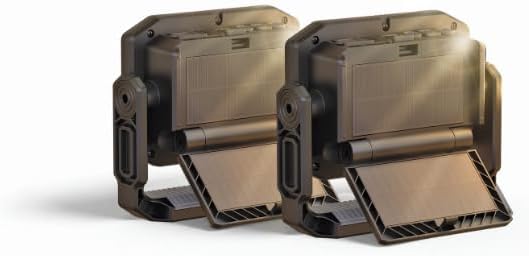
Image: Two Infinity X1 Solar Worklights, illustrating the 2-pack configuration. Each worklight features a robust black casing with a foldable stand and integrated solar panels.
2. Boitsebiso ba Tšireletseho
TLHOKOMELISO: Bala litemoso tsohle tsa polokeho le litaelo. Ho hloleha ho latela litemoso le litaelo ho ka baka ts'okelo ea motlakase, mollo, le/kapa kotsi e mpe.
- U se ke ua sheba ka ho toba ka har'a khanya ea leseli.
- Do not immerse the worklight in water.
- Do not attempt to open or modify the worklight. There are no user-serviceable parts inside.
- Keep the worklight away from extreme heat sources.
- Lahla libeteri ho latela melao ea lehae.
- Use only the charging cables provided or approved by the manufacturer.
- Ensure the solar panel is clean and unobstructed for optimal charging.
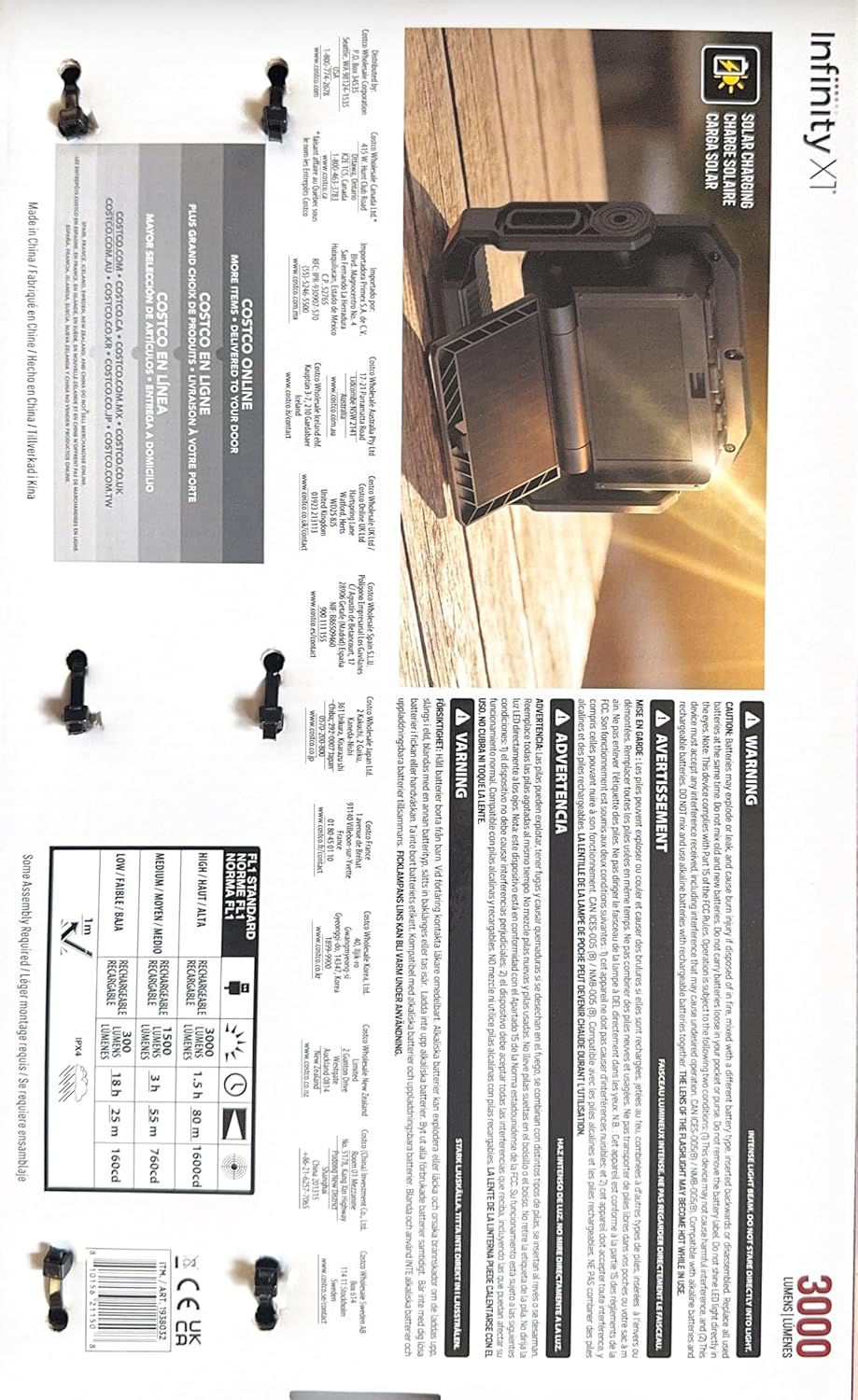
Image: A section of the product manual detailing safety warnings and general product information. This includes cautions against direct eye exposure to the light and instructions for proper battery disposal.
3. Likahare tsa Sephutheloana
Netefatsa hore lintho tsohle li teng le hore li maemong a matle:
- 2 x Infinity X1 3000 L Solar Worklight
- 2 x Lithapo tsa ho tjhaja tsa USB
- Buka ea litaelo (tokomane ena)
4. Likarolo tsa lihlahisoa
- Likhetho tse peli tsa ho tjhaja: Charge via solar power or USB for flexibility.
- Fold-Out Solar Panel: Conveniently unfolds to capture sunlight, reaching full charge in approximately 20 hours.
- 3 Color Temperature Settings: Choose from warm 3000K, neutral 4500K, or cool 6000K to match your task and environment.
- Ho Homa ho Fetohang: Built-in magnetic handle with foldable hook for easy, hands-free attachment to metal surfaces or hanging.
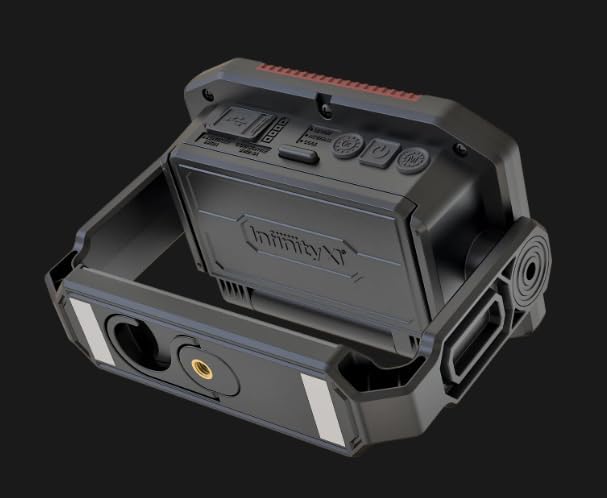
Image: The underside of the worklight, highlighting the integrated magnetic base and a foldable hook for various mounting options.
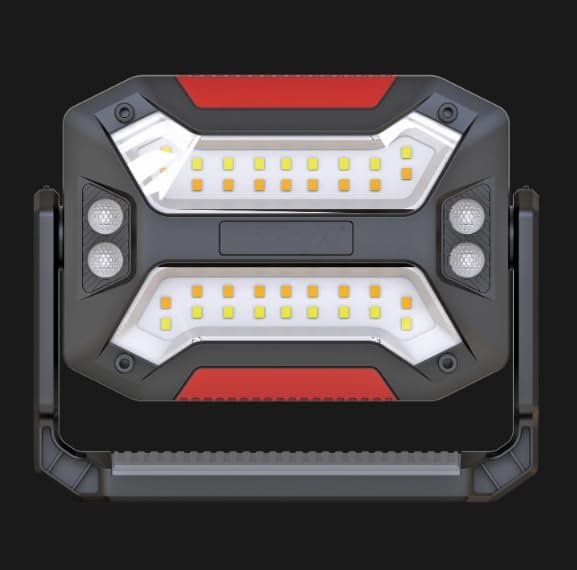
Setšoantšo: Pele view of the worklight, displaying the LED light panel with multiple light sources for broad illumination.
5. Seta le Tefiso ea Pele
- Hlakola: Carefully remove the worklight and accessories from the packaging.
- Initial Charge (USB): For first use, it is recommended to fully charge the worklight via the USB-C port. Connect the provided USB-C cable to the worklight and a compatible USB power adapter (not included). The charging indicator will show progress.
- Solar Panel Deployment: To utilize solar charging, unfold the integrated solar panel. Position the worklight in direct sunlight for optimal charging.

Image: The worklight positioned outdoors with its solar panel unfolded, capturing sunlight for charging.
6. Ts'ebetso
The Infinity X1 Worklight features intuitive controls for power and light settings.

Setšoantšo: E qaqileng view of the worklight's control panel, showing the power button, mode button, color temperature button, and the USB-C input/output port.
- Tlosa/Tima: Tobetsa ea Konopo ea Matla (usually marked with a power symbol) to turn the worklight on or off.
- Adjust Brightness/Mode: Tobetsa ea Konopo ea Mokhoa to cycle through different brightness levels or light modes (if applicable).
- Fetola Mocheso oa 'Mala: Tobetsa ea Konopo ea Mmala to switch between 3000K (Warm), 4500K (Neutral), and 6000K (Cool) light settings.
- Mosebetsi oa Power Bank: The USB-C port can also be used to charge external devices. Connect your device to the USB-C port using a compatible cable.

Image: A section of the product manual highlighting key features such as foldable solar panels, three color temperature options (Warm, Neutral, Cool), and the USB-C input/output for charging the worklight or external devices.
7. Ho tjhaja
Your Infinity X1 Worklight offers two convenient charging methods:
7.1 Ho tjhaja Solar
- Unfold the solar panel and place the worklight in direct sunlight.
- Ensure the solar panel is clean and free from obstructions for maximum efficiency.
- A full charge via solar power takes approximately 20 hours under ideal sunlight conditions.

Image: The back of the worklight, showing the integrated solar panel in its folded position, ready for storage or USB charging.
7.2 USB-C Ho tjhaja
- Connect the provided USB-C cable to the worklight's USB-C port.
- Connect the other end of the cable to a standard USB power adapter (e.g., phone charger, computer USB port).
- The charging indicator will illuminate to show charging status.
- USB-C charging is generally faster than solar charging and is recommended for quick power-ups or when sunlight is unavailable.
8. Tlhokomelo
- Ho hloekisa: Wipe the worklight with a soft, damp cloth. Do not use abrasive cleaners or solvents. Ensure the solar panel is kept clean for efficient charging.
- Polokelo: When not in use for extended periods, store the worklight in a cool, dry place. It is recommended to fully charge the battery every 3-6 months to maintain battery health.
- Tlhokomelo ea Betri: Qoba ho ntša betri ka botlalo khafetsa ho lelefatsa bophelo ba eona.
9. Ho rarolla mathata
| Bothata | Lebaka le ka khonehang | Tharollo |
|---|---|---|
| Worklight does not turn on. | Betri e felile. | Charge the worklight using the USB-C cable or solar panel. |
| Solar charging is slow or ineffective. | Insufficient direct sunlight; solar panel is dirty or obstructed. | Relocate the worklight to direct sunlight. Clean the solar panel. |
| Ho tjhaja USB-C ha ho sebetse. | Faulty cable or power adapter; port obstruction. | Try a different USB-C cable and power adapter. Check the port for debris. |
| Khanya e hlahisoang e fokola. | Boemo ba betri bo tlase. | Recharge the worklight. |
10. Litlhaloso
| Nomoro ea Mohlala | 1938032 |
| Brand | Kakaretso |
| Sehlahisoa sa Leseli | Ho fihlela Lumens tsa 3000 |
| Mocheso oa Mebala | 3000K (Mofuthu), 4500K (E sa nke lehlakore), 6000K (Ho Pholile) |
| Likhetho tsa ho tjhaja | Solar, USB-C |
| Nako ea Tefiso ea Solar | Hoo e ka bang lihora tse 20 (letsatsi le tobileng) |
| Litekanyo | 15 x 3 x 9 lisenthimithara |
| Kenyellelitsoe Likaroloana | Lithapo tsa ho tjhaja |
11. Tiisetso le Tšehetso
Bakeng sa tlhahisoleseding ea tiisetso kapa tšehetso ea tekheniki, ka kopo sheba leano la morekisi kapa ikopanye le moetsi ka kotloloho. Boloka rasiti ea hau ea theko e le bopaki ba theko.
Manufacturer: Generic


