
Selelekela
Thank you for choosing the EZVALO Rechargeable Motion Sensor Night Lights. This 2-pack of magnetic, stick-on LED lights provides convenient illumination with adjustable color temperatures and brightness, designed for various indoor spaces. This manual provides essential information for setup, operation, and maintenance to ensure optimal performance and safety.
Se ka Lebokoseng
- Night Light x2
- Magnetic Plates x2
- 1-to-2 Type-C Charging/Data Cable x1
- Buka ea Mosebelisi x1

Litlhaloso
| Sebopeho | Lintlha |
|---|---|
| Nomoro ea Mohlala | NL05 |
| Litekanyo tsa Sehlahisoa | 3.15"D x 3"W x 0.59"H |
| Boitsebiso ba Motheo | ABS+PP |
| Mofuta oa Mohloli oa Leseli | LED |
| Palo ea Mehloli ea Leseli | 16 |
| Mohloli oa Matla | Battery Powered (1000mAh rechargeable) |
| Moqtage | Li-volts tse 5 |
| Fetola Mofuta | Automatic / Push Button |
| Mokhoa oa ho Laola | Tobetsa Konopo |
| Mofuta oa ho Beha | Magnetic, Adhesive |
| Likarolo tse Eketsehileng | Adjustable Color Temperature, Cordless, Dimmable, Motion Sensor, Rechargeable |
| Tšebeliso ea Ka hare/Kantle | Ka hare |
| Boemo ba ho hanyetsa Metsi | Ha e Mamelle Metsi |
Tlhophiso
1. Charging the Night Light
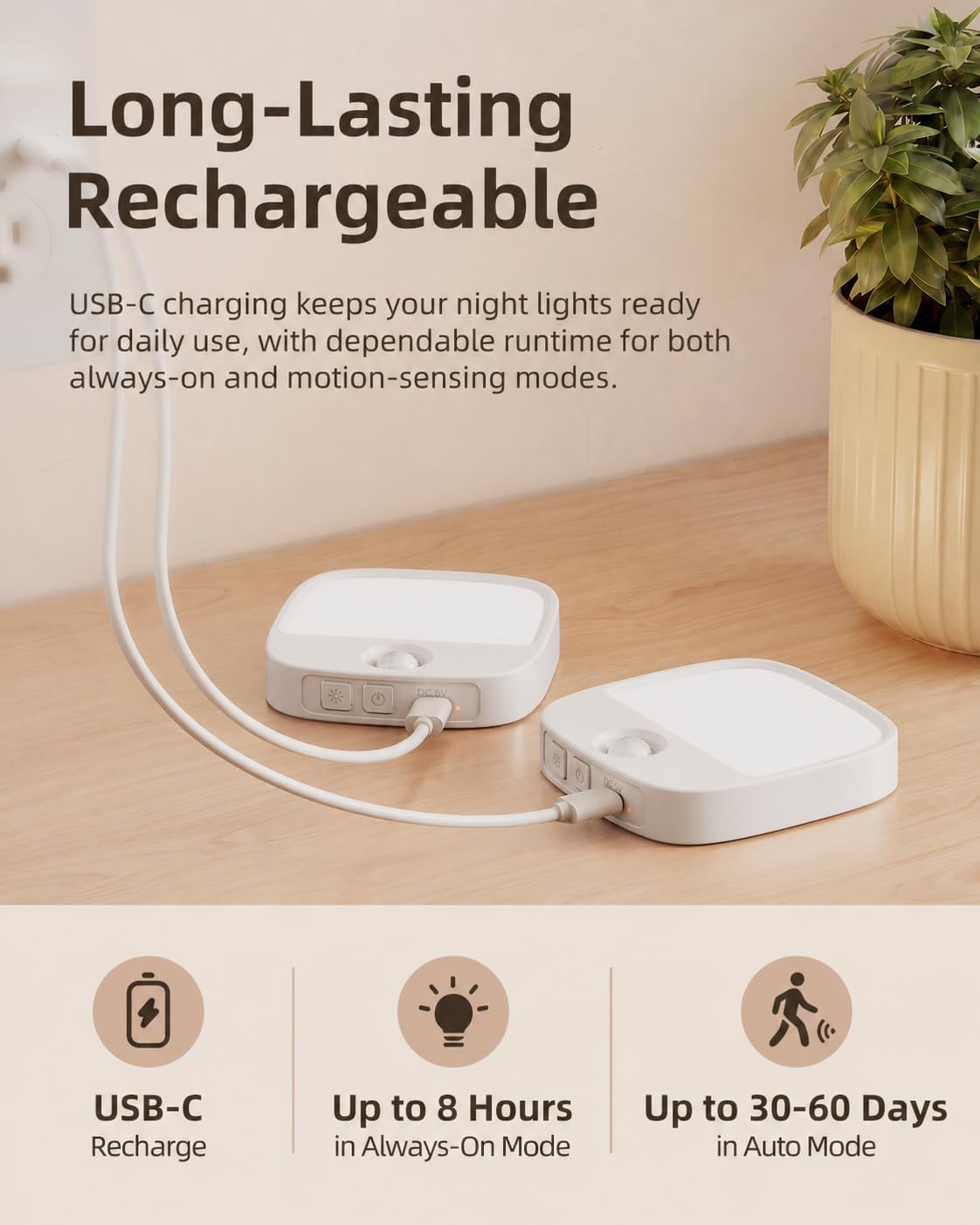
Before first use, fully charge the night lights. Each light has a built-in 1000mAh rechargeable battery.
- Connect the provided 1-to-2 Type-C charging cable to the charging port on the night light.
- Hokela pheletso e 'ngoe ea thapo ho adaptara ea motlakase ea USB (ha e kenyelelitsoe) kapa koung ea USB ea khomphutha.
- Lebone la sesupo sa ho tjhaja le tla bonesa nakong ya ho tjhaja mme le tla tima ha le tjhajilwe ka botlalo.
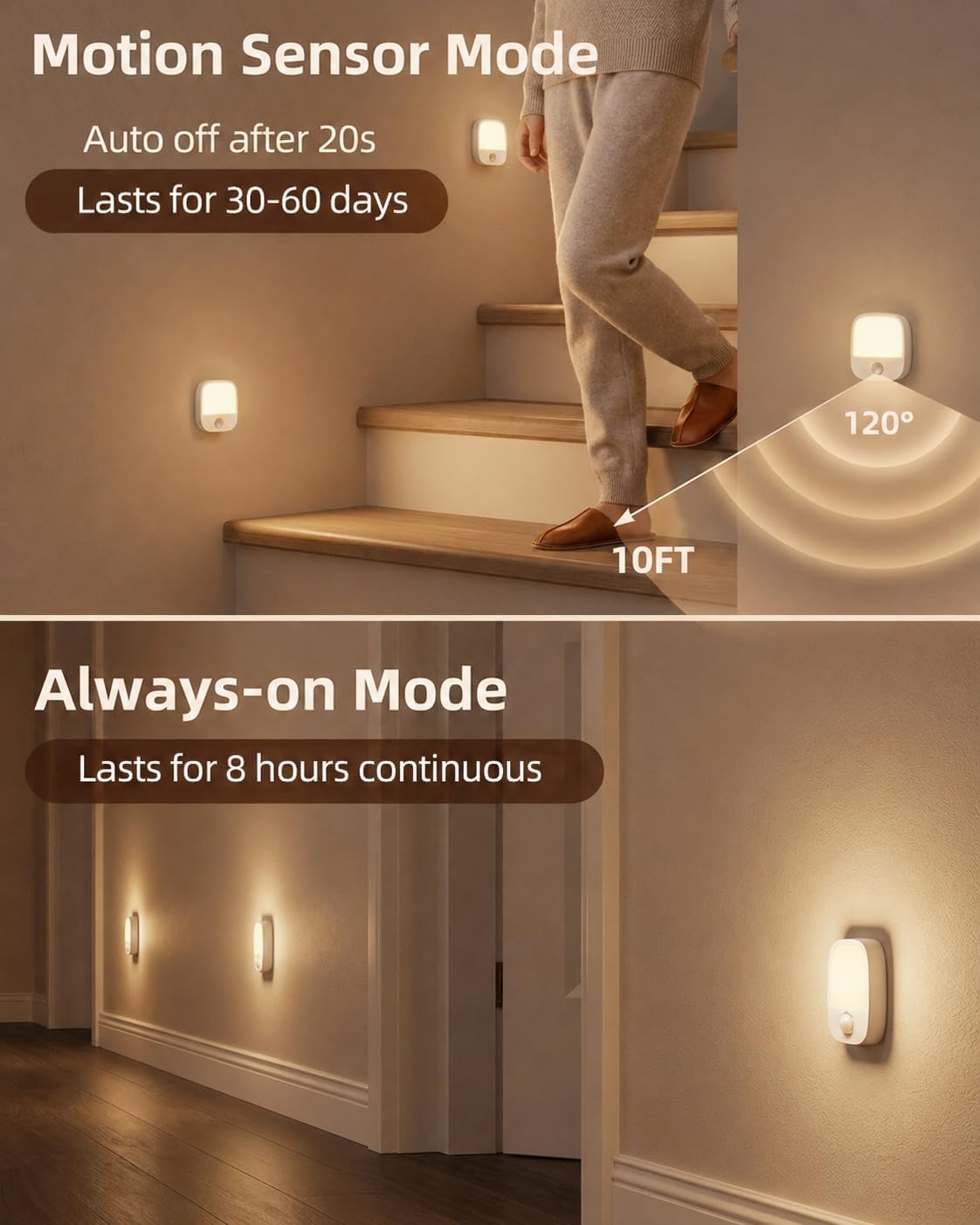
A full charge takes approximately 3 hours. The light provides up to 8 hours of continuous use at maximum brightness, and 30-60 days in motion sensor mode, depending on brightness level and motion frequency.
2. Mounting the Night Light
The night lights offer flexible mounting options using built-in magnets or adhesive metal plates.
- Ho Tlama ha Magnetic: The night light has a built-in magnet. Simply attach it to any metallic surface, such as a refrigerator or metal cabinet.
- Adhesive Mounting: For non-metallic surfaces, use the included adhesive metal plates.
- a. Peel: Remove the protective film from one side of the adhesive metal plate.
- b. Stick: Press the adhesive side firmly onto a clean, dry, and smooth surface where you want to install the light.
- c. Mount: Attach the night light magnetically to the metal plate.


Litaelo tsa Ts'ebetso
The night light features multiple modes and adjustable settings for customized illumination.
1. Matla a On / Off le Khetho ea Mode
Locate the control buttons on the side of the night light. There are typically two buttons: one for mode selection and one for color/brightness adjustment.
- Boemo ba Kamehla: Press the power button once for continuous light.
- Mokhoa oa Sensor: Tap the motion sensor button to activate motion sensing. The light will turn on when motion is detected in dark conditions.
- E tima: Cycle through modes until the light turns off, or press and hold the power button.

2. Ts'ebetso ea Sensor ea Motion
In Motion Sensor Mode, the light detects movement within 10 feet and a 120° wide-angle. It is designed for nighttime use and may not activate if sufficient ambient light is present (below 27 lumens).


3. Phetoho ea Mocheso oa Mobala
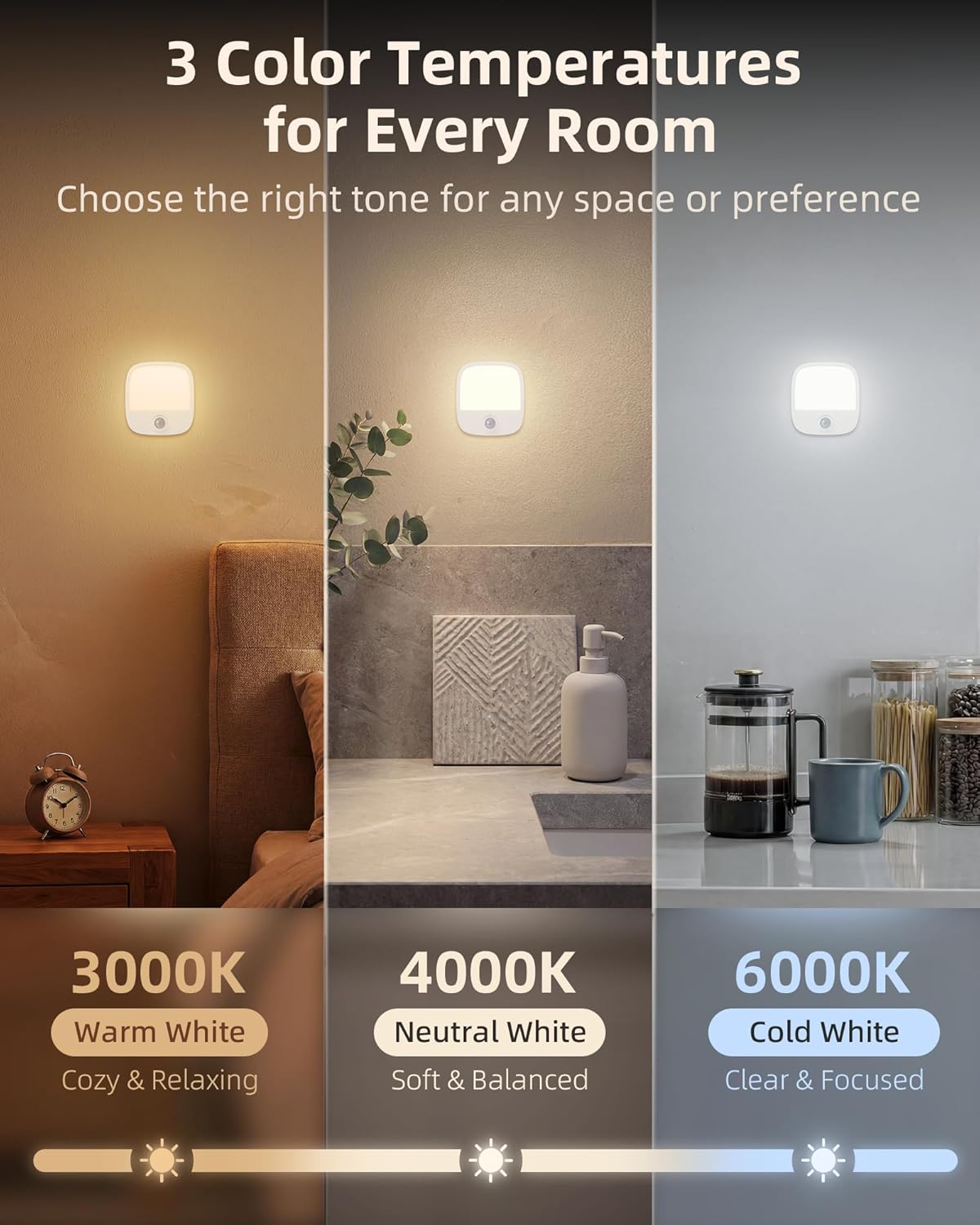
The night light offers three color temperature options: Warm White (3000K), Neutral White (4000K), and Cold White (6000K).
- Tap the color/brightness adjustment button to cycle through the three color temperatures.
4. Brightness Adjustment (Stepless Dimming)
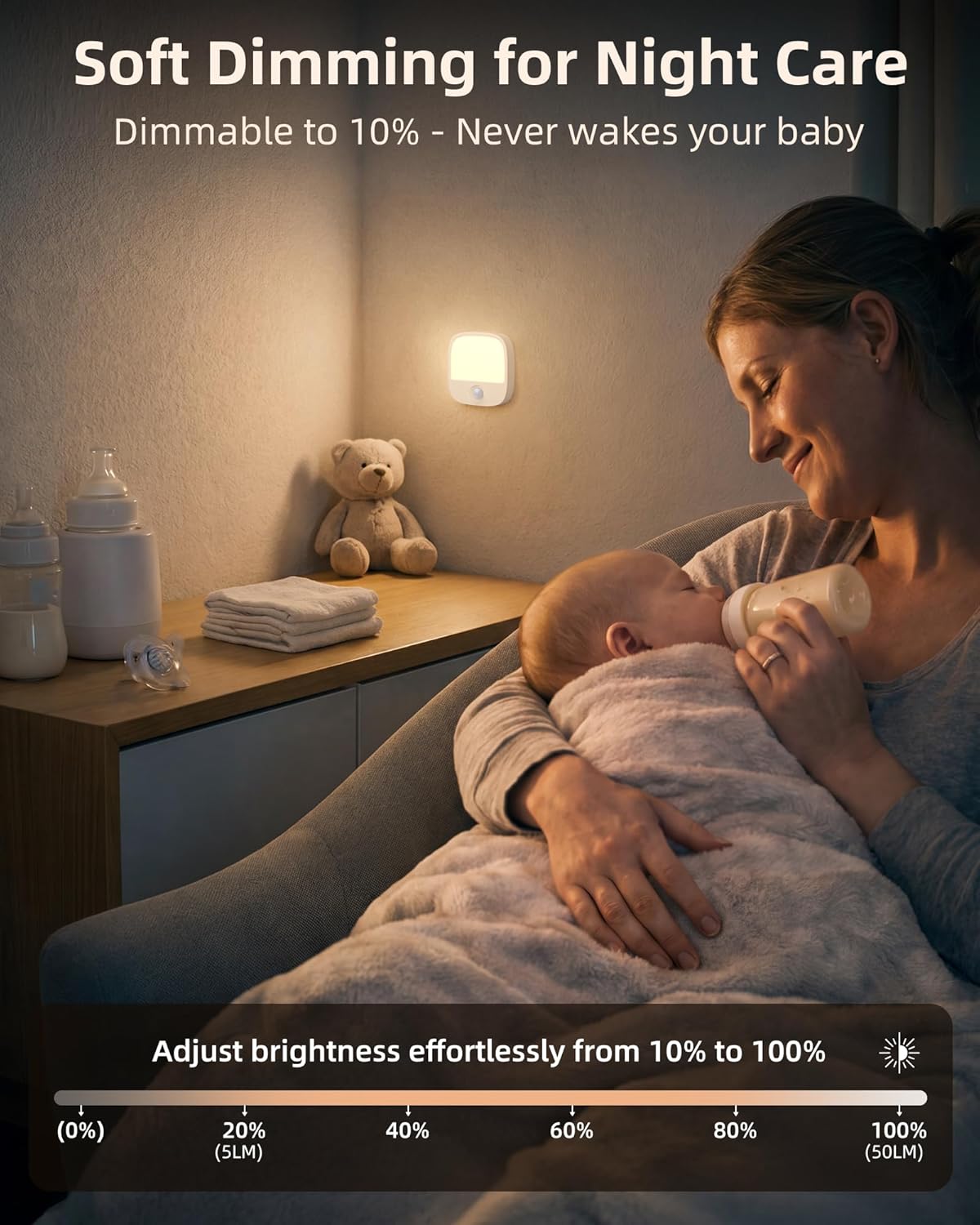
Adjust the brightness from 10% to 100% to suit your preference.
- Press and hold the color/brightness adjustment button to smoothly dim or brighten the light. Release the button when the desired brightness is reached.
5. Mosebetsi oa Khopolo
The night light remembers your last brightness and color temperature settings. This means you do not need to readjust it every time you turn it on, providing consistent comfort.
Ho batle phoso
| Bothata | Seo e ka bang Sesosa / Tharollo |
|---|---|
| Sensor ea ho sisinyeha ha e sebetse |
|
| Leseli le sa boneseng |
|
| Leseli le sa ts'oereng |
|
Tlhokomelo
To ensure the longevity and proper functioning of your EZVALO Night Lights, follow these simple maintenance guidelines:
- Ho hloekisa: Wipe the surface of the night light with a soft, dry cloth. Do not use abrasive cleaners, solvents, or harsh chemicals, as these can damage the finish or internal components.
- Qoba Metsi: The product is not waterproof. Do not expose it to water or high humidity.
- Polokelo: If storing the lights for an extended period, ensure they are fully charged and store them in a cool, dry place. Recharge periodically to maintain battery health.
Warranty le Tšehetso
EZVALO products are manufactured with quality and reliability in mind. For specific warranty information or technical support, please refer to the warranty card included in your packaging or contact EZVALO customer service through the retailer where the product was purchased. Keep your purchase receipt as proof of purchase for warranty claims.