
1. Selelekela
Thank you for choosing the Vieta Pro Party 220 Portable Bluetooth Speaker. This powerful and versatile speaker is designed to deliver high-quality audio for various occasions, including parties, events, and karaoke sessions. This manual provides essential information for setting up, operating, and maintaining your speaker to ensure optimal performance and longevity.
2. Sehlahisoa Overview
The Vieta Pro Party 220 is a self-amplified portable speaker featuring advanced audio technology. It boasts 500W of powerful sound, Bluetooth 5.3 connectivity, Auracast technology, and a long-lasting 10-hour battery. Designed for portability, it includes an integrated handle and trolley-style wheels. Key features include:
- Molumo oa 500W RMS: Delivers robust and clear stereo sound with 2" tweeters and 8" woofers.
- Bluetooth 5.3 with Auracast: Ensures stable and fast wireless connections, allowing multiple Auracast-compatible speakers to connect simultaneously.
- Karaoke Compatibility: Includes a wireless microphone and supports additional microphones. Features LED lights that synchronize with music.
- Bophelo ba Betri ea Lihora tse 10: Enjoy extended music playback with the rechargeable battery.
- Likhetho tse ngata tsa Khokahano: Mini Jack 3.5mm, AUX, Micro USB, USB MP3 player, and SD card slot.
- 'Nete Wireless Stereo (TWS): Connect two Party 220 speakers for an immersive stereo experience.
- Moralo o nkehang habonolo: Integrated handle and wheels for easy transport.
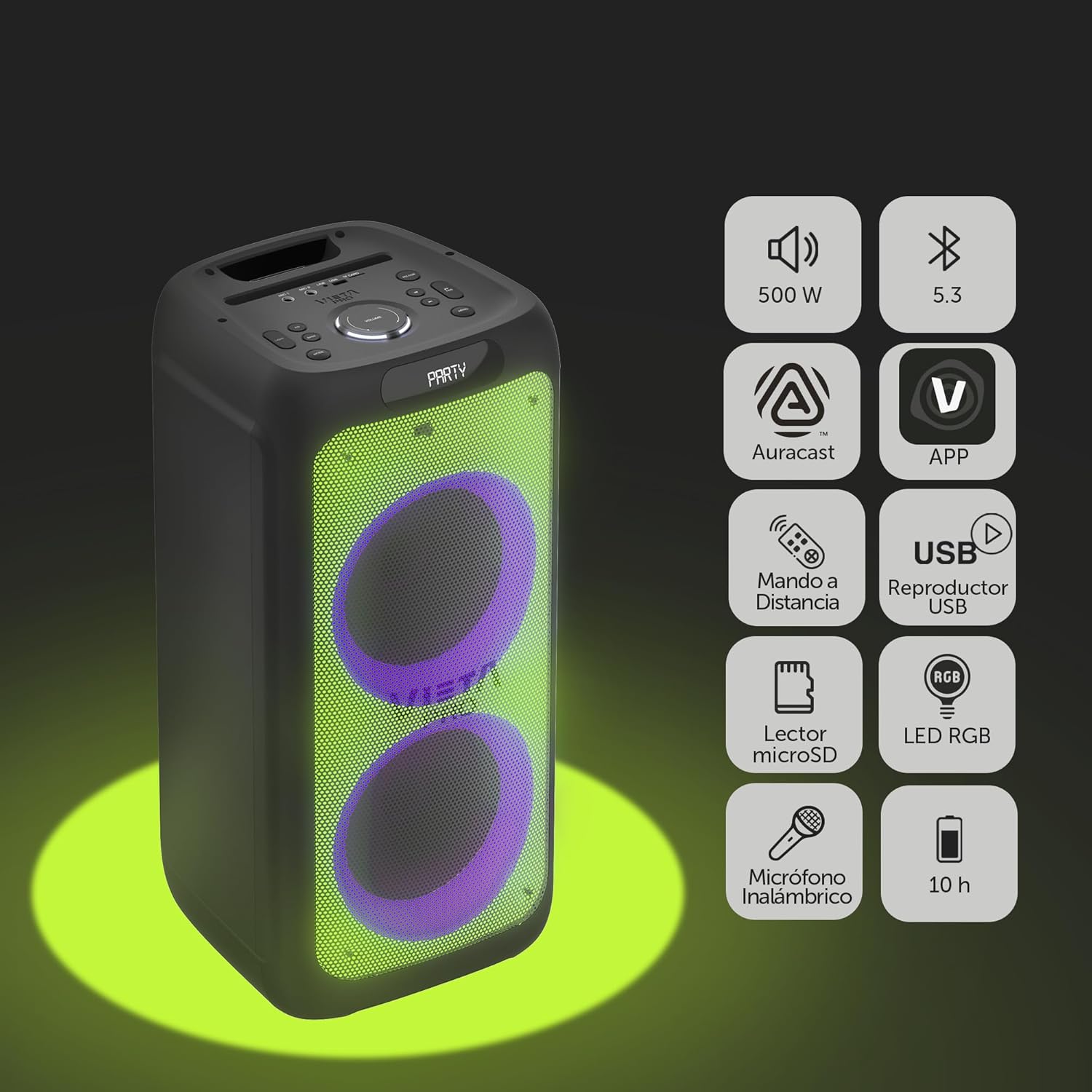
Image 2.1: The Vieta Pro Party 220 speaker highlighting its main features such as 500W power, Bluetooth 5.3, Auracast, app control, remote control, USB player, RGB LED lights, MicroSD reader, wireless microphone, and 10-hour battery life.
3. Se ka Lebokoseng
Ha o ntsha dipakete, ka kopo etsa bonnete ba hore dintho tsohle di teng mme di boemong bo botle:
- Vieta Pro Party 220 Portable Bluetooth Speaker
- Motlakase oa Motlakase
- Microphone e se nang mohala
- Remote Control
- Bukana ea mosebelisi (tokomane ena)
4. Seta
4.1. Ho lefisa Sepikara
Before first use, fully charge the speaker. Connect the provided power cable to the speaker's power input and then to a suitable power outlet. The charging indicator will illuminate. Once fully charged, the indicator may change color or turn off, depending on the model.
A full charge provides up to 10 hours of continuous playback.

Image 4.1: The Vieta Pro Party 220 speaker in a home environment, illustrating its long battery life of up to 10 hours.
4.2. Ho tima/Ho tima
Locate the Power button on the speaker's control panel. Press and hold the Power button for a few seconds to turn the speaker ON or OFF.
5. Litaelo tsa Ts'ebetso
5.1. Bluetooth pairing
- Turn on the Vieta Pro Party 220 speaker. It will automatically enter Bluetooth pairing mode, indicated by a flashing LED light (usually blue).
- Numella Bluetooth sesebelisoa sa hau sa molumo (smartphone, tablet, komporo).
- Batla "Vieta Pro Party 220" in the list of available Bluetooth devices.
- Select the speaker to pair. Once connected, the LED indicator will stop flashing and remain solid.
5.2. Auracast Technology
The Party 220 supports Auracast, allowing you to connect multiple compatible speakers (including other Party 220 units or different brands supporting Auracast) for a synchronized audio experience. Refer to the specific instructions for Auracast pairing, usually initiated via a dedicated button or through the Vieta Pro app (if available).
5.3. Ho kopanya Stereo ea 'Nete e se nang Mohala (TWS)
To achieve a true stereo sound experience, you can pair two Vieta Pro Party 220 speakers:
- Ensure both Party 220 speakers are turned on and not connected to any Bluetooth device.
- On one speaker (this will be the primary speaker), press and hold the TWS button (if available) or follow the TWS pairing instructions in the speaker's specific controls.
- The primary speaker will search for the secondary speaker. Once connected, you will hear an audible confirmation, and the LED indicators will reflect the TWS connection status.
- Now, connect your audio device to the primary speaker via Bluetooth as described in section 5.1. Audio will play in stereo across both speakers.
5.4. Wired Connections (AUX, USB, MicroSD)
- Kenyo ea AUX: Connect an external audio device using a 3.5mm audio cable to the AUX input port. The speaker will automatically switch to AUX mode or require manual selection via the Mode button.
- Papali ea USB: Kenya drive ea flash ea USB e nang le molumo oa MP3 files ka har'a koung ea USB. Sebui se tla lemoha le ho bapala ka bohona files. Use the control panel or remote to navigate tracks.
- MicroSD Card Playback: Insert a MicroSD card with MP3 audio files into the MicroSD slot. The speaker will automatically detect and play the files.
5.5. Karaoke Function and Wireless Microphone
The Party 220 comes with a wireless microphone for karaoke. Simply turn on the microphone, and it should automatically connect to the speaker. Adjust microphone volume using the dedicated controls on the speaker or remote control. The speaker also has inputs for additional wired microphones.

Setšoantšo sa 5.5: E haufi-ufi view of the wireless microphone included with the Vieta Pro Party 220 speaker, ready for karaoke use.
5.6. LED RGB Lights
The speaker features dynamic RGB LED lights that can enhance your audio experience. Use the dedicated button on the control panel or the remote control to cycle through different light modes, synchronize them with the music, or turn them off.

Image 5.6: The Vieta Pro Party 220 speaker showcasing its vibrant RGB LED lighting feature.
5.7. Remote Control
The included remote control allows for convenient operation of the speaker from a distance. Functions typically include power, volume, track navigation, mode selection, EQ settings, and LED light control.
6. Tlhokomelo
- Ho hloekisa: Sebelisa lesela le bonolo, le omileng ho hlwekisa bokantle ba sebui. O se ke wa sebedisa dihlatswa tse kgopang, di-wax, kapa di-solvent.
- Polokelo: Beha sebui sebakeng se pholileng, se omileng hole le khanya ea letsatsi le mocheso o feteletseng.
- Tlhokomelo ea Betri: Ho lelefatsa bophelo ba betri, qoba ho ntsha betri ka botlalo kgafetsa. Lafisa sebui kamehla, esita le haeba se sa sebelisoe ka nako e telele.
- Khahlamelo ea Metsi: While the speaker may have some resistance, avoid direct exposure to water or excessive moisture unless explicitly stated as waterproof.
7. Ho rarolla mathata
| Bothata | Lebaka le ka khonehang | Tharollo |
|---|---|---|
| Ha ho matla | Betri e felile; Thapo ea motlakase ha e hokahantsoe hantle. | Tjhaja sepikara; Netefatsa hore thapo ya motlakase e hokahantswe ka mokhoa o sireletsehileng. |
| Ha ho molumo | Volume too low; Incorrect input mode; Device not paired. | Increase volume on speaker and source device; Select correct input mode (Bluetooth, AUX, USB); Re-pair Bluetooth device. |
| Ho hokahanya ha Bluetooth ho hlolehile | Sepikara ha se maemong a ho kopanya; Sesebelisoa se hole haholo; Tšitiso. | Ensure speaker is in pairing mode; Move device closer; Turn off other Bluetooth devices. |
| Microphone ha e sebetse | Microphone off; Battery low in microphone; Volume too low. | Turn on microphone; Replace microphone batteries; Increase microphone volume. |
| Boreki ba TWS bo hloleha | Speakers not in TWS pairing mode; Too far apart. | Ensure both speakers are in TWS pairing mode; Place speakers closer together. |
8. Litlhaloso
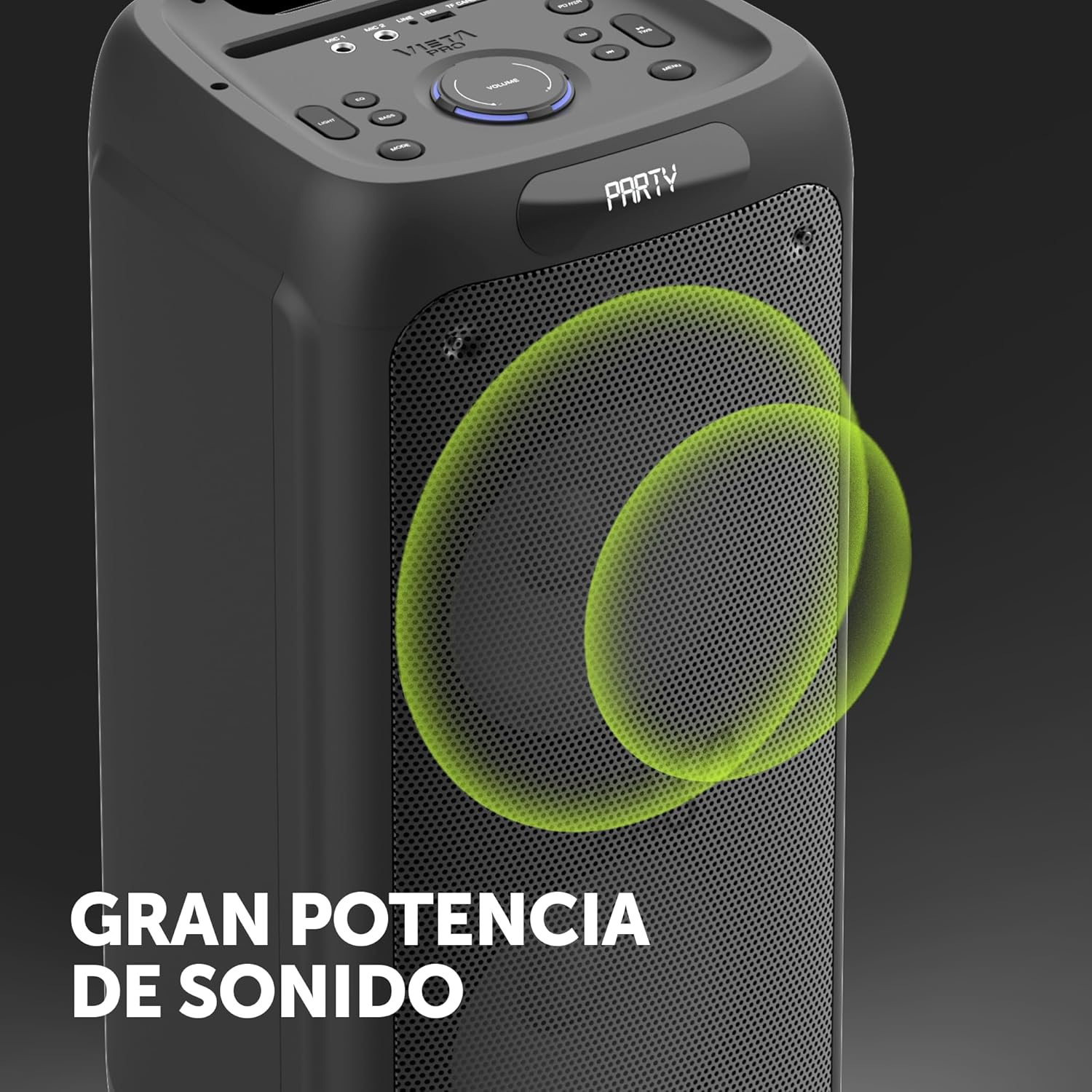
Image 8.1: The Vieta Pro Party 220 speaker, highlighting its powerful sound output.
| Sebopeho | Lintlha |
|---|---|
| Lebitso la Mohlala | Mokha oa 220 |
| Nomoro ea Mohlala | VM-HW455BK |
| Brand | Vietnam Pro |
| Mofuta oa Sebui | Outdoor, Portable, Self-ampkhallisoa |
| Theknoloji ea Khokahano | Bluetooth 5.3, AUX, USB, MicroSD |
| Puisano e se nang mohala | bluetooth |
| Matla a ho Hlahisa Sebui a Phahameng | Li-Watts tse 500 (RMS) |
| Mokhoa oa Phatlalatso ea Audio | Stereo (with TWS) |
| Karabelo ea Khafetsa | 20 MHz |
| Mohloli oa Matla | Matla a Battery |
| Bophelo ba Battery | Ho fihlela lihora tse 10 |
| Mokhoa oa ho Laola | Remote Control, On-device buttons |
| Likarolo Tse Khethehileng | Anti-shock, USB Port, Shock resistant, Wireless speakers, Auracast, Karaoke, LED RGB lights |
| Lisebelisoa tse lumellanang | MP3 Player, Mobile, PC, DJ Mixer, Tablet, Television |
| Litekanyo tsa Sehlahisoa | 33.7D x 30W x 70.5H cm |
| Boima ba Ntho | 5 lik'hilograma |
| Lintho tse bonahalang | Plastiki |
| Mmala | Ntsho |
9. Tiisetso le Tšehetso
The Vieta Pro Party 220 speaker comes with a limited warranty. Please refer to the warranty card included in your packaging for detailed terms and conditions. For technical support, troubleshooting assistance beyond this manual, or warranty claims, please contact Vieta Pro customer service through their official websaete kapa lintlha tsa ho ikopanya tse fanoeng le litokomane tsa sehlahisoa sa hau.
Ka kopo, boloka bopaki ba theko ea hau molemong oa tiisetso.