
1. Selelekela
This manual provides detailed instructions for the setup, operation, maintenance, and troubleshooting of your GravaStar V75 Pro Gaming Keyboard and Mercury X Pro Gaming Mouse. Please read this manual carefully to ensure optimal performance and longevity of your devices.
2. GravaStar V75 Pro Gaming Keyboard
2.1. Likarolo tsa Bohlokoa
- Hall-Effect Magnetic Switches: Features Gateron × GravaStar Magnetic Hall-Effect switches with 0.005mm actuation accuracy, per-key customizable actuation, and a 100 million keystroke lifespan.
- Tekanyo e tlase haholo: Boasts 8000Hz USB polling (0.125ms response time) and a 256kHz key scan rate for high-stakes gaming.
- Mabone a RGB a Customizable: Fully programmable RGB lighting via customizable software.
2.2. Pono e Fetilengview
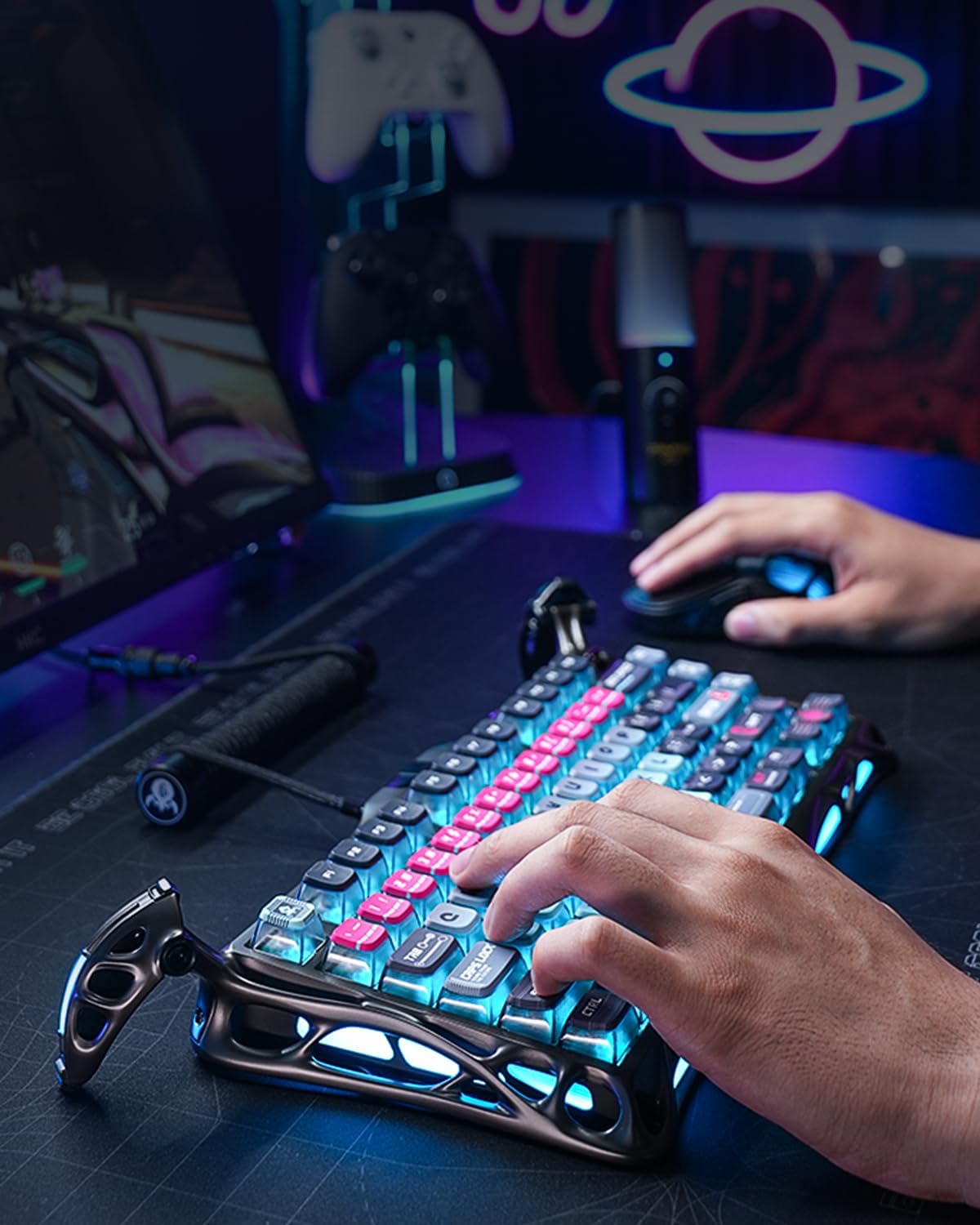
The GravaStar V75 Pro keyboard features a distinctive design with vibrant RGB lighting, enhancing the gaming experience. Its ergonomic layout is designed for comfortable and efficient gameplay.
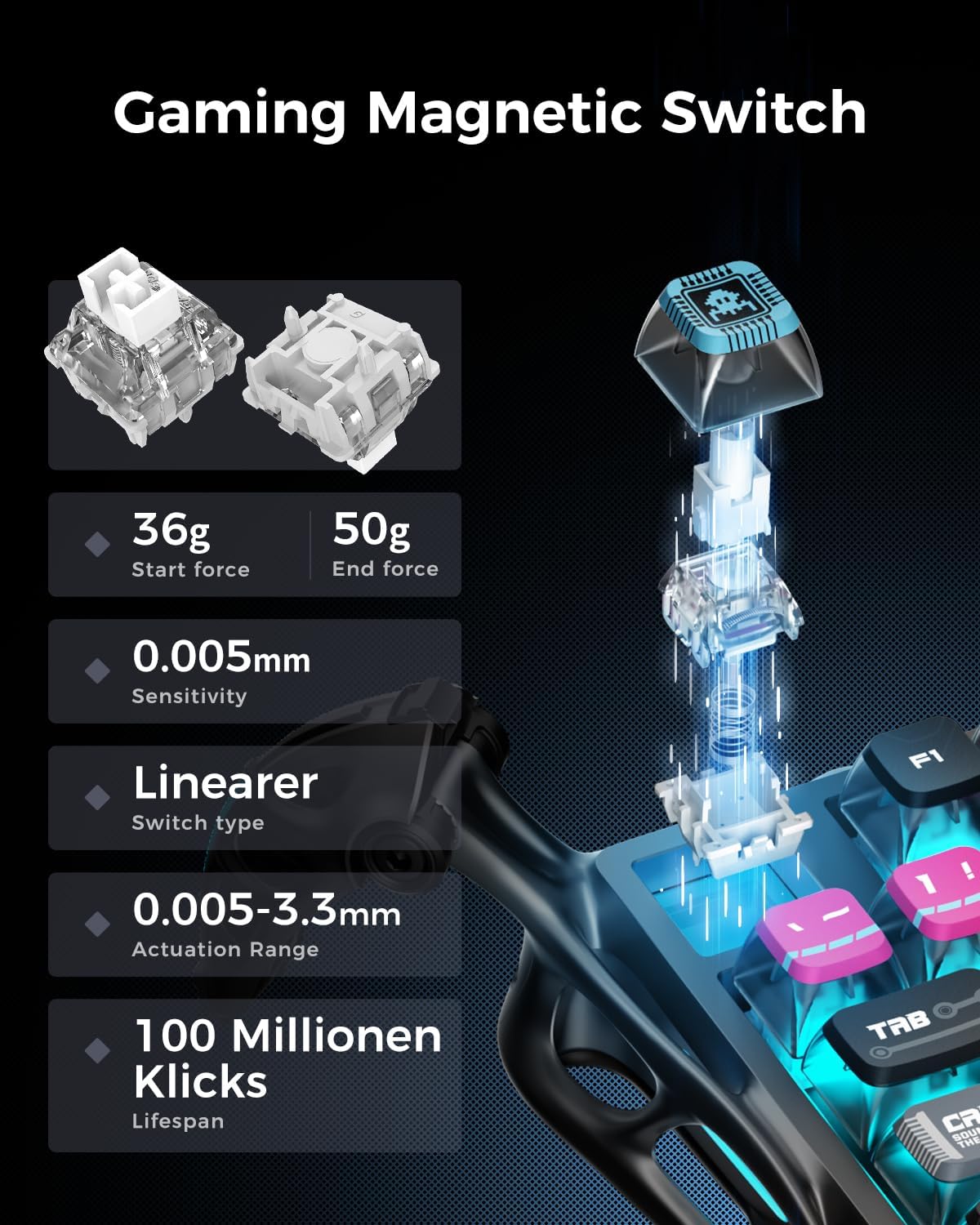
The magnetic switches offer precise control with a low start force of 36g and an end force of 50g, ensuring rapid and accurate key presses. The sensitivity is rated at 0.005mm, with an actuation range of 0.005-3.3mm, and a lifespan of 100 million clicks.

The keyboard's 256KHz scan rate provides superior responsiveness compared to traditional mechanical switches, crucial for competitive gaming across various genres like RTS, FPS, and MOBA.

The dedicated GravaStar software allows users to customize key functions, actuation points, and RGB lighting effects, enabling a personalized gaming experience.

With a true 8KHz polling rate, the keyboard achieves an ultra-low latency of 0.125ms, ensuring that every command is registered almost instantaneously.
2.3. Official Sehlahisoa Video
3. GravaStar Mercury X Pro Gaming Mouse
3.1. Likarolo tsa Bohlokoa
- Innovative Hollow Skeleton Design: Maximized airflow with a durable, lightweight magnesium alloy frame to keep your hand cool and dry during intense gaming sessions.
- Precision Sensor: PAW 3950 sensor offers ultra-accurate tracking with up to 32,000 DPI, ideal for both fast-paced FPS and precision-demanding MOBA games.
- Customizable Buttons & RGB: Fully programmable buttons and RGB lighting via customizable software.
3.2. Pono e Fetilengview

The Mercury X Pro mouse offers an impressive 113 hours of battery life in Bluetooth mode, providing extended usage for up to 14 days on a single charge.
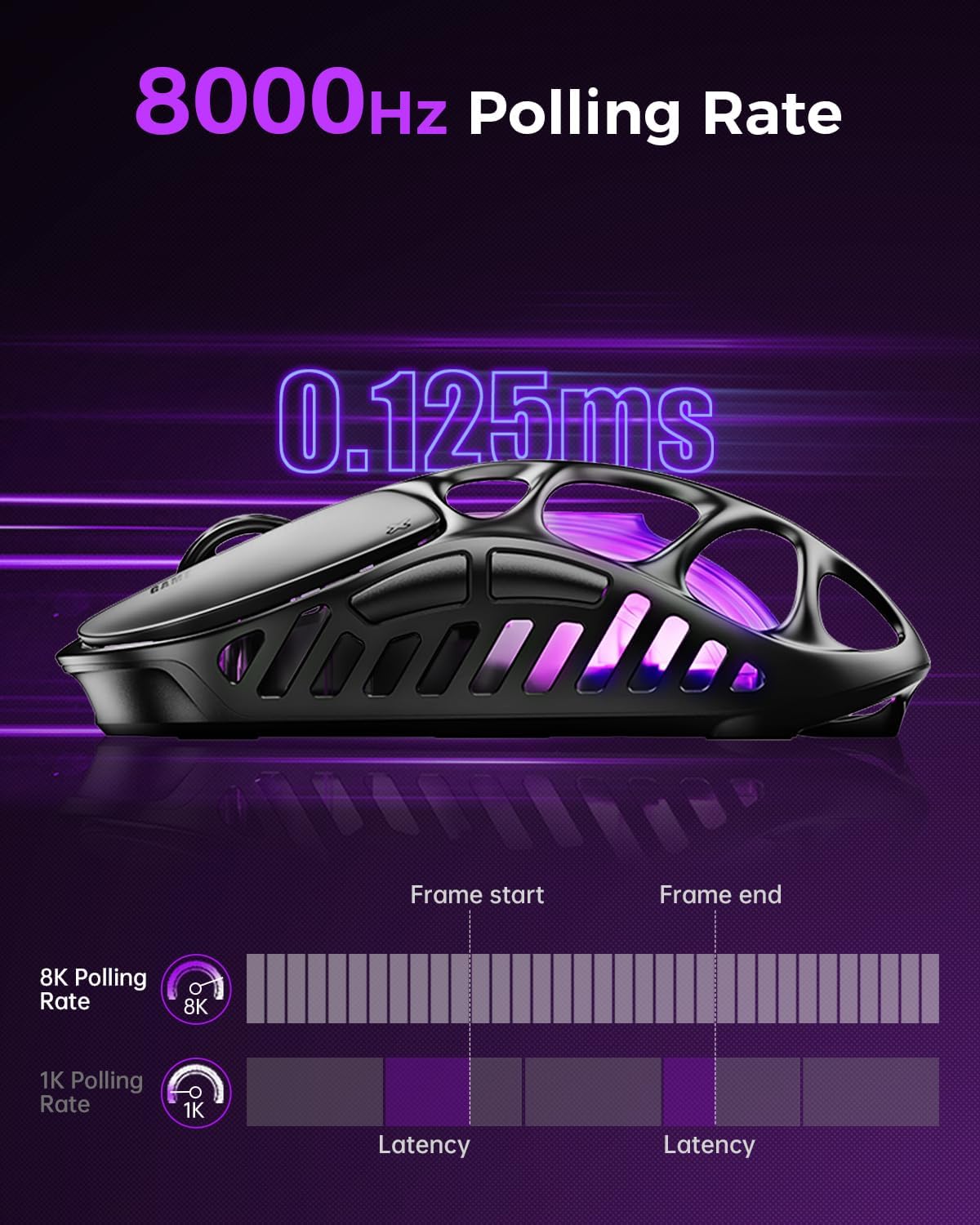
The mouse's 8000Hz polling rate ensures a rapid 0.125ms response time, minimizing input lag for critical in-game actions.

The mouse's hollow skeleton design, constructed from 0.8mm magnesium alloy, provides a lightweight yet durable structure, promoting airflow to keep hands cool during extended use.
4. Seta
4.1. Khokahano ea Pele
- Unboxing: Tlosa keyboard le mouse ka hloko sephuthelong sa tsona.
- Ho tjhaja: For optimal performance, fully charge both devices before first use. Connect the provided USB-C cable to the devices and a power source.
- Wireless Connection (2.4GHz): Insert the 2.4GHz USB dongle into an available USB port on your computer. Ensure the devices are switched to 2.4GHz mode. They should connect automatically.
- Khokahano ea Bluetooth: Switch the devices to Bluetooth mode. On your computer or device, search for new Bluetooth devices and select 'GravaStar V75 Pro' or 'GravaStar Mercury X Pro' to pair.
- Khokahano ea Mehala: Connect the USB-C cable directly from the device to your computer. The devices will function in wired mode and charge simultaneously.
4.2. Ho kenya Software
Download the official GravaStar customization software from the manufacturer's website. This software allows for advanced customization of RGB lighting, key remapping, macro creation, and DPI settings.
5. Litaelo tsa Ts'ebetso
5.1. Ts'ebetso ea Keyboard
- Phetoho ea lintlha tsa Actuation: Use the GravaStar software to fine-tune the actuation point of each Hall-Effect switch from 0.005mm to 3.3mm for personalized responsiveness.
- Mefuta ea mabone a RGB: Cycle through various preset RGB lighting effects using dedicated function keys or customize them extensively via the software.
- Sekhahla sa Likhetho: The keyboard operates at an 8000Hz polling rate in wired mode for minimal latency.
5.2. Ts'ebetso ea Litoeba
- Phetoho ea DPI: Use the dedicated DPI button on the underside of the mouse or the software to cycle through preset DPI levels, up to 32,000 DPI.
- Likonopo tse ka reroang: Customize the functions of the mouse buttons using the GravaStar software to assign macros or specific commands.
- Sekhahla sa Likhetho: The mouse supports an 8000Hz polling rate for ultra-responsive tracking.
6. Tlhokomelo
6.1. Ho hloekisa
- Keybhoto: Use a soft, dry cloth to wipe down the keyboard surface. For deeper cleaning, use a keycap puller to remove keycaps and compressed air to clear debris from between switches.
- Tweba: Wipe the mouse surface with a soft, slightly damp cloth. Use a cotton swab for hard-to-reach areas, especially within the hollow skeleton design.
6.2. Tlhokomelo ea Battery
- Qoba ho ntsha betri ka botlalo kgafetsa.
- Store devices in a cool, dry place when not in use for extended periods.
- Sebelisa feela thapo e fanoeng ea ho tjhaja kapa e lekanang le eona e netefalitsoeng.
7. Ho rarolla mathata
7.1. Mathata a Khokahano
- Sesebelisoa ha se hokahane: Ensure the device is charged and switched to the correct mode (2.4GHz or Bluetooth). Re-pair Bluetooth devices or re-insert the 2.4GHz dongle.
- Khokahano ea nakoana: Move the device closer to the receiver/computer. Avoid sources of interference (e.g., other wireless devices, large metal objects).
7.2. Unresponsive Keys/Mouse
- Keybhoto: Check for debris under the keycaps. Ensure the keyboard firmware is up to date via the software.
- Tweba: Clean the sensor area. Adjust DPI settings to a suitable level. Ensure the mouse is on a clean, uniform surface.
7.3. Software e sa Lemoheng Sesebelisoa
- Ensure the device is connected (wired or wireless) and powered on.
- Qala software le/kapa khomphutha ea hau bocha.
- Reinstall the GravaStar software.
8. Litlhaloso
| Sebopeho | GravaStar V75 Pro Keyboard | GravaStar Mercury X Pro Mouse |
|---|---|---|
| Liphetoho | Gateron × GravaStar Magnetic Hall-Effect | N/A |
| Actuation Accuracy | 0.005 limilimithara | N/A |
| Nako ea Bophelo ea Keystroke | Limilione tse 100 | N/A |
| Sekhahla sa likhetho | 8000Hz (USB) | 8000Hz |
| Key Scan Rate | 256kHz | N/A |
| Sensoro | N/A | PAW 3950 |
| Sehlopha sa DPI | N/A | Ho fihlela ho 32,000 DPI |
| Moralo | Cyberpunk Aesthetic | Hollow Skeleton, Magnesium Alloy Frame |
| Bophelo ba Battery | N/A | Lihora tse 113 (mokhoa oa Bluetooth) |
9. Tiisetso le Tšehetso
GravaStar products come with a limited manufacturer's warranty. For detailed warranty information, product registration, and technical support, please visit the official GravaStar websebaka kapa ikopanye le litšebeletso tsa bareki. Boloka bopaki ba hau ba theko bakeng sa likopo tsa waranti.
GravaStar Official Store: Visit GravaStar Store on Amazon