
Selelekela
This manual provides detailed instructions for the OQIMAX Kids Alarm Clock, Model WA175USKM. This device is designed to assist children with sleep training, provide a comforting night light, and offer reliable dual alarm functions. Please read this manual thoroughly before use to ensure proper operation and maintenance.
Boitsebiso ba Tšireletseho
- Ensure the device is plugged into a compatible power source (Type-C). An adapter is not included.
- Keep the device away from water or excessive moisture.
- U se ke ua leka ho qhaqha kapa ho lokisa sesebelisoa ka bouena. Ikopanye le tšehetso ea bareki haeba ho hlaha mathata.
- Sehlahisoa sena se reretsoe ho sebelisoa ka tlung feela.
Litaba tsa Sephutheloana
- OQIMAX Kids Alarm Clock (Model WA175USKM)
- Mofuta oa C-C oa USB
- Buka ea Tataiso
Sehlahisoa se Felletseview
The OQIMAX Kids Alarm Clock features a friendly cat-shaped design with a digital display and intuitive controls. It combines multiple functions to support children's routines:
- Sleep Training: Visual cues (moon/sun icons, colored lights) guide children for bedtime and wake-up.
- Leseli la Bosiu: 11 vibrant colors and adjustable brightness levels create a soothing ambiance.
- Music & Sounds: 10 soothing melodies, nature sounds, or white noise options.
- Lialamo tse peli: Two independent alarms with customizable schedules and a snooze function.
- Senotlolo sa Bana: E thibela liphetoho tse sa reroang ho litlhophiso.

Setšoantšo sa 1: Ho fetaview of the OQIMAX Kids Alarm Clock highlighting its main features.
Tlhophiso
- Khokelo ea Matla: Connect the provided Type-C USB cable to the clock and plug it into a suitable USB power adapter (not included). The clock will power on automatically.
- Ho Beha Nako ea Pele: The clock has a power-off memory function, but it's recommended to set the correct time upon first use or after extended power loss.
Litaelo tsa Ts'ebetso
Mesebetsi ea konopo
Familiarize yourself with the buttons located on the front of the alarm clock:

Figure 2: Button layout and functions for the OQIMAX Kids Alarm Clock.
- SETE EA NAKO: Short press to adjust time, long press to enter time setting mode.
- SUN/MOON ON/OFF: Short press to turn sun/moon icon on/off, long press to set appearance time of the moon.
- TUNES: Short press to select music (10 options), long press for 3 seconds to activate/deactivate child lock.
- Bontša: Fetola khanya ea ponahatso.
- UP (U/P): Increase value, adjust RGB brightness.
- DOWN (DOWN): Decrease value, adjust volume.
- Sebaka se ka Holimo: Press the top of the clock to change night light colors or activate snooze.
Ho Bea Nako
- Tobetsa nako e telele NAKO SEBETSO konopo ho fihlela dinomoro tsa hora di benya.
- Sebelisa le UP or TLASE likonopo ho fetola hora.
- Tobetsa NAKO SEBETSO again to move to minute adjustment, then use UP or TLASE.
- Tsoela pele ho tobetsa NAKO SEBETSO to cycle through year, month, day settings, adjusting each with UP or TLASE.
- Tobetsa NAKO SEBETSO one last time to confirm and exit.
Sleep Training Function
The sleep training feature uses visual cues to help children understand bedtime and wake-up times.
- Bedtime (Moon Icon): From 7 PM to 11 PM, a moon icon lights up, and the night light glows a gentle red, signaling it's time for bed. The red night light automatically turns off after 1 hour.
- Wake-Up (Sun Icon): 20 minutes before the set alarm time, a soft yellow light will appear. When the alarm rings, the light turns green, indicating it's time to wake up.

Figure 3: Bedtime mode with red light and moon icon.

Figure 4: Wake-up mode with yellow light and sun icon.
Ts'ebetso ea Leseli la Bosiu
The clock offers 11 vibrant light colors and 5 brightness levels for the display and nightlight.
- Ho Fetola Mebala: Press the top surface of the alarm clock to cycle through the 11 light colors (7 solid colors + 4 dynamic colors).
- Ho Fetola Khanya: Sebelisa le UP or TLASE buttons to adjust the brightness of the night light. The display brightness can be adjusted using the BONTŠA konopo.

Figure 5: Night light color options and how to change them.

Figure 6: Demonstrating 5 levels of screen brightness and automatic night brightness adjustment.
Music and Sound Selection
Choose from 10 soothing music melodies, nature sounds, or white noise options.
- Selecting Tunes: Tobetsa nakoana ea TUNES button to cycle through the 10 available melodies.
- Ho Fetola Bolumo: Sebelisa le TLASE button to adjust the volume level (4 levels available).
Video 1: Demonstration of the OQIMAX Kids Alarm Clock's 11 colors night light and sound options.
Alarm Setup and Snooze
The clock supports two independent alarms with customizable schedules.
- Ho Hlophisa Lialamo: Use the dedicated Alarm 1 and Alarm 2 buttons (located on the back) to set individual alarm times and modes.
- Workday Modes: Choose from four workday modes:
- 1-1: Single day alarm
- 1-5: Mantaha ho isa Labohlano
- 1-7: Mantaha ho isa Sontaha
- 6-7: Saturday and Sunday
- Mosebetsi: When an alarm sounds, press the top surface of the clock to activate a 5-minute snooze.
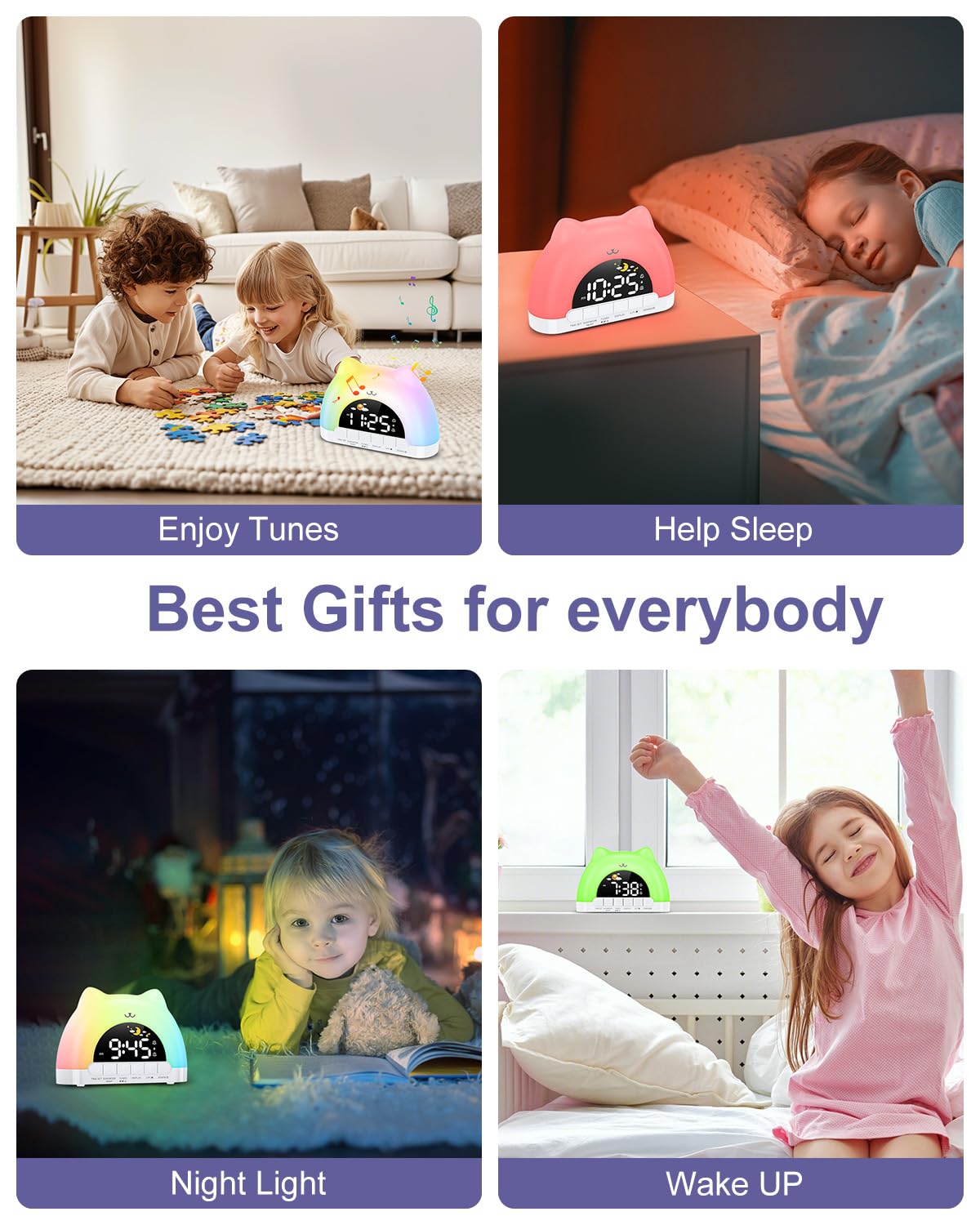
Figure 7: Dual alarm clock and snooze feature.
Senotlolo sa Ngoana
To prevent accidental changes to settings, activate the child lock.
- Kenya tshebetsong/Thibela: Tšoara ka bobeli TUNES buttons for 3 seconds. When active, children can still enjoy music and lights without altering critical settings.
Tlhokomelo
- Hloekisa sesebelisoa ka lesela le bonolo, le omeletseng. Se ke oa sebelisa li-abrasive cleaners kapa solvents.
- Boloka sesebediswa se se na lerōle le lithōle ho netefatsa hore se sebetsa hantle.
Ho batle phoso
| Bothata | Lebaka le ka khonehang | Tharollo |
|---|---|---|
| Clock does not turn on. | Not properly plugged in or power adapter issue. | Ensure the Type-C cable is securely connected and the power adapter is working. |
| Alamo ha e lle. | Alarm not set, volume too low, or child lock active. | Verify alarm settings, increase volume, and check child lock status. |
| Night light not changing colors. | Incorrect button press or child lock active. | Ensure you are pressing the top surface of the clock. Check if child lock is active. |
Litlhaloso
| Sebopeho | Lintlha |
|---|---|
| Litekanyo tsa Sehlahisoa | 6.69 x 1.5 x 5.12 lisenthimithara |
| Boima ba Ntho | Li-ounces tse 8.1 (0.23 lik'hilograma) |
| Nomoro ea Mohlala | WA175USKM |
| Brand | OQIMAX |
| Mohloli oa Matla | Type-C Plug-in (Adapter not included) |
| Mebala ea Khanya ea Bosiu | 11 (7 solid, 4 dynamic) |
| Music Melodies | 10 dikgetho |
| Hlahisa Khanya | 5 maemo |
| Maemo a Molumo | 4 maemo |
Warranty le Tšehetso
For warranty information or technical support, please refer to the product packaging or contact OQIMAX customer service directly. Keep your purchase receipt for any warranty claims.