
Selelekela
The SmailWolf RS8 is an ultra-light gaming mouse designed for high performance and versatility. It features a 1000Hz polling rate, multiple connectivity options (Bluetooth, 2.4GHz wireless, and wired USB), and customizable RGB lighting. This manual provides instructions for setup, operation, maintenance, and troubleshooting.
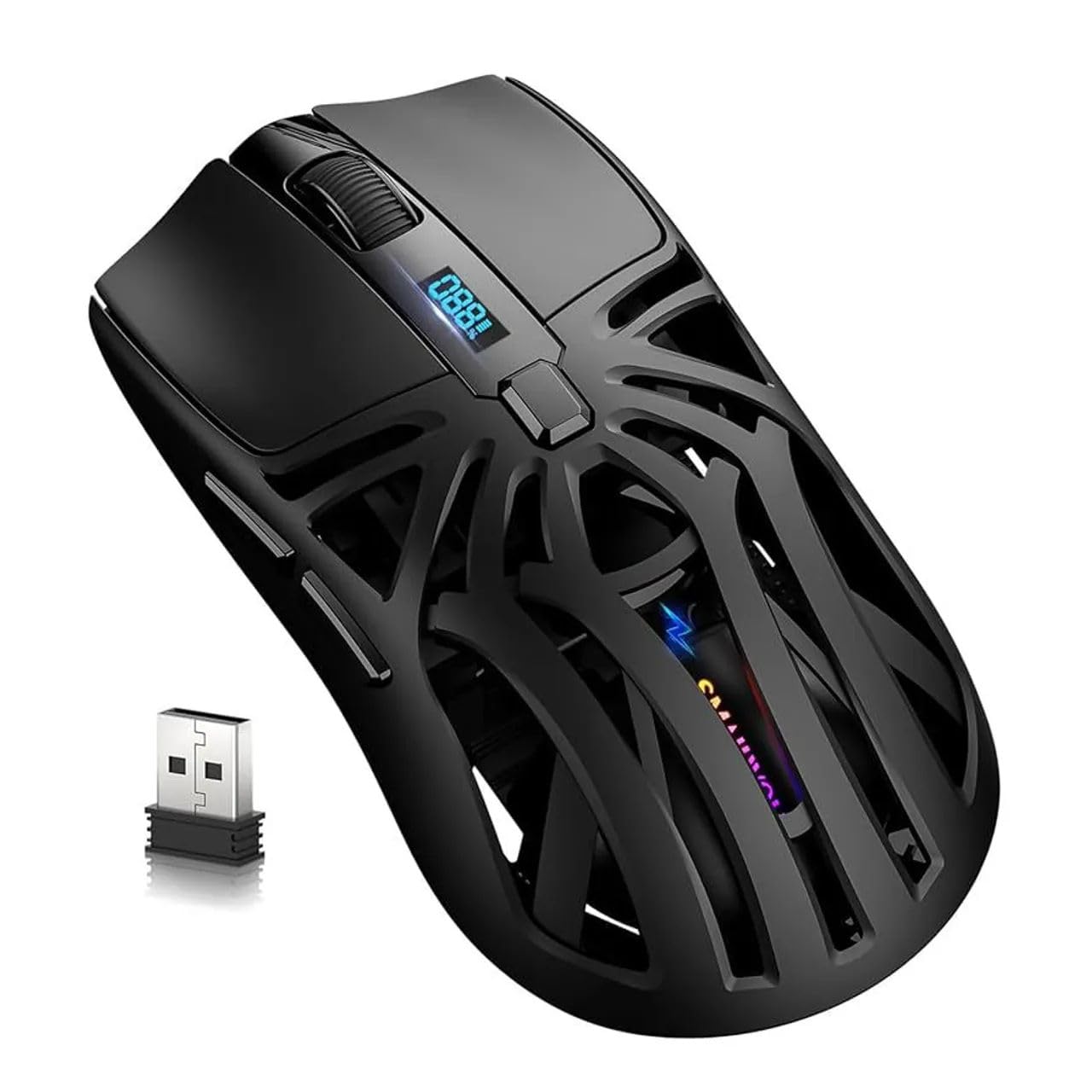
Setšoantšo: Holimo view of the SmailWolf RS8 gaming mouse, highlighting its ergonomic design and central digital display.
Tlhophiso
Litaba tsa Sephutheloana
Ensure the following items are included in your package: SmailWolf RS8 Gaming Mouse, USB Receiver, USB Charging Cable.
Ho tjhaja Tweba
Connect the USB charging cable to the mouse's charging port and to a USB power source. The digital display will indicate the battery level.
Dikgetho tsa kgokelo
The SmailWolf RS8 supports three connection modes: 2.4GHz wireless, Bluetooth, and wired USB.

Image: Underside of the SmailWolf RS8 mouse, showing the mode switches and the compartment for the USB receiver.
Khokahano ea waelese ea 2.4GHz
- Fumana seamoheli sa USB se bolokiloeng karolong e ka tlase ho mouse.
- Hokela moamoheli oa USB koung ea USB e fumanehang komporong ea hau.
- Switch the mode selector on the bottom of the mouse to the 2.4G position.
- Mouse e tlameha ho hokela komporo ea hau ka bo eona.
Khokahano ea Bluetooth
- Switch the mode selector on the bottom of the mouse to the Bluetooth position.
- Khomphutheng ea hau, e-ea ho litlhophiso tsa Bluetooth 'me u batle lisebelisoa tse ncha.
- Select "SmailWolf RS8" from the list of available devices to pair.
- The mouse should connect and be ready for use.
Khokahano ea USB e nang le mehala
- Connect the USB charging cable to the mouse and to a USB port on your computer.
- The mouse will function as a wired mouse and will also charge simultaneously.
Litaelo tsa Ts'ebetso
Phetoho ea DPI
The SmailWolf RS8 features six-speed DPI adjustment, with a maximum sensitivity of 12000 DPI. Use the dedicated DPI button (usually located behind the scroll wheel) to cycle through the preset DPI levels (e.g., 1200, 1600, 3200, 6400, 10000, 12000). The digital display may show the current DPI setting.
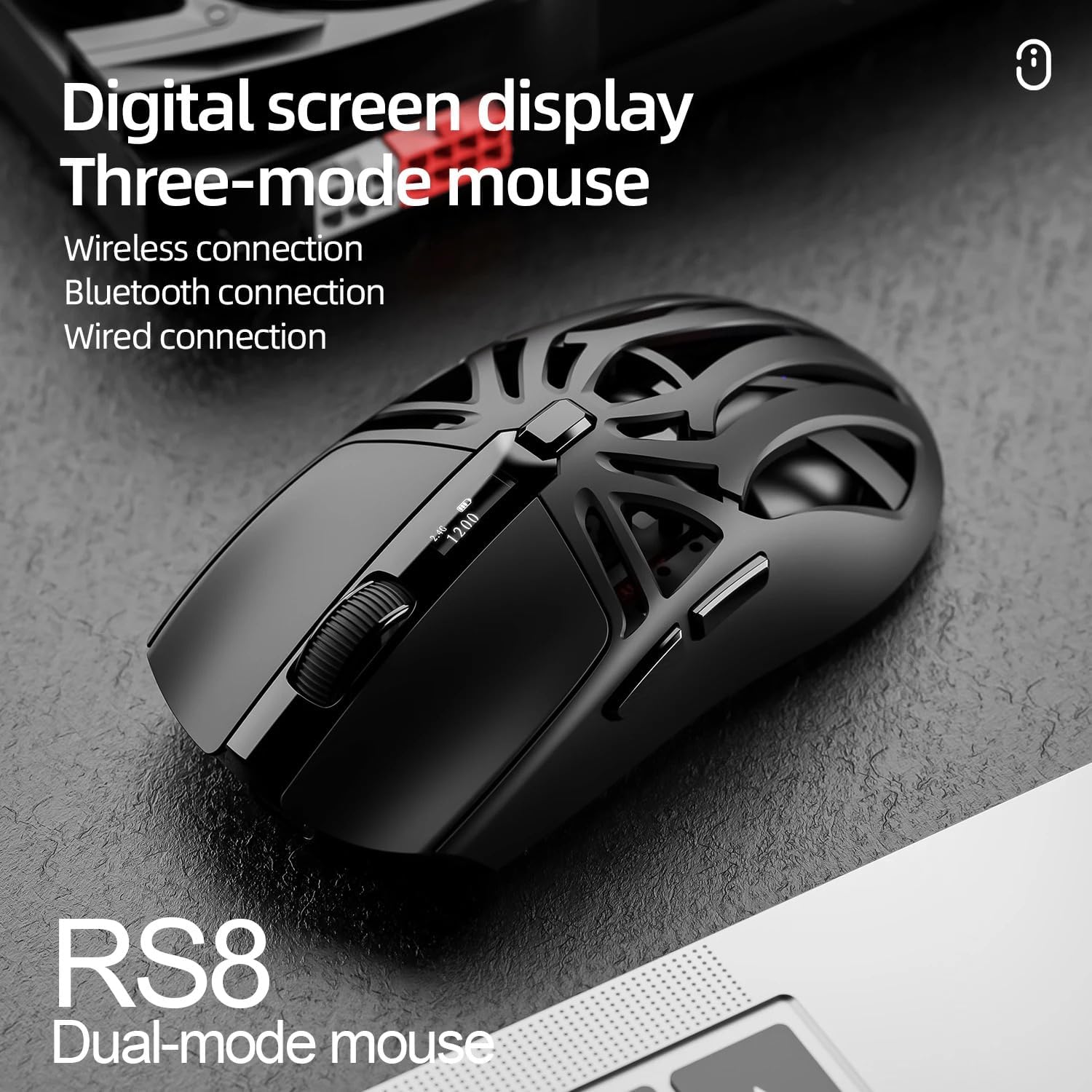
Image: SmailWolf RS8 mouse displaying DPI settings on its digital screen.
RGB Lighting Configuration
The mouse features customizable RGB lighting with 16.8 million colors. Specific buttons or software (if available) can be used to change lighting modes and colors. Refer to the manufacturer's website for any available software.

Image: Detail of the SmailWolf RS8 mouse showcasing its RGB lighting effect.
Mesebetsi ea konopo
The mouse has 6 programmable buttons. Default functions include:
- Left Click
- Tobetsa ka ho le letona
- Scroll Wheel (Click and Scroll)
- Konopo ea Potoloho ea DPI
- Forward Button (Side)
- Back Button (Side)
For advanced customization, check if dedicated software is available from the manufacturer.
Tlhokomelo
Ho hloekisa
To clean the mouse, use a soft, dry cloth. For stubborn dirt, slightly dampka lesela ka metsi kapa tharollo e bonolo ea ho hloekisa. Qoba ho sebelisa lik'hemik'hale tse bohale kapa thepa e khorofo.
Tlhokomelo ea Battery
To prolong battery life, avoid fully discharging the mouse frequently. Charge the mouse when the battery indicator is low. If storing the mouse for an extended period, charge it to approximately 50% and store in a cool, dry place.
Ho batle phoso
Toeba ha e arabe
- Netefatsa hore mouse e tjhajilwe.
- Check the connection mode (2.4GHz, Bluetooth, or wired).
- For 2.4GHz, ensure the USB receiver is securely plugged in. Try a different USB port.
- For Bluetooth, ensure Bluetooth is enabled on your computer and the mouse is paired correctly. Try re-pairing.
- For wired, ensure the USB cable is securely connected.
- Qala komporo ea hau bocha.
Khokahano ea Nakoana
- Suthisetsa mouse haufi le seamoheli sa USB kapa sesebelisoa sa Bluetooth.
- Qoba tšitiso e tsoang ho lisebelisoa tse ling tse se nang mohala.
- Ensure the mouse battery is not low.
DPI Not Changing
- Tobetsa konopo ea DPI ka tieo.
- Ensure the mouse is powered on and connected.
Litlhaloso
- Mohlala: SmailWolf RS8
- Khokahano: Bluetooth, 2.4GHz Wireless, USB Wired (Tri-mode)
- DPI Sensitivity: Up to 12000 DPI (6 adjustable levels)
- Sekhahla sa Likhetho: 1000 Hz
- Likonopo: 6
- Boima ba 'mele: 49 Grams (Ultra-light)
- Litekanyo (L x W): 12cm x 6.5cm
- Lebone: RGB (mebala e limilione tse 16.8)
- Tšebelisano ea Sistimi ea Ts'ebetso: Windows (Windows 10 minimum)
- Tšebeliso e khothalelitsoeng: Papali
- Boitsebiso: Plastiki
- Mmala: Ntsho
- Mohloli oa Matla: Built-in rechargeable battery (charged via USB)
- Sensor ea Optical: Ee
- Boithuto: Ea letsoho le letona
- Naha ea tlhaho: Brazil
Warranty le Tšehetso
This product is manufactured by HYPEDFLOW. For warranty information or technical support, please refer to the retailer or manufacturer's official website. The product description indicates that specific warranty details may be provided by the seller or local regulations.
Moetsi: HYPEDFLOW