
1. Selelekela
Thank you for choosing the Dynamic Walkfitpad T500 Trekking Band. This user manual provides essential information for the safe and effective operation, maintenance, and troubleshooting of your new fitness equipment. Please read this manual thoroughly before first use and keep it for future reference.
The Dynamic Walkfitpad T500 is designed for home use, featuring an ultra-slim profile for easy storage, an energy-saving motor, Bluetooth connectivity for app integration, and convenient remote control operation.
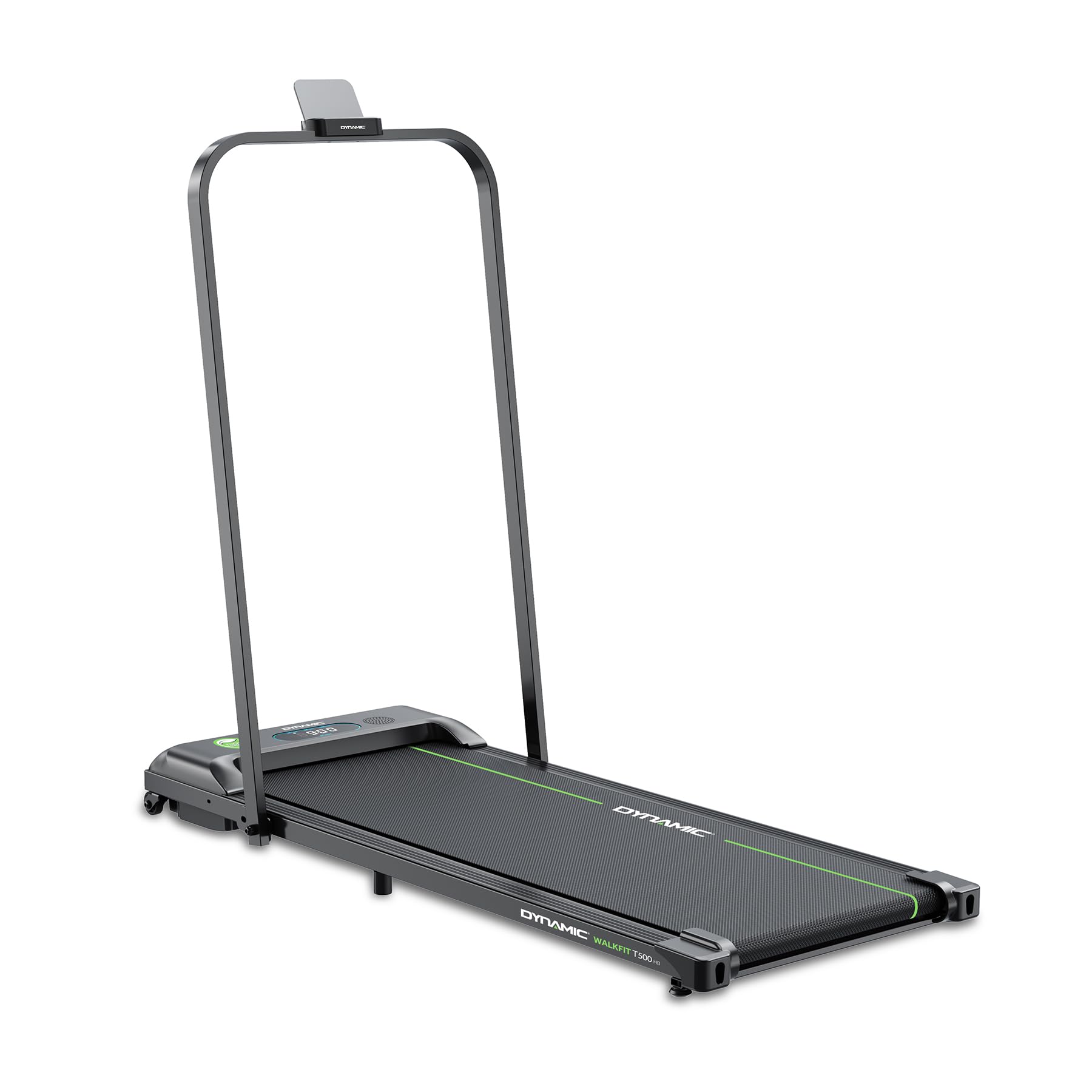
Setšoantšo sa 1.1: Dynamic Walkfitpad T500 Trekking Band in use, highlighting its compact design and user-friendly interface.

Setšoantšo sa 1.2: Key features of the Dynamic Walkfitpad T500, including Bluetooth support, speaker, remote control, energy-saving motor, quiet operation, and 2-year warranty.
2. Boitsebiso ba Tšireletseho
To ensure your safety and prolong the life of your trekking band, please adhere to the following safety guidelines:
- Always read the entire user manual before operating the trekking band.
- Place the trekking band on a flat, stable surface. Ensure there is at least 2 meters of clear space behind the unit and 0.5 meters on each side.
- Keep children and pets away from the trekking band during operation.
- The maximum user weight for this device is 90 kg (as per product description) / 120 kg (as per detailed specifications). Do not exceed the stated weight limit.
- Always attach the safety key clip to your clothing before starting your workout. The safety key is an emergency stop mechanism.
- Haeba o ikutloa o fokola, o tsekela, kapa o utloa bohloko nakong ea boikoetliso ba hau, emisa hang-hang 'me u buisane le ngaka.
- Do not use the trekking band if it is damaged or malfunctioning. Contact customer support for assistance.
- Ensure the power cord is not pinched or damaged and is kept away from hot surfaces.
3. Likahare tsa Sephutheloana
Carefully unpack your Dynamic Walkfitpad T500 Trekking Band and verify that all items are present:
- Dynamic Walkfitpad T500 Trekking Band Unit
- Remote Control
- Senotlolo sa Polokeho
- Bukana ea mosebelisi (tokomane ena)
4. Seta
4.1 Ho phutholla le ho bea
- Remove the trekking band from its packaging.
- Place the unit on a firm, level surface. Ensure adequate clearance around the device as described in the Safety Information section.
- This trekking band is designed for immediate use and requires no complex assembly.
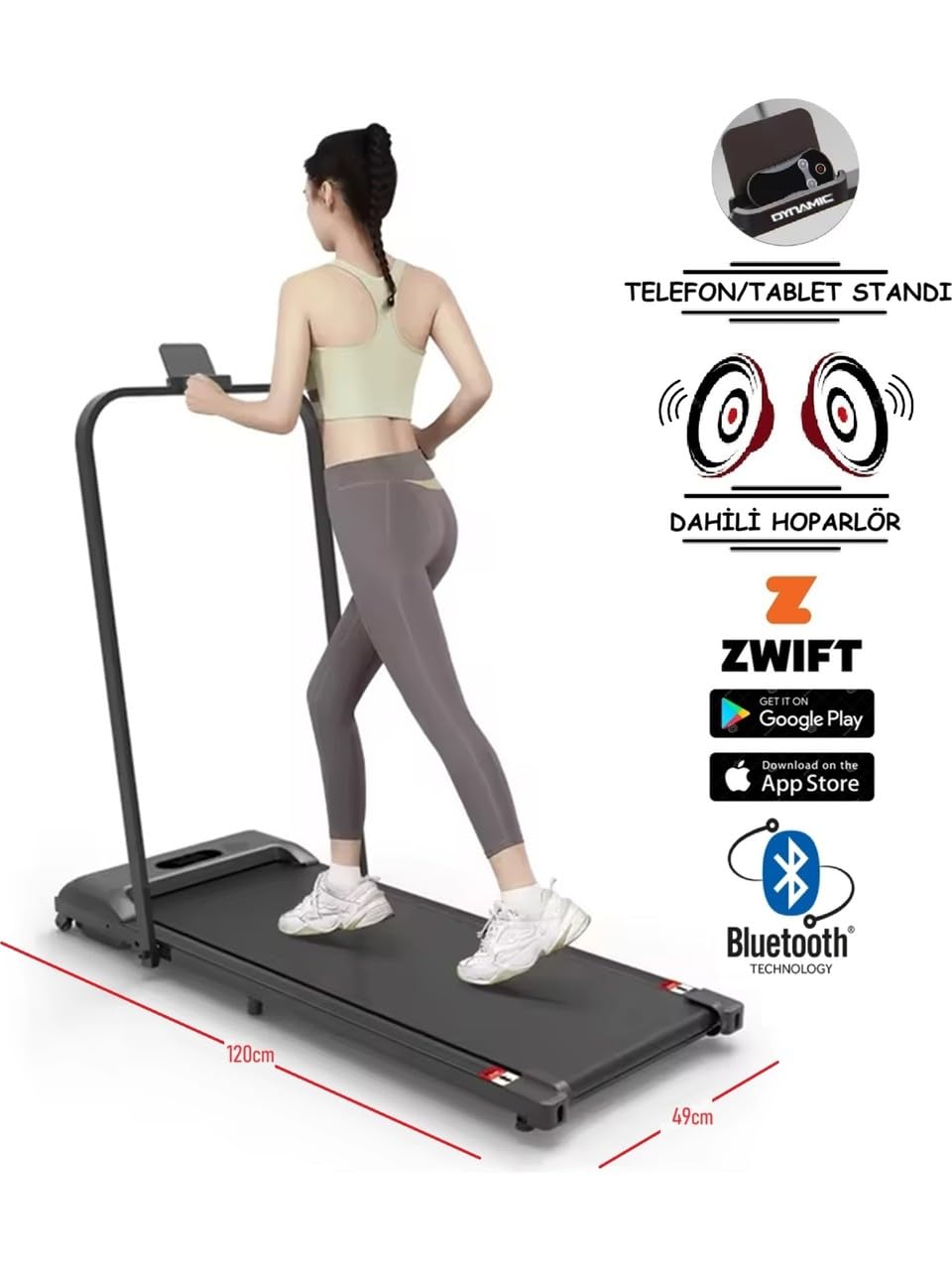
Setšoantšo sa 4.1: Dimensions of the Dynamic Walkfitpad T500 Trekking Band, showing its length of 120cm and width of 49cm, along with compatible fitness applications.
4.2 Polokelo
The ultra-slim design of the Walkfitpad T500 allows for convenient storage. It can be easily stored under furniture such as a sofa or bed, or placed upright against a wall when not in use.

Setšoantšo sa 4.2: The Dynamic Walkfitpad T500 stored compactly under a sofa, demonstrating its ultra-slim design for easy storage.
5. Litaelo tsa Ts'ebetso
5.1 Ho Matlafatsa/Ho tima
- Hokela thapo ea motlakase sebakeng se loketseng sa motlakase.
- Attach the safety key to the designated slot on the trekking band's console and clip the other end to your clothing. The display will illuminate.
- To power off, remove the safety key and unplug the unit from the power outlet.
5.2 Ho Sebelisa Remote Control
The trekking band is operated via the included remote control.
- Qala/Emisa: Press the 'Start' button to begin the walking belt movement. Press 'Stop' to pause or end your workout.
- Phetoho ea Potlako: Use the '+' and '-' buttons to increase or decrease the walking speed. The speed range is 0-6.4 km/h.
5.3 Khokahano ea Bluetooth le Lisebelisoa
The Walkfitpad T500 supports Bluetooth connectivity, allowing you to connect to compatible fitness applications and stream audio.
- Khokahano ea App: The trekking band is compatible with fitness apps such as Kinomap and Zwift. Download the respective app on your smartphone or tablet, enable Bluetooth, and follow the app's instructions to connect to your Walkfitpad T500.
- Phallela ka audio: Connect your device via Bluetooth to the trekking band's built-in speakers to enjoy music or audio during your workout.

Setšoantšo sa 5.1: Close-up of the Dynamic Walkfitpad T500 handlebar, featuring a built-in stand for a phone or tablet.
5.4 Tlhahisoleseding ea Pontšo
The integrated LCD display shows key workout metrics:
- Lebelo: Current walking speed in km/h.
- Nako: Nako ea boikoetliso ba hau.
- Sebaka: Sebaka sohle se koahetsoeng.
- Likhalori: Likhalori tse hakantsoeng li chesitsoe.
6. Tlhokomelo
Regular maintenance ensures the longevity and optimal performance of your trekking band.
6.1 Ho hloekisa
- Always unplug the trekking band before cleaning.
- Hlakola khomphutha le bokaholimo ba kantle ka sesebelisoa se bonolo, se nang le damp lesela. Qoba ho sebelisa li-abrasive cleaners kapa solvents.
- Keep the area around the trekking band clean and free of dust and debris.
6.2 Walking Belt Care
The Dynamic Walkfitpad T500 features a specialized non-lubricating, self-resin band system. This means no lubrication is required for the walking belt, simplifying maintenance.
- Inspect the walking belt regularly for any signs of wear or damage.
- Ensure the belt is centered and not rubbing against the sides of the frame. If adjustment is needed, refer to the troubleshooting section or contact customer support.
7. Ho rarolla mathata
If you encounter any issues with your Dynamic Walkfitpad T500, please refer to the following common problems and solutions:
| Bothata | Lebaka le ka khonehang | Tharollo |
|---|---|---|
| Trekking band does not power on. | Power cord not connected, safety key not in place, power outlet issue. | Ensure power cord is securely plugged in. Verify safety key is fully inserted. Test the power outlet with another device. |
| Walking belt does not move. | Safety key not in place, 'Start' button not pressed, motor issue. | Ensure safety key is correctly placed. Press the 'Start' button on the remote. If the issue persists, contact customer support. |
| Taolo ea remoutu ha e arabele. | Low battery in remote, remote out of range, interference. | Replace the remote control battery. Ensure you are within effective range of the trekking band. Remove any obstructions between the remote and the unit. |
| Walking belt slips or hesitates. | Belt tension too loose, user weight exceeds limit. | Refer to the belt adjustment instructions (if provided separately) or contact customer support. Ensure user weight is within the specified limit. |
If you cannot resolve the issue using the above table, please contact Dynamic customer support for further assistance.
8. Litlhaloso
Detailed technical specifications for the Dynamic Walkfitpad T500 Trekking Band:
| Sebopeho | Tlhaloso |
|---|---|
| Nomoro ea Mohlala | 1DYKBWLKFTHB/V1 |
| Matla a Motlakase | 750W (Energy Saving System) / 1.25 HP |
| Lebelo la Lebelo | 0 - 6.4 km/h |
| Sebaka sa ho Tsamaea | 42cm x 120cm |
| Boholo ba Boima ba Mosebedisi | 90 kg (Product Description) / 120 kg (Detailed Specifications) |
| Litekanyo tsa Sehlahisoa (D x W x H) | 120D x 49W x 10.5H Disentimitara |
| Boima ba Ntho | 21.5 lik'hilograma |
| Lintho tse bonahalang | Tšepe |
| Pontšo | Pontšo ea LCD |
| Khokahano | Bluetooth (Kinomap, Zwift compatible) |
| Tiisetso | Lilemo tse 2 |
| Tšobotsi e Khethehileng | Non-lubricating self-resin band system |
9. Tiisetso le Tšehetso
Your Dynamic Walkfitpad T500 Trekking Band comes with a 2-year warranty, ensuring peace of mind regarding manufacturing defects and performance.
9.1 Tšireletso ea Tiisetso
The warranty covers defects in materials and workmanship under normal use for a period of two years from the date of purchase. Please retain your proof of purchase for warranty claims.
9.2 Technical Service and Spare Parts
Intersport provides comprehensive technical service and replacement parts for the Dynamic Walkfitpad T500. With a service network spanning over 100 points in 81 countries, you can expect reliable support.

Setšoantšo sa 9.1: Information about Intersport's technical service and spare parts network, highlighting 31 years of experience and service points in over 81 countries.
For warranty claims, technical assistance, or to inquire about spare parts, please contact Intersport customer service through their official channels.