
Selelekela
Kea leboha ha u rekileasing the Hisense 43A69Q 4K UHD Smart VIDAA TV. This manual provides essential information for setting up, operating, and maintaining your television. Please read it thoroughly before using the product to ensure safe and correct operation. Keep this manual for future reference.
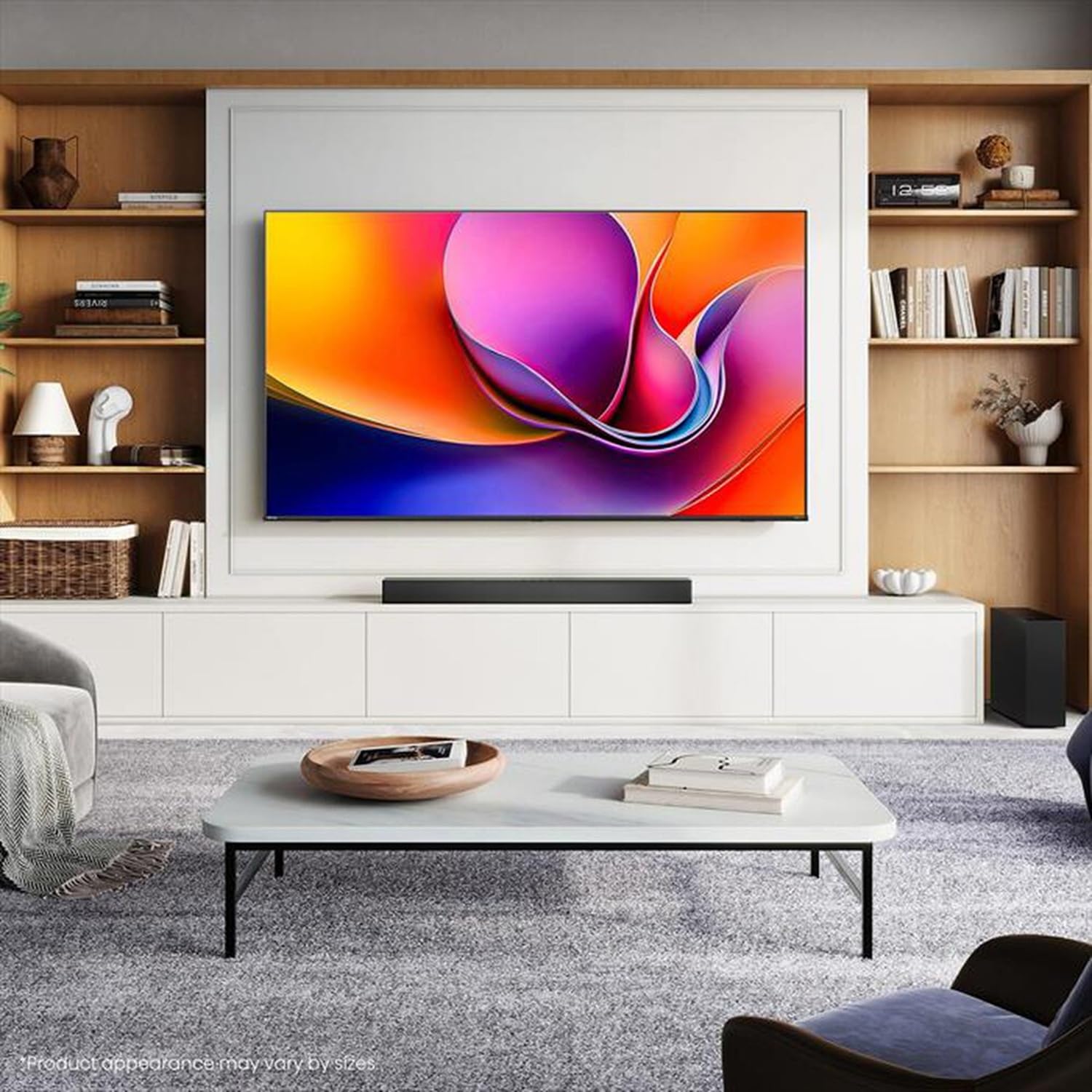
Image: Hisense 43A69Q 4K UHD Smart VIDAA TV. This image shows the television from the front, highlighting its slim bezel design and display.
Boitsebiso ba Tšireletseho
Kamehla latela mehato ena ea motheo ea tšireletso ha u sebelisa thelevishene ea hau:
- Se ke oa pepesetsa TV pula kapa mongobo.
- Do not open the TV cabinet. Refer all servicing to qualified personnel.
- Netefatsa moea o nepahetseng ho potoloha TV. Se ke oa thibela menyetla ea moea.
- Sireletsa thapo ea motlakase hore e se ke ea tsamauoa kapa e penngoa.
- Tlosa TV nakong ea lifefo tsa lehalima kapa ha e sa sebelisoe nako e telele.
- Keep the TV away from heat sources like radiators, heat registers, stoves, or other heat-producing appliances.
Se ka Lebokoseng
Netefatsa hore likarolo tsohle li teng:
- Hisense 43A69Q 4K UHD Smart VIDAA TV
- Taolo ea Remoutu e nang le Battery
- Mohala oa Matla
- TV Stand Components (2 legs)
- Screws for Stand Installing
- Tataiso ea ho seta kapele
- Bukana ea mosebelisi (tokomane ena)
Tlhophiso
1. Ho phutholla
Carefully remove the TV from its packaging. It is recommended that two people handle the TV to prevent damage or injury. Retain the packaging materials for future transport or servicing.
2. Ema Tlhophiso
If you are not wall-mounting the TV, attach the stand:
- Place the TV face-down on a soft, clean surface to prevent screen damage.
- Lokisetsa leoto le leng le le leng la ho ema le li-slots tse lumellanang le tlase ho TV.
- Sireletsa leoto le leng le le leng ka li-screw tse fanoeng. Netefatsa hore li tiisitsoe ka thata.
- Phahamisa TV ka hloko sebakeng se otlolohileng sebakeng se tsitsitseng, se bataletseng.
3. Ho Beha Lebota (Ha ho boikhethelo)
The Hisense 43A69Q is compatible with VESA standard wall mounts (200x300 mm). Wall mount kits are sold separately. Follow the instructions provided with your wall mount kit and ensure professional installation if you are unsure.
4. Ho hokahanya lisebelisoa tsa ka ntle
Hokela disebediswa tsa hao dikoung tsa TV:
- HDMI: Connect Blu-ray players, game consoles, or set-top boxes to the HDMI ports (HDMI1, HDMI2, HDMI3). This model features HDMI 2.1 with ALLM and VRR (60Hz) support on all ports, and eARC on HDMI3.
- USB: Plug in USB drives for media playback (2 USB 2.0 ports).
- Antenna/Cable: Connect your antenna or cable TV signal to the RF tuner input.
- Ethernet: For a stable wired internet connection, connect an Ethernet cable to the RJ45 port.
- Audio tsoa: Use the S/PDIF optical output for digital audio to a soundbar or receiver, or the headphone jack for private listening.
5. Power On & First-Time Setup
After connecting all devices:
- Hokela thapo ea motlakase ka har'a TV ebe u e kenya leboteng.
- Tobetsa konopo ea Matla ho remote control kapa ho TV ka boeona.
- Follow the on-screen instructions for initial setup, including language selection, network connection (Wi-Fi or Ethernet), and channel scanning.
- Log in to your VIDAA account or create a new one to access smart features.
Ho tsamaisa TV
1. Remote Control Overview
Familiarize yourself with the remote control buttons for basic functions like power, volume, channel, input selection, and smart app shortcuts.
2. Navigating VIDAA Smart OS
The VIDAA Smart OS provides a user-friendly interface. Use the directional buttons and OK button on your remote to navigate menus, launch applications, and adjust settings.
3. Ho Sebelisa Likarolo Tse Bohlale
Access pre-installed applications like Netflix, YouTube, and Amazon Prime Video directly from the home screen. Additional apps can be downloaded from the VIDAA App Store.
4. Picture & Sound Settings
Adjust picture modes (Standard, Dynamic, Cinema, Game) and sound modes (Standard, Music, Speech) to optimize your viewing experience. Advanced settings allow fine-tuning of brightness, contrast, color, and audio equalizer.
This TV supports Dolby Vision and HDR10 for enhanced picture quality, and DTS Virtual X for immersive audio.
5. Likarolo tsa Khokahano
- Wi-Fi le Bluetooth: Connect wirelessly to your home network and Bluetooth devices like headphones or speakers.
- Karolelano ea skrini: Use built-in screen sharing features (e.g., AirPlay 2 support) to mirror content from compatible mobile devices.
- Game Mode PLUS: For gaming, enable Game Mode PLUS to reduce input lag (≤ 20 ms) and utilize VRR (Variable Refresh Rate) for smoother gameplay.
Tlhokomelo
1. Ho hloekisa TV
Ho hloekisa skrine, e hlakole ka bonolo ka lesela le bonolo le se nang letlapa. Bakeng sa matšoao a manganga, hanyenyane dampen the cloth with water or a specialized screen cleaner. Never spray cleaner directly onto the screen. Clean the TV cabinet with a soft, dry cloth.
2. Lintlafatso tsa Software
Your TV may receive software updates to improve performance and add new features. Ensure your TV is connected to the internet. You can usually check for updates in the TV's settings menu under 'System' or 'About TV'.
Ho batle phoso
Haeba o kopana le mathata, leka ditharollo tsena tse tlwaelehileng:
- Ha ho Matla: Hlahloba hore na thapo ea motlakase e hoketsoe hantle ho TV le leboteng. Leka sehokelo se seng.
- Ha ho Senepe/Molumo: Ensure the correct input source is selected. Check all cable connections. Restart connected devices.
- Remote Control ha e sebetse: Replace batteries. Ensure there are no obstructions between the remote and the TV's IR sensor.
- Mathata a Khokahano ea Marang-rang: Restart your router and modem. Reconnect the TV to your Wi-Fi network or check the Ethernet cable.
- Boleng bo Fosahetseng ba Litšoantšo: Check antenna/cable connections. Adjust picture settings. Ensure the source content is high quality.
For persistent problems, consult the Hisense support websebaka kapa ikopanye le litšebeletso tsa bareki.
Litlhaloso
| Sebopeho | Tlhaloso |
|---|---|
| Brand | Hisense |
| Lebitso la Mohlala | 43A69Q |
| Boholo ba skrine | 43 lisenthimithara (108 cm) |
| Qeto | 4K Ultra HD 3840x2160 |
| Refresh Rate | 60 Hz |
| Mokhoa oa tšebetso | VIDAA Smart OS |
| Theknoloji ea HDR | HDR, HDR10, HDR10+ decoding, Dolby Vision, HLG |
| Audio Technology | DTS Virtual X (2x7W speakers) |
| Boema-kepe ba HDMI | 3 (HDMI 2.1 with ALLM, VRR (60Hz); HDMI3 also with eARC) |
| Li-port tsa USB | 2 (USB 2.0) |
| Khokahano | Wi-Fi (IEEE 802.11 a/b/g/n/ac-2.4G,5G), Bluetooth, Ethernet |
| VESA Ho lumellana | 200x300 limilimithara |
| Energy Efficiency Class (SDR/HDR) | E / G |
| Litekanyo (ka sethala) | 963 limilimithara (W) x, 608 limilimithara (H) x, 222 limilimithara (D) |
| Net Weight (e nang le stand) | 6.9 lik'hilograma |
Warranty le Tšehetso
Hisense products are covered by a manufacturer's warranty. Please refer to the warranty card included with your product or visit the official Hisense websebaka sa marang-rang bakeng sa lintlha le lipehelo tse qaqileng tsa tiisetso sebakeng sa heno.
For technical support, troubleshooting assistance, or service requests, please contact Hisense customer support through their official websebaka sa marang-rang kapa tlhaiso-leseling e fanoeng litokomaneng tsa sehlahisoa sa hau.