
1. Boitsebiso ba Selelekela le Tšireletseho
This manual provides detailed instructions for the safe installation, operation, and maintenance of your Parrot Uncle 52-inch Gold Smart Ceiling Fan with Lights and Remote. Please read all instructions carefully before beginning installation and retain this manual for future reference.
Litaelo tsa Bohlokoa tsa Tšireletso:
- Ensure the power is disconnected at the circuit breaker before installation or servicing.
- Lithapo tsohle li tlameha ho tsamaellana le likhoutu tsa motlakase tsa naha le tsa lehae. Haeba u sa tloaelane le wiring, buisana le setsebi sa motlakase se tšoanelehang.
- The mounting structure must be capable of supporting the weight of the fan (approximately 15 lbs).
- Do not bend the blade holders during installation, balancing, or cleaning.
- Boloka matsoho a le hole le mahare a fene ha fene e ntse e sebetsa.
- This fan is suitable for indoor and covered outdoor use. Avoid direct water exposure.
2. Likahare tsa Sephutheloana
Netefatsa hore likarolo tsohle tse thathamisitsoeng ka tlase li kenyelelitsoe sephutheloana sa hau. Haeba likarolo life kapa life li le sieo kapa li senyehile, ka kopo ikopanye le tšehetso ea bareki.
- Motor Housing Assembly
- Fan Blades (5 reversible blades: matte black & maple)
- LED Light Panel (integrated 24W)
- Remote Control
- Li-Downrods (tse 6-inch le tse 10-inch)
- Ntseng bo eketseha bracket
- Hardware Pack (li-screw, li-washer, linate tsa terata)
- Buka ea Tataiso

Setšoantšo sa 2.1: Fan components and dimensions. The fan features an anti-glare light cover and double-sided blades (matte black and maple finish).
3. tlhomamiso Guide
Follow these steps for proper installation. It is recommended to have two people for installation.
3.1 Ho Kenya Pele
- Tima motlakase ho sekhechana sa potoloho.
- Identify a suitable mounting location. The ceiling fan must be mounted to a ceiling joist or a fan-rated outlet box capable of supporting at least 35 lbs.
- Unpack all components and lay them out on a soft surface to prevent scratches.
3.2 Ho hloma Bracket
- Secure the mounting bracket to the ceiling outlet box using the screws provided with the outlet box. Ensure the bracket is firmly attached.
3.3 Assembling the Fan
- Attach the chosen downrod (6-inch or 10-inch) to the motor housing.
- Carefully hang the fan assembly from the mounting bracket.
- Connect the electrical wires according to the wiring diagram provided in the full instruction manual (Live, Neutral, Ground).
- Kenya di-fene makhapetla a koloi ka ho sebedisa dikurufu tse fanweng. Netefatsa hore dikurufu tsohle di tiisitswe ka thata.
- Connect the LED light panel to the fan's light kit wiring and secure it to the bottom of the motor housing.

Setšoantšo sa 3.1: The fan is designed for easy installation with modular assembly.
Video ea 3.1: An official video demonstrating the features and installation process of the Parrot Uncle Gold Ceiling Fan Light. This video provides visual guidance for setting up your fan.
4. Litaelo tsa Ts'ebetso
Your Parrot Uncle Smart Ceiling Fan can be controlled via the included remote control or a smartphone application.
4.1 Mesebetsi ea Taolo ea Remoutu
The remote control allows for comprehensive management of your fan and light settings.
- Konopo ea Matla: Turns the fan and light on/off.
- Taolo ea Lebelo la Fans: Adjusts between 6 fan speeds.
- Leseli On / Off: Toggles the LED light.
- Phetoho ea Mocheso oa Mobala: Cycles through 3000K (Warm White), 4200K (Natural White), and 6500K (Cool White).
- Taolo ea ho fifala: Stepless dimming from 15% to 100% brightness.
- Mosebetsi oa Sebali: Sets the fan to turn off after 1 or 2 hours.
- Mosebetsi oa ho Fetola: Changes the direction of blade rotation for summer (downward airflow) or winter (upward airflow).
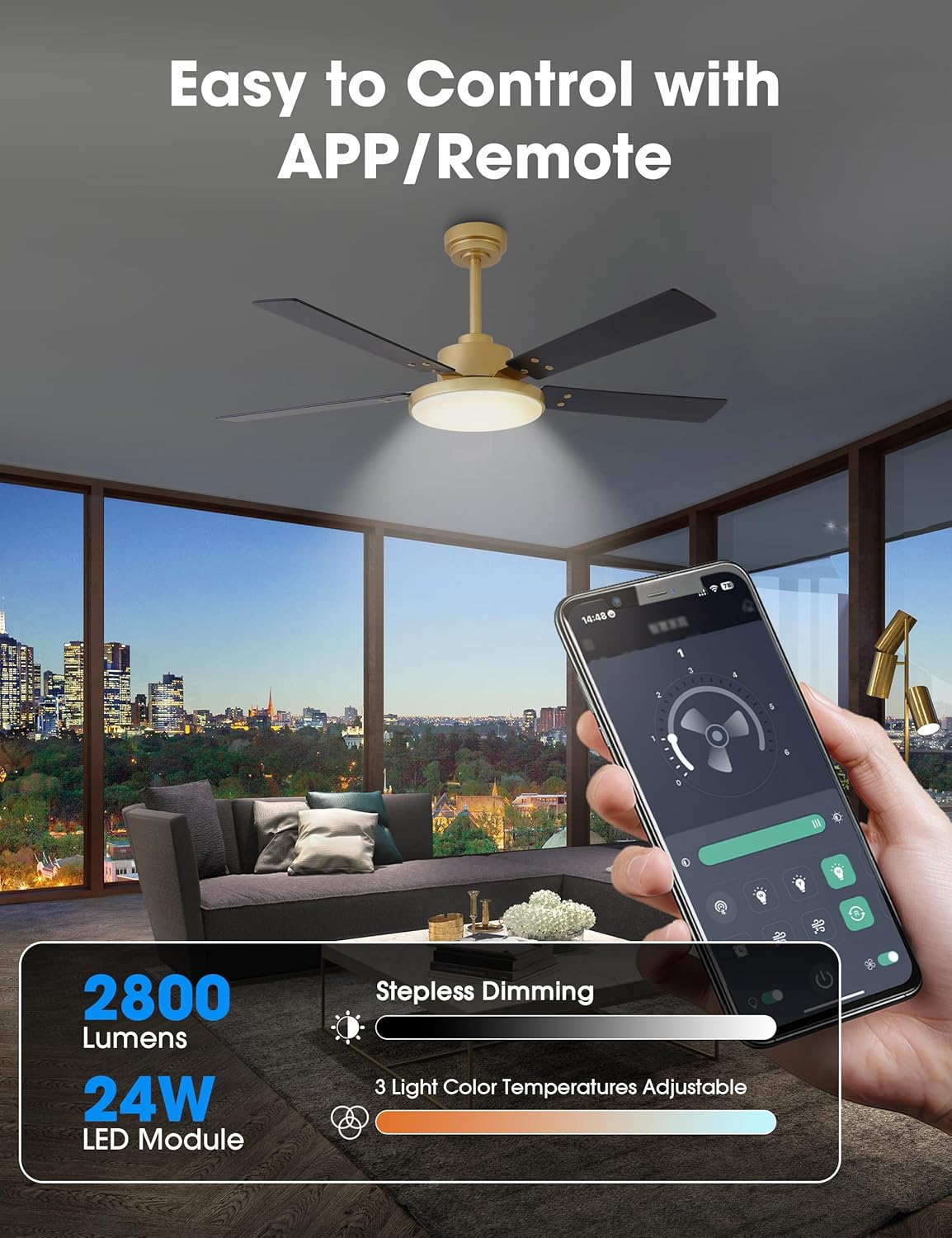
Setšoantšo sa 4.1: Control your fan and light settings via the remote or smartphone app, including stepless dimming and 3 color temperatures.

Setšoantšo sa 4.2: The reversible DC motor allows for seasonal air circulation: downward airflow for cooling in summer and upward airflow for heat distribution in winter.
4.2 Smartphone App Control
Download the dedicated smartphone application (refer to the full manual for app name and QR code) to access additional smart features:
- All remote control functions.
- Scheduling and automation.
- Built-in memory function to recall last settings.
5. Tlhokomelo
Tlhokomelo ea kamehla e netefatsa ts'ebetso e nepahetseng le bophelo bo bolelele ba fan ea siling ea hau.
5.1 Ho hloekisa
- Always turn off the power at the circuit breaker before cleaning.
- Sebelisa bonolo, damp cloth to clean the fan blades and motor housing. Do not use abrasive cleaners or solvents.
- Periodically check for dust accumulation on the blades and light cover to maintain airflow and light output.
5.2 Tlhokomelo e akaretsang
- Check all connections and screws periodically to ensure they remain tight.
- The DC motor is designed for long-term, quiet operation and typically requires no lubrication.
6. Ho rarolla mathata
Haeba o na le mathata ka fene ea hau, sheba mathata le litharollo tse latelang tse tloaelehileng:
| Bothata | Lebaka le ka khonehang | Tharollo |
|---|---|---|
| Fan ha e qale | Ha ho phepelo ea motlakase Likhokelo tsa terata tse hlephileng Betri ea remoutu e tlase | Sheba sekhechana sa potoloho Verify all wire connections are secure Tlosa betri ea remote control |
| Leseli ha le sebetse | Likhokelo tsa terata tse hlephileng Khatiso ea phanele ea LED | Hlahloba terata ea lisebelisoa tsa mabone Contact customer support if LED panel is faulty |
| Fane e a thekesela | Li-screws tsa lehare tse hlephileng Li-blades tse sa leka-lekanang Borakete e hlephileng | Tiisa li-screws tsohle tsa lehare Use balancing kit (not included) if necessary Ensure mounting bracket is securely fastened |
| Remout not arabela | Battery low/dead Remoutu ha e kopane | Fetola betri Refer to full manual for remote pairing instructions |
If the problem persists after attempting these solutions, please contact Parrot Uncle customer support.
7. Litlhaloso tsa Sehlahisoa
- Lebitso: Malome oa Parrot
- Nomoro ea Mohlala: VZA01A117GD
- Boholo: 52 inch
- Mmala: Gold-A117
- Boitsebiso: Iron (housing), Acrylic (shade), MDF (blades)
- Mofuta oa Enjene: DC Motor, Reversible
- Wattage: 35 watts (fan)
- Ho foka ha moea: Ho fihla ho 4896 CFM
- Mohloli oa Leseli: Integrated 24W LED Module
- Khanya: 2800 Lumens (Boholo)
- Mocheso oa 'Mala: 3000K / 4200K / 6500K (E ka fetoha)
- Ho khanya: Stepless (15% - 100%)
- Mokhoa oa ho laola: Remote Control, Smartphone APP
- Moqtage: Li-volts tse 120
- Tšebeliso ea Ka hare/Kantle: Ka Hare, Kantle ho Koaheloa
- Boima ba Ntho: 15 Liponto
- Setifikeiti: ETL e netefalitsoeng

Setšoantšo sa 7.1: The fan features high efficiency and low energy consumption, providing up to 4896 CFM air volume.

Setšoantšo sa 7.2: The 35W pure copper DC motor ensures high performance and energy efficiency with 6 wind speeds.

Setšoantšo sa 7.3: Enjoy ultra-quiet operation, ensuring a comfortable rest with noise levels as low as 35dB.
8. Tiisetso le Tšehetso
Parrot Malome o eme ka morao ho boleng ba lihlahisoa tsa eona.
8.1 Tiisetso ea Moetsi
Sehlahisoa sena se koahetsoe ke a Tiisetso ea lilemo tse 3 ea moetsi. Tiisetso ena e koahela mefokolo ea thepa le moetso tlas'a tšebeliso e tloaelehileng.
8.2 Tšehetso ea Bareki
For any questions, assistance, or warranty claims, please contact Parrot Uncle customer support. Our team is available 24/7 to provide the best service.
If your ceiling fan arrives damaged or does not meet your expectations, please reach out to us immediately.