
AURAFIT Trek 1
AURAFIT Trek 1 Smartwatch User Manual
Model: Trek 1
1. Selelekela
This manual provides detailed instructions for the AURAFIT Trek 1 Smartwatch. Please read this manual thoroughly before using your device to ensure proper operation and to maximize its features. The AURAFIT Trek 1 is designed to be a versatile companion for daily life and fitness activities, offering advanced health monitoring, GPS tracking, and communication capabilities.
2. Se ka Lebokoseng
- AURAFIT Trek 1 Smartwatch
- Thapo ea ho tjhaja
- Watch Band (Black)
- Additional Silicone Strap (Military Green)
- Bukana ea Mosebelisi

Image: Contents of the AURAFIT Trek 1 Smartwatch package, showing the watch, charging cable, and two interchangeable watch bands.
3. Sesebelisoa Overview
The AURAFIT Trek 1 Smartwatch features a robust design with a 1.43-inch AMOLED screen, multiple physical buttons, and advanced sensors for comprehensive tracking.

Setšoantšo: Pele view of the AURAFIT Trek 1 Smartwatch, showcasing its round AMOLED display and rugged casing with a green silicone strap.
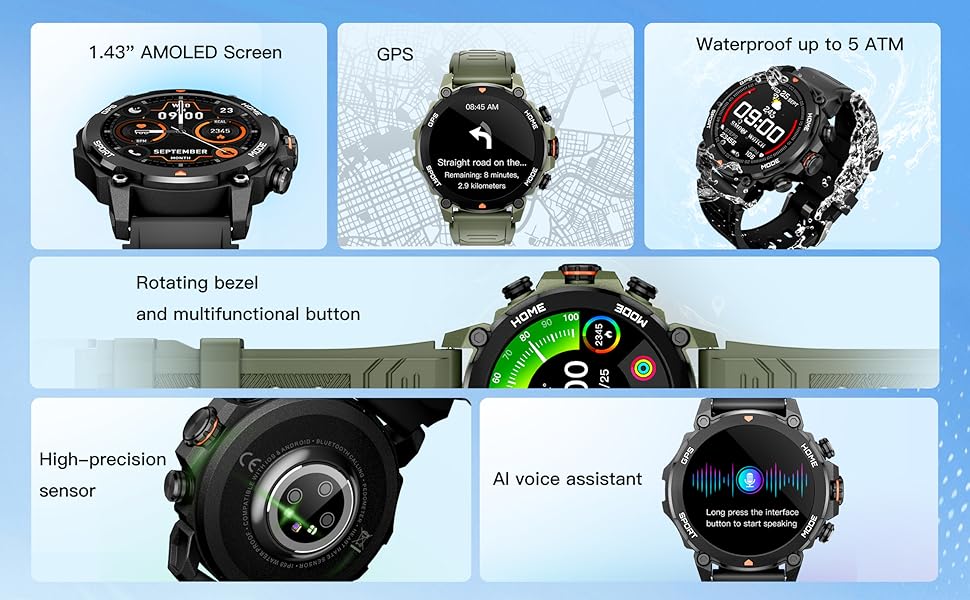
Image: An infographic detailing the main components and features of the smartwatch, such as the AMOLED screen, GPS, 5ATM water resistance, rotating bezel, high-precision sensor, and AI voice assistant.

Setšoantšo: Ka botlalo view of the smartwatch's rear, highlighting the high-precision optical sensor for health tracking and the charging interface.
4. Ho seta le ho Kopanya
4.1 Tefiso ea Pele
Before first use, fully charge your AURAFIT Trek 1 Smartwatch. Connect the magnetic charging cable to the charging contacts on the back of the watch and plug the USB end into a power adapter (not included) or a computer USB port. The watch display will indicate charging status.
Lenaneo la 4.2
To unlock the full potential of your smartwatch, download the companion application. The app is compatible with both Android and iOS devices.
- Scan the QR code in the manual or on the watch packaging.
- Batla "Smart Time Pro" in the Google Play Store (for Android) or Apple App Store (for iOS).

Image: A user interacting with the Smart Time Pro application on a smartphone, showing various health metrics and tracking data.
4.3 Ho Kopanya Lisebelisoa
- Netefatsa hore smartwatch ea hau e tjhajiloe ebile e butsoe.
- Lumella Bluetooth ho smartphone ea hau.
- Open the "Smart Time Pro" app and follow the on-screen instructions to add a new device.
- Select "AURAFIT Trek 1" from the list of available devices.
- Netefatsa kopo ea ho para fonong ea hau le ho smartwatch.
Once paired, your watch will synchronize data and notifications with your smartphone.
5. Ts'ebetso ea Motheo
5.1 Ho tsamaisa Sehokelo
The AURAFIT Trek 1 features a responsive touchscreen and physical buttons for navigation.
- Swaepela Hodimo/Fase: Tsamaea ka har'a menyetla le litsebiso.
- Swaepela ka ho le Letshehadi/Ka ho le letona: Fumana li-widget tse potlakileng kapa lifahleho tse fapaneng tsa oache.
- Tlanya: Khetha ntho kapa netefatsa ketso.
- Press Top Button (HOME): Khutlela sefahlehong se seholo sa oache.
- Press Bottom Button (MODE): Access the main menu or switch modes.
Video: Demonstrates basic UI navigation on the AURAFIT Trek 1 Smartwatch, including swiping through menus and selecting applications like the stopwatch.
5.2 Ho Etsa Lifahleho tsa Oache ka Tsela e Ikgethang
The watch supports over 100 cloud-based watch faces and allows for customizable watch faces using your own images via the companion app.

Image: A visual representation of the multiple selectable watch faces, demonstrating how users can personalize their smartwatch display.
5.3 Ts'ebetso ea mohala
With Dual Bluetooth 5.3 + 3.0 connectivity, you can answer and make calls directly from your wrist.
- Ho araba Mehala: When a call comes in, tap the green phone icon on the watch screen.
- Ho letsa: Access the call menu from the main menu to dial numbers or select contacts (requires synchronization with your phone).
5.4 Mothusi oa Lentsoe la AI
The smartwatch integrates an AI voice assistant for convenient control. Long press the designated button or interface to activate the voice assistant and issue commands (e.g., "What's the weather today?", "Call Jack").
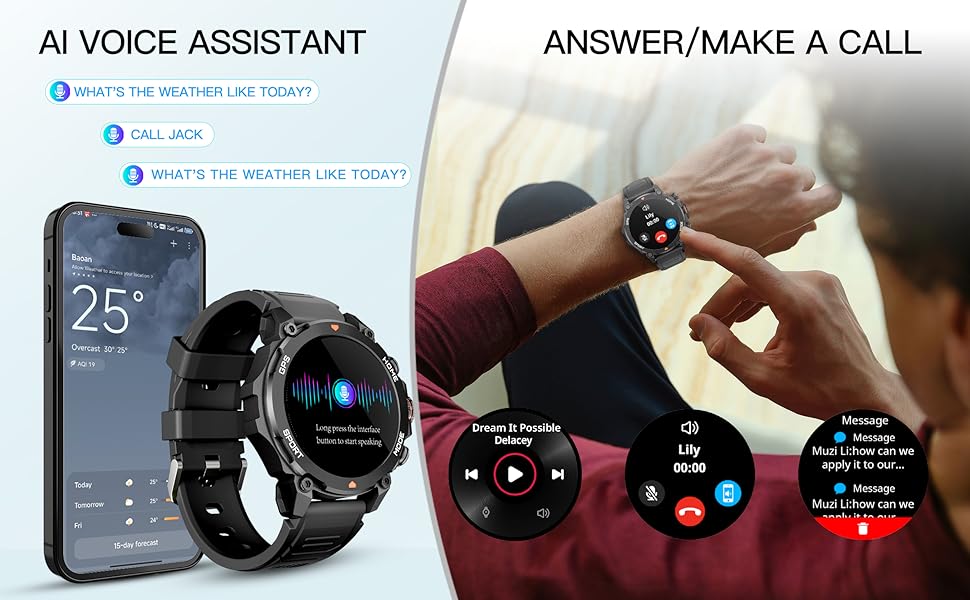
Image: An illustration demonstrating the AI Voice Assistant and the ability to answer/make calls directly from the smartwatch, showing the watch paired with a smartphone.
6. Ho Tsamaisa Bophelo bo Botle
The AURAFIT Trek 1 provides continuous 24/7 health monitoring to help you understand your body's status.
6.1 Tekolo ea Lebelo la Pelo
Oache e latela sekhahla sa pelo ea hau khafetsa letsatsi lohle. View Lintlha tsa nako ea nnete mabapi le oache kapa mekhoa e felletseng ea app.
6.2 Tlhokomelo ea Oksijene ea Mali (SpO2)
Monitor your blood oxygen levels to assess your respiratory health. Measurements can be taken on demand or automatically at intervals.
6.3 Ho Latela Boroko
The advanced sleep mode monitors various sleep stages, including Awake, REM, Light, and Deep sleep, as well as short naps. The app provides detailed sleep analysis and suggestions for improving rest.

Image: A comprehensive display of the smartwatch's 24-hour health monitoring capabilities, including graphs for heart rate, stress levels, blood oxygen saturation, and a breakdown of sleep stages.

Image: A person sleeping, wearing the smartwatch, to visually represent its sleep tracking functionality.
6.4 Stress Level Monitoring
The watch can also track your stress levels, providing insights into your mental well-being throughout the day.
7. Sports Modes and GPS
The AURAFIT Trek 1 offers over 150 sports modes to accurately track your workouts, along with built-in GPS for precise outdoor activity monitoring.
7.1 Ho Khetha Mokhoa oa Lipapali
Navigate to the 'Sports' menu on your watch to select from a wide range of activities such as running, cycling, swimming, hiking, and more. The watch will track relevant metrics like heart rate, calories burned, distance, and duration.

Image: The smartwatch displaying a sports tracking screen, with icons for over 150 different sports modes, indicating its versatility for various fitness activities.
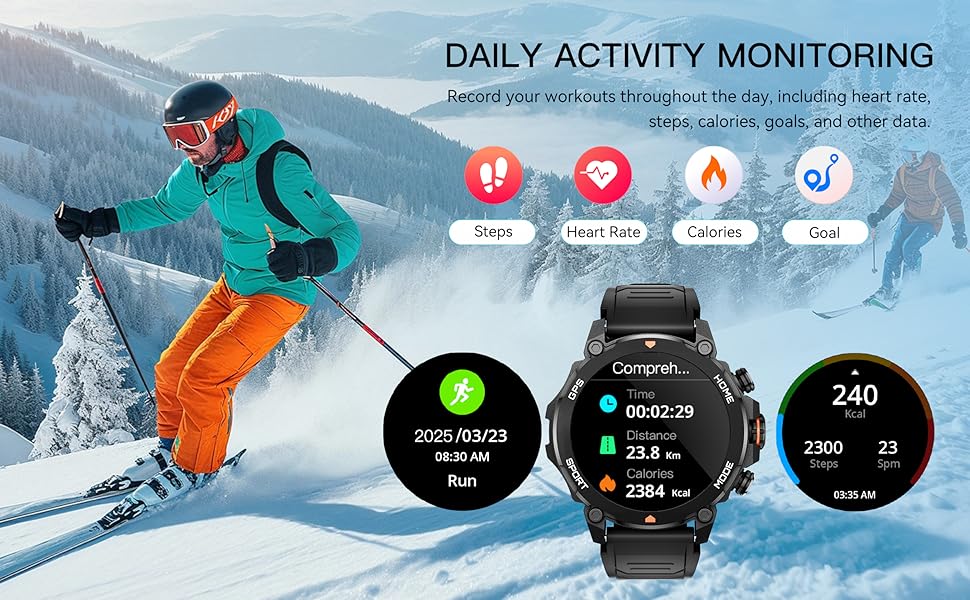
Image: A scene of a person skiing, with the smartwatch displaying activity data such as distance, calories, and steps, illustrating its daily activity monitoring capabilities.
7.2 Ho Latela GPS
The built-in GPS and independent GNSS chip (supporting GPS, Beidou, GLONASS, GALILEOGPS, QZSS) provide precise location data for outdoor activities. Track your routes and view movement trajectories even in remote areas.

Image: The smartwatch displaying a map with GPS tracking, emphasizing its global independent five-star positioning capabilities for accurate navigation.
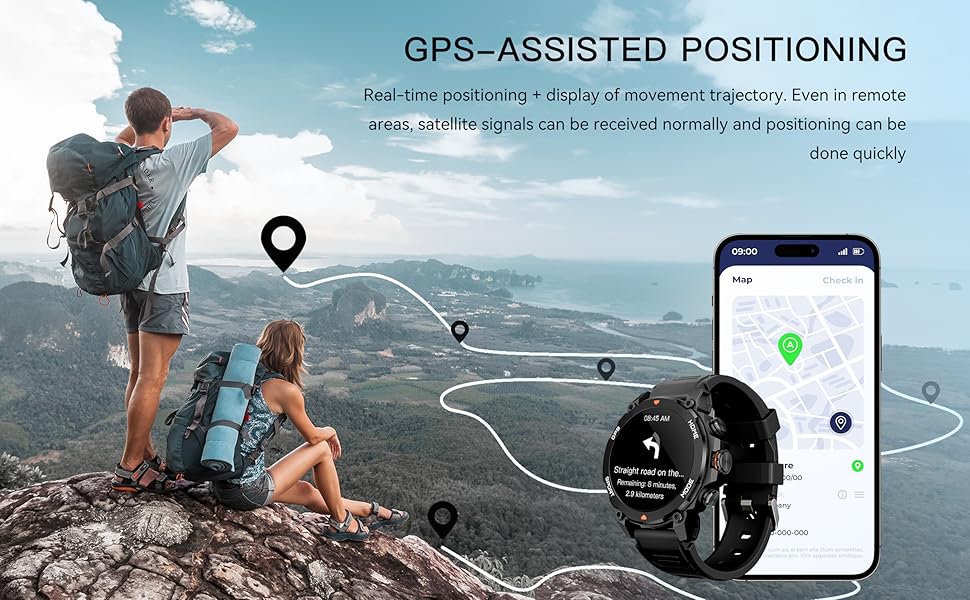
Image: A scenic view of a hiking trail with the smartwatch displaying GPS-assisted positioning, showing real-time tracking and movement trajectory.
7.3 Environmental Sensors
The Trek 1 is equipped with a built-in compass and barometric altimeter sensors to display your current direction, altitude, and atmospheric pressure, aiding navigation in wilderness areas.
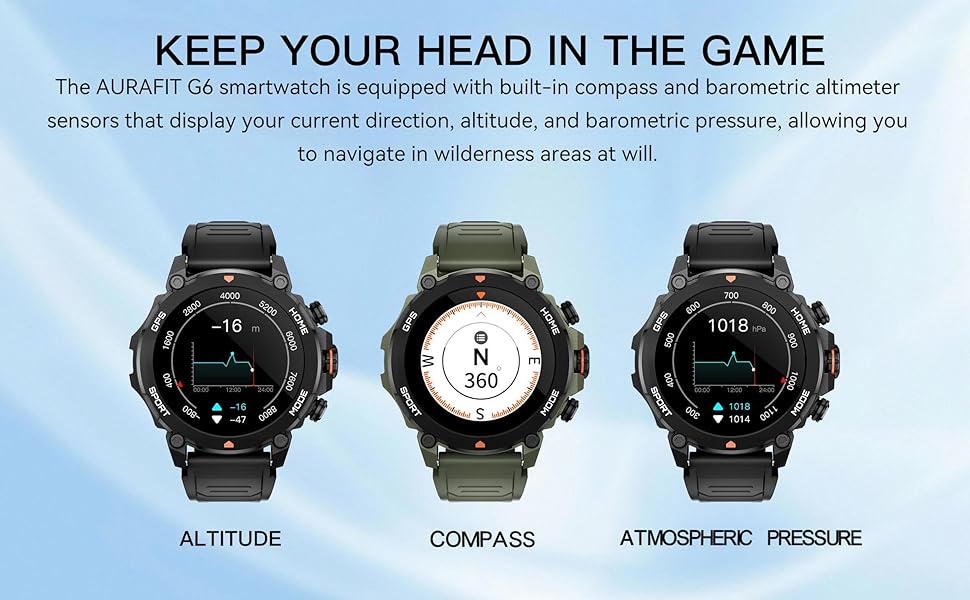
Image: The smartwatch displaying readings for altitude, compass direction, and atmospheric pressure, highlighting its environmental sensing capabilities.
8. Ho hanyetsa Metsi
The AURAFIT Trek 1 Smartwatch is 5ATM waterproof, meaning it can withstand pressures equivalent to a depth of 50 meters. This makes it suitable for:
- Swimming in pools or open water (not deep-sea diving).
- Showering (avoid hot water and steam).
- Rain and sweat exposure during workouts.
Hlokomela:
- Do not use the watch in hot water, saunas, or steam rooms as steam can penetrate the seals.
- Qoba ho tobetsa likonopo ka tlas'a metsi.
- Ka mor'a ho pepesehela metsi a letsoai, hlatsoa oache ka metsi a hloekileng 'me ue omise hantle.
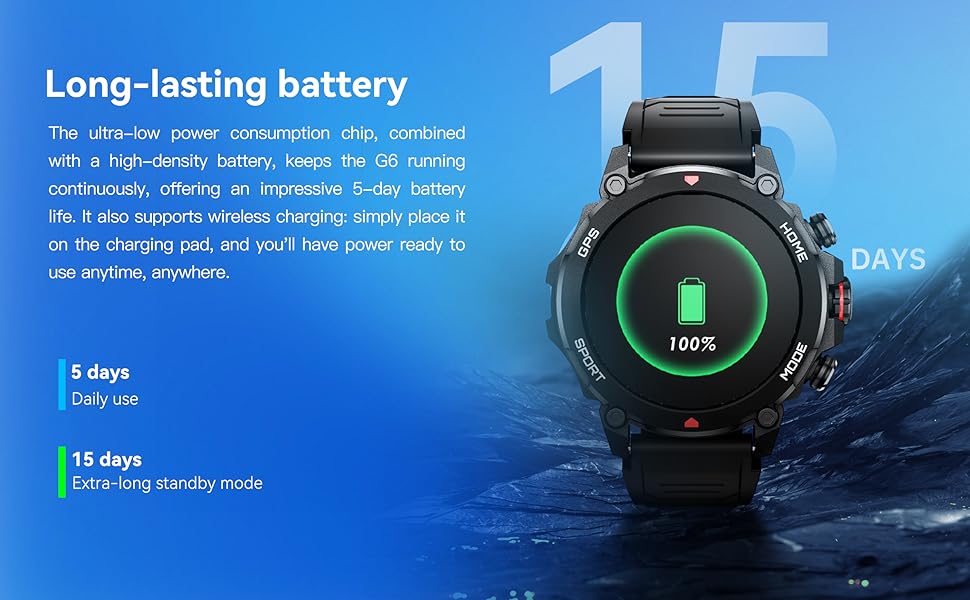
Image: A person swimming underwater with the smartwatch, demonstrating its 5ATM high water resistance for aquatic activities.

Image: An infographic highlighting the smartwatch's 5ATM water resistance, along with its ability to withstand high/low temperatures, dust, and shock.
9. Bophelo ba Battery
The AURAFIT Trek 1 is equipped with a 450mAh large battery and an ultra-low power consumption chip, providing extended usage times.
- Tšebeliso ea Letsatsi le Letsatsi: Ho fihlela matsatsi a 5.
- Extra-long Standby Mode: Ho fihlela matsatsi a 15.
The watch supports wireless charging. Simply place it on the charging pad to power it up.
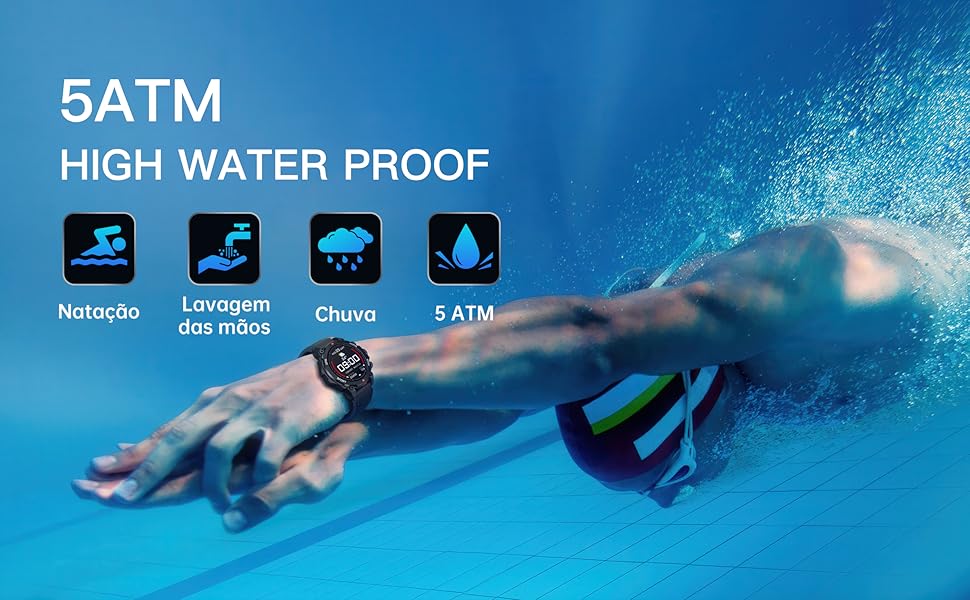
Image: The smartwatch on a charging pad, illustrating its long-lasting battery life with indicators for 5 days of daily use and 15 days of standby time.
10. Ho rarolla mathata
- Sheba ha e laetsoe: Netefatsa hore oache e tjhajilwe ka botlalo. E hokahanye le thapo ea ho tjhaja le mohloli oa motlakase bonyane metsotso e 30.
- Ha e khone ho hokahanya le mohala:
- Netefatsa hore Bluetooth e butswe fonong ya hao.
- Etsa bonnete ba hore oache e sebakeng sa Bluetooth (hangata ke limithara tse 10).
- Qala hape fono ea hau le smartwatch.
- Clear Bluetooth cache on your phone or try pairing from the app directly.
- Lintlha tse fosahetseng tsa bophelo bo botle: Ensure the watch is worn snugly on your wrist, not too tight or too loose. Clean the sensor area regularly.
- Litsebiso ha li hlahe:
- Check app permissions on your phone to ensure the "Smart Time Pro" app has access to notifications.
- Verify that notification settings are enabled within the "Smart Time Pro" app for desired applications.
- Netefatsa hore oache e hoketsoe ka Bluetooth.
- Mathata a lets'oao la GPS: Netefatsa hore o sebakeng se bulehileng sa kantle se nang le lebone le hlakileng view ea leholimo bakeng sa ho fumana matšoao a GPS ka tsela e ntle ka ho fetisisa.
11. Litlhaloso
| Sebopeho | Tlhaloso |
|---|---|
| Nomoro ea Mohlala | Tsela ea 1 |
| Boholo ba skrine | 1.43 lisenthimithara |
| Mofuta oa Pontšo | AMOLED |
| Ho hanyetsa Metsi | 5 ATM |
| Bokhoni ba Battery | 450 mAh |
| Khokahano | Bluetooth 5.3 + 3.0 |
| GPS | Built-in GPS (GNSS chip) |
| Mokhoa oa tšebetso | RTOS |
| Bokhoni ba ho Boloka Memori | 128 MB |
| Boima ba Ntho | Ligrama tse 68.3 (li-ounces tse 2.41) |
| Moetsi | Shenzhen Smart Care Technology Limited |
12. Tiisetso le Tšehetso
AURAFIT provides a 2-year warranty for the Trek 1 Smartwatch. If the product is damaged or unusable due to manufacturing defects, we will provide warranty or replacement service.
For any questions or support needs, please contact our customer service. We are available 24/7 to assist you.

Image: An icon representing customer service, indicating 24/7 support availability.
Ask a question about this manual
Ask about setup, troubleshooting, compatibility, parts, safety, or missing instructions. Manuals+ will review the question and use this page’s manual context to help answer it.