
1. Selelekela
Thank you for choosing the Edifier X1 Lite True Wireless Earbuds. These earbuds are designed to provide a high-quality audio experience with features like Bluetooth 5.4 connectivity, clear call technology, and a comfortable, lightweight design. This manual will guide you through the setup, operation, and maintenance of your new earbuds.
2. Likahare tsa Sephutheloana
- Edifier X1 Lite True Wireless Earbuds (Left and Right)
- Nyeoe ea ho tjhaja
- USB Charging Cable
- Bukana ea Mosebelisi
3. Sehlahisoa Overview
The Edifier X1 Lite earbuds feature a compact design for comfortable wear and a charging case for extended battery life. Each earbud is equipped with touch controls for easy management of audio playback and calls.
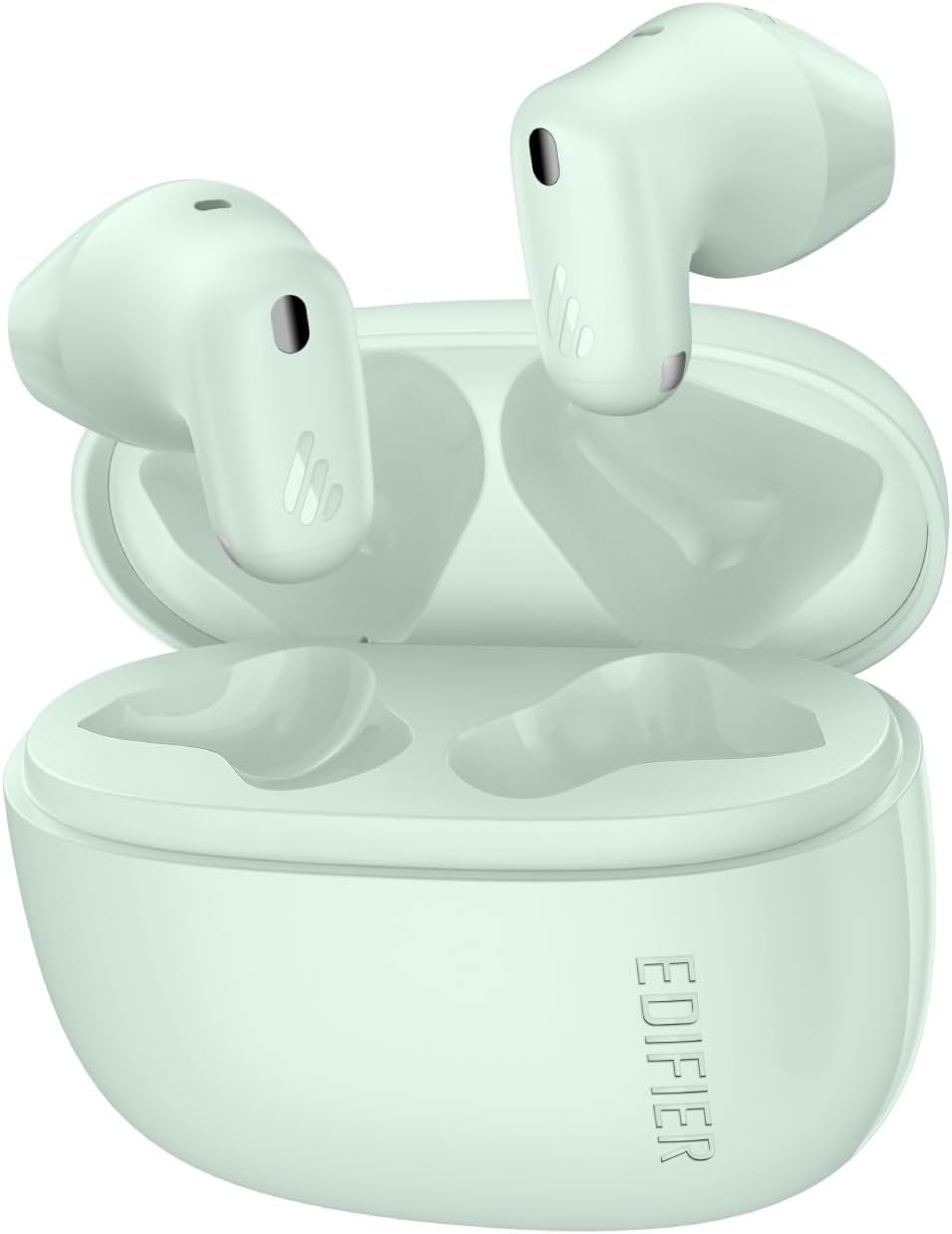
Image: Edifier X1 Lite True Wireless Earbuds and their charging case. The earbuds are shown in their compact, in-ear form factor.
Likarolo tsa Earbud:
- Touch Control Area: For playback, call management, and voice assistant activation.
- Maekerofounu: Bakeng sa mehala le litaelo tsa lentsoe.
- Mabitso a ho lefisa: Bakeng sa ho tjhaja ka hare ho khese.
Likarolo tsa Nyeoe ea ho Lefisa:
- Libaka tsa ho tjhaja Earbud: To hold and charge the earbuds.
- Boema-kepe ba ho tjhaja USB-C: Bakeng sa ho lefisa nyeoe.
- Leseli la Sesupo: Shows charging status and battery level.
4. Seta
4.1 Ho tjhaja li-Earbuds le Case
Pele o sebelisoa ka lekhetlo la pele, tjhaja li-earbud le mokotla oa ho tjhaja ka botlalo.
- Kenya li-earbud ka har'a lebokose la ho tjhaja. Netefatsa hore li lutse hantle.
- Hokela mokotla oa ho tjhaja mohloling oa motlakase o sebelisa thapo e fanoeng ea ho tjhaja ea USB.
- The indicator light on the charging case will show the charging status. Once fully charged, the light will indicate completion (refer to specific light patterns in the full manual if available).
A 15-minute fast charge provides approximately 1.5 hours of playback time. A full charge offers up to 7 hours of playtime for the earbuds, with an additional 19 hours from the charging case, totaling 26 hours.
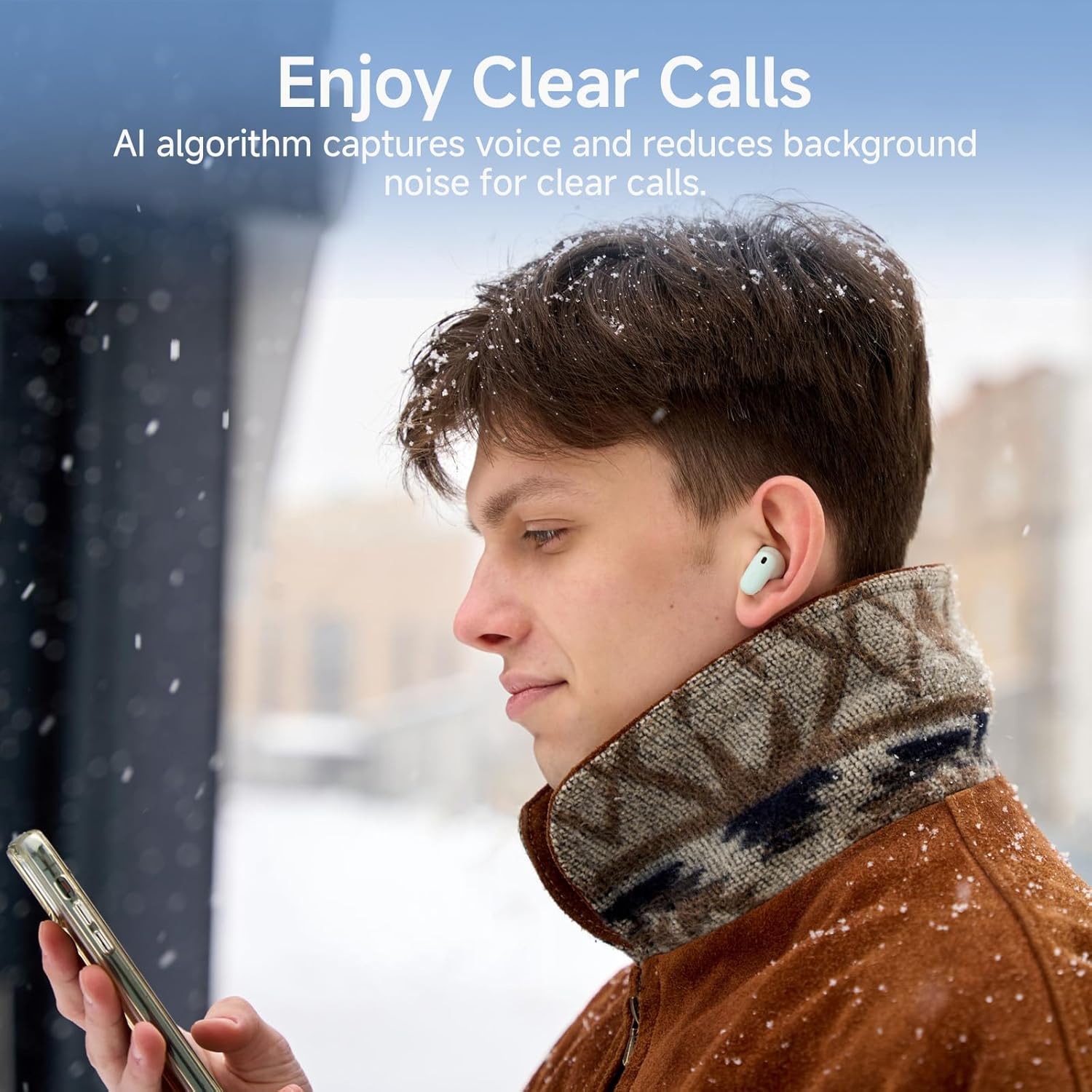
Image: Diagram illustrating the Edifier X1 Lite earbuds' battery life: 7 hours on a single charge, 19 hours with the charging case, and 1.5 hours of playback from a 15-minute fast charge.
4.2 Ho hokahanya ha Bluetooth
To connect your Edifier X1 Lite earbuds to a device:
- Open the charging case. The earbuds will automatically enter pairing mode, indicated by a flashing light (refer to specific light patterns in the full manual if available).
- Sesebedisweng sa hao (smartphone, tablet, laptop), bula Bluetooth mme o batle disebediswa tse teng.
- Select "EDIFIER X1 Lite" from the list of found devices.
- Once connected, the earbuds will indicate successful pairing (e.g., a steady light or audio prompt).
The earbuds utilize Bluetooth 5.4 for faster speeds, lower power consumption, and a stable connection.

Image: Edifier X1 Lite earbuds shown with a laptop and smartphone, illustrating Bluetooth 5.4 connectivity for various devices.
5. Litaelo tsa Ts'ebetso
5.1 Taolo ea ho ama
The Edifier X1 Lite earbuds feature intuitive touch controls. The specific functions may be customized via the EDIFIER ConneX app.
| Ketso | Mosebetsi |
|---|---|
| Ho Tlanya Hanngoe (Earbud e Letshehadi/e Letona) | Bapala/Emisa Mmino, Araba/Fedisa Mohala |
| Tobetsa Habeli (Earbud e ka ho le letšehali) | Pina e Fetileng |
| Tobetsa Habeli (Earbud e ka ho le letona) | Next Track |
| Ho Tlanya Hararo (Earbud e Letshehadi/e Letona) | Kenya Voice Assistant |
| Tobetsa Nako e Telele (Earbud e Letshehadi/e Letona) | Hana Pitso |
5.2 Clear Calls
The earbuds feature AI algorithm voice pick-up technology to ensure clear communication by reducing background noise, even in noisy environments.

Image: A person wearing Edifier X1 Lite earbuds in a snowy outdoor setting, demonstrating the clear call feature in challenging environments.
5.3 Boiphihlelo ba Audio
Experience powerful sound quality with Φ13mm dynamic drivers, delivering good bass performance and crisp audio. The EDIFIER ConneX app allows for personalization of your listening experience.

Setšoantšo: Ho phatloha view of an Edifier X1 Lite earbud, highlighting the 13mm dynamic driver responsible for sound quality, including wide soundstage, excellent bass, and detailed highs and mids.
5.4 Mokhoa o tlase oa Latency
For gaming and streaming, the earbuds offer a 60ms low-latency design, ensuring smooth and uninterrupted audio-visual synchronization.

Image: A person holding a smartphone displaying a game, with Edifier X1 Lite earbuds in the foreground, emphasizing the 0.06s ultra-low latency feature for gaming and video playback.
6. Tlhokomelo
6.1 Ho hloekisa
- Hloekisa li-earbud le mokotla oa ho tjhaja khafetsa ka lesela le bonolo, le omeletseng, le se nang lint.
- Se ke oa sebelisa li-abrasive cleaners, joala kapa metsoako ea lik'hemik'hale.
- Ensure charging contacts are free from dust and debris.
6.2 Water and Sweat Resistance
The Edifier X1 Lite earbuds are IP54 certified, making them sweat-resistant and suitable for active use. This means they are protected against dust ingress and splashing water from any direction. However, they are not waterproof and should not be submerged in water.

Image: A person wearing an Edifier X1 Lite earbud during physical activity, with an icon indicating IP54 certification for sweat and splash resistance.
6.3 Polokelo
Ha e sa sebelisoe, boloka li-earbud ka har'a lebokose la tsona la ho tjhaja ho li sireletsa le ho netefatsa hore li lula li tjhajiloe.
7. Ho rarolla mathata
If you encounter issues with your Edifier X1 Lite earbuds, try the following steps:
- Ha ho Molumo: Ensure earbuds are charged, connected to your device, and volume is up.
- Ha e khone ho para: Etsa bonnete ba hore Bluetooth e kenelletse sesebelisoa sa hau 'me li-earbud li maemong a ho para. Leka ho lebala sesebelisoa fonong ea hau le ho kopanya hape.
- Khokahano ea nakoana: Ensure there are no obstructions between the earbuds and your device. Move closer to your device.
- Earbud e le 'ngoe ha e sebetse: Place both earbuds back in the case, close it, then open it again. Check battery levels.
- Mathata a ho tjhaja: Ensure the charging cable is securely connected and the charging contacts on the earbuds and case are clean.
For further assistance, refer to the official Edifier support websebaka kapa ikopanye le litšebeletso tsa bareki.
8. Litlhaloso
| Sebopeho | Lintlha |
|---|---|
| Brand | Mohlophisi |
| Lebitso la Mohlala | X1 Lite |
| Nomoro ea Mohlala | x1lite |
| Theknoloji ea Khokahano | Wireless (Bluetooth) |
| Bluetooth Version | 5.4 |
| Ho Bea Litsebe | Tsebeng |
| Mofuta oa Mokhanni oa Audio | Dynamic Driver (Φ13mm) |
| Maqhubu a Range | 20Hz - 20,000Hz |
| Tšitiso | 140 ohm |
| Bophelo ba Battery (Earbuds) | Ho fihlela lihora tse 7 |
| Kakaretso ea Nako ea ho Bapala (le Nyeoe) | Ho fihlela lihora tse 26 |
| Chelete e potlakileng | Metsotso e 15 bakeng sa ho bapala lihora tse 1.5 |
| Nako e tlase | 60ms |
| Ho hanyetsa Metsi | IP54 (Sweat Resistant) |
| Mokhoa oa ho Laola | Thetsa |
| Boima ba Ntho (Earbuds) | Hoo e ka bang 4g ka earbud |
| Lisebelisoa tse lumellanang | Laptops, Desktops, Gaming Consoles, Tablets, Telephones |
9. Tiisetso le Tšehetso
Edifier products are designed and manufactured to the highest quality standards. For detailed warranty information, please refer to the warranty card included in your package or visit the official Edifier websebaka. Bakeng sa tšehetso ea tekheniki, ngoliso ea sehlahisoa, kapa lipotso tse botsoang khafetsa, ka kopo etela www.edifier.com or contact Edifier customer service directly.