
Precision Pro Titan-Elite
Buka ea Mosebetsi ea Precision Pro Titan Elite Golf Range Finder
Model: Titan-Elite | Brand: Precision Pro
Selelekela
The Precision Pro Titan Elite Golf Range Finder is engineered to enhance your golf game with cutting-edge features and meticulous craftsmanship. This manual provides detailed instructions for setup, operation, and maintenance to ensure optimal performance and longevity of your device.

Image: The Precision Pro Titan Elite Golf Range Finder, showcasing moralo oa eona o boreleli le sebopeho sa compact form.
Se Kenyellelitsoeng
Your Precision Pro Titan Elite package includes the following items:
- Titan Elite Rangefinder
- Taba ea Pele ea ho Ts'oara
- Cable ea ho tjhaja ea USB-C
- Buka ea litaelo (tokomane ena)

Image: A visual representation of the items included in the product packaging: the Titan Elite Rangefinder, its premium carrying case, and the USB-C charging cable.
Likarolo tsa Bohlokoa
- Comprehensive GPS Distances: Ka mokhoa o sa tsitsang view front, center, and back distances for precise measurements.
- Betri e ka Hlakisoang Nako e Telele: Enjoy up to 10 full rounds with GPS enabled, or 40 rounds without GPS, on a single charge.
- Find My Precision Pro: Receive notifications if the rangefinder separates from you and locate it on a map.
- All-Weather Waterproof Durability: IP67 waterproof rating protects against dust, water, and debris.
- Visual Target Lock: Provides immediate confirmation of your target with a ripple effect and subtle pulse vibration.
- Adaptive Slope Technology: Dynamically adjusts for varying terrains, providing accurate distance readings with elevation changes.
- Crystal-Clear HD Magnification: 6X magnification with HD optics for unparalleled clarity up to 999 yards.
- iOS-Only Compatibility: Designed for iPhone users, connecting to the Precision Pro app for built-in GPS and standard distance measurements.
Feature Visuals
Setšoantšo: Ho hlakile view of the rangefinder's display, highlighting the aiming reticle, straight line distance, slope adjusted distance, yards/meters indicator, and battery indicator for a golfer-friendly experience.

Image: The rangefinder connected to a smartphone app, demonstrating dual-level accuracy by showing front, center, and back of green distances both on the device and within the app.

Image: A smartphone screen displaying a notification for the 'Find My Rangefinder' feature, indicating the device's last connected location, helping users prevent loss.

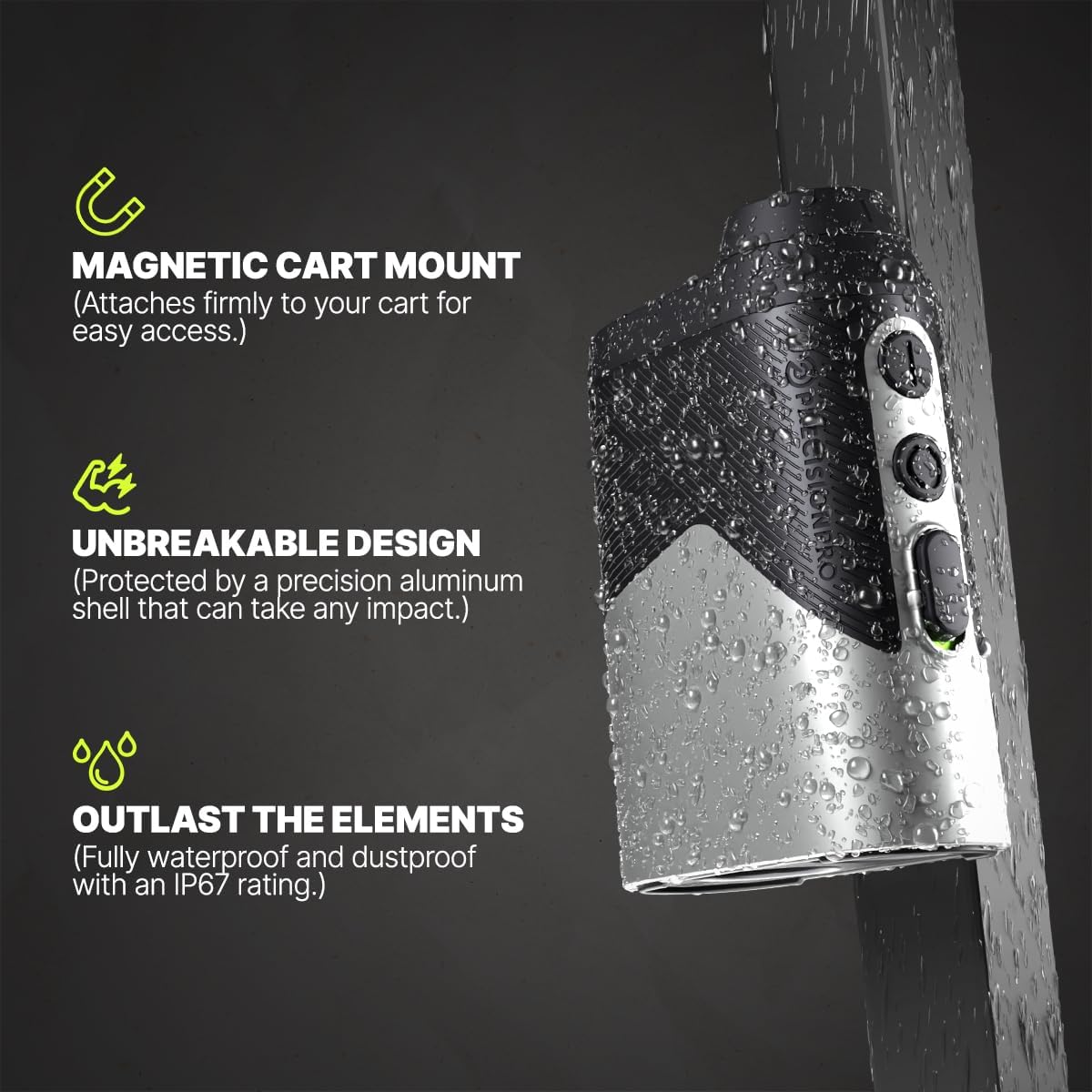
Image: The Titan Elite rangefinder being sprayed with water, illustrating its IP67 waterproof and dustproof rating, along with its magnetic cart mount and unbreakable aluminum shell.
Rea qala
Ho tjhaja Sesebediswa
Before first use, fully charge your Titan Elite Range Finder.
- Fumana boema-kepe ba ho tjhaja ba USB-C sesebelisoa.
- Connect the provided USB-C cable to the rangefinder and a compatible USB power source (e.g., computer, wall adapter).
- The charging indicator light will illuminate. Once fully charged, the light will change or turn off.
Setšoantšo: Haufi view of the USB-C charging port on the Titan Elite Range Finder, with the charging cable inserted, indicating the device is being charged.
App Connection (iOS Only)
To utilize the full GPS functionality and 'Find My' features, connect your rangefinder to the Precision Pro app on your iPhone.
- Download the Precision Pro app from the Apple App Store.
- Netefatsa hore Bluetooth e butswe ho iPhone ya hao.
- Open the Precision Pro app and follow the on-screen instructions to pair your Titan Elite Range Finder.
- Once paired, the app will display course maps and detailed distances.

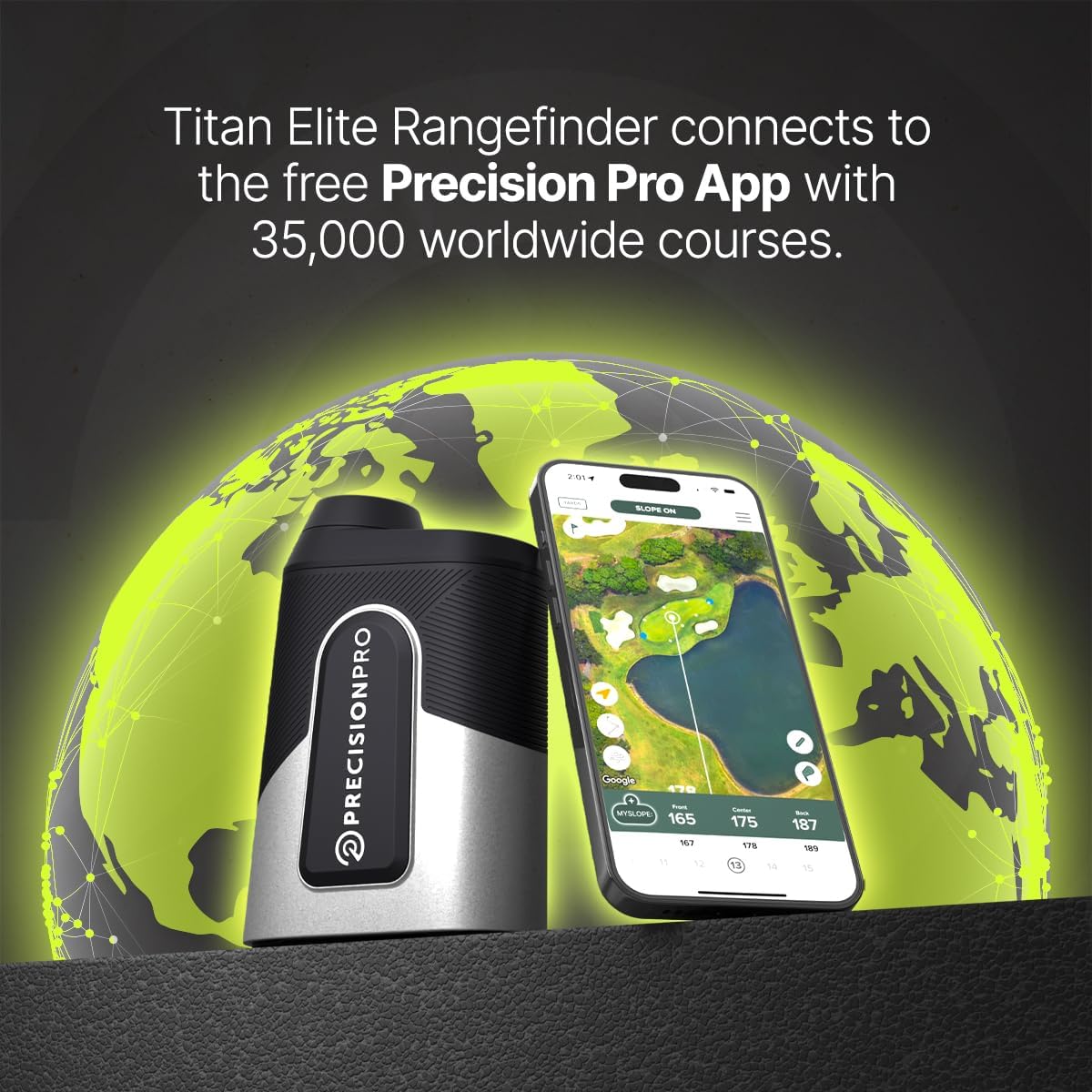
Image: The Titan Elite Range Finder positioned next to a smartphone displaying the Precision Pro app, illustrating the seamless connection and access to worldwide course data.
Litaelo tsa Ts'ebetso
Basic Ranging
- Sheba ka har'a karolo ea mahlo 'me u lebise reticle moo u batlang.
- Press the power/fire button to activate the laser and get a distance reading.
- For target lock, aim slightly off the target, hold the laser button, and pan onto the target. The device will vibrate and the aiming circle will ripple when locked.
Ts'ebetso ea GPS
When connected to the app, the rangefinder provides enhanced GPS distances:
- View front, center, and back distances to the green directly on the rangefinder display or within the app.
- The app provides a visual layout of the hole, helping you plan your shots.
Theknoloji ea Letsoapo
The adaptive slope technology automatically calculates the adjusted distance based on elevation changes. This feature can be toggled on/off for tournament play.
Video: A demonstration titled "Play A Hole With Chelsea & The Titan Elite," showcasing the rangefinder's features and ease of use during a golf round, including distance measurement and app integration.
Tlhokomelo le Tlhokomelo
- Ho hloekisa: Use a soft, clean cloth to wipe the lenses and body. For stubborn dirt, a slightly damp cloth can be used. Avoid abrasive materials.
- Polokelo: Store the rangefinder in its protective carrying case when not in use. Keep it in a cool, dry place away from direct sunlight and extreme temperatures.
- Lintlha tse sa keneleng metsi: The device has an IP67 rating, meaning it is protected from dust and can withstand immersion in water up to 1 meter for 30 minutes. However, avoid prolonged submersion.
- Tlhokomelo ea Betri: For optimal battery life, avoid fully discharging the battery frequently. Charge it regularly, even if not in constant use.
Ho batle phoso
| Bothata | Lebaka le ka khonehang | Tharollo |
|---|---|---|
| Sesebelisoa ha se sebetse | Betri e tlase; Konopo ea matla ha ea tobetsoa ka nepo | Charge the device; Ensure the power button is pressed firmly. |
| Lipalo tse sa nepahaleng tsa sebaka | Dirty lens; Obstruction; Incorrect mode (e.g., slope off) | Clean the lenses; Ensure clear line of sight; Check slope switch setting. |
| Ha e khone ho hokela ho app | Bluetooth off; Device not in pairing mode; Android device | Enable Bluetooth; Follow app pairing instructions; Note: App is iOS-only. |
| 'Find My' feature not working | Device out of range; App not running in background | Ensure device is within Bluetooth range; Keep app running or check background app refresh settings. |
Litlhaloso tsa Sehlahisoa
| Tlhaloso | Lintlha |
|---|---|
| Brand | Precision Pro |
| Lebitso la Mohlala | Titan-Elite |
| Mekhahlelo ea ho lekanya | 5Y-999Y |
| Kgodiso | 6 x |
| Boemo ba ho hanyetsa Metsi | Ha e kenele metsi (IP67) |
| Lintho tse bonahalang | Aluminium |
| Mofuta oa Leshala | Lithium-Ion Polymer (Rechargeable) |
| Boima ba Ntho | 16 lik'hilograma |
| Litekanyo tsa Sehlahisoa | 4.7"L x 1.7"W x 3.35"H |
Warranty le Tšehetso
The Precision Pro Titan Elite Golf Range Finder comes with a 3-year warranty. For detailed warranty information, claims, or technical support, please refer to the official Precision Pro Golf websaete kapa ikopanye le litšebeletso tsa bareki ka kotloloho.
Bakeng sa thuso e eketsehileng, etela: Precision Pro Store on Amazon
Litokomane tse Amanang - Titan-Elite
 |
Buka ea Mosebetsi ea Precision Pro Titan Golf Rangefinder Bukana e felletseng ea mosebelisi bakeng sa Precision Pro Titan golf rangefinder, e akaretsang sehlahisoa kaview, features like slope, GPS, Bluetooth connectivity, and app integration. Learn how to use your rangefinder for accurate yardage measurements. |
 |
Precision Pro NX10 Golf Rangefinder: Tataiso ea ho iketsetsa, Litšobotsi le Mokhoa oa ho e Sebelisa Hlahloba Precision Pro NX10 golf rangefinder, ho kenyeletsoa le dikgetho tsa ho iketsetsa, dikarolo tsa bohlokwa tse kang ho lokisa leralla, ho kenya makenete, le ditaelo tsa tshebediso ya mohato ka mohato. Ithute ka tshehetso ya bareki le waranti. |
 |
Buka ea Lihlahisoa tsa Precision Pro NX7 Pro Slope Golf Rangefinder Bukana e felletseng ea sehlahisoa bakeng sa Precision Pro NX7 Pro Slope Golf Rangefinder, e hlalosang likarolo tsa eona, ts'ebetso, litlhophiso le mekhoa e metle bakeng sa litekanyo tse nepahetseng tsa lebala la kolofo. |
 |
Buka ea Litlhahiso tsa Precision Pro NX9 Slope Golf Rangefinder Bukana e felletseng ea sehlahisoa bakeng sa Precision Pro NX9 Slope Golf Rangefinder, e hlalosang likarolo tsa eona, ts'ebetso le mekhoa e metle ea ts'ebeliso. |
 |
Buka ea Lihlahisoa tsa Sebui se Bohlale sa Precision Pro ACE Bukana ena e fana ka tataiso e felletseng bakeng sa Sebui se bohlale sa Precision Pro ACE, ho kenyeletsoa likarolo tsa sona, ts'ebetso le ho rarolla mathata. Ithute ka theknoloji ea mySlope, sehlahisoa se fetangview, detachable remote functions, LCD display details, volume adjustment, quick start guide, playing golf with the device, finding your Precision Pro, and charging instructions. Includes FCC warnings and customer support information. |
 |
Buka ea Lihlahisoa tsa Precision Pro NX9 Golf Rangefinder Bukana ena ea lihlahisoa e fana ka litaelo le tlhaiso-leseling e felletseng bakeng sa Precision Pro NX9 Golf Rangefinder, e akaretsang likarolo tsa eona, ts'ebetso, tlhokomelo le mekhoa e metle ea ho e sebelisa ho kolofo. |
Ask a question about this manual
Ask about setup, troubleshooting, compatibility, parts, safety, or missing instructions. Manuals+ will review the question and use this page’s manual context to help answer it.