
1. Selelekela
This manual provides essential information for the safe and efficient operation of your ZDSSY E2 Mini Projector. Please read it thoroughly before use and retain it for future reference.
2. Seta
2.1 Unboxing le likarolo
Patlolla lintho tsohle ka lebokoseng ka hloko. Netefatsa hore likarolo tse latelang li teng:
- Mini Projector
- Remote Control
- Mohala oa Matla
- Bukana ea mosebelisi (tokomane ena)
2.2 Ho Matlafatsa
- Hokela thapo ea motlakase le koung ea ho kenya motlakase ea projektara.
- Hokela ntlha e 'ngoe ea thapo ea motlakase sebakeng se loketseng sa motlakase.
- Tobetsa konopo ea matla ho projector kapa remote control ho bulela sesebelisoa.
2.3 Ho beoa ha Pele
Place the projector on a stable, flat surface. For optimal viewing, ensure the projection surface (wall or screen) is clean and smooth. The projector supports various mounting options including table placement, tripod mount, and ceiling mount.
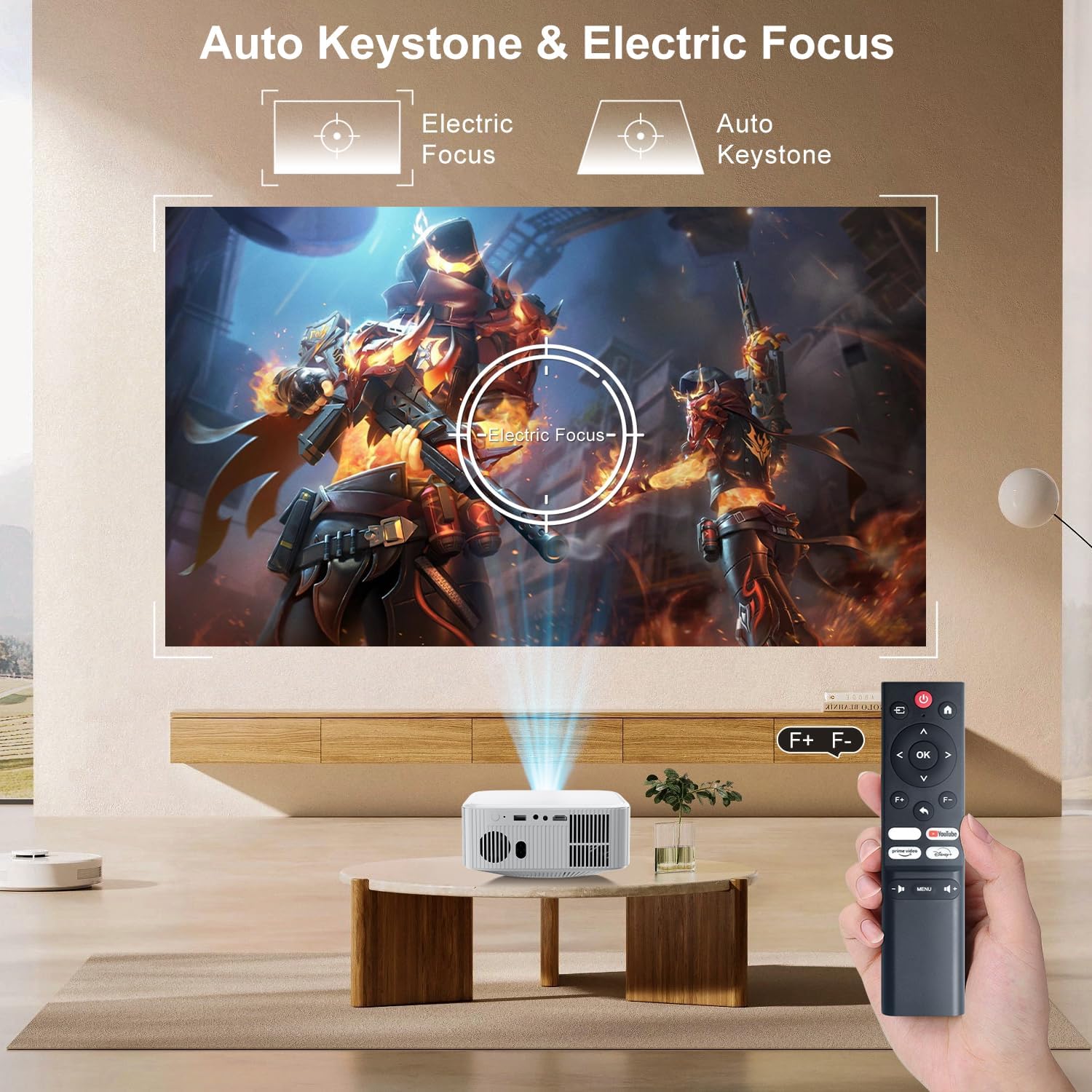
Image: The ZDSSY E2 Mini Projector demonstrating flexible placement options and screen sizes from 40 to 300 inches.
3. Ts'ebetso
3.1 Navigation and Remote Control
Use the provided remote control to navigate the projector's interface. The remote allows you to select apps, adjust settings, and control media playback.
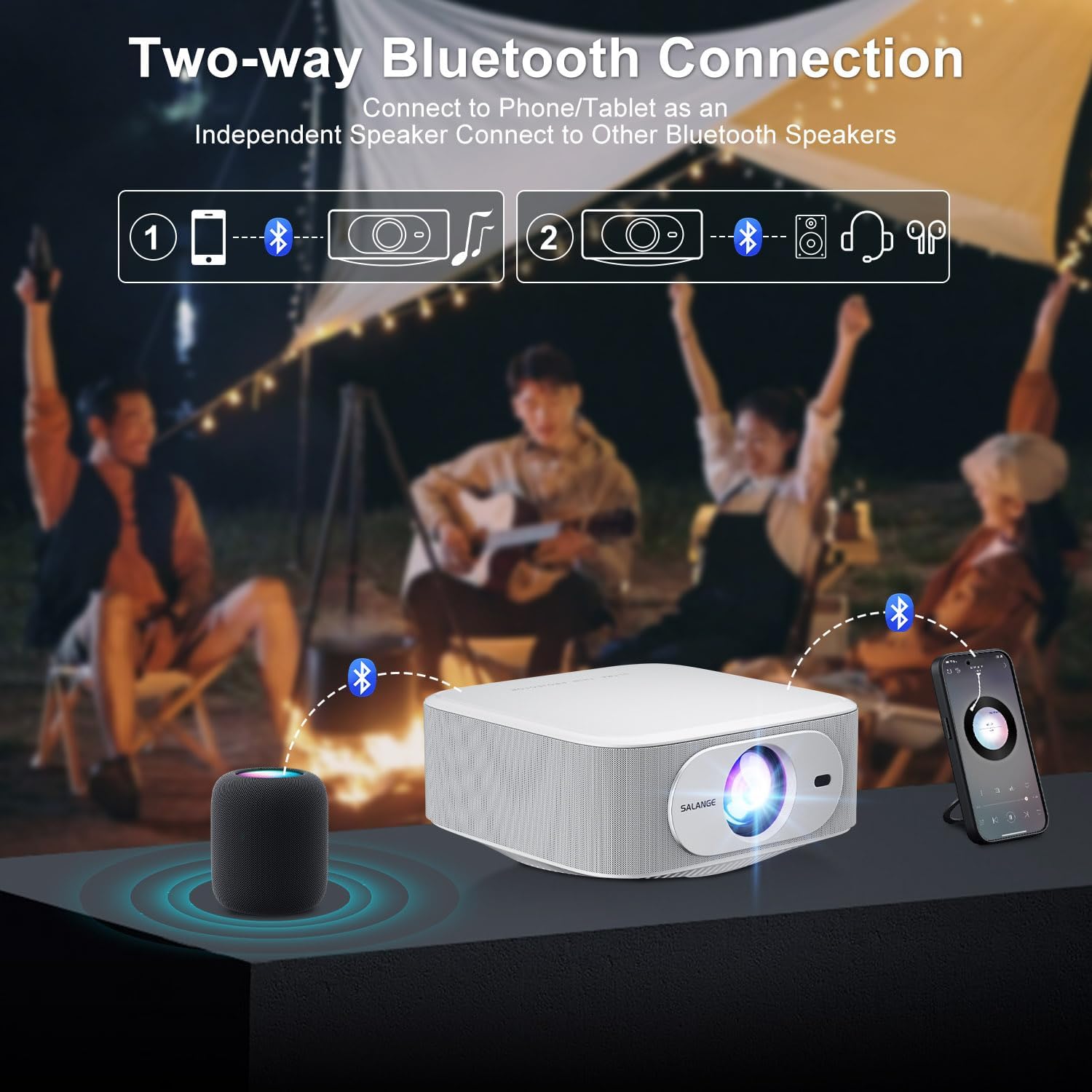
Image: The ZDSSY E2 Mini Projector and its remote control, highlighting the user interface.
3.2 Auto Keystone and Electric Focus
The projector features automatic keystone correction and electric focus for a clear and properly aligned image. These functions adjust the picture automatically upon startup or when the projector is moved.
- Tsepamiso ea Motlakase: Provides instant, crystal-clear images.
- 4-Point Keystone Correction: Smoothly adjusts the screen across a wide ±45° range from any direction.
- Mosebetsi oa Atometsa: Adjust the screen size from 100% to 50% without moving the projector.

Image: Visual representation of the auto keystone and electric focus features of the ZDSSY E2 Mini Projector.
3.3 Ho hokela ho Wi-Fi
The ZDSSY E2 supports dual-band 5G/2.4G Wi-Fi for fast and stable internet connectivity.
- Eya ho menu ya 'Ditlhophiso' ho porojeketara.
- Select 'Network' or 'Wi-Fi settings'.
- Khetha netweke ea Wi-Fi eo u e batlang ho tsoa lenaneng.
- Kenya phasewete haeba o kopuoa mme o hokahanye.
3.4 Khokelo ea Bluetooth
The projector features two-way Bluetooth 5.2, allowing it to function as a standalone speaker or connect to external Bluetooth audio devices.
- As a Bluetooth Speaker: Connect your mobile device to the projector via Bluetooth to use the projector's built-in speakers for audio playback.
- Ho hokela Libui tsa Kantle: Pair the projector with external Bluetooth speakers, headphones, or soundbars for an enhanced audio experience. (Note: Bluetooth is for audio transmission only and does not support video.)

Image: Illustration of the two-way Bluetooth connectivity of the ZDSSY E2 Mini Projector.
3.5 Using Built-in Apps
The ZDSSY E2 comes with officially licensed apps like Prime Video, YouTube, and more, pre-installed on its Android 13 Whale OS system. Access these apps directly from the home screen for instant entertainment.

Image: The ZDSSY E2 Mini Projector's home screen showing pre-installed streaming applications.
3.6 External Device Connection
The projector is equipped with multiple ports for connecting external devices:
- Port ea HDMI: Connect gaming consoles, laptops, Fire Sticks, or other HDMI-enabled devices.
- Boema-kepe ba USB: Bapala mecha ea litaba ka kotloloho ho tsoa ho li-drive tsa USB.
- 3.5mm Headphone Jack: Connect wired headphones or external speakers.

Image: Close-up of the ZDSSY E2 Mini Projector's connectivity ports.
4. Tlhokomelo
4.1 Ho hloekisa
- Lense: Sebelisa lesela le bonolo, le se nang lesela le entsoeng ka ho khetheha bakeng sa lilense tsa mahlo. U se ke ua sebelisa li-cleaner kapa masela a khorofo.
- Kantle: Hlakola bokantle ba projektara ka lesela le bonolo, le omileng. Bakeng sa matshwao a manganga, dae e nyaneamp Lesela le ka sebelisoa, 'me la lateloa ke sesepa se omileng.
- Moea oa moea: Netefatsa hore masoba a moea a hloekile lerōle le litšitiso ho thibela ho chesa haholo.
4.2 Polokelo
When not in use for extended periods, store the projector in a cool, dry place, away from direct sunlight and extreme temperatures. Use the original packaging or a protective case to prevent dust accumulation and damage.
5. Ho rarolla mathata
| Bothata | Lebaka le ka khonehang | Tharollo |
|---|---|---|
| Ha ho Matla | Thapo ea motlakase ha e hokahane; Sehokelo sa motlakase se na le phoso | Ensure power cord is securely connected; Try a different outlet. |
| Setšoantšo se Lerootho | Focus not adjusted; Projector too far/close to screen | Allow auto-focus to complete or manually adjust focus; Adjust projector distance. |
| Ha ho Modumo | Volume too low; External audio device not connected/paired | Increase volume; Check Bluetooth connection or wired audio cable. |
| Mathata a Khokahano ea Wi-Fi | Phasewete e fosahetseng; Mathata a router; Tšitiso ea lets'oao | Verify Wi-Fi password; Restart router; Move projector closer to router. |
| Apps Not Working | No internet connection; App requires update | Check Wi-Fi connection; Update the app from the app store. |
6. Litlhaloso
| Sebopeho | Lintlha |
|---|---|
| Brand | ZDSSY |
| Nomoro ea Mohlala | E2 |
| Qeto ea Pontšo | 1920 x 1080 (Native 1080P, 4K Support) |
| Khanya | Lumens tse 400 tsa ANSI |
| Mokhoa oa tšebetso | Smart Android 13.0 NTV (Whale OS) |
| Mohopolo | RAM 1GB + ROM 8GB |
| Khokahano | Wi-Fi 5G/2.4G, Two-way Bluetooth 5.2 |
| Likarolo Tse Khethehileng | Electric Focus, Auto Keystone Correction (4D/4P), Zoom (100%-50%), Built-in Apps (Prime Video, YouTube, etc.) |
| Boema-kepe | 1 HDMI, 1 USB, 1 3.5mm Headphone Jack |
| Litekanyo tsa Sehlahisoa | 7.67 x 7.67 x 3.54 lisenthimithara |
| Boima ba Ntho | 3.3 liponto |
| Recommended Sebelisa | Ka hare/Kantle |
7. Tiisetso le Tšehetso
The ZDSSY E2 Mini Projector comes with a standard manufacturer's warranty. For specific warranty details, including coverage and duration, please refer to the warranty card included in your product packaging or contact ZDSSY customer support.
Tšehetso ea Bareki
If you encounter any issues or have questions regarding your projector, please contact ZDSSY customer support through the retailer's platform or the official ZDSSY website. Our support team is available to assist you with troubleshooting, technical inquiries, and service requests.