
Datewink ZQ02103
19X10W Moving Head DJ Light Instruction Manual
Datewink Model: ZQ02103
Sehlahisoa se Felletseview
The Datewink 19X10W Moving Head DJ Light is a high-performance stage lighting fixture designed for dynamic visual effects. It features 19 ultra-bright 10W 4-in-1 LED lamp beads, offering pure, uniform color mixing with up to 16.7 million colors. Its motorized head provides extensive movement capabilities, including 540° X-axis and 270° Y-axis rotation, complemented by zoom, wash, and beam effects. Multiple control modes, including Automatic, Sound-Activated, Master-Slave, and DMX512, ensure versatile operation for various event settings.
Se ka Lebokoseng
- 1 x Hlooho e Tsamaeang DJ Light
- 1 x Bracket e kenyang
- 1 x Buka ea Mosebelisi
- 1 x Mohala oa Matla

Image: The product packaging showing the moving head light, mounting bracket, user manual, and power cord.
Tlhophiso
Before initial use, ensure all packaging materials are removed. The light can be placed on a flat surface or mounted using the included bracket.
Mounting Litaelo
- Attach the mounting bracket securely to the base of the light using the provided screws.
- Ensure the mounting surface (ceiling, truss, or floor) is stable and capable of supporting the light's weight (approximately 13.88 lbs).
- Secure the light to the desired position using appropriate clamps or fasteners (not included).

Image: Illustration of the light's zoom function, demonstrating beam angle adjustment.
Khokelo ea Matla
Connect the provided power cord to the 'POWER IN' port on the rear panel of the light. Plug the other end into a compatible power outlet (AC100-240V, 50/60Hz).
Video: Demonstration of the light's features, including power connection and various effects. This video is provided by the seller.
Mekhoa ea ho sebetsa
The 19X10W Moving Head DJ Light offers several operating modes, selectable via the LCD display on the rear panel.
Panopo ea Taolo Ho fetaview
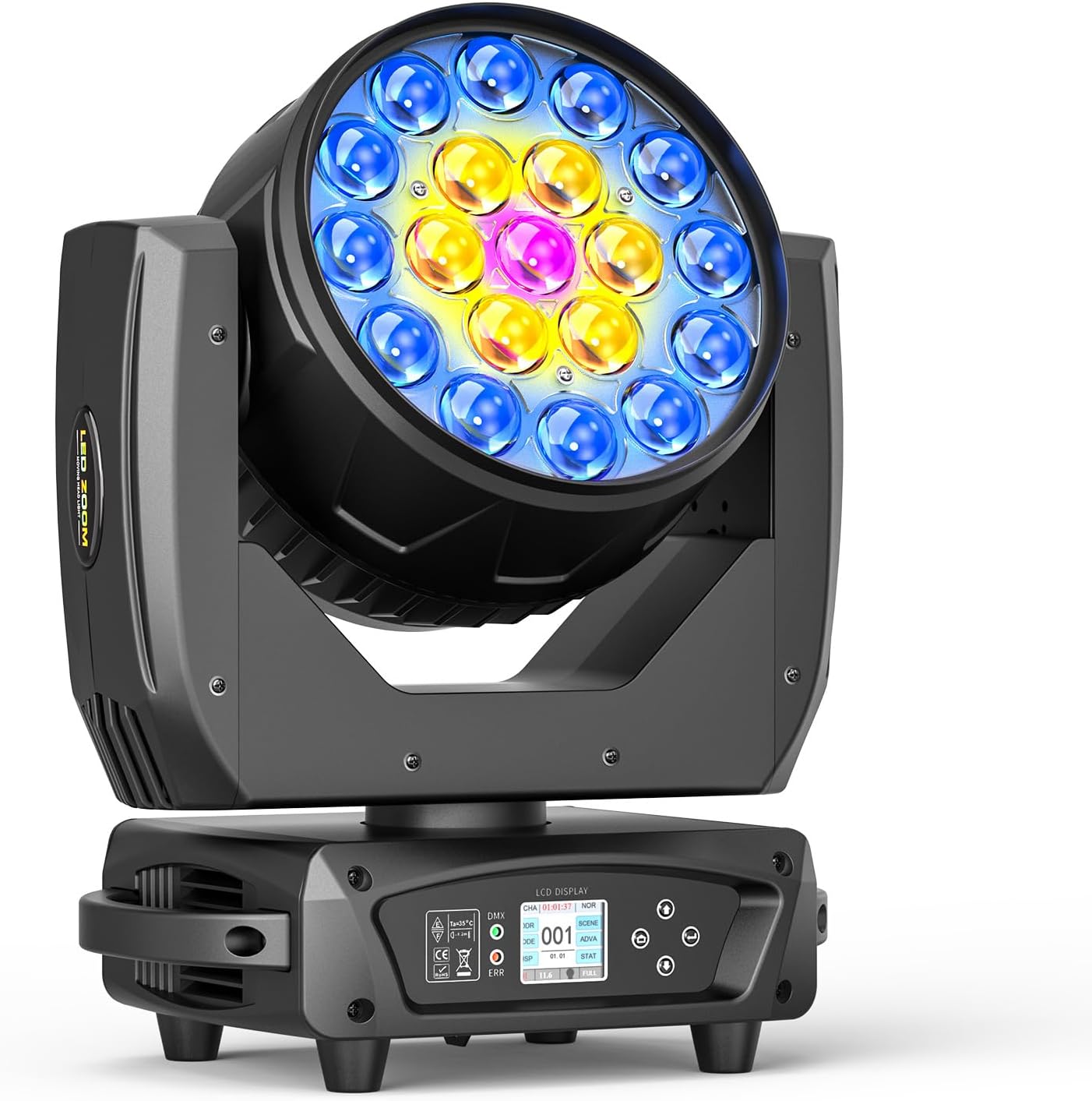
Image: The LCD display and navigation buttons for mode selection and settings adjustment.
1. Automatic Mode
In Automatic mode, the light cycles through pre-programmed patterns and color changes without external input. This is ideal for quick setup and continuous operation.
2. Sound-Activated Mode
The Sound-Activated mode allows the light to react to ambient sound or music, changing patterns and movements in sync with the beat. Adjust sensitivity via the control panel.
3. Master-Slave Mode
Connect multiple lights in a Master-Slave configuration. One unit acts as the master, controlling all connected slave units, ensuring synchronized effects across your setup.
4. DMX512 Control Mode
For advanced control, connect the light to a DMX512 controller. The light supports 16 or 24 DMX channels, allowing precise manipulation of color, movement, dimming, strobe, and zoom effects. Refer to the DMX channel table in the user manual for detailed channel assignments.

Image: Illustration of the light's extensive pan (X-axis) and tilt (Y-axis) movement ranges.
Tlhokomelo
Regular maintenance ensures optimal performance and longevity of your light.
- Ho hloekisa: Periodically clean the lenses and exterior with a soft, lint-free cloth. Avoid abrasive cleaners or solvents.
- Sistimi ea ho Pholisa: Ensure the cooling fan and vents are free from dust and debris to prevent overheating. The light features an aluminum heat dissipation system for efficient cooling.
- Polokelo: When not in use, store the light in a dry, dust-free environment, preferably in its original packaging or a protective case.
Ho batle phoso
| Bothata | Lebaka le ka khonehang | Tharollo |
|---|---|---|
| Leseli ha le bonese | No power supply; Power switch off; Faulty cable | Check power connection; Turn power switch ON; Replace power cable |
| Ha ho tlhahiso ea khanya | Dimmer at 0%; Mode not selected; DMX signal issue | Increase dimmer level; Select operating mode; Check DMX connections/settings |
| Erratic movement/behavior | Interference; DMX address conflict; Loose connections | Check for interference; Verify DMX addresses; Secure all cables |
Litlhaloso
| Sebopeho | Lintlha |
|---|---|
| Mohloli oa Leseli | 19x10W 4-in-1 RGBW LEDs |
| Rated Power | 200W |
| Mekhoa ea ho Laola | Automatic, Sound-Activated, Master-Slave, DMX512 (16/24CH) |
| Phetoho ea X-axis | 540° |
| Ho potoloha ha Y-axis | 270° |
| Beam Angle | 3-55 degrees (adjustable) |
| Ho fifala | 0-100% Linear Dimming |
| Lebelo la Strobe | 1-20Hz |
| E lekantsoe Voltage | AC100-240V, 50/60Hz |
| Lintho tse bonahalang | Aluminium |
| Boima ba Ntho | 13.88 liponto |
| Litekanyo tsa Sehlahisoa | 12.59"L x 8.81"W x 15.74"H |
Warranty & Support
Datewink products are backed by a manufacturer's warranty. For specific warranty details, technical support, or service inquiries, please refer to the contact information provided on the product packaging or the official Datewink websebaka. Boloka rasiti ea hau ea theko bakeng sa likopo tsa tiisetso.
Ask a question about this manual
Ask about setup, troubleshooting, compatibility, parts, safety, or missing instructions. Manuals+ will review the question and use this page’s manual context to help answer it.