
Selelekela
Thank you for choosing the Vieta Pro Way 4 Headband Headphones. These headphones are designed to provide a superior audio experience with advanced features such as Bluetooth 5.4 connectivity, an integrated microphone, a dedicated gaming mode, and dual pairing capabilities. This manual will guide you through the setup, operation, and maintenance of your new headphones.
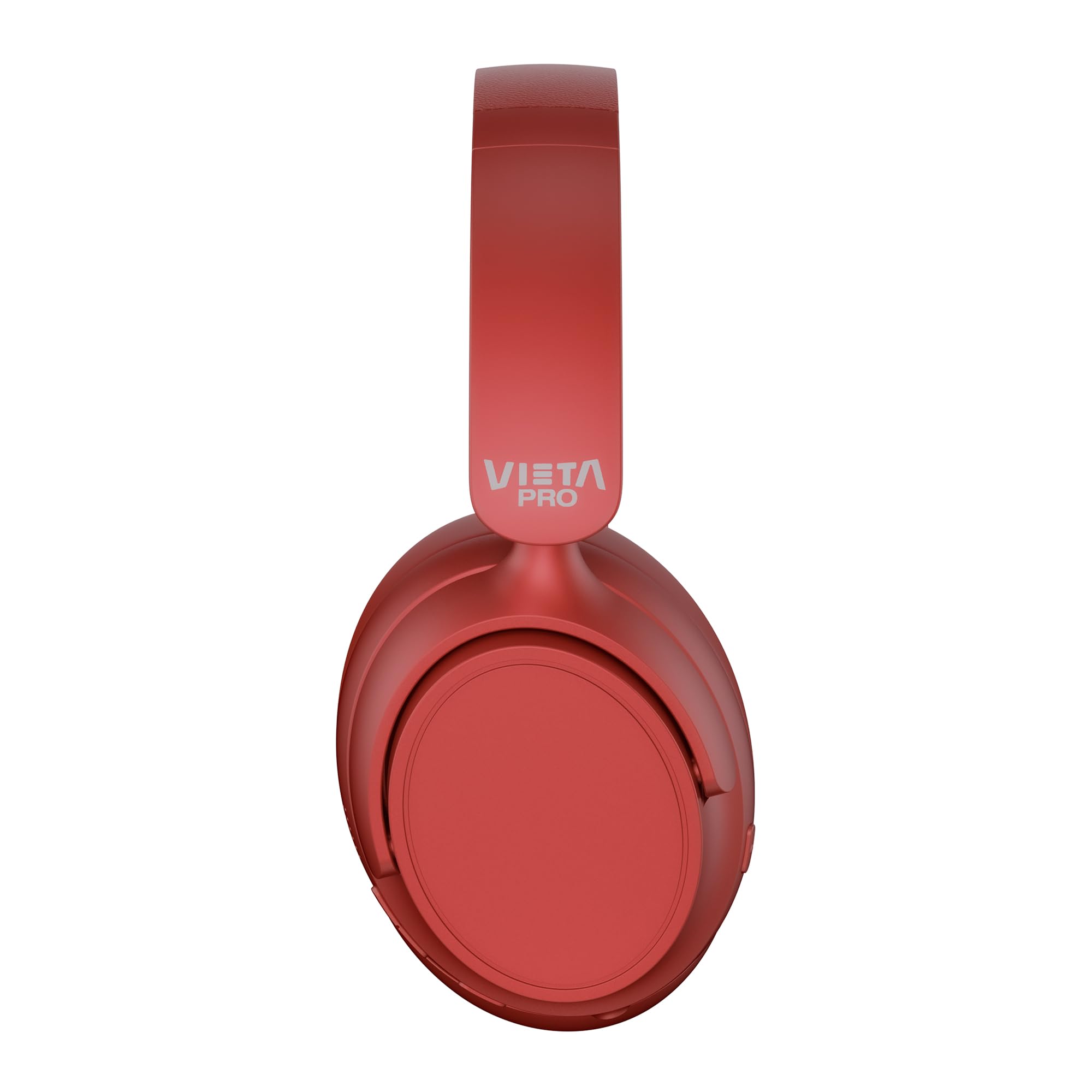
Setšoantšo: Pele view of the Vieta Pro Way 4 Headband Headphones in red.
Litaba tsa Sephutheloana
Ka kopo netefatsa hore lintho tsohle li teng ka har'a sephutheloana:
- Vieta Pro Way 4 Headband Headphones
- USB Charging Cable
- 3.5mm Audio Cable with integrated microphone
- Bukana ea mosebelisi (tokomane ena)
Sehlahisoa se Felletseview
Familiarize yourself with the various parts and controls of your headphones.

Image: Right earcup with power button, volume controls, USB-C charging port, and 3.5mm audio jack.
- Konopo ea Matla: E sebelisetsoa ho bulela/tima le ho qala ho kopanya Bluetooth.
- Phatlalatso ea Phahamiso/Konopo ea Pina e Latelang: Press briefly to increase volume, press and hold for next track.
- Phatlalatso ea Phatlalatso/Konopo ea ho Pina e Fetileng: Press briefly to decrease volume, press and hold for previous track.
- Konopo ea Multifunction: For play/pause, answer/end calls, activate voice assistant.
- Boema-kepe ba ho tjhaja USB-C: Bakeng sa ho tjhaja li-headphones.
- 3.5mm Audio Jack: For wired connection using the included audio cable.
- Microphone e Kopaneng: For calls and voice assistant commands.

Image: Left earcup and adjustable headband of the Vieta Pro Way 4 headphones.
Tlhophiso
1. Ho tjhaja Li-headphone
Pele o sebedisa la pele, tjhaja di-headphone tsa hao ka botlalo.
- Hokela thapo ea ho tjhaja ea USB koung ea USB-C ho li-headphone.
- Hokela ntlha e 'ngoe ea thapo ho adaptara ea matla ea USB (ha e kenyelelitsoe) kapa koung ea USB ea komporo.
- The LED indicator will show charging status (e.g., red for charging, blue/off for fully charged).
- Tefiso e felletseng e fana ka lihora tse 50 tsa ho bapala.
2. Ho tima/Ho tima
- Ho Matlafatsa: Tobetsa 'me u tšoare konopo ea Power metsotsoana e ka bang 3 ho fihlela sesupo sa LED se benya.
- Ho tima: Tobetsa o be o tshware konopo ya Matla ka metsotsoana e ka bang 3 ho fihlela sesupo sa LED se tima.
3. Bluetooth pairing
Pair your headphones with your device for wireless audio.
- Netefatsa hore li-headphone li tima.
- Tobetsa 'me u tšoare konopo ea Power metsotsoana e ka bang 5-7 ho fihlela sesupo sa LED se bonesa bofubelu le boputsoa ka ho fapanyetsana, se bontšang mokhoa oa ho kopanya.
- Sesebedisweng sa hao (smartphone, tablet, komporo), bula Bluetooth mme o batle disebediswa tse teng.
- Select "Vieta Pro Way 4" from the list of found devices.
- Once connected, the LED indicator will flash blue slowly or turn solid blue.
4. Dual Pairing
The Vieta Pro Way 4 headphones support dual pairing, allowing simultaneous connection to two devices (e.g., phone and computer).
- Pair the headphones with the first device as described in "Bluetooth Pairing".
- Tima Bluetooth sesebelisoa sa pele. Li-headphone li tla kena hape mokhoeng oa ho li kopanya.
- Kopanya li-headphone le sesebelisoa sa bobeli.
- Kenya Bluetooth hape sesebelisoa sa pele. Li-headphone li lokela ho hokela ka bohona ho lisebelisoa ka bobeli.
- Audio will play from the device that is actively transmitting.
5. Wired Connection (Aux-in)
Use the included 3.5mm audio cable for a wired connection. This is useful when the battery is low or for devices without Bluetooth.
- Connect one end of the 3.5mm audio cable to the Aux-in port on the headphones.
- Connect the other end to the 3.5mm audio jack of your device.
- The headphones will automatically switch to wired mode. The integrated microphone on the cable can be used for calls in this mode.
Litaelo tsa Ts'ebetso
Ho Bapala 'Mino
- Bapala/Emisa: Tobetsa konopo ea Multi-function hang.
- Volume holimo: Tobetsa konopo ea Volume Up hang.
- Buka ea tlase: Tobetsa konopo ea Volume Down hang.
- Pina e Latelang: Tobetsa o be o hatelle konopo ya Volume Up.
- Pina e fetileng: Tobetsa 'me u tšoare konopo ea Volume Down.
Tsamaiso ea mohala
- Araba/Khaola mohala: Tobetsa konopo ea Multi-function hang.
- Hana Mohala: Tobetsa 'me u tšoare konopo ea Multi-function bakeng sa metsotsoana e 2.
- Hape Nomoro ea ho Qetela: Tobetsa habeli konopo ea Multi-function.
Mothusi oa Lentsoe
- Kenya Mothusi oa Lentsoe (Siri, Mothusi oa Google, joalo-joalo): Tobetsa hararo konopo ea Multi-function.
Mokhoa oa Papali
Activate Gaming Mode to reduce Bluetooth latency for an optimized gaming experience.
- Activate/Deactivate Gaming Mode: Press the Power button twice quickly. The headphones will provide an audio cue.
Tlhokomelo
- Ho hloekisa: Hlakola li-headphones ka lesela le bonolo, le omeletseng. Se ke oa sebelisa li-abrasive cleaners kapa solvents.
- Polokelo: Store the headphones in a cool, dry place. The foldable design allows for compact storage.
- Tlhokomelo ea Betri: Ho lelefatsa bophelo ba betri, qoba ho ntsha di-headphone ka botlalo kgafetsa. Di tjhaje kgafetsa.
- Mathata a Metsi: Li-headphone tsena ha li kenelle metsi. Qoba ho pepesehela metsi kapa mongobo o feteletseng.

Image: The Vieta Pro Way 4 headphones in their foldable configuration, demonstrating portability.
Ho batle phoso
| Bothata | Lebaka le ka khonehang | Tharollo |
|---|---|---|
| Li-headphone ha li sebetse. | Betri e tlase. | Jarisa li-headphone ka botlalo. |
| Ha e khone ho para ka Bluetooth. | Headphones not in pairing mode; Bluetooth disabled on device; too far from device. | Ensure headphones are in pairing mode (flashing red/blue). Enable Bluetooth on your device. Move headphones closer to the device (within 10 meters). |
| Ha ho na molumo kapa molumo o tlase. | Volume too low on headphones or device; incorrect audio source selected; headphones not connected. | Increase volume on both headphones and device. Check Bluetooth connection or 3.5mm cable connection. Ensure the correct audio output is selected on your device. |
| Microphone ha e sebetse. | Microphone muted on device; incorrect input device selected; issue with 3.5mm cable microphone. | Check device settings to ensure microphone is not muted and "Vieta Pro Way 4" is selected as input. If using wired connection, ensure the cable's microphone is enabled/functional. |
| Audio delay in games. | Gaming Mode is not activated. | Activate Gaming Mode by double-pressing the Power button. |
Litlhaloso
| Lebitso la Mohlala | Vieta Pro Way 4 |
| Nomoro ea Mohlala | Khutsa 3 |
| Khokahano | Bluetooth 5.4, 3.5mm Aux-in |
| Bophelo ba Battery | Ho fihlela lihora tse 50 |
| Microphone | Integrated (for Bluetooth), In-line (for 3.5mm cable) |
| Likarolo Tse Khethehileng | Gaming Mode, Dual Pairing, Foldable Design, Passive Noise Reduction |
| Tšitiso | 32 ohm |
| Ho Bea Litsebe | Over-ear (Circumaural) |
| Lintho tse bonahalang | Plastiki |
| Ho hanyetsa Metsi | Ha e kenelle metsi |
| Lisebelisoa tse lumellanang | Mobile devices, computers, game consoles |
Warranty le Tšehetso
For warranty information and technical support, please refer to the warranty card included in your product packaging or visit the official Vieta Pro websebaka.
Ka kopo, boloka bopaki ba theko bakeng sa likopo life kapa life tsa tiisetso.