
Selelekela
Thank you for choosing the Generic H1000 Portable Document Scanner. This high-speed, versatile scanner is designed to efficiently digitize various documents, books, photos, and 3D objects. This manual provides essential information for proper setup, operation, and maintenance to ensure optimal performance and longevity of your device.
1. Seta
1.1 Ho phutholla le likarolo
Carefully unpack your scanner and ensure all components are present. The package should include:
- 1 x Foldable Scanner Unit
- 1 x thapo ea USB
- 1 x Scanning Mat
Khokahano ea Hardware ea 1.2
- Beha materase ea ho skena holim'a sebaka se bataletseng, se tsitsitseng.
- Unfold the scanner unit and place it on the designated area of the scanning mat.
- Connect the scanner to your computer using the provided USB 2.0 cable.

Image: The Generic H1000 Document Scanner set up with a laptop, demonstrating the connection and scanning process.
1.3 Ho kenya Software
The operating software can be downloaded. Please refer to the included manual (if physical) or the manufacturer's website for the download link.
- Download the software package to your computer.
- Matha setlhophiso 'me u latele litaelo tse skrineng.
- The software supports multiple languages, including German, Russian, French, Japanese, Spanish, Italian, and English.
- After installation, launch the software to ensure proper communication with the scanner.
2. Litaelo tsa Ts'ebetso
2.1 Mokhoa oa Motheo oa ho Skena
- Ensure the scanner is connected and the software is running.
- Place the document or object you wish to scan on the scanning mat, centered under the scanner's camera.
- In the software interface, select your desired scanning mode (e.g., document, book, photo).
- Click the "Scan" or "Capture" button. The scanner features 1-second high-speed scanning for quick digitization.
- The scanned image will appear in the software for preview le ts'ebetso e tsoelang pele.
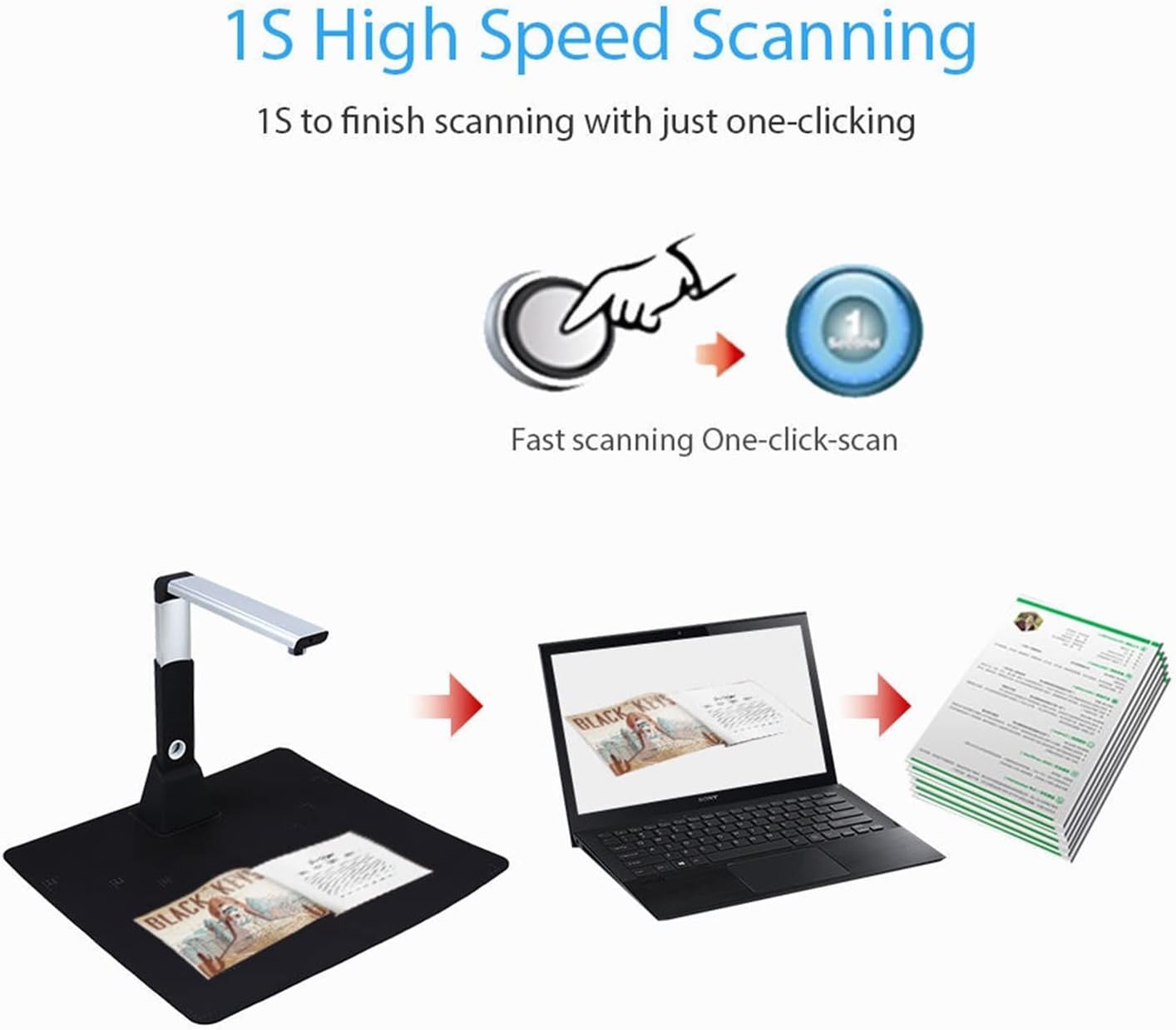
Image: Illustration of the 1-second high-speed scanning feature, activated with a single click.
2.2 Scanning Various Document Types
The H1000 scanner is capable of scanning a wide range of materials:
- Litokomane: A3, A4, A5, A6, A7 sizes.
- Libuka: The unique downward-facing lens design is ideal for scanning books without damaging the spine.
- Linepe: Digitize your physical photographs.
- ID Cards/Receipts: Capture small items like identification cards, invoices, and receipts.
- 3D Objects: Scan small three-dimensional objects.
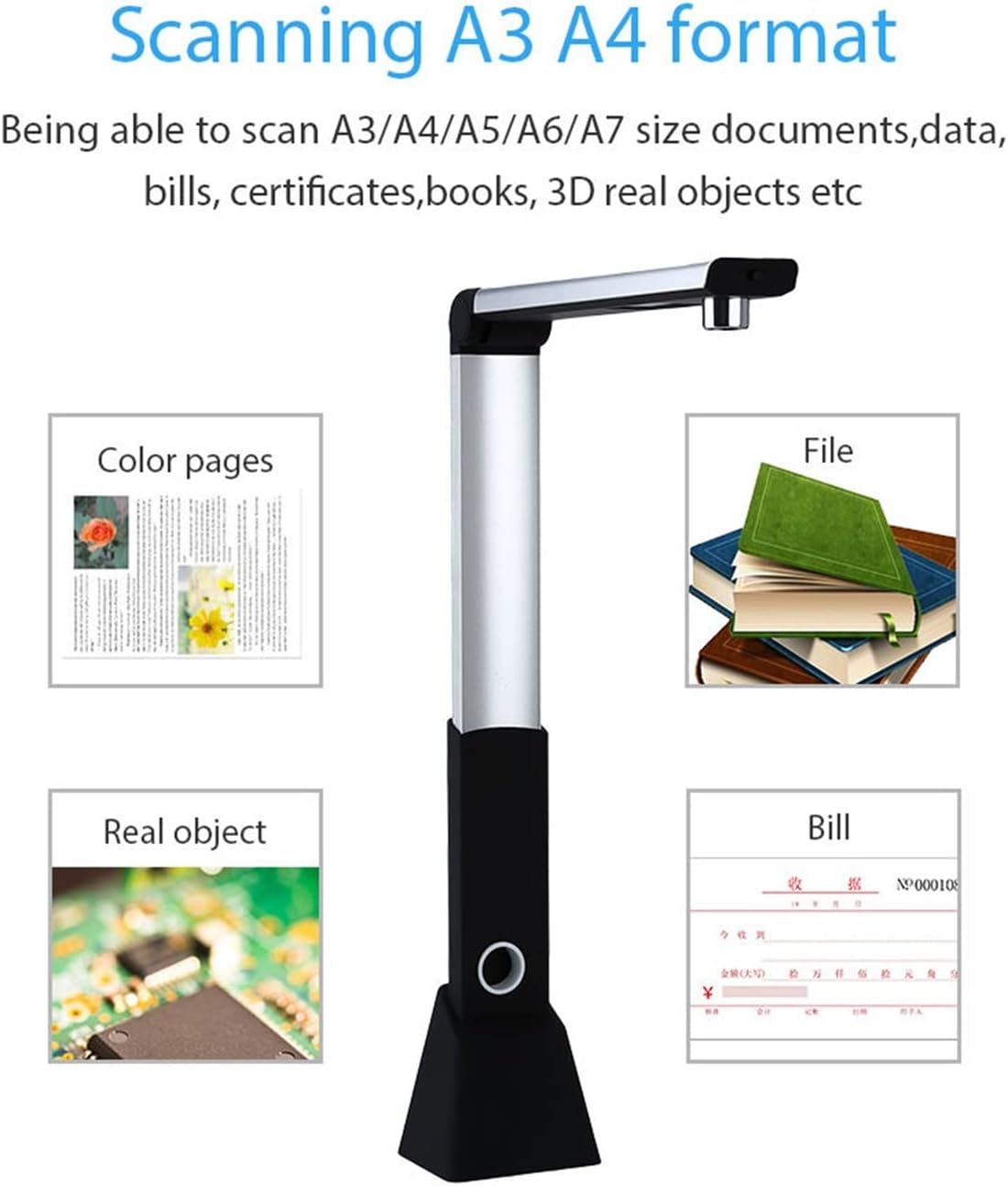
Image: Visual representation of the scanner's versatility, showing it can scan color pages, files, real objects, and bills across A3, A4, A5, A6, and A7 formats.
2.3 Likarolo tse tsoetseng pele
- Timing Shooting/Fast Copying: Set an interval time for automatic, continuous scanning, useful for multi-page documents or books.
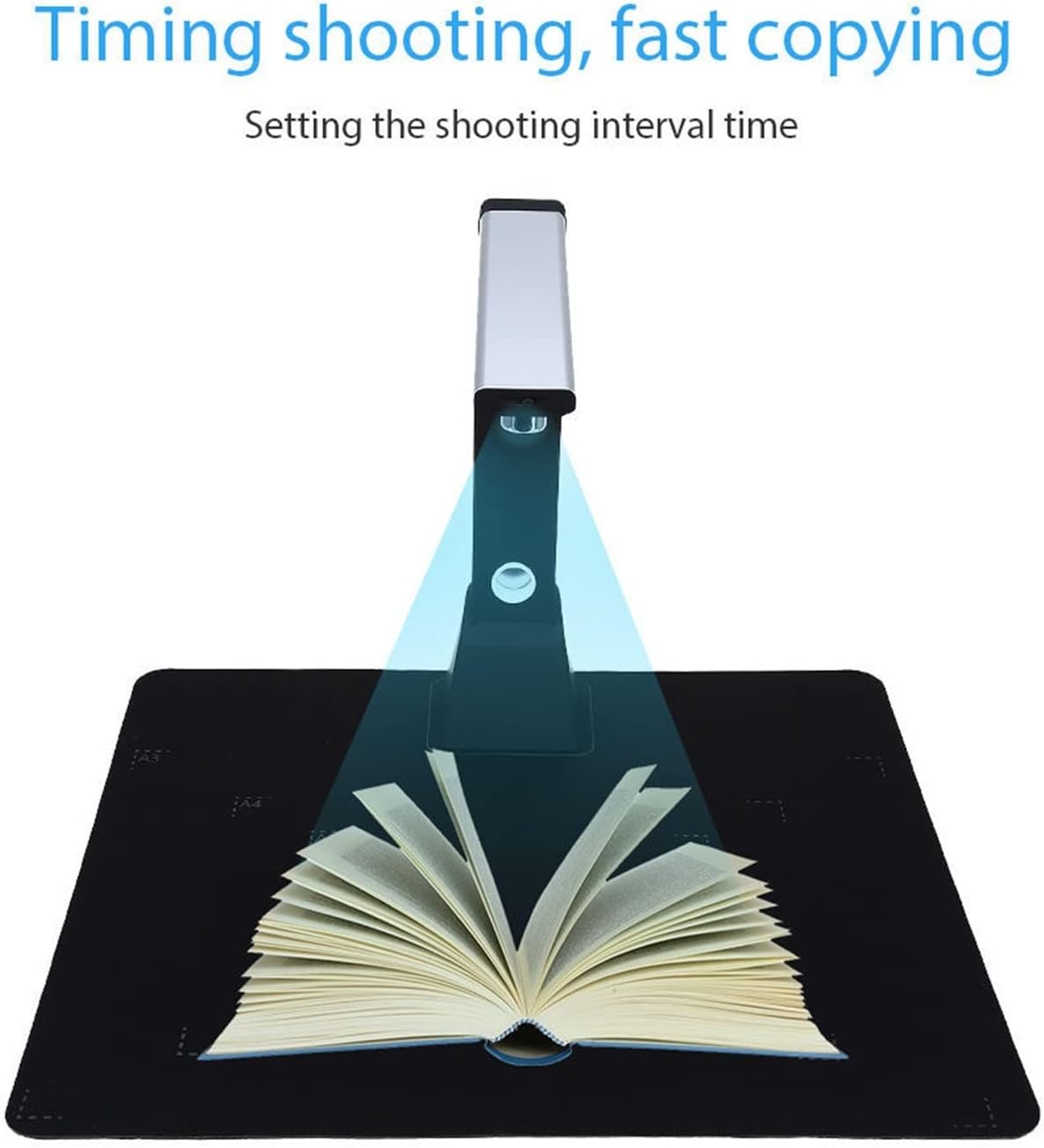
Image: The scanner positioned over an open book, demonstrating the "Timing shooting, fast copying" function by setting a shooting interval.
- OCR (Tlhahiso ea Sebopeho sa Optical): Convert scanned images of text into editable and searchable text documents.
- Temohelo ea Barcode: Automatically recognize and extract information from barcodes.
- Ho Rekota Lifitio: Utilize the scanner's camera to record video, useful for demonstrations or tutorials.
- Whiteboard Display Function: Project scanned content or live camera feed onto a monitor or projector for presentations.
- Ntlafatso ea Litšoantšo: The software offers various editing tools including:
- Tokiso ea phoso e iketsang
- Smart cropping and rotation
- Smart pagination and merging
- Saturation, contrast, and binarization adjustment
- Litlhophiso tsa watermark
- Image quality compression
- Export Formats: Export scanned documents to various formats, including PDF.
3. Tlhokomelo
To ensure the longevity and optimal performance of your H1000 scanner, follow these maintenance guidelines:
- Ho hloekisa: Use a soft, dry, lint-free cloth to gently wipe the scanner's exterior. For the camera lens, use a specialized lens cleaning cloth and solution if necessary. Avoid abrasive cleaners or solvents.
- Polokelo: Ha e sa sebelisoe, mena sekena bakeng sa polokelo e kopaneng. E boloke sebakeng se phodileng, se omileng hole le letsatsi le mocheso o feteletseng.
- Lintlafatso tsa Software: Nako le nako hlahloba moetsi oa webbakeng sa lintlafatso tsa software ho netefatsa hore o na le likarolo tsa morao-rao le litokiso tsa liphoso.
- Ho tšoara: Handle the scanner with care. Avoid dropping it or subjecting it to strong impacts.
4. Ho rarolla mathata
If you encounter issues with your H1000 scanner, refer to the following common problems and solutions:
- Scanner not recognized by computer:
- Ensure the USB cable is securely connected to both the scanner and the computer.
- Leka kou e fapaneng ea USB komporong ea hau.
- Restart your computer and the scanner software.
- Verify that the scanner drivers are correctly installed. Reinstall the software if necessary.
- Boleng bo bobe ba setšoantšo:
- Ensure the document or object is placed flat and centered on the scanning mat.
- Check for sufficient lighting. The scanner has natural light and LED supplement light.
- Clean the camera lens if it appears dirty.
- Adjust image settings (focus, exposure, sharpness, contrast) within the software. The scanner features manual focus.
- Software crashes or freezes:
- Close and restart the software.
- Netefatsa hore khomphutha ea hau e fihlela litlhoko tse fokolang tsa sistimi bakeng sa software.
- Sheba le ho kenya lisebelisoa life kapa life tse fumanehang tsa software.
If the problem persists, please contact customer support for further assistance.
5. Litlhaloso
| Mohlala | H1000 (CADCYLJED) |
| Qeto | 10.0 Megapixel (3672 * 2856) |
| Mofuta oa Scan | Documents, Files, Invoices, Books, Photos, ID Cards, 3D Objects |
| Boholo ba Scan | A3, A4, A5, A6, A7 |
| Sebopeho sa setšoantšo | JPEG, GIF, BMP, TIF, PDF |
| Mofuta oa Mmala | Color, Black-White, Grayscale |
| Lebelo la ho Hlakola | Ka tlase ho motsotsoana o le mong |
| Botebo ba Mmala | 24 likotoana |
| Tsepamisa maikutlo | Focus ka Manual |
| Mohloli oa Leseli | Natural Light + LED Supplement Light |
| Sehokedi | USB 2.0 |
| Software Development Kit (SDK) | Provided (API and control) |
| Boima ba 'mele | 1000 lik'hilograma |
| Methati (E koaetsoe) | Hoo e ka bang. 31 cm (H) x 8.2 cm (W) x 6.5 cm (D) |
| Litekanyo (tse sa phutholoha) | Hoo e ka bang. 31 cm (H) x 24.3 cm (W) x 6.5 cm (D) |

Setšoantšo: E qaqileng view of the scanner's 10.0 Megapixel HD camera and built-in LED lights.

Image: Dimensions of the scanner in both folded and unfolded states, highlighting its portable design.
6. Tiisetso le Tšehetso
For warranty information, please refer to the documentation included with your purchase or contact the retailer.
For technical support or further inquiries, please visit the manufacturer's websebaka kapa ikopanye le lefapha la litšebeletso tsa bareki.