
Selelekela
This manual provides essential information for the proper setup, operation, and maintenance of your ONN 24-inch FHD Gaming Monitor, model 100027813. Please read this manual thoroughly before using the product to ensure optimal performance and safety. This monitor is designed to deliver a high-quality gaming experience with its 1080p resolution, 165Hz refresh rate, 1ms response time, and FreeSync technology.
Boitsebiso ba Tšireletseho
Always observe the following safety precautions to prevent damage to the monitor and ensure user safety:
- Do not expose the monitor to rain or moisture to avoid fire or shock hazards.
- Se ke oa bula sehlahlo casing. Ha ho na likarolo tse ka sebelisoang ke mosebelisi kahare. Fetisetsa lits'ebeletso tsohle ho basebetsi ba tšoanelehang.
- Beha seipone sebakeng se tsitsitseng, se bataletseng ho thibela hore se se ke sa oa.
- Etsa bonnete ba hore ho na le moea o nepahetseng ho potoloha mochine. Se ke oa thibela menyetla ea moea.
- Sebelisa feela adaptara ea motlakase e fanoeng le sebali.
- Ntša sekonopo sekoting sa motlakase nakong ea lifefo tsa lehalima kapa ha se sa sebelisoe nako e telele.
Litaba tsa Sephutheloana
Netefatsa hore lintho tsohle li teng ka har'a sephutheloana:
- ONN 24-inch FHD Gaming Monitor
- Monitor Stand (Motheo le Molala)
- Adapter ea Matla
- DisplayPort Cable (6 ft)
- HDMI Cable (6 ft)
- Bukana ea mosebelisi (tokomane ena)

Image: Retail box of the ONN 24-inch Gaming Monitor, highlighting key features like 165Hz, 1ms response time, DisplayPort, HDMI, and Adaptive-Sync.
Tlhophiso
1. Ho Kopanya Setulo
- Tlosa sesupo ka hloko le lisebelisoa tsa ho ema sephuthelong.
- Attach the stand neck to the stand base. Secure it with the provided screw, if applicable.
- Align the assembled stand with the mounting slot on the back of the monitor. Gently push until it clicks into place or secure with screws as per the design.
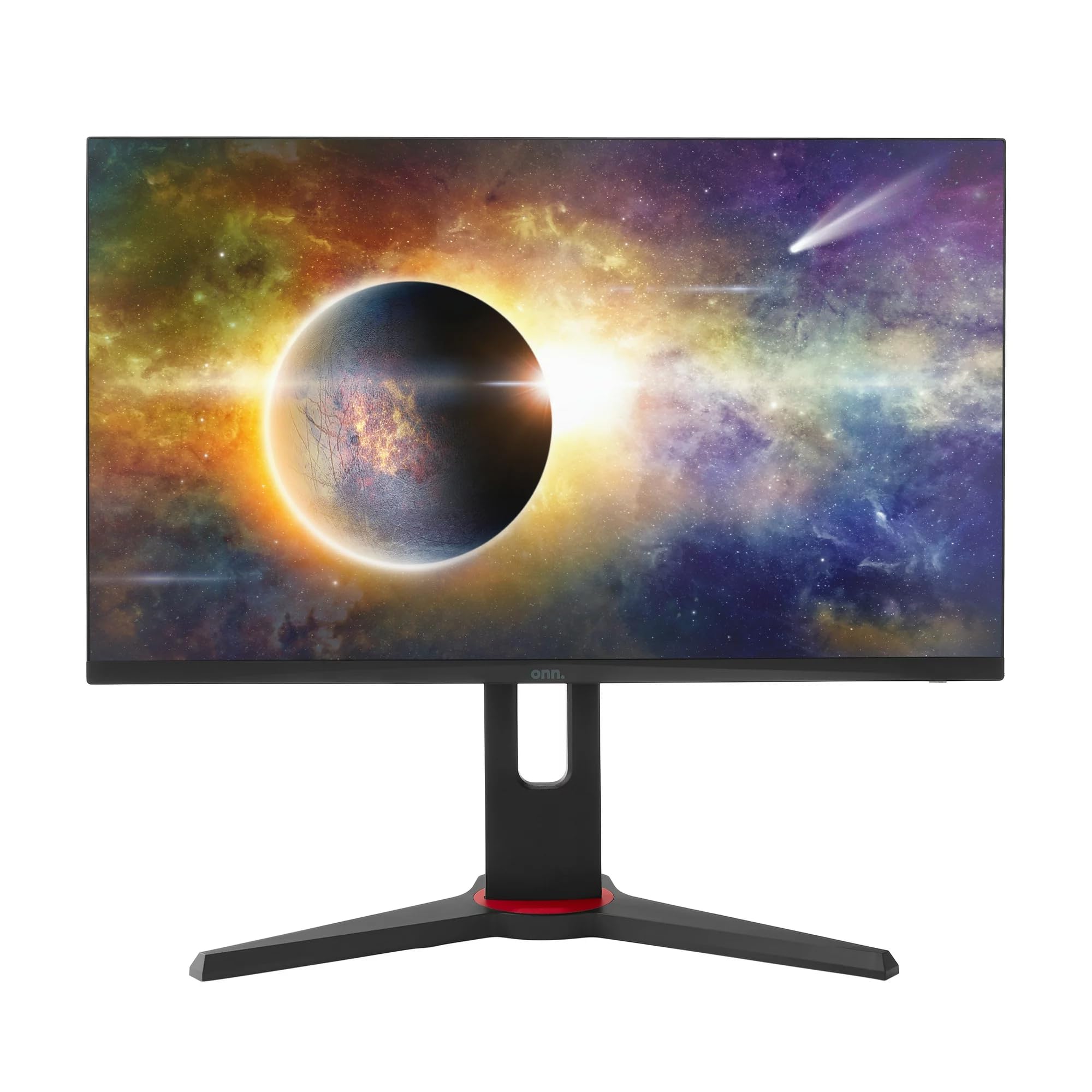
Setšoantšo: Pele view of the ONN 24-inch Gaming Monitor, fully assembled with its stand.

Setšoantšo: Ka morao view of the ONN 24-inch Gaming Monitor, illustrating the stand attachment and cable management area.
2. Ho hokela Lithapo
Locate the input ports on the back of your monitor:
- Matla: Hokela adaptara ea motlakase ho keno ea motlakase ea sekirini ebe u e hokela ho sokete ea motlakase.
- Input ea Video: Connect one end of the provided DisplayPort or HDMI cable to the corresponding port on your computer's graphics card and the other end to the monitor. The monitor supports 2 HDMI inputs and 1 DisplayPort input.
- Audio Output (Optional): If your monitor has a 3.5mm audio jack, you can connect external speakers or headphones.

Setšoantšo: Haufi view of the monitor's rear ports, including HDMI 1, HDMI 2, DisplayPort (DP), and power input.
3. Matla a ho Qala a Pele
- Netefatsa hore lithapo tsohle li hoketsoe ka mokhoa o sireletsehileng.
- Press the power button on the monitor (usually located on the back or bottom right).
- The monitor should display the ONN logo and then search for an input signal.
- If no image appears, ensure your computer is powered on and the correct input source is selected on the monitor (see Operating section).
Ho sebetsa
1. Matla On/O tima
Press the power button to turn the monitor on or off. The power indicator light will show the monitor's status (e.g., blue for on, amber for standby).
2. Ho Tsamaisa Menu ea Ponahatso ea Skrineng (OSD).
Your monitor features an OSD menu for adjusting various settings. Typically, buttons on the back or bottom of the monitor control the OSD:
- Konopo ea Menu: E bula lethathamo la OSD.
- Likonopo tsa ho Tsamaisa (Holimo / Tlase / Le letšehali / Ka ho le letona): Used to navigate through menu options.
- Khetha/Kena Konopo: E netefatsa khetho kapa e kenya sub-menu.
- Konopo ea ho Tsoa: E tsoa ho menu ea ha joale kapa OSD.
3. Ho Fetola Litlhophiso
Litlhophiso tsa bohlokoa tseo u ka li fetolang ka menu ea OSD li kenyelletsa:
- Khanya/Phapang: Lokisa khanya ka kakaretso le phapang lipakeng tsa libaka tse khanyang le tse lefifi.
- Litlhophiso tsa Mebala: Fetola mocheso oa 'mala, gamma, le maemo a RGB a motho ka mong.
- Mohloli oa Kenyelletso: Khetha ka letsoho pakeng tsa di-input tsa HDMI 1, HDMI 2, kapa DisplayPort.
- Sekhahla sa ho Nchafatsa: Ensure your graphics card and monitor are set to 165Hz for the smoothest experience. This is usually configured in your operating system's display settings.
- Nako ea Karabo: Adjust the monitor's response time setting (e.g., 1ms) for reduced motion blur in fast-paced games.
- Theknoloji ea FreeSync: Enable FreeSync in the OSD menu and in your AMD graphics card settings to synchronize the monitor's refresh rate with your GPU's frame rate, eliminating screen tearing and stuttering.
- Mekhoa ea Litšoantšo: Select from preset modes optimized for different content (e.g., Standard, Game, Movie, Text).

Image: The ONN 24-inch Gaming Monitor displayed in a typical desk setup, connected to a laptop with gaming peripherals.
Tlhokomelo
Ho hloekisa Monitor
- Ka linako tsohle u ntše polaka pele u hloekisa.
- Sebelisa lesela le bonolo, le se nang lint ha bobebe dampe kentsoeng ka metsi kapa mochini o hloekisang skrine o bobebe, o sa senyeheng.
- Se ke oa fafatsa sehloekisi ka kotloloho skrineng. E sebelise lesela pele.
- Qoba ho sebelisa lik'hemik'hale tse bohale, li-abrasive pads, kapa solvents.
Polokelo
Haeba u boloka mochine ka nako e telele, khaola lithapo tsohle, u li kenye ka har'a sephutheloana sa eona sa pele (haeba se le teng), 'me u se boloke sebakeng se phodileng, se omileng hole le letsatsi le mocheso o feteletseng.
Ho batle phoso
Haeba u na le mathata ka sesupo sa hau, sheba mathata a latelang a tloaelehileng le tharollo:
| Bothata | Tharollo e ka khonehang |
|---|---|
| Ha ho setšoantšo skrineng |
|
| Image is flickering or distorted |
|
| No sound (if using monitor speakers/audio out) |
|
| Monitor not reaching 165Hz |
|
Litlhaloso
Detailed technical specifications for the ONN 24-inch FHD Gaming Monitor (Model 100027813):
| Sebopeho | Tlhaloso |
|---|---|
| Nomoro ea Mohlala | 100027813 |
| Boholo ba skrine | 24 lisenthimithara |
| Qeto | FHD 1080p (1920x1080) |
| Refresh Rate | 165 Hz |
| Nako ea Karabelo | 1 Milliseconds |
| Bontša Theknoloji | IPS |
| Adaptive Sync | FreeSync |
| Aspect ratio | 16:9 |
| Phapang karo-karolelano | 2000:1 |
| Bokaholimo ba Screen | Matte, Anti-glare with low blue light setting |
| Khokahano | 2 x HDMI, 1 x DisplayPort |
| Litekanyo tsa Sehlahisoa (D x W x H) | 61.3 x 11.3 x 37.3 cm, |
| Boima ba Ntho | 6.1 lik'hilograma |
| Mmala | Ntsho |
| Mofuta oa ho Beha | Desk ea Thaba |
| Tšebeliso e khethehileng | Entertainment, Gaming |
Tiisetso
This ONN 24-inch FHD Gaming Monitor is a renewed product. Warranty terms and conditions for renewed products may vary. Please refer to the specific warranty information provided by the seller or retailer at the time of purchase. It is recommended to retain your proof of purchase for any warranty claims.
Tšehetso
For technical assistance, troubleshooting beyond this manual, or warranty inquiries, please contact the retailer or the Amazon Renewed support channel where the product was purchased. Have your model number (100027813) and proof of purchase ready when contacting support.


