
Selelekela
The LAUNCH CRP129i V2.0 is an advanced automotive diagnostic scan tool designed for comprehensive vehicle system analysis. It provides diagnostic functions for Engine, Transmission, Anti-lock Braking System (ABS), and Supplemental Restraint System (SRS), along with various reset and maintenance services. This manual provides instructions for the proper setup, operation, and maintenance of your device.
Se ka Lebokoseng
- 1* LAUNCH CRP129I V2.0 OBD2 Scanner
- 1* OBDII Diagnostic Cable
- 1 * DC 5V Charging Cable
- 1 * Buka ea mosebelisi
- 1 * Storage Pack
Tlhophiso
- Ho tjhaja ha Pele: Before first use, connect the device to the DC 5V Charging Cable and allow it to charge for approximately 8 hours. The device typically ships with no battery charge.
- Matlafatsa: Tobetsa 'me u tšoare konopo ea matla ho bulela sesebelisoa.
- Khokahano ea Wi-Fi: Follow the on-screen prompts to connect the device to a Wi-Fi network. This is necessary for software updates. Initial updates may take up to 45 minutes to download and install automatically.
- Khokahano ea Likoloi: Locate your vehicle's OBDII port, usually under the dashboard on the driver's side. Connect the OBDII Diagnostic Cable from the scanner to the vehicle's OBDII port. Ensure the vehicle's ignition is in the 'ON' position (engine can be off).
Litaelo tsa Ts'ebetso
The CRP129i V2.0 features a touchscreen interface and physical navigation buttons for ease of use.
1. 4-System Diagnosis (Engine, Transmission, ABS, SRS)
This tool allows for comprehensive diagnostics across four critical vehicle systems. When a warning light appears for any of these systems, the scanner can identify the root cause.
- Sistimi ea Enjene: Retrieves fault codes (DTCs) and real-time sensor data related to engine performance, fuel supply, ignition, intake, and exhaust systems.
- Sistimi ea phetiso: Diagnoses issues related to engine power transmission to the wheels, including the transmission, clutch, and drive shafts. It can retrieve fault codes, check fluid levels, and inspect sensors.
- Sistimi ea ABS: Identifies problems within the anti-lock braking system, which prevents wheel lockup during emergency braking. Reads ABS-related fault codes and checks wheel speed and pressure sensors.
- SRS System: Reads and clears DTCs for the Supplemental Restraint System, addressing issues with airbags, seat belt pretensioners, and the SRS ECU.

Image: LAUNCH CRP129i V2.0 displaying diagnostic options for Engine, Transmission, ABS, and SRS systems.

Image: Screen of LAUNCH CRP129i V2.0 showing system selection menu for Powertrain Control Module, Transmission Control Module, ABS, and Restraint Control Module.
2. 12 Reset Functions
The CRP129i V2.0 offers 12 essential reset and maintenance functions. Function availability may vary by vehicle model.
- Ho tsosolosa oli: E seta botjha tsamaiso ya bophelo ba oli kamora ho fetola oli.
- Nchafatso ea DPF: E laola tsosoloso ea sefa sa diesel Particulate.
- TPMS Reset: Resets Tire Pressure Monitoring System sensors.
- Ho tsoa mali ka ABS: Performs brake bleeding to restore ABS brake sensitivity.
- Ho ngola khoutu ea Injector: Codes new injector numbers to the ECU.
- Air/Fuel Reset: Adjusts air/fuel ratio parameters.
- Ho ikamahanya le maemo a throttle: Relearns throttle body position.
- Ho seta botjha BMS: Resets the Battery Management System.
- SAS Calibration: Calibrates the Steering Angle Sensor.
- Ho seta botjha EPB: Resets the Electronic Parking Brake.
- AFS Headlamp Khutlisa: Resets the Adaptive Front-lighting System.
- Seta botjha AdBlue: Resets the urea system after maintenance.

Image: LAUNCH CRP129i V2.0 displaying 12 maintenance services.
3. Full OBD2 Functionality
The scanner supports all 10 OBD2 modes, ensuring comprehensive emissions-related diagnostics for vehicles post-1996, including OBDII, EOBD, and CAN standards.
4. Real-Time Live Data & Battery Monitoring
View real-time data streams in a 4-in-1 merged graph format, including parameters like oil temperature, speed, and tire pressure. Data can be recorded, replayed, and shared via email. The integrated battery monitoring function assesses battery health and voltagmaemo a.
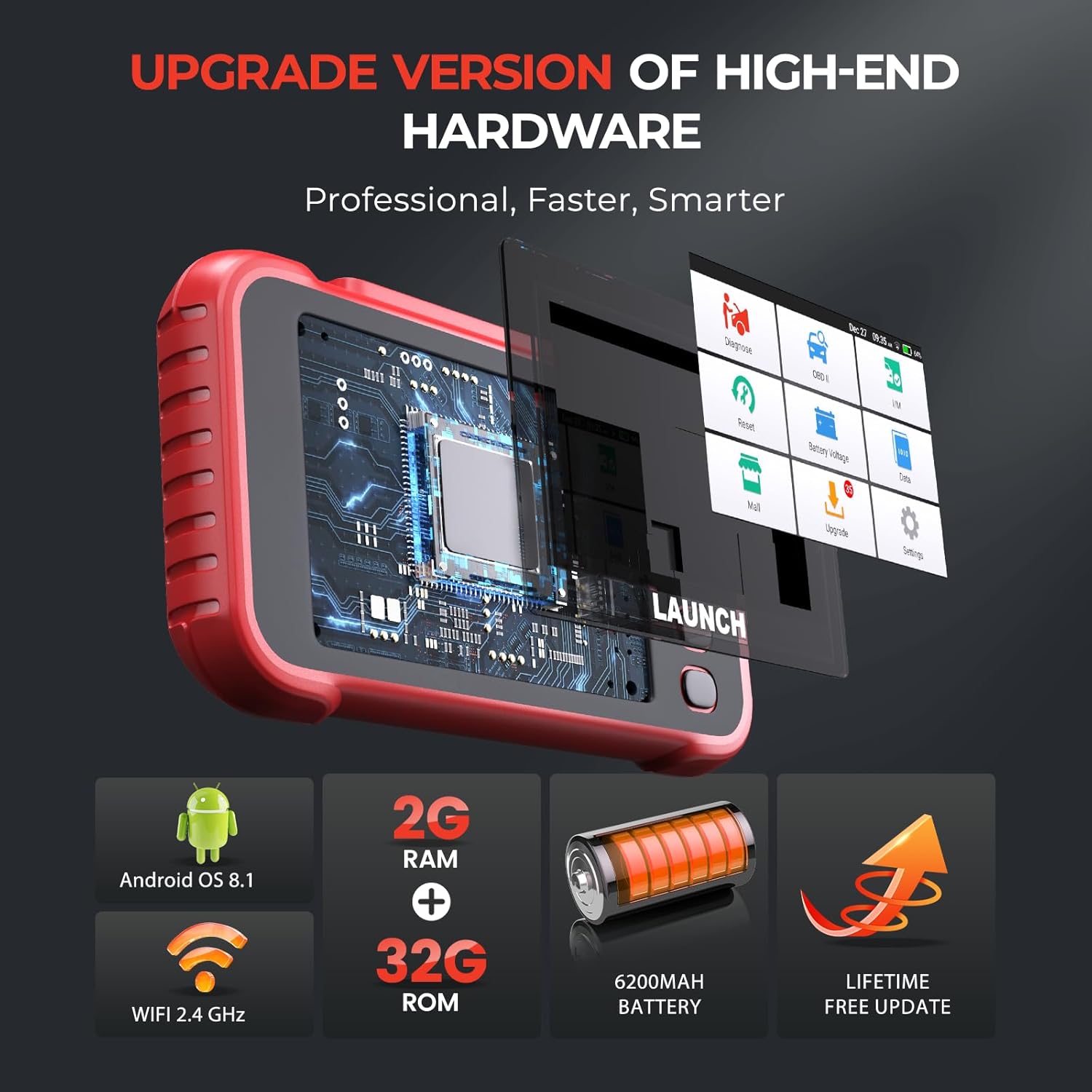
Image: LAUNCH CRP129i V2.0 displaying a real-time data stream graph.

Image: LAUNCH CRP129i V2.0 displaying a battery voltage kerafo.
5. Auto VIN Scan & Diagnostic Reports
The device automatically identifies your vehicle's brand, model, and year via VIN scanning. After diagnosis, detailed reports can be viewed, shared, or printed for thorough analysis.
6. FCA AutoAuth Access
For 2017 and newer FCA (Chrysler, Jeep, Dodge, Fiat) vehicles with a Secure Gateway Module (SGW), the tool supports FCA AutoAuth for diagnostics and bidirectional features.

Image: The LAUNCH CRP129i V2.0 OBD2 Scanner Diagnostic Tool.
Tlhokomelo
- Lintlafatso tsa Software: Regularly connect the device to Wi-Fi to download and install the latest software updates. This ensures optimal performance and compatibility with new vehicle models.
- Ho hloekisa: Use a soft, dry cloth to clean the device's screen and exterior. Avoid abrasive cleaners or solvents.
- Polokelo: Store the scanner in its provided storage pack in a cool, dry place away from direct sunlight and extreme temperatures when not in use.
Ho batle phoso
- Sesebediswa Ha se Matla: Ensure the device is fully charged or connected to the vehicle's OBDII port. Check the charging cable connection.
- Ha ho Puisano le Koloi: Verify the OBDII cable is securely connected to both the scanner and the vehicle's port. Ensure the vehicle's ignition is on. Check vehicle compatibility.
- Update Issues: Ensure a stable Wi-Fi connection. If updates fail, try restarting the device and your Wi-Fi router.
- Lipalo tse sa nepahalang: Ensure the vehicle's VIN is correctly identified. Consult the vehicle's service manual for expected parameter values.
Litlhaloso
| Sebopeho | Tlhaloso |
|---|---|
| Mohlala | CRP129I V2.0 |
| Mokhoa oa tšebetso | Android OS 8.1 |
| Boima ba Ntho | 2.27 liponto |
| Litekanyo tsa sephutheloana | 9.85 x 7.17 x 3.07 lisenthimithara |
| Libetri | 1 Betri ea lithium Ion ea hlokahala |
Warranty le Tšehetso
LAUNCH offers a 5-year warranty against manufacturer defects. For any issues or assistance, please contact LAUNCH customer support. For immediate concerns within the initial purchase period, refer to the retailer's return policy.