
1. Selelekela
This manual provides essential information for the installation, operation, and maintenance of your XPG CORE Reactor II VE 850W Power Supply Unit (PSU). Please read this manual thoroughly before installation and retain it for future reference. The XPG CORE Reactor II VE is an 80 Plus Gold certified power supply designed for stable and efficient power delivery to your computer system.
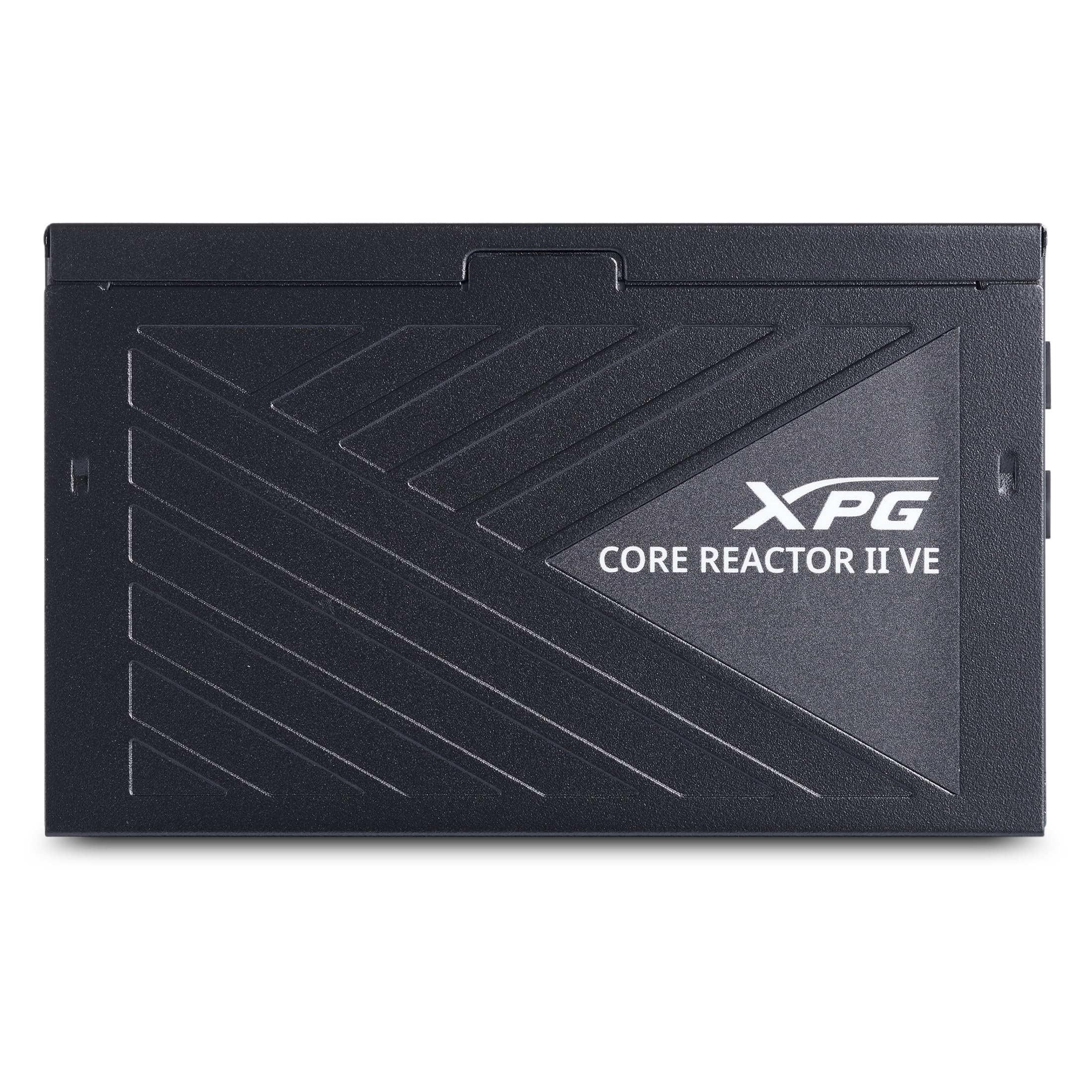
Image 1.1: XPG CORE Reactor II VE 850W Power Supply Unit, showcasing moralo oa eona o kopaneng.
2. Likarolo tsa Bohlokoa
- Setifikeiti sa Khauta sa 80 Plus: Ensures high power efficiency, reducing energy waste and operating costs.
- 12V-2x6 Connector: Provides direct and efficient power delivery to critical components, enhancing system stability and performance.
- DC-DC Circuit Design: Maximizes efficiency and reliability by converting power directly to the required output voltage, reducing heat and prolonging hardware lifespan.
- Low Ripple Noise Design: Features ripple levels below 60mV at +12V and below 40mV at +5V and +3.3V, ensuring stable power delivery and minimizing electrical interference.
- >15ms Hold Up Time: Exceeds Intel's standards for uninterrupted power delivery, ensuring reliable operation under challenging conditions.
- 8 Industrial Protections: Comprehensive protection suite including Over-Voltage Protection (OVP), Under-Voltage Protection (UVP), Over-Current Protection (OCP), Short-Circuit Protection (SCP), Over-Power Protection (OPP), Over-Temperature Protection (OTP), Surge & Inrush Protection (SIP), and No Load Operation (NLO).
- Compact 140mm Length: Maximizes space efficiency for easy integration into various PC setups and chassis.
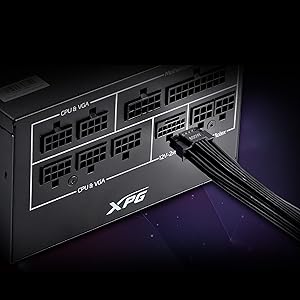
Image 2.1: Close-up of the 12V-2x6 connector for modern GPUs.
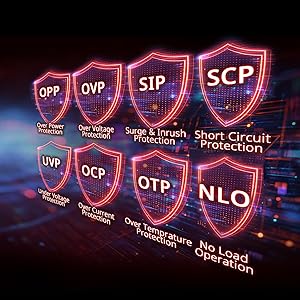
Image 2.2: Visual representation of the 8 industrial-grade protections.
3. Ho seta le ho kenya
Before installing the XPG CORE Reactor II VE PSU, ensure your computer system is powered off and disconnected from the main power outlet. Refer to your PC case and motherboard manuals for specific installation instructions.
3.1 Ho phutha
Carefully remove the PSU and all included cables from the packaging. Verify that all components listed in the product documentation are present.

Image 3.1: XPG CORE Reactor II VE PSU with its modular cables.
3.2 Mounting the PSU
- Position the PSU in the designated PSU bay of your PC case.
- Lokisetsa masoba a screw ho PSU le a ka keseng.
- Sireletsa PSU u sebelisa li-screw tse fanoeng.
3.3 Lithapo tse hokelang
The XPG CORE Reactor II VE is a fully modular PSU, allowing you to connect only the cables you need. This helps improve airflow and cable management within your PC case.

Image 3.2: Modular cable connection ports on the XPG CORE Reactor II VE PSU.
- Hokela thapo ea ATX ea li-pin tse 24 ho motherboard ea hau.
- Connect the 8-pin (4+4) EPS/CPU cable(s) to your motherboard.
- Connect the 6+2 pin PCIe cables to your graphics card(s). The 12V-2x6 connector is specifically designed for modern high-power GPUs.
- Connect SATA power cables to your storage drives (HDDs/SSDs) and other SATA-powered devices.
- Connect Molex cables to any peripherals requiring them.
- Netefatsa hore likhokahano tsohle li bolokehile ebile li lutse hantle.
4. Litaelo tsa Ts'ebetso
Once the PSU is installed and all components are connected, you can power on your system.
- Ensure the power switch on the back of the PSU is in the "OFF" (0) position.
- Connect the AC power cord to the PSU and then to a wall outlet or surge protector.
- Fetolela switch ea motlakase ho PSU boemong ba "ON" (I).
- Tobetsa konopo ea matla holim'a khetla ea khomphutha ea hau ho qala sistimi.
The XPG CORE Reactor II VE is designed for continuous, stable operation. Its FDB 120mm fan provides efficient cooling while maintaining low noise levels.
5. Tlhokomelo
Proper maintenance ensures the longevity and optimal performance of your PSU.
- Ho Tlosa Lerōle: Periodically clean the PSU fan and ventilation grilles to prevent dust buildup, which can impede airflow and lead to overheating. Use compressed air for this purpose, ensuring the system is powered off and unplugged.
- Tsamaiso ea Cable: Ensure cables are neatly routed and do not obstruct airflow within the PC case.
- Maemo a Tikoloho: Operate the PSU in a well-ventilated area, away from direct sunlight, excessive heat, and moisture.
6. Ho rarolla mathata
If you encounter issues with your XPG CORE Reactor II VE PSU, refer to the following common troubleshooting steps:
- Ha ho Matla:
- Lekola hore na thapo ea motlakase ea AC e hokahane ka mokhoa o sireletsehileng ho PSU le lebota.
- Ensure the PSU's power switch is in the "ON" (I) position.
- Verify that the 24-pin ATX and 8-pin EPS/CPU cables are correctly seated in the motherboard.
- Lekola lebota ka sesebelisoa se seng ho netefatsa hore se na le matla.
- Ho se tsitse ha Sisteme/Ho robeha:
- Ensure all power connectors to components (motherboard, CPU, GPU, drives) are firmly connected.
- Check for any loose cables or short circuits within the case.
- Haeba ho khoneha, leka PSU ka sete e fapaneng ea likarolo kapa tsamaisong e 'ngoe ho arola bothata.
- Lerata le Feteletseng:
- Check if the PSU fan is obstructed by dust or cables.
- Ensure the PSU is securely mounted to prevent vibrations.
- If the noise persists and is unusual, contact customer support.
If troubleshooting steps do not resolve the issue, contact XPG customer support for further assistance.
7. Litlhaloso
| Sebopeho | Lintlha |
|---|---|
| Lebitso la Mohlala | COREREACTORIIVE850G-BKCUS |
| Brand | XPG |
| Output Wattage | 850 Watts |
| Sebopeho sa Foromo | ATX |
| Mokhoa oa ho Pholisa | Moea |
| Litekanyo tsa Ntho (L x W x H) | 5.51 x 5.9 x 3.38 lisenthimithara |
| Boima ba Ntho | 5 Liponto |
| Moralo oa Phepelo ea Matla | Modular e felletseng |
| Palo ea Balateli | 1 |
| Palo e kahodimodimo Keletso Voltage | 240 Volts (AC) |
| Bonyane Bonyane ba Kenyeletsotage | 216 Volts (AC) |
| UPC | 842243032468 |
8. Tiisetso le Tšehetso
The XPG CORE Reactor II VE 850W PSU comes with a Warranty ea Moetsi oa Lilemo tse 7. For warranty claims or technical support, please visit the official XPG websebaka kapa ikopanye le lefapha la litšebeletso tsa bareki.
Bakeng sa lisebelisoa tse eketsehileng le lintlha tsa sehlahisoa, u ka etela XPG Store on Amazon.
9. Livideo tsa Lihlahisoa
Below are relevant product videos for the XPG CORE Reactor II VE Power Supply Unit. These videos provide additional visual information regarding the product's features and installation.
XPG Core Reactor Power Supply Review
Video 9.1: Review of the XPG Core Reactor Power Supply, covering its features, design, and performance. This video is provided by Consumer Tech Review.
Core Reactor Review
Video ea 9.2: Phelloview of the Core Reactor PSU, highlighting its integration into a PC build and general performance. This video is provided by Brayden Abear.