
1. Sehlahisoa Overview
This manual provides instructions for the podofo 9-inch Android Car Stereo, designed specifically for Ford Kuga and Ford Escape models manufactured between 2013 and 2019. This unit features Wireless Carplay, Android Auto, GPS navigation, Wi-Fi connectivity, HiFi audio, Bluetooth, FM radio, steering wheel control compatibility, and includes an HD backup camera.
Mehlala e Sebetsang
This 9-inch touchscreen car stereo is compatible with Ford Kuga Escape models from 2013, 2014, 2015, 2016, 2017, 2018, and 2019. It includes a Plug and Play wiring harness for simplified installation.
Se ka Lebokoseng
- HD Backup Camera
- Microphone ea kantle
- GPS Antenna
- Buka ea Tataiso
- Original USB Cable
- Cable ea RCA
- K'hamera e Kenang ea Ka morao
- Motlakase oa Motlakase
- Canbus
- Antenna ea seea-le-moea
- Sesebelisoa sa ho Kenya
- Additional Accessories (as pictured)

Figure 1: Package contents and dimensions of the podofo Android Car Stereo.
2. tlhomamiso Guide
2.1 Tlhahlobo ea ho lumellana
Before installation, verify your vehicle's central control panel matches the supported configuration. This product is designed for vehicles with a central control panel similar to Option A shown below. If your vehicle has a central control panel like Option B, please contact customer support for alternative solutions.
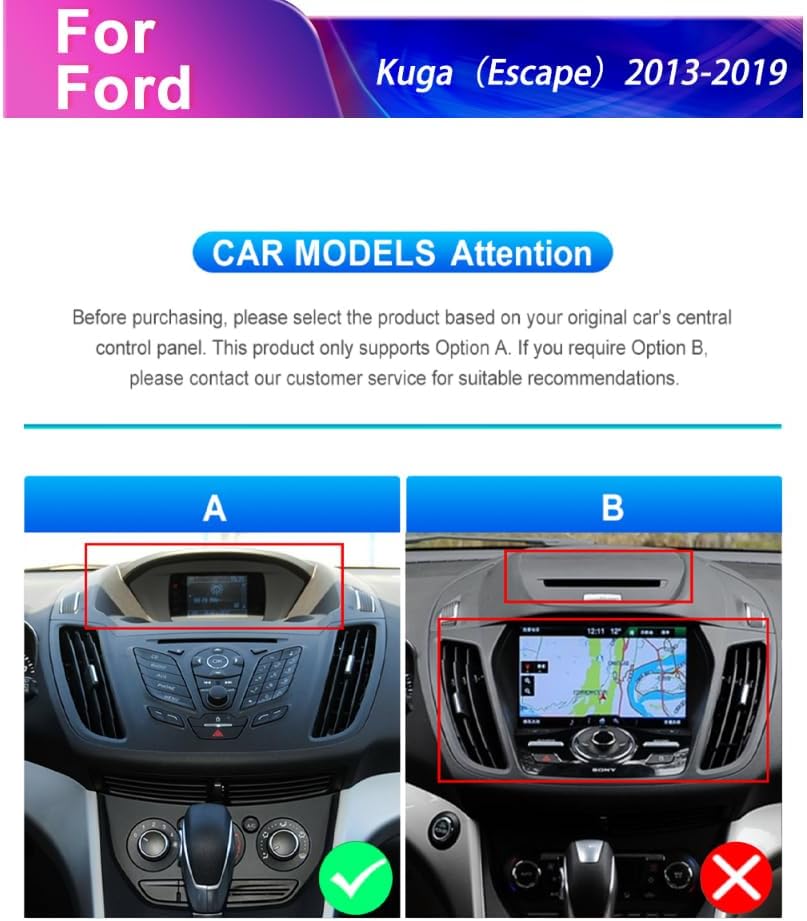
Figure 2: Car model compatibility check for Ford Kuga Escape (2013-2019) central control panels.
2.2 Mehato e Akaretsang ea ho Kenya
- Carefully remove the original car stereo unit and trim panels.
- Connect the provided Plug and Play wiring harness to the vehicle's existing wiring.
- Connect the GPS antenna and external microphone to the new head unit.
- Install the HD backup camera (refer to section 2.3 for camera wiring).
- Mount the new podofo Android Car Stereo into the dashboard opening.
- Secure all connections and reassemble the trim panels.
- Power on the unit and perform initial setup.
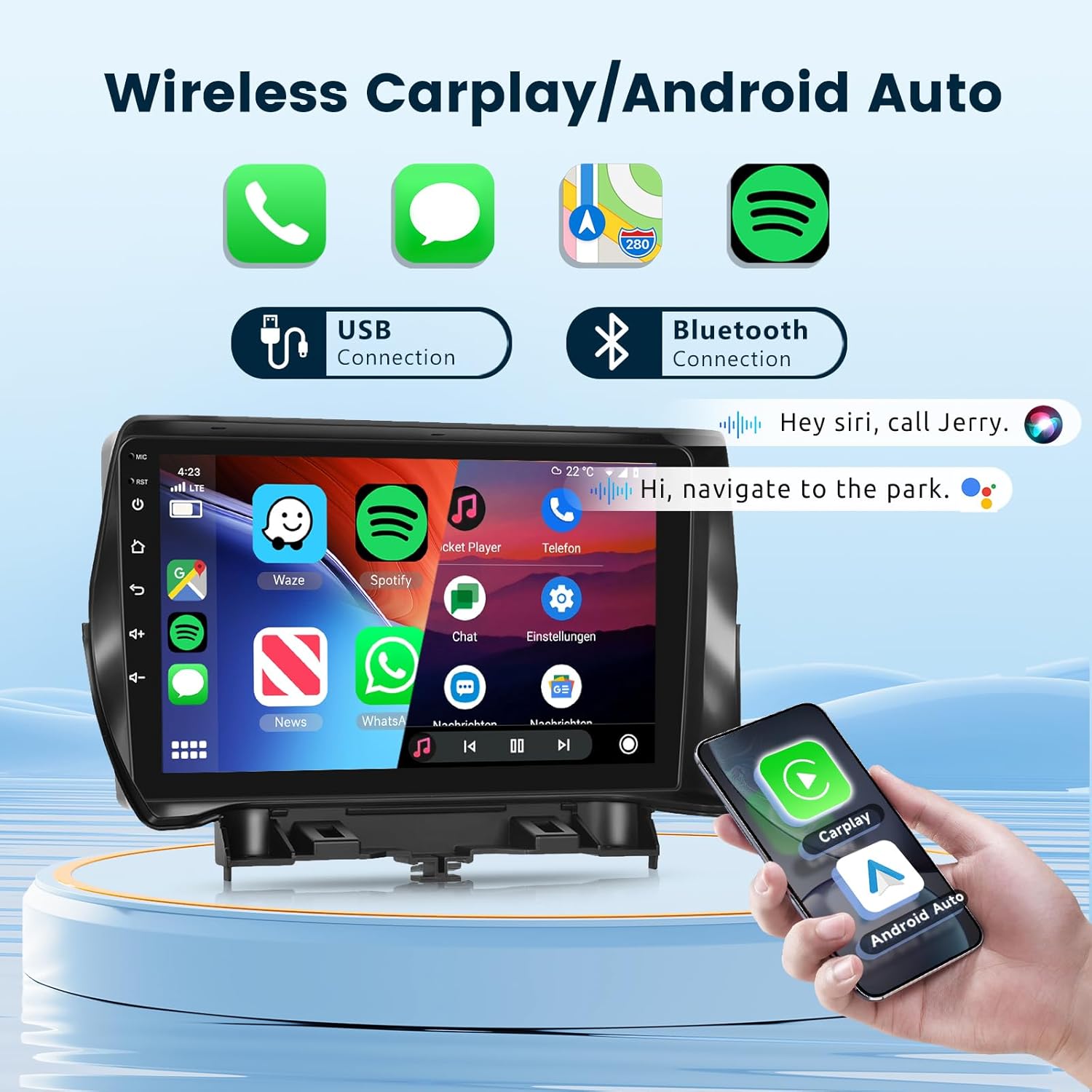
Figure 3: Visual comparison of the dashboard before and after installing the podofo car stereo.
2.3 HD Backup Camera Wiring
Follow these steps to correctly wire the HD backup camera:
- Red wire (+12V in): Connect to the car's reversing light positive terminal.
- Black wire (GND in): Connect to the car's reversing light negative terminal.
- The yellow RCA video cable connects the camera to the head unit's "CAM IN" port.
- The reverse trigger wire (labeled "Reverse/Back") connects to the vehicle's reverse light positive. If this wire is not present in your vehicle's harness, it may not be needed.

Figure 4: Detailed camera wiring diagram.
3. Litaelo tsa Ts'ebetso
3.1 Sistimi e felileview
The unit operates on Android 13 OS with 2GB RAM and 64GB storage, providing a responsive user experience. It features a 9-inch 1080P 2.5D glass capacitive touchscreen for clear visuals and sensitive touch control.

Figure 5: Smart Android System interface with key specifications.

Figure 6: The 9-inch 1080P 2.5D Glass Touchscreen for enhanced visual experience.
3.2 Wireless Carplay & Android Auto
Connect your smartphone wirelessly via Bluetooth or USB to access Carplay or Android Auto. This allows for seamless integration of navigation, phone contacts, email, music, and voice control features directly on the car stereo display.
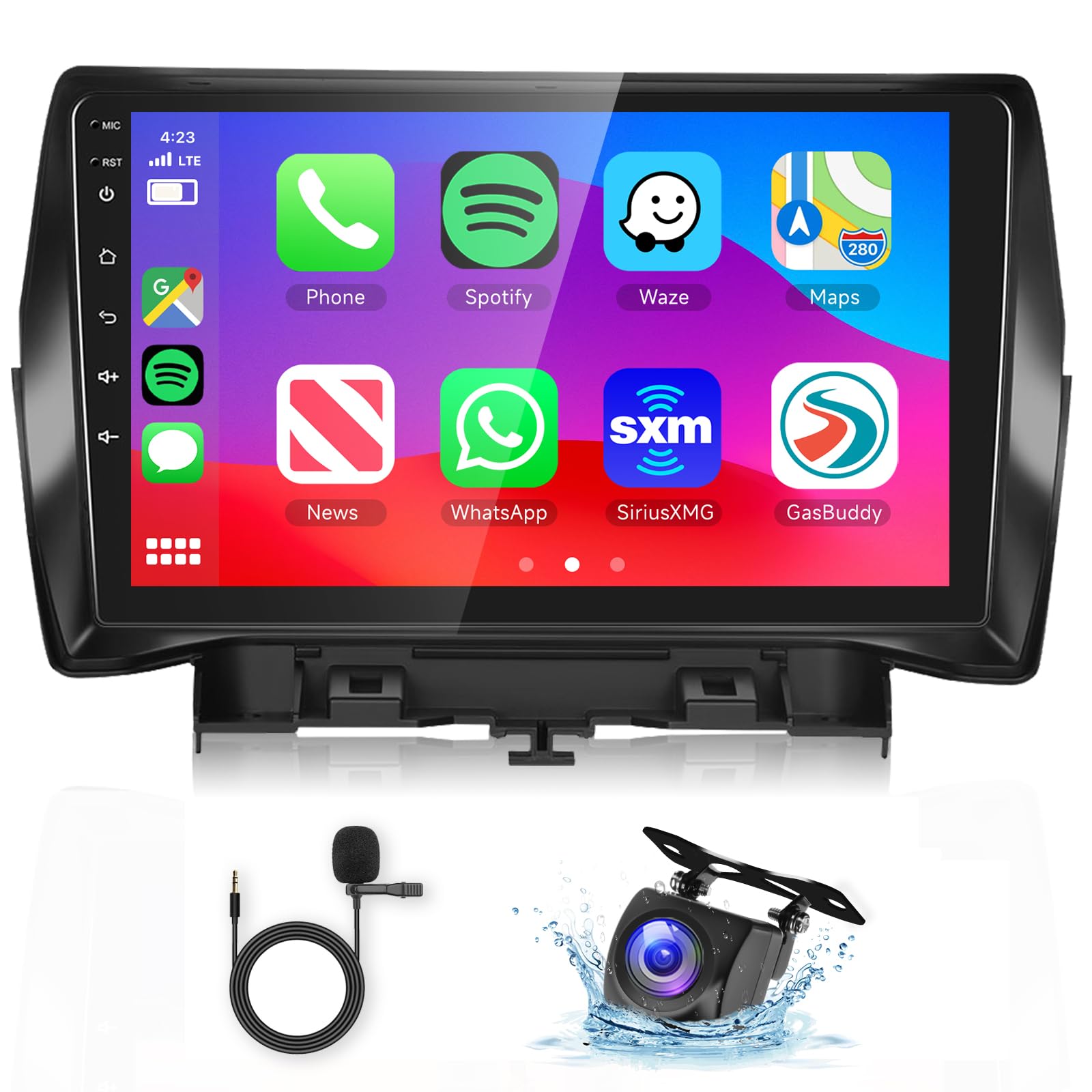
Figure 7: Wireless Carplay and Android Auto interface.
3.3 GPS Navigation & Wi-Fi
The unit includes GPS for both offline and online mapping. Connect to Wi-Fi or a mobile hotspot to access the Play Store, stream online videos, and use real-time navigation services.
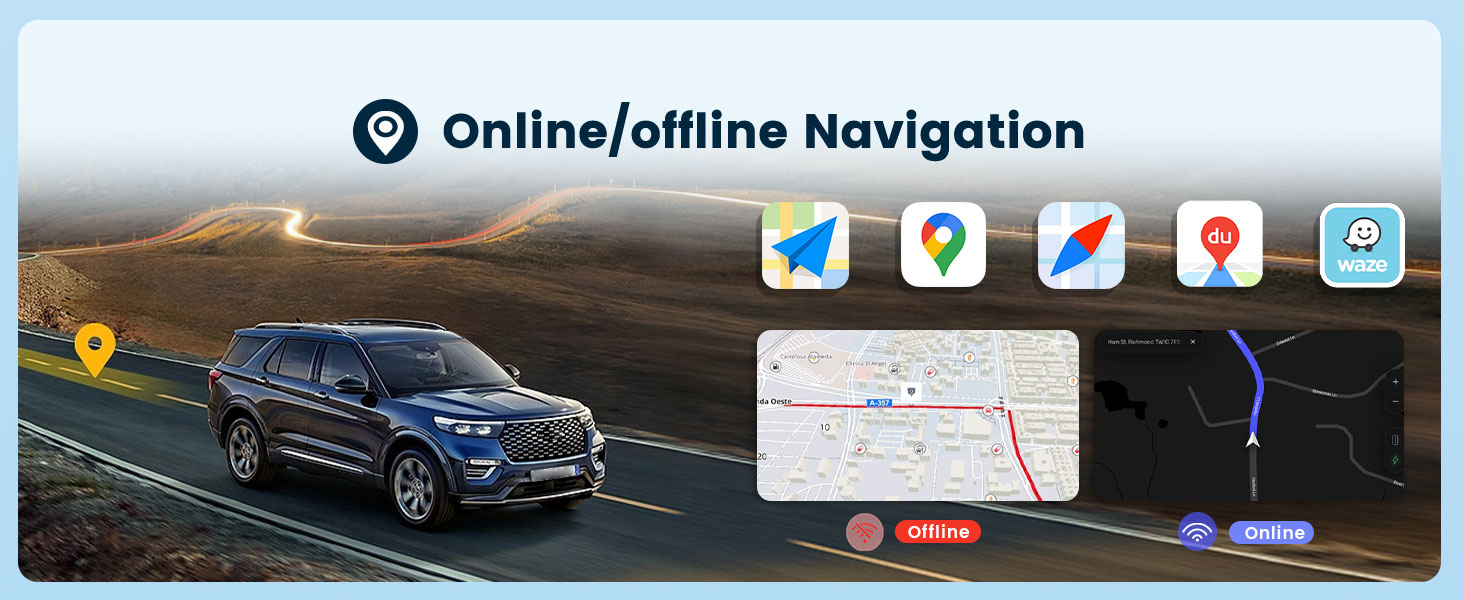
Figure 8: Online/Offline GPS Navigation interface.

Figure 9: Built-in Wi-Fi functionality.
3.4 HiFi Audio
Experience high-fidelity audio with 16-band EQ options. This technology aims to reproduce sound with exceptional clarity and accuracy, providing an immersive listening experience.

Figure 10: HiFi Audio settings with 16-band equalizer.
3.5 Bluetooth Hands-Free Calling & Music
Connect your phone via Bluetooth for hands-free calls and wireless music streaming. The unit supports A2DP for high-quality audio playback and AVRCP for remote control of music.

Figure 11: Bluetooth Call & Music functionality.
3.6 Taolo ea Lebili la Setere (SWC)
The unit supports your vehicle's original steering wheel controls, allowing you to manage audio, calls, and other functions without taking your hands off the wheel. Configuration may be required in the system settings.

Setšoantšo sa 12: Kopanyo ea Taolo ea Lebili la ho Setereka.
3.7 Mirror Link (Screen Casting)
Mirror Link allows you to cast your smartphone's screen (both iOS and Android) onto the car stereo display via USB or Bluetooth connection. This enables viewing content like videos from YouTube or other apps on the larger screen.

Figure 13: Mirror Link (Screen Casting) feature.
Radio ea 3.8 FM/RDS
Tune into your favorite FM radio stations. The unit supports RDS (Radio Data System) for displaying station information, road conditions, and news where available.

Figure 14: FM/RDS Radio interface.
3.9 Mesebetsi e Meng
- Arola skrine: Allows running two applications side-by-side on the display.
- Customize UI Interface: Personalize the user interface to your preferences.
- Likopano tse peli tse fapaneng tsa USB: For connecting USB devices and charging.
- Tlhahiso ea Subwoofer: For enhanced bass audio.
4. Tlhokomelo
To ensure the longevity and optimal performance of your podofo car stereo, follow these maintenance guidelines:
- Ho hloekisa skrini: Use a soft, lint-free cloth to gently wipe the touchscreen. Avoid abrasive cleaners or solvents.
- Lintlafatso tsa Software: Periodically check for and install system software updates to ensure optimal performance and access to new features.
- Maemo a Tikoloho: Qoba ho beha yuniti mochesong o feteletseng, khanya ea letsatsi ka nako e telele, kapa mongobo o feteletseng.
- Lihokelo tsa Cable: Netefatsa hore dithapo tsohle di hokahantswe ka mokhoa o sireletsehileng. Dikgokelo tse sa tsitsang di ka baka mathata a sa kgaotseng.
5. Ho rarolla mathata
If you encounter issues with your car stereo, refer to the following common troubleshooting steps:
- Ha ho Matla:
- Hlahloba dikgokelo tsohle tsa motlakase le di-fuse.
- Netefatsa hore ho tjha ha koloi ho butswe.
- Ha ho Molumo:
- Netefatsa dikgokelo tsa sebui.
- Check volume levels and mute settings.
- Netefatsa hore mohloli o nepahetseng oa molumo o khethiloe.
- GPS ha e sebetse:
- Netefatsa hore lenakana la GPS le kentsoe hantle 'me le hlakile view ea leholimo.
- Sheba di-setting tsa GPS ho menu ya sistimi.
- Mathata a Khokahano ea Bluetooth:
- Ensure Bluetooth is enabled on both the stereo and your smartphone.
- Hlakola lipara tse fetileng 'me u lokise lisebelisoa hape.
- Restart both the stereo and your smartphone.
- Khamera ea ho Boloka ha e Bontšoe:
- Check all camera wiring connections, especially the reverse trigger wire.
- Ensure the vehicle is in reverse gear.
- The touchscreen ha e arabele:
- Qala bocha yuniti.
- Netefatsa hore skrine e hloekile ebile ha e na lithōle.
For persistent issues or complex problems, please contact podofo professional tech support.
6. Litlhaloso
| Sebopeho | Tlhaloso |
|---|---|
| Brand | podofo |
| Mofuta oa Tšebeletso ea Likoloi | Koloi |
| Boholo ba skrine | 9 lisenthimithara |
| Likarolo Tse Khethehileng | Bluetooth, Wireless Android Auto, Wireless CarPlay |
| Theknoloji ea Khokahano | Wi-Fi, Bluetooth, Carplay, Android Auto |
| Mofuta oa 'Mapa | Worldwide (Offline/Online) |
| Mokhoa oa Phatlalatso ea Audio | Setereo |
| Qeto | 1024 x 600 |
| Mokhoa oa tšebetso | Android 13 |
| Bokhoni ba ho Boloka Memori | 64 GB |
| RAM | 2 GB |
| Mofuta oa Screen Screen | Capacitive |
| Mofuta oa Pontšo | LCD |
| Kenyelletso ea Sehokelo sa Motho | Skrine se thetsoang |
| Sistimi ea ho tsamaisa Satellite e tšehelitsoeng | GPS |
| Litekanyo tsa Ntho L x W x H | 9"L x 9"W x 9"H |
7. Tiisetso le Tšehetso
7.1 Boitsebiso ba Tiisetso
The podofo Android Car Stereo comes with a Warranty ea Selemo se 1 ho tloha ka letsatsi la theko. Tiisetso ena e akaretsa liphoso tsa tlhahiso le ho se sebetse hantle tlas'a ts'ebeliso e tloaelehileng. Ka kopo, boloka bopaki ba theko ea hau bakeng sa likopo tsa waranti.
7.2 Professional Technical Support
podofo offers professional technical support for any concerns regarding installation, operation, or troubleshooting. If you have questions or require assistance, please reach out to us directly via Amazon. To help us provide suitable recommendations, especially for compatibility, please share your car's model, year, and a photo of the center console.


Figure 15: podofo's commitment to professional support and assistance for wiring harness issues.