
1. Selelekela
The Vimar Smart Line Actuator 30803.C is an electronic line control unit designed for smart home integration. It offers both local button control and remote operation via Bluetooth 5.0 or Zigbee 3.0, enabling seamless integration into Vimar wireless mesh systems or other compatible smart home hubs. This device also features energy and current measurement capabilities, along with a load disconnection threshold for enhanced safety and efficiency.
This manual provides essential information for the safe and efficient installation, operation, and maintenance of your Vimar Smart Line Actuator 30803.C.
2. Boitsebiso ba Tšireletseho
WARNING: Electrical shock hazard. Installation must be performed by a qualified electrician in accordance with all local and national electrical codes.
- Disconnect power at the circuit breaker before installation, maintenance, or servicing.
- Se ke oa sebelisa sesebelisoa ka matsoho a metsi.
- Netefatsa hore sehlahisoa se sebelisoa ka har'a palo e boletsoengtage and current ratings (100-240V~, 16A).
- Do not attempt to modify or repair the device. Refer to qualified personnel for service.
- Boloka sesebelisoa hole le metsi le mocheso o feteletseng.
3. Sehlahisoa Overview
The Vimar Smart Line Actuator 30803.C is a compact device designed to control electrical loads and monitor energy consumption. It supports dual IoT technology for flexible integration into smart home ecosystems.
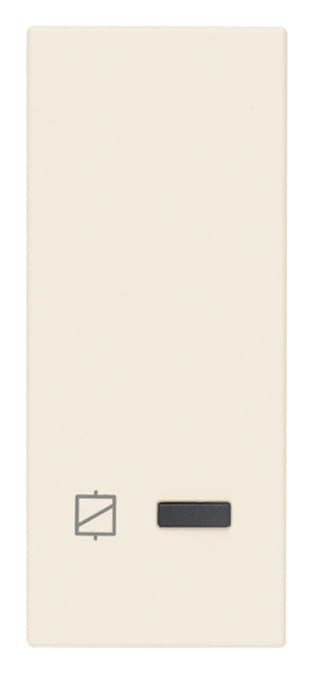
Image 1: Vimar Smart Line Actuator 30803.C. This image shows the compact, rectangular device with a brushed aluminum finish, designed for integration into electrical systems.
Likarolo tsa Bohlokoa:
- Taolo ea Sebaka: Manual operation via a button touch.
- Remote Control: Control via Bluetooth 5.0 (Vimar View app) or Zigbee 3.0 (Amazon app, SmartThings hub, etc.).
- Tekanyo ea Matla: Monitors current and energy consumption.
- Load Disconnection Threshold: Configurable threshold for automatic load disconnection.
- Tšebelisano: Works with Alexa, Google Home, and IFTTT through compatible gateways or Zigbee hubs.
4. Seta
4.1. Ho kenya
Before proceeding with installation, ensure the main power supply is disconnected at the circuit breaker.
- Wiring: Connect the actuator according to the wiring diagram provided with the product packaging. Typically, this involves connecting the line input, load output, and neutral wires. Ensure all connections are secure.
- Ho hlongoa: Install the actuator in a standard electrical box or suitable enclosure. Ensure proper ventilation and avoid obstructing the device.
- Tsosoloso ea Matla: Once installation is complete and all connections are verified, restore power at the circuit breaker.
4.2. Pairing and Configuration
The Vimar Smart Line Actuator 30803.C supports two primary wireless technologies for smart home integration:
- Bluetooth 5.0 (Vimar View App):
- Khoasolla faele ea Vimar View app e tsoang lebenkeleng la lisebelisoa tsa sesebelisoa sa hau.
- Bula sesebelisoa 'me u latele litaelo tse skrineng ho kenya sesebelisoa se secha.
- The app will guide you through the pairing process using Bluetooth.
- Zigbee 3.0 (Amazon App, SmartThings, etc.):
- Ensure you have a compatible Zigbee hub (e.g., Amazon Echo with built-in Zigbee, SmartThings Hub).
- Put your Zigbee hub into pairing mode (refer to your hub's instructions).
- The actuator should automatically be discovered by the hub. If not, consult the hub's manual for manual device addition.
- Once paired, you can control the device via the corresponding app (e.g., Amazon Alexa app, SmartThings app).
5. Litaelo tsa Ts'ebetso
5.1. Taolo ea Sebaka
Press the physical button on the actuator to toggle the connected load ON or OFF. The button may also serve other functions depending on the configuration (e.g., reset, pairing initiation).
5.2. Remote Control
Once paired with your smart home system (Bluetooth or Zigbee), you can control the actuator remotely using the respective mobile application or voice commands through compatible assistants (Alexa, Google Home).
- Open the Vimar View app (for Bluetooth) or your Zigbee hub's app (e.g., Amazon Alexa, SmartThings).
- Locate the Vimar Smart Line Actuator 30803.C in your device list.
- Tap to toggle the power ON/OFF or access advanced settings.
5.3. Tlhokomelo ea Matla
The actuator provides real-time current and energy consumption data. This information is accessible through the Vimar View app or your Zigbee hub's application, depending on the pairing method. Consult your app's interface for details on viewing historical data and setting up alerts.
5.4. Load Disconnection Threshold
You can configure a load disconnection threshold within the device's settings via the app. If the connected load exceeds this threshold, the actuator will automatically disconnect the power to prevent overload and potential damage. This feature enhances safety and protects your appliances.
6. Tlhokomelo
The Vimar Smart Line Actuator 30803.C requires minimal maintenance.
- Ho hloekisa: Disconnect power before cleaning. Use a soft, dry cloth to wipe the device. Do not use abrasive cleaners or solvents.
- Lisebelisoa tsa Firmware: Periodically check the Vimar View app or your Zigbee hub's app for available firmware updates. Keeping the firmware updated ensures optimal performance and access to new features.
7. Ho rarolla mathata
| Bothata | Lebaka le ka khonehang | Tharollo |
|---|---|---|
| Device not responding to local control. | Ha ho motlakase; sesebediswa se hlolehile ho sebetsa hantle. | Check circuit breaker. Ensure proper wiring. If problem persists, contact support. |
| Device not responding to remote control. | Not paired; out of range; hub issue. | Ensure device is paired correctly. Check wireless signal strength. Restart your smart home hub. |
| Energy readings are incorrect or unavailable. | Improper installation; software glitch. | Verify wiring connections. Check for firmware updates. Re-pair the device if necessary. |
| Device automatically disconnects load. | Load exceeds threshold; short circuit. | Reduce connected load. Check for short circuits in the wiring or appliance. Adjust load disconnection threshold in the app if appropriate. |
If you encounter issues not listed here or if solutions do not resolve the problem, please contact Vimar technical support.
8. Litlhaloso
| Sebopeho | Tlhaloso |
|---|---|
| Moetsi | Vimar |
| Nomoro ea Mohlala | 30803.C |
| Nomoro ea Karolo | 30803.C |
| Keletso Voltage | 100-240V ~, 50/60 Hz |
| Boholo ba Hona Joale | 16A |
| Khokahano | Bluetooth 5.0, Zigbee 3.0 |
| Mesebetsi | Local/Remote Control, Energy/Current Measurement, Load Disconnection |
| Litekanyo tsa Sehlahisoa | 5.28 x 4.85 x 4.85 cm, |
| Boima ba Ntho | 57 g |
| Lintho tse bonahalang | Aluminium |
| Qetella | Hlatsoa |
| Mmala | Hemp |
| Kenyellelitsoe Likaroloana | Smart Actuator 30803.C |
| Libetri li Hlokahala | Che |
| ASIN | B0CTMJM9GT |
| Letsatsi la Pele la ho Fumana | La 2 Phato 2024 |
9. Tiisetso le Tšehetso
For warranty information, please refer to the documentation included with your purchase or visit the official Vimar websebaka. Lipehelo le maemo a tiisetso li ka fapana ho ea ka libaka.
For technical assistance, product support, or to report an issue, please contact Vimar customer service or your local authorized distributor. Contact details can typically be found on the Vimar websaete (www.vimar.com) or in your product packaging.