
1. Selelekela
This manual provides detailed instructions for the Edifier X5 Pro Active Noise Cancelling Earbuds. These earbuds feature hybrid active noise cancellation, AI-enhanced call clarity, fast charging, a dedicated game mode, app customization, and IP55 water resistance, all powered by True Wireless Bluetooth 5.3 technology.

Figure 1: Edifier X5 Pro Ivory Earbuds and Charging Case
2. Se ka Lebokoseng
The Edifier X5 Pro package includes the following components:
- Edifier X5 Pro Earbuds
- Nyeoe ea ho tjhaja
- USB Charging Cable
- Ear Tips x 3 pairs (S, M, L)
- Bukana ea Mosebelisi

Figure 2: Included components of the Edifier X5 Pro package.
3. Seta
3.1 Ho Kopanya ha Pele
- Bula mokotla oa ho tjhaja. Li-earbud li tla kena mokhoeng oa ho para ka bohona.
- Sesebedisweng sa hao (smartphone, tablet, jj), kenya tshebetsong Bluetooth.
- Batla "EDIFIER X5 Pro" in the list of available Bluetooth devices and select it to connect.
- Once connected, a confirmation sound will play through the earbuds.
3.2 Edifier ConneX App Installation
For enhanced features and customization, download the Edifier ConneX App from your device's app store. The app allows for personalized control settings, EQ adjustments, game mode activation, and the 'Find My Earbuds' function.

Figure 3: Edifier ConneX App interface for customization.
4. Litaelo tsa Ts'ebetso
4.1 Ho Hlakola ha Lerata le Matla (ANC) le Molumo o Ambient
The Edifier X5 Pro utilizes Hybrid ANC Technology to reduce ambient noise. You can switch between ANC On, Ambient Sound, and ANC Off modes via the Edifier ConneX App or through the touch controls on the earbuds.
- ANC E Buletsoe: Blocks out most surrounding noise for an immersive audio experience.
- Ambient Sound: E o dumella ho utlwa tikoloho ya hao ha o ntse o mametse modumo, e leng se thusang ho utlwisisa maemo a hao dibakeng tse maphathaphathe.
- ANC E Tlohile: Disables noise cancellation.

Figure 4: Active Noise Cancellation in use.

Figure 5: Comparison of sound before and after ANC activation.
4.2 Immersive Sound Experience
The earbuds are equipped with 10mm large-size dynamic drivers and Titanium-coated diaphragms, delivering natural and balanced audio across various music genres.

Figure 6: Internal structure of the 10mm dynamic driver.
4.3 Clear Calls with AI Algorithm
The built-in microphone, enhanced with an AI algorithm, effectively reduces unwanted background noise, ensuring clear and faithful reproduction of the human voice during calls.

Figure 7: AI-enhanced call clarity.
4.4 Battery Life and Fast Charging
The earbuds offer up to 7 hours of playtime on a single charge. The charging case extends the total playtime to 31 hours. A quick 15-minute charge provides an additional 1 hour of playback time.
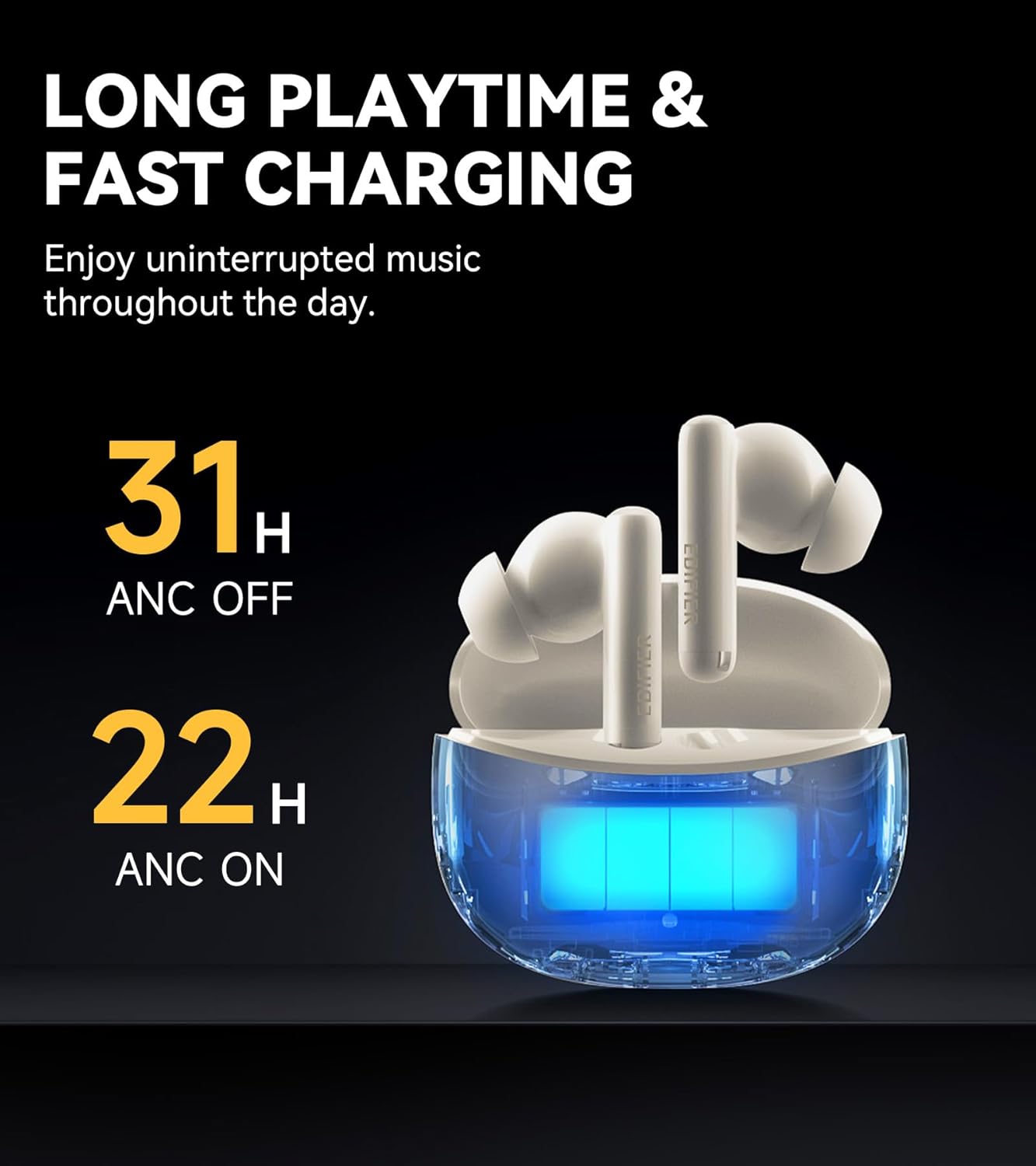
Figure 8: Battery life indicators for ANC on/off.
4.5 Advanced Bluetooth 5.3 Connectivity
Equipped with an advanced Bluetooth 5.3 chipset, the earbuds provide a fast and stable connection, ensuring smooth music playback, a seamless gaming experience, and clear calls with significantly low latency.

Figure 9: Bluetooth 5.3 chipset for stable connection.
4.6 App Customization and Game Mode
The Edifier ConneX App allows users to personalize control settings, select preset EQ modes, and activate a low-latency game mode for an optimized gaming experience. The app also includes a feature to locate your earbuds.

Figure 10: Low latency game mode for enhanced gaming.
4.7 IP55 Water and Dust Resistance
The earbuds are rated IP55 for dust and water resistance, making them suitable for use during workouts or in light rain conditions.

Figure 11: IP55 rating for dust and splash proofing.
5. Tlhokomelo
- Hloekisa li-earbud le lebokose la ho tjhaja khafetsa ka lesela le bonolo, le omileng.
- Avoid exposing the earbuds to extreme temperatures or direct sunlight for extended periods.
- Ensure the charging port is free from dust and debris.
- Boloka li-earbud mokotleng oa tsona oa ho tjhaja ha li sa sebelisoe ho li sireletsa le ho boloka bophelo ba betri.
6. Ho rarolla mathata
6.1 Litaba tsa Khokahano
- Li-earbud ha li kopane: Ensure the earbuds are charged and within range of your device. Turn Bluetooth off and on again on your device. Try resetting the earbuds (refer to the app or Edifier support for specific reset instructions).
- Khokahano ea nakoana: Move closer to your device. Avoid environments with strong electromagnetic interference.
6.2 Mathata a Molumo
- Ha ho molumo: Lekola maemo a molumo sesebelisoa sa hau le li-earbud. Netefatsa hore li-earbud li hokahane hantle.
- Boleng bo fosahetseng: Ensure ear tips are correctly sized for a good seal. Clean any debris from the earbud nozzles.
6.3 Mathata a ho lefisa
- Li-earbud ha li tjhaje: Ensure the charging case has power. Check that the earbuds are correctly seated in the charging case. Clean the charging contacts on both the earbuds and the case.
- Kesi e tjhajang ha e tjhaje: Use the provided USB cable and a compatible power adapter. Check the cable and port for damage.
7. Litlhaloso
| Sebopeho | Tlhaloso |
|---|---|
| Lebitso la Mohlala | X5 Pro |
| Brand | Mohlophisi |
| Taolo ea Lerata | Ho Hlakola ha Lerata |
| Theknoloji ea Khokahano | Wireless |
| Theknoloji ea puisano e se nang mohala | Bluetooth V5.3 |
| Bluetooth Range | 10 metres |
| Audio Driver Size | 10 limilimithara |
| Mofuta oa Mokhanni oa Audio | Mokhanni ea Matla |
| Tšitiso | 32 ohm |
| Mokhoa oa ho Laola | App, Touch |
| Boemo ba ho hanyetsa Metsi | IP55 (e sa keneleng metsi) |
| Boima ba Ntho | 100 lik'hilograma |
| Mmala | Lenaka la tlou |
| Letsatsi le Fumanang Pele | La 11 Hlakubele 2024 |
8. Official Sehlahisoa Video
Video 1: Edifier X5 Pro Active Noise Cancelling Earbuds - An overview of features and design by EdifierDirect.
9. Tiisetso le Tšehetso
The Edifier X5 Pro comes with a one-year warranty, ensuring product performance and providing reliable support. For further assistance, please refer to the official Edifier websebaka kapa ikopanye le tšehetso ea bareki.