
Deeyaple S207
Deeyaple S207 Cell Phone Stand with Wireless Bluetooth Speaker and 12H Time Display User Manual
Selelekela
This manual provides comprehensive instructions for the Deeyaple S207 Cell Phone Stand with Wireless Bluetooth Speaker and 12H Time Display. Please read this manual thoroughly before using the product to ensure proper operation and to maximize its features. Keep this manual for future reference.
Setšoantšo sa 1: The Deeyaple S207 multi-functional device.
Sehlahisoa se Felletseview
The Deeyaple S207 is a versatile device combining a cell phone stand, a wireless Bluetooth speaker, and a 12-hour time display. It is designed for convenience and enhanced audio experience.

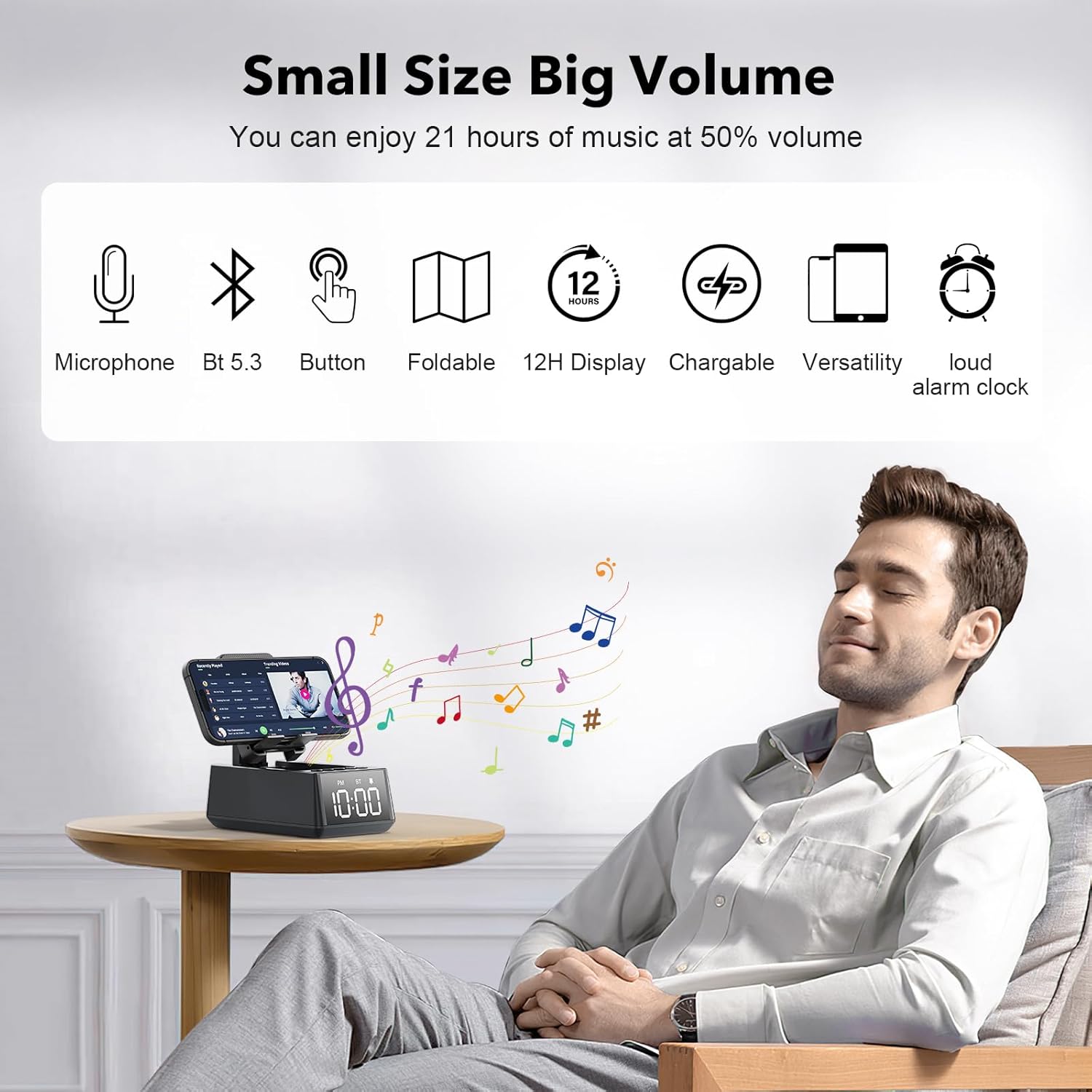
Setšoantšo sa 2: The Deeyaple S207 functions as a stand, speaker, and digital clock.
Likarolo tsa Bohlokoa:
- Moralo o nang le mesebetsi e mengata: Integrates a Bluetooth speaker, phone stand, and time display.
- Khokahano ea Bluetooth 5.3: Ensures quick and stable connection to smartphones, tablets, and laptops.
- HD Surround Sound: Delivers clear and powerful audio with low distortion across all frequencies.
- Sebaka se ka phuthoang: Adjustable angle for optimal viewing of mobile phones and tablets.
- 12H Time Display: Clear LED digital display.
- Microphone e hahelletsoeng ka hare: E ts'ehetsa mohala o se nang matsoho.
- TF Card Reader: For playing music directly from a memory card.
- Loud Alarm Clock: Gradually increases volume up to 100 decibels.
- Betri e ka nchafatsoang hape: 1200mAh battery provides 12-21 hours of use at 50% volume.
- Boema-fofane ba ho tjhaja ba Type-C: Convenient charging for the device.
- USB Output Port: Allows charging of external devices like mobile phones.

Setšoantšo sa 3: Fetileview of Deeyaple S207 features, including battery capacity, charging ports, audio capabilities, and stand design.
Litaba tsa Sephutheloana
Ka kopo, sheba sephutheloana sa lintho tse latelang:
- Deeyaple S207 Cell Phone Stand with Wireless Bluetooth Speaker
- USB Charging Cable
- Bukana ea Mosebelisi
Litaolo le Lipontšo
Familiarize yourself with the device's buttons and display:

Setšoantšo sa 4: Ka botlalo view of the device's adjustable bracket, base, and non-slip mat.
- Konopo ea Matla: Press and hold to turn on/off. Short press to switch modes.
- Phatlalatso ea Phatlalatso / Pina e Fetileng: Tobetsa ka bokhutshwane ho theola modumo, tobetsa nako e telele bakeng sa pina e fetileng.
- Play/Pause / Answer Call: Short press to play/pause, short press to answer/end call.
- Phahamiso ea Phahamiso / Pina e latelang: Tobetsa ka bokhutshwane ho phahamisa modumo, tobetsa nako e telele bakeng sa pina e latelang.
- Konopo ea Mokhoa: Short press to cycle through Bluetooth, TF Card, and AUX modes.
- Pontšo ea Nako: LED screen shows current time and mode indicators (PM, BT).
Tlhophiso
Ho tjhaja Sesebediswa:
- Connect the provided USB charging cable to the Type-C port on the side of the Deeyaple S207.
- Hokela ntlha e 'ngoe ea thapo ea USB ho adaptara ea motlakase ea USB e tsamaellanang (ha e kenyelelitsoe) kapa koung ea USB ea khomphutha.
- The LED display will indicate charging status. A full charge typically takes approximately 2-3 hours.
Video ea 1: Demonstration of the Deeyaple S207 speaker's display and basic operation, including volume adjustment and mode switching.
Tshebetso
Ho rera ka Bluetooth:
- Turn on the Deeyaple S207 by pressing and holding the Power button. The device will enter Bluetooth pairing mode, indicated by a flashing "BT" on the display.
- Ho smartphone ea hau, tablet, kapa laptop, bula Bluetooth 'me u batle lisebelisoa tse fumanehang.
- Select "Deeyaple S207" from the list of devices.
- Once paired, the "BT" indicator will stop flashing and remain solid. You can now play audio through the speaker.

Setšoantšo sa 5: Bluetooth 5.3 technology allows quick and easy connection to smart devices.
Ho beha Nako le Alamo:
- The device features a 12-hour time display. For iPhone users, the clock will automatically sync with your phone's time upon Bluetooth connection.
- To manually adjust the time or set an alarm, refer to the specific button functions described in the "Controls and Indicators" section. (Note: Detailed manual time setting steps are not provided in the product data.)

Setšoantšo sa 6: The LED digital display shows the current time.
Using as a Phone/Tablet Stand:
- The integrated stand is foldable and adjustable. Gently pull the stand upwards to deploy it.
- Place your smartphone or tablet (4-13 inches) onto the stand.
- Adjust the angle of the stand for optimal viewng.
- A small hole at the bottom of the phone holder allows for charging your device while it is on the stand.

Setšoantšo sa 7: The stand is highly adaptable for various mobile phones and tablets.

Setšoantšo sa 8: A small hole at the base of the stand allows for charging your phone while in use.
Ho bapala Karete ea TF:
- Insert a TF (MicroSD) card with music files into the designated slot.
- Press the Mode button to switch to TF Card mode. The device will automatically begin playing music from the card.
- Use the Volume/Track buttons to control playback.
Ho Letsa Ntle le Matsoho:
- When connected via Bluetooth to your phone, incoming calls can be answered by pressing the Play/Pause button.
- Speak into the built-in microphone for your conversation.
- Press the Play/Pause button again to end the call.
Litlhaloso
| Sebopeho | Lintlha |
|---|---|
| Lebitso la Mohlala | S207 |
| Brand | Deeyaple |
| Theknoloji ea Khokahano | Bluetooth 5.3 |
| Mofuta oa Sebui | Ho pota-pota Modumo |
| Tšobotsi e Khethehileng | Built-in Microphone, 12H Time Display, Foldable Stand, TF Card Reader |
| Litekanyo tsa Sehlahisoa | 6.61"D x 2.46"W x 3.54"H |
| Boima ba Ntho | Li-ounces tse 15.8 (0.45 lik'hilograma) |
| Betri | Betri e le 1 ea Lithium Ion (e kenyelelitsoe), 1200mAh |
| Bophelo ba Battery | Lihora tse 12-21 ka molumo oa 50%. |
| Lisebelisoa tse lumellanang | Smartphones (iPhone 4S to 15 Pro Max), Tablets (iPad, iPad Air, iPad Mini, iPad Pro, Microsoft Surface series), e-readers (Kindle) |
| UPC | 728990656310 |
Ho batle phoso
| Bothata | Tharollo e ka khonehang |
|---|---|
| Sesebelisoa ha se bulele. | Ensure the device is fully charged. Connect to a power source using the USB charging cable. |
| Ha e khone ho para ka Bluetooth. | Make sure the device is in Bluetooth pairing mode (flashing "BT"). Ensure your phone's Bluetooth is enabled and within range. Forget previous pairings on your phone and try again. |
| Ha ho na molumo kapa molumo o tlase. | Check the volume levels on both the Deeyaple S207 and your connected device. Ensure the device is not muted. |
| Pontšo ea nako ha e nepahale. | For iPhones, ensure Bluetooth is connected for automatic sync. Manual adjustment steps are not detailed in product information, refer to device buttons for potential setting options. |
| Khokahano ea Bluetooth e theoha khafetsa. | Ensure there are no obstructions between the speaker and your device. Move closer to the speaker. Reduce interference from other wireless devices. |
Tlhokomelo
- Hloekisa sesebelisoa ka lesela le bonolo, le omeletseng. Se ke oa sebelisa li-abrasive cleaners kapa solvents.
- Boloka sesebelisoa hole le metsi, mongobo le mocheso o feteletseng.
- Boloka sebakeng se phodileng, se omileng ha se sa sebelisoe nako e telele.
- Qoba ho liha sesebelisoa kapa ho se beha kotsing e matla.
Warranty le Tšehetso
For warranty information or technical support, please contact Deeyaple customer service through the retailer where the product was purchased. Please retain your proof of purchase for warranty claims.
Ask a question about this manual
Ask about setup, troubleshooting, compatibility, parts, safety, or missing instructions. Manuals+ will review the question and use this page’s manual context to help answer it.