
1. Selelekela
Thank you for choosing the Deeyaple Bluetooth 5.3 Speaker, Model A10. This portable speaker is designed to deliver powerful sound with deep bass, featuring Bluetooth 5.3 connectivity, IPX7 waterproofing, and the ability to pair two speakers for True Wireless Stereo (TWS) sound. It also includes pulsating LED lights for an enhanced audio-visual experience.

Image 1.1: Deeyaple Bluetooth Speaker A10, showcasing its design and controls.
2. Likahare tsa Sephutheloana
Ka kopo, sheba sephutheloana sa lintho tse latelang:
- Deeyaple Bluetooth Speaker (Model A10)
- USB Charging Cable
- Bukana ea Mosebelisi
3. Ho seta le ho tjhaja
3.1 Tefiso ea Pele
Before first use, fully charge the speaker. Connect the provided USB charging cable to the speaker's charging port and to a standard USB power adapter (not included). The charging indicator light will show the charging status.

Image 3.1: Speaker dimensions (8x8x10 cm) and battery specifications (2500mAh, 3-4 hours fast charging, up to 12 hours playback at 50% volume).
3.2 Ho Bulela/Ho tima
- Ho bulela: Tobetsa o hatelle Konopo ea matla (ⓘ) for 2-3 seconds.
- Ho tima: Tobetsa o hatelle Konopo ea matla (ⓘ) for 2-3 seconds.
4. Litaelo tsa Ts'ebetso
4.1 Ho hokahanya ha Bluetooth
Ho hokela sebui sa hao le sesebediswa se sebedisang Bluetooth:
- Netefatsa hore sebui se butswe mme se maemong a ho kopanya a Bluetooth (e bontshwang ke lebone la LED le benyang).
- Sesebedisweng sa hao (smartphone, tablet, jj.), bulela Bluetooth mme o batle disebediswa tse teng.
- Select "P1S" from the list of devices.
- Once connected, the speaker will emit a confirmation sound, and the LED light will become solid.
The speaker supports Bluetooth 5.3, providing a stable connection up to 10 meters (33 feet).

Image 4.1: Demonstrates connecting the Deeyaple speaker (named P1S) to a smartphone via Bluetooth 5.3.
4.2 Tšebeliso ea 'Nete ea Wireless Stereo (TWS).
For an immersive stereo sound experience, you can pair two Deeyaple A10 speakers together:
- Netefatsa hore libui ka bobeli li buletsoe 'me ha li hoketsoe sesebelisoa se seng sa Bluetooth.
- On one speaker, press the konopo ea TWS (∞). It will enter TWS pairing mode.
- The two speakers will automatically connect to each other. A confirmation sound will indicate successful pairing.
- Once TWS is established, connect your device to one of the speakers via Bluetooth as described in Section 4.1.

Image 4.2: Two Deeyaple speakers wirelessly connected to provide 360-degree surround sound.
4.3 Konopo Mesebetsi
- Konopo ea Matla (ⓘ): Tobetsa o hatelle ho bulela/ tima.
- Volume Down / Previous Track (<): Tobetsa ka bokhutshwane ho theola modumo. Tobetsa nako e telele bakeng sa pina e fetileng.
- Volume Up / Next Track (>): Tobetsa nako e kgutshwane ho phahamisa modumo. Tobetsa nako e telele bakeng sa pina e latelang.
- Play/Pause / Call Button (▶▌▌): Short press to play/pause music. Short press to answer/end a call. Long press to reject a call.
- TWS Button (∞): Short press to activate/deactivate TWS pairing mode.
4.4 Pulsating LED Lights
The speaker features integrated LED lights that pulsate and change colors, creating a dynamic visual effect. These lights are designed to enhance your listening experience and can be particularly engaging in low-light environments.
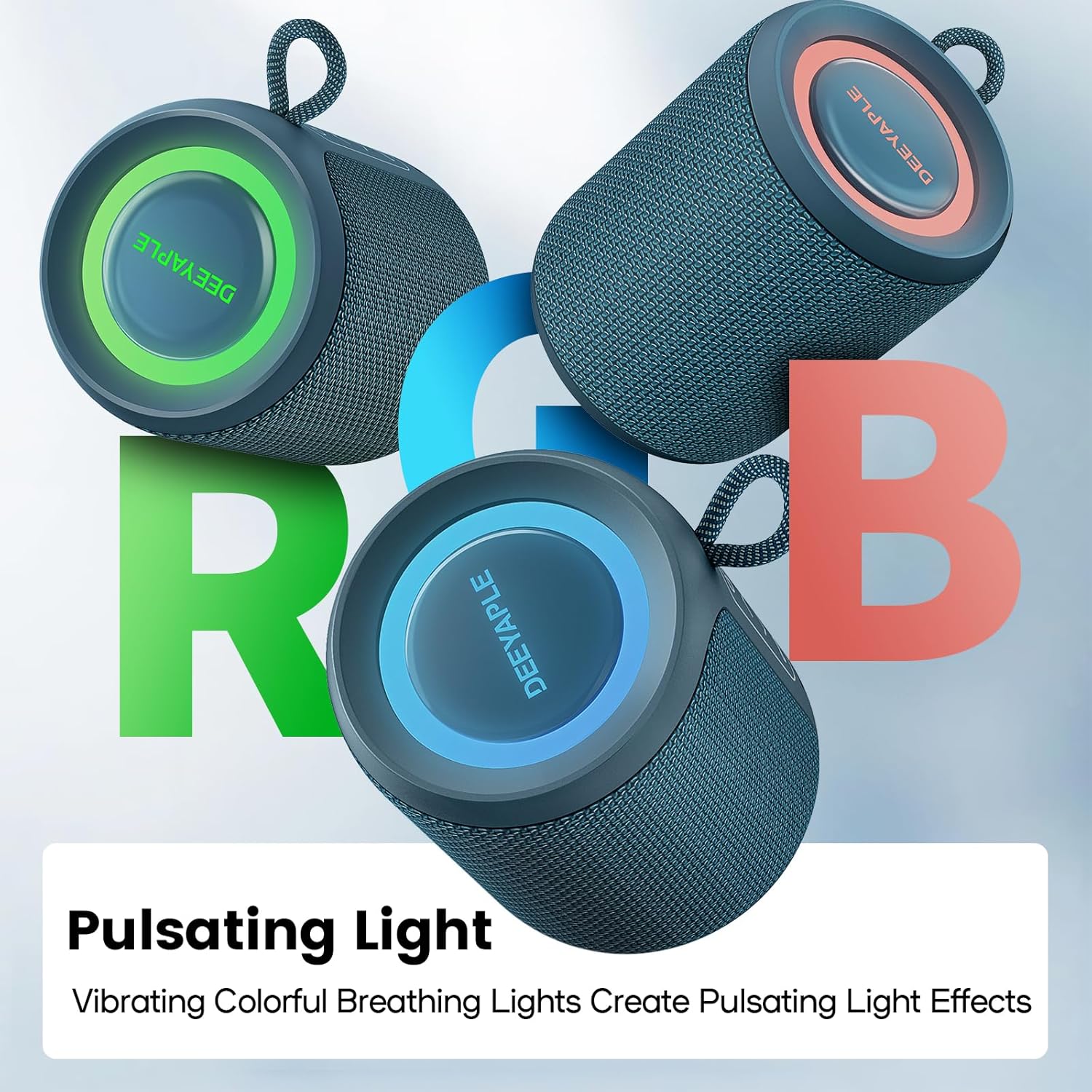
Image 4.3: Multiple Deeyaple speakers displaying their vibrant, pulsating RGB light effects.
5. Tlhokomelo le Tlhokomelo
5.1 IPX7 Waterproofing
The Deeyaple A10 speaker is IPX7 waterproof, meaning it can be submerged in up to 1 meter of water for 30 minutes. This makes it suitable for use in wet environments like showers, beaches, or poolside. Ensure the charging port cover is securely closed before exposing the speaker to water.

Image 5.1: A person enjoying music with the Deeyaple speaker outdoors during light rain, highlighting its IPX7 waterproof feature.
5.2 Ho hloekisa
Ho hloekisa sebui, sebelisa bonolo, damp cloth. Do not use abrasive cleaners or solvents, as these may damage the surface.
5.3 Polokelo
Beha sebui sebakeng se pholileng, se omileng hole le khanya ea letsatsi le mocheso o feteletseng ha se sa sebelisoe ka nako e telele.
6. Ho rarolla mathata
- Sebui ha se sebetse: Netefatsa hore betri e tjhajilwe. Hokela sebui mohloding wa motlakase ebe o leka hape.
- Ha e khone ho hokahanya le sesebelisoa sa Bluetooth:
- Netefatsa hore sebui se mokgweng wa ho se kopanya (ho benya LED).
- Etsa bonnete ba hore Bluetooth e kentse tšebetsong sesebelisoa sa hau.
- Sumelisa sebuela-hōle haufi le sesebelisoa sa hau.
- Clear the Bluetooth device list on your phone and try pairing again.
- Ha ho na molumo kapa molumo o tlase:
- Fetola molumo ho sebuela-pele le sesebediswa sa hao se hoketsweng.
- Ensure the speaker is not muted.
- Check if the speaker is properly connected via Bluetooth.
- Poor sound quality or crackling:
- Move the speaker closer to your device and away from potential interference sources (e.g., Wi-Fi routers, other electronic devices).
- Netefatsa hore sebui se qosoa ka botlalo.
- If using TWS, ensure both speakers are within close proximity to each other.
7. Litlhaloso
| Lebitso la Mohlala | A10 |
| Brand | Deeyaple |
| Theknoloji ea Khokahano | Bluetooth 5.3 |
| Matla a Output | 15 Watts |
| Lintlha tse sa keneleng metsi | IPX7 |
| Bophelo ba Battery | Ho fihla ho lihora tse 10 (ts'ebeliso e tsoelang pele) |
| Nako ea ho tjhaja | Lihora tse 3-4 |
| Litekanyo (L x W x H) | 8 x 8 x 10 cm, |
| Boima ba 'mele | 349 dikgerama |
| Karabelo ea Khafetsa | 80 Hz - 20 kHz |
| Mokhoa oa ho Laola | Tactile Buttons |
| Likarolo Tse Khethehileng | Bluetooth, Portable, IPX7 Waterproof, True Wireless Stereo, Pulsating LED Lights |
8. Tiisetso le Tšehetso
Deeyaple products come with a standard manufacturer's warranty. For detailed warranty information, please refer to the warranty card included in your package or contact Deeyaple customer support.
If you encounter any issues or have questions regarding your Deeyaple Bluetooth Speaker, please contact our customer support team for assistance.