
1. Selelekela
This manual provides detailed instructions for the operation and maintenance of the LAUNCH CRP129E Plus OBD2 Scanner. Please read this manual thoroughly before using the device to ensure proper and safe operation. The CRP129E Plus is a comprehensive diagnostic tool designed for automotive professionals and enthusiasts, offering full system diagnostics and various service reset functions.
2. Sehlahisoa Overview
2.1. Lisebelisoa tsa Lisebelisoa
The LAUNCH CRP129E Plus features a user-friendly interface with a 5-inch touchscreen and physical buttons for navigation.

Setšoantšo sa 2.1: The LAUNCH CRP129E Plus OBD2 Scanner and its protective carrying case.
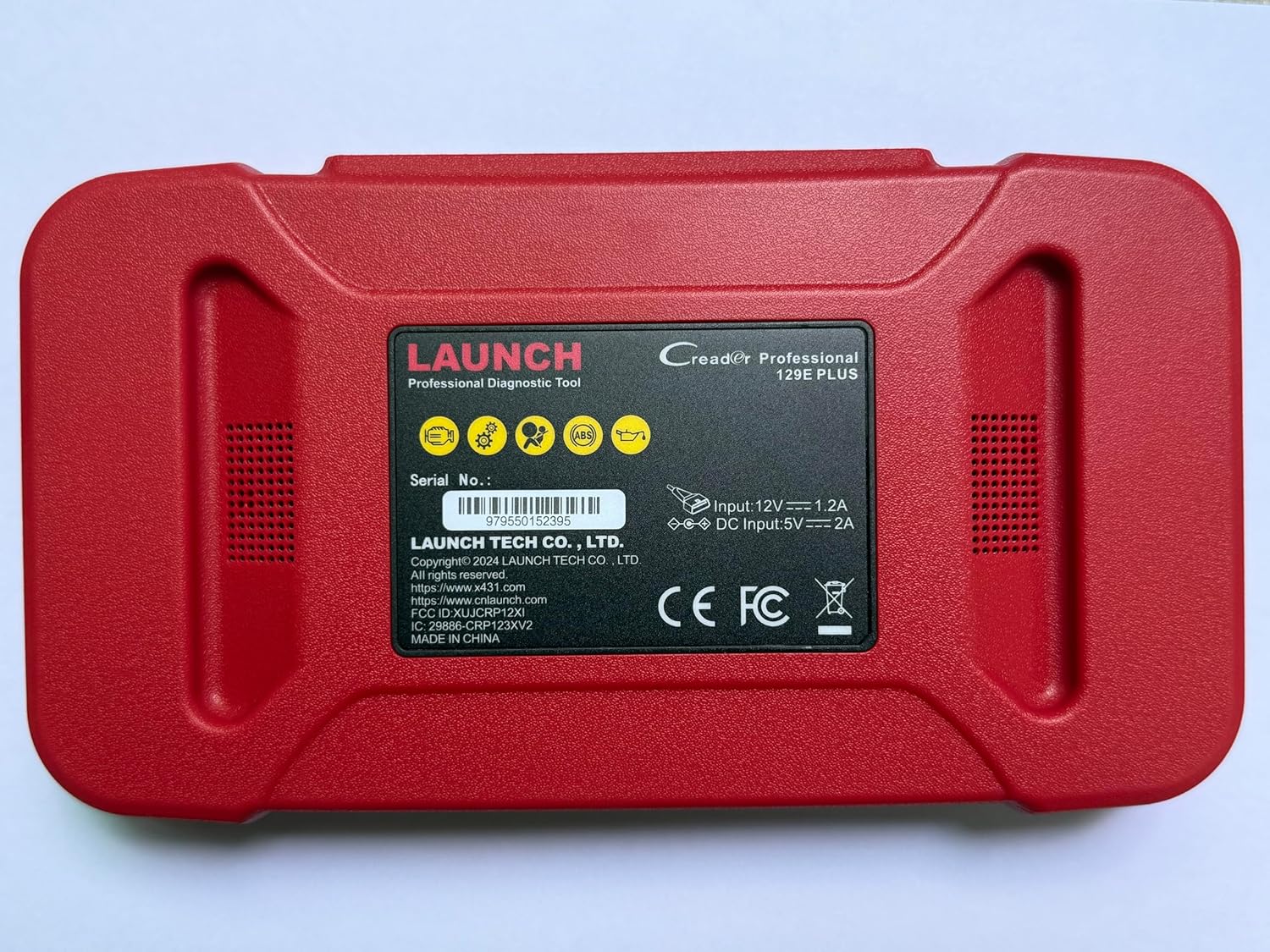
Setšoantšo sa 2.2: Ka morao view of the CRP129E Plus, displaying input voltage, current specifications, and serial number (e.g., 979550152395).
2.2. Likahare tsa Sephutheloana
Upon unboxing, verify that all items listed below are present:
- CRP129E PLUS OBD2 Scanner (x1)
- OBDII Cable (x1)
- 5V DC Charging Cable (x1)
- Buka ea mosebelisi (x1)
- Tataiso ea Qalo e Potlakileng (x1)
- Mokotlana oa ho Tsamaisa (x1)

Setšoantšo sa 2.3: Visual representation of the CRP129E Plus package contents.
3. Seta le Tšebeliso ea Pele
3.1. Ho tjhaja Sesebelisoa
Before first use, ensure the device is fully charged using the provided 5V DC charging cable. Connect the cable to the device and a suitable power source.
3.2. Ho tima/Ho tima
- Matlafatsa: Tobetsa o be o tshware konopo ya ho tima ho fihlela skrine e bonesa.
- Tlosa motlakase: Press and hold the power button, then select "Power Off" from the options.
3.3. Ho hokela Koloi
Locate the vehicle's OBDII port, typically under the dashboard on the driver's side. Connect the provided OBDII cable from the CRP129E Plus to the vehicle's OBDII port. Ensure the vehicle's ignition is in the ON position (engine off or running, depending on the diagnostic task).
3.4. Wi-Fi Connection and Updates
The CRP129E Plus supports one-click Wi-Fi updates. Connect the device to a stable Wi-Fi network to download the latest software and vehicle data. Regular updates ensure compatibility with new vehicle models and improved diagnostic functions.
- From the main menu, tap "Settings".
- Select "WLAN" and connect to an available network.
- Return to the main menu and tap "Upgrade".
- Select the desired software updates and tap "Update".

Setšoantšo sa 3.1: The device interface showing options for updates, DTC lookup, live data stream, and battery test.
4. Litaelo tsa Ts'ebetso
4.1. Auto VIN Scan
The device can automatically identify vehicle information. After connecting to the vehicle, select "Diagnose" and the device will attempt an Auto VIN scan to quickly identify the vehicle's make, model, and year.

Setšoantšo sa 4.1: Visual representation of the Auto VIN scan process and systems covered by diagnosis.
4.2. Tlhahlobo ea Sistimi e Felletseng
The CRP129E Plus can access and diagnose all available vehicle systems. This includes, but is not limited to, Engine, ABS, SRS, SAS, TCM, TPMS, Body, Chassis, Powertrain, Fuel System, and Lighting System.
- From the main menu, select "Diagnose".
- Choose "Health Report" or select specific systems for diagnosis.
- The device will scan for Diagnostic Trouble Codes (DTCs) and display results.
- You can read fault codes, clear fault codes, and view melapo ea data e phelang.

Setšoantšo sa 4.2: Fetileview of the comprehensive system diagnostic capabilities.
4.3. OBD2 Functions
The device supports all 10 modes of OBDII testing for emissions-related issues.
- Read/Clear DTCs: Retrieve and erase diagnostic trouble codes.
- Phallo ea Lintlha e Phelang: View real-time data from the vehicle's sensors.
- I/M Ho itokisa: Check the status of emission-related monitors.
- Fetola Lintlha tsa Frame: View a snapshot of vehicle conditions when a fault code was set.
- Teko ea Sensor ea O2: Retrieve O2 sensor monitor test results.
- Teko ea Monitor e Seketsoaneng: Retrieve results for emission-related powertrain components.
- Teko ea Sistimi ea EVAP: Initiate a test of the evaporative emission system.
- Lintlha tsa Koloi: Retrieve vehicle identification number (VIN), calibration ID, and calibration verification number (CVN).
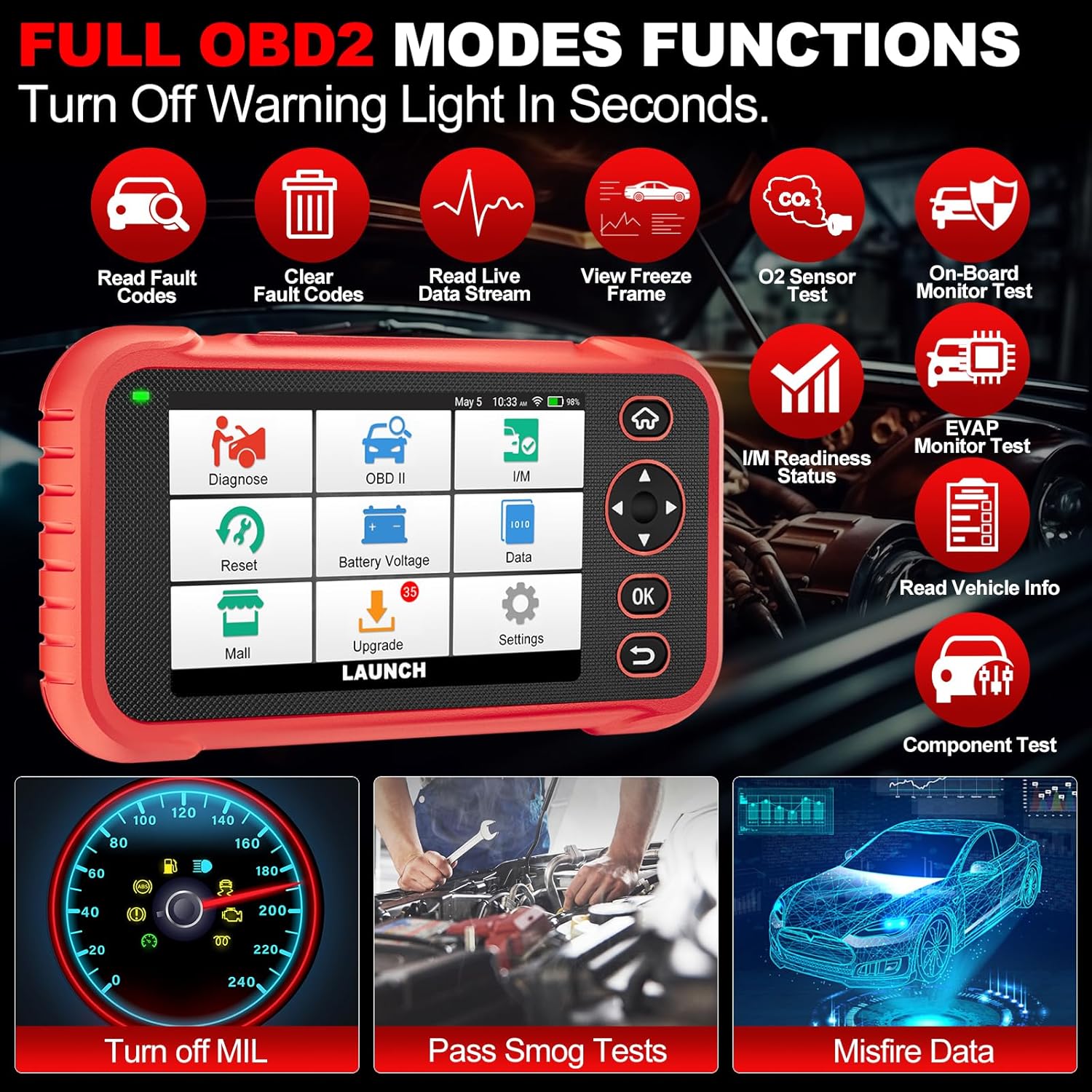
Setšoantšo sa 4.3: Main menu options for OBD2 functions.
4.4. Service Reset Functions
The CRP129E Plus offers 12+ essential service reset functions for common maintenance tasks.
- Ho tsosolosa oli: E seta botjha tsamaiso ya bophelo ba oli kamora ho fetola oli.
- Ho ikamahanya le maemo a throttle: Initializes the throttle actuators to the default state.
- Seta botjha Adblue: Resets the urea after the diesel exhaust fluid (AdBlue) is replaced or refilled.
- Sehloohoamp Tšoanang: Calibrates the adaptive front lighting system.
- TPMS Reset: Resets tire pressure monitoring system sensors.
- Ho seta botjha SAS: Calibrates the steering angle sensor.
- Battery Matching (BMS Reset): Registers new battery replacement.
- Ho seta botjha A/F: Adjusts air/fuel ratio parameters.
- D-P-F Regeneration: E tlosa lintho tse nyenyane ho tsoa sefeng sa DPF.
- Ho ngola khoutu ea Injector: Codes new injector numbers to the ECU.
- Ho seta botjha EPB: Resets the electronic parking brake pads after replacement.
- Ho tsoa mali ka ABS: Performs bleeding of the brake system.

Setšoantšo sa 4.4: Fetileview of available service reset functions.
4.5. Live Data Graphing and Recording
The device can display live data streams in merged quadrant graphs, allowing for comprehensive analysis of up to four parameters simultaneously. Data can also be recorded and played back for further review.

Setšoantšo sa 4.5: Example of 4-in-1 live data graphing and diagnostic report generation.
4.6. Battery Voltage Teko
Lekola bophahamo ba betri ea koloitage in real-time to assess its status and identify potential issues.

Setšoantšo sa 4.6: Matla a betritage test interface and other diagnostic support features.
5. Tlhokomelo
- Ho hloekisa: Sebelisa lesela le bonolo, le omileng ho hloekisa sesebelisoa. Qoba li-cleaner tse khorofo kapa li-solvent.
- Polokelo: Store the device in its carrying case in a cool, dry place when not in use.
- Lintlafatso tsa Software: Regularly check for and install software updates via Wi-Fi to ensure optimal performance and vehicle compatibility.
- Tlhokomelo ea Betri: Avoid fully discharging the battery frequently. Charge the device regularly, even if not in active use, to maintain battery health.
6. Ho rarolla mathata
| Bothata | Lebaka le ka khonehang | Tharollo |
|---|---|---|
| Sesebelisoa ha se sebetse. | Low battery; faulty power button. | Charge the device for at least 30 minutes. If issue persists, contact support. |
| Communication error with vehicle. | Loose OBDII connection; vehicle ignition off; incompatible vehicle protocol. | Ensure cable is securely connected. Turn ignition to ON. Verify vehicle compatibility. |
| Unable to update software. | No Wi-Fi connection; unstable internet; insufficient storage. | Check Wi-Fi connection. Ensure stable internet. Free up storage if necessary. |
| Screen unresponsive. | Software glitch; physical damage. | Restart the device. If issue persists, contact support. |
7. Litlhaloso
- Mohlala: CRP129E PLUS
- Mokhoa oa tšebetso: Android 7.0
- Hlahisa: Skrine se thetsitsoeng sa li-intshi tse 5
- Sehopotso: 16GB
- Betri: 6100mAh
- Khokahano: WiFi
- Boholo: 7.09 x 6.3 x 2.36 lisenthimithara
- Boima ba Ntho: 2.27 liponto
- Melaoana e tšehelitsoeng: OBDII/EOBD
- Tšebeliso ea Likoloi: Over 85 brands (1996-2025)
- UPC: 884508007774

Setšoantšo sa 7.1: Summary of key hardware and software specifications.

Setšoantšo sa 7.2: Extensive vehicle brand coverage and multi-language support.
8. Tiisetso le Tšehetso
The LAUNCH CRP129E Plus comes with a manufacturer's warranty. Please refer to the official LAUNCH websaete kapa litokomane tsa theko ea hau bakeng sa lipehelo le maemo a itseng a tiisetso.
- Tiisetso: 5 Years (as per product information)
- Return/Replace Policy: 90 Days (as per product information)
- Tšehetso ea tekheniki: 24/7 technical support is available. For assistance, please contact LAUNCH customer service.
- Maikutlo a Inthaneteng: The device supports online feedback for quick resolution of diagnostic issues.
For further assistance or to provide feedback, please visit the official LAUNCH support channels.