
Selelekela
This manual provides instructions for the safe and effective use of your REPTITRIP Reptile Heating Pad with PID Thermostat. This device is designed to provide a controlled heat source for reptile terrariums, helping to maintain a stable and appropriate temperature for your pets. Please read all instructions carefully before installation and operation.
Boitsebiso ba Bohlokoa ba Tšireletseho
Ho hloleha ho latela ditaelo tsena tsa polokeho ho ka baka mollo, ho tshoha ha motlakase, kotsi, kapa tshenyo sehlahisweng kapa thepeng.
- This product is intended for household use only, specifically for heating reptile terrariums.
- Do not immerse the heating pad or thermostat controller in water. The heating pad is waterproof (IP67 rated) but not designed for submersion.
- Do not use the heating pad if it is folded or creased. Ensure it lies flat.
- Do not use the heating pad directly on a metal tank, as this can lead to inefficient heating or damage.
- Prolonged application at high temperature settings can cause skin burns to animals. Always monitor the temperature carefully.
- Discontinue use immediately if the heating pad shows any signs of deterioration, such as cracking, blistering, or melting.
- The heating pad features a built-in temperature sensor that will stop heating if the internal temperature reaches 122°F (50°C) to prevent overheating.
- Keep out of reach of children and pets not intended for its use.
Sehlahisoa se Felletseview
The REPTITRIP Reptile Heating Pad system includes a heating mat and an intelligent PID thermostat controller. It is designed to provide precise and stable temperature control for reptile habitats.
Likarolo tsa Bohlokoa:
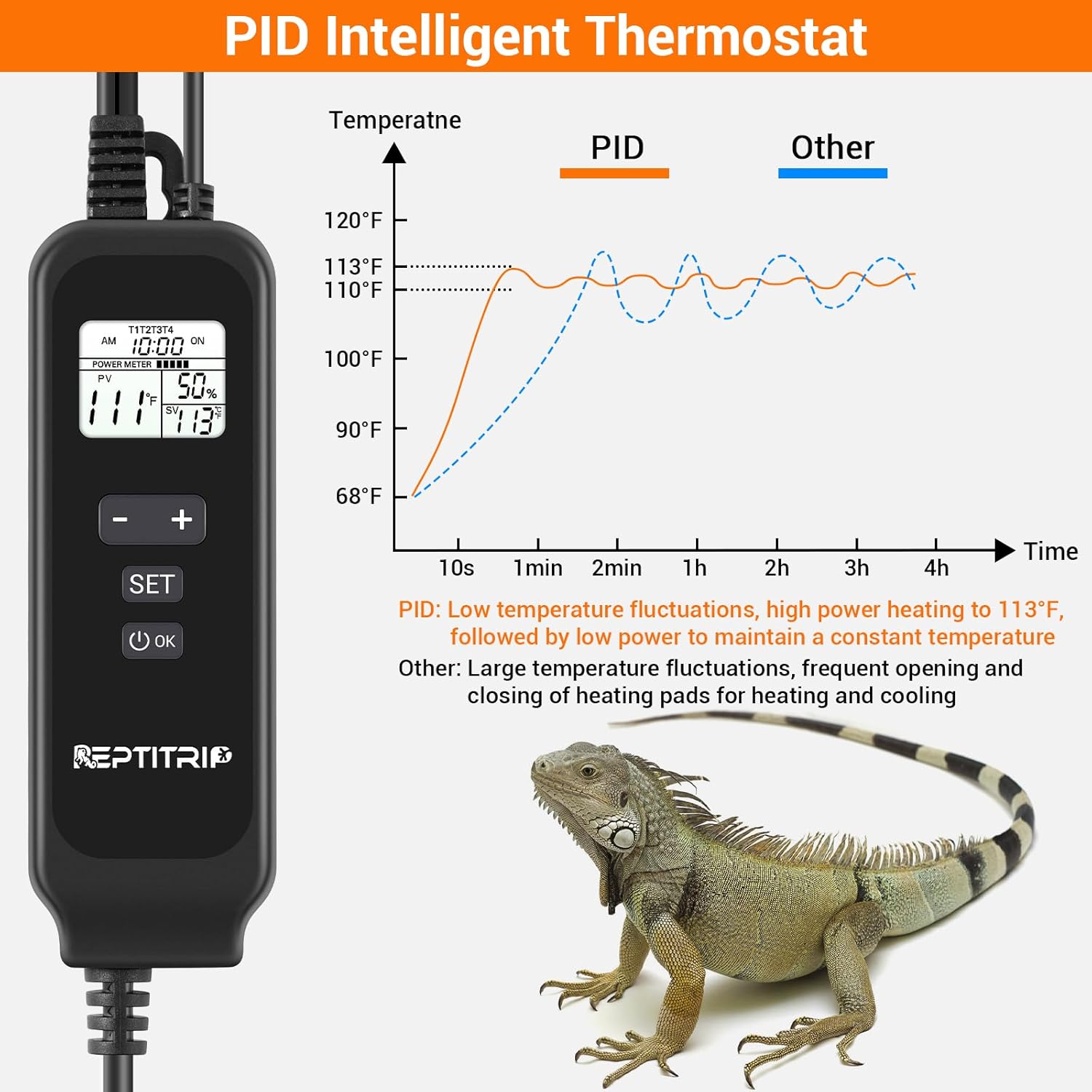
- PID Intelligent Thermostat: Accurately controls heating temperature for efficiency and stability.
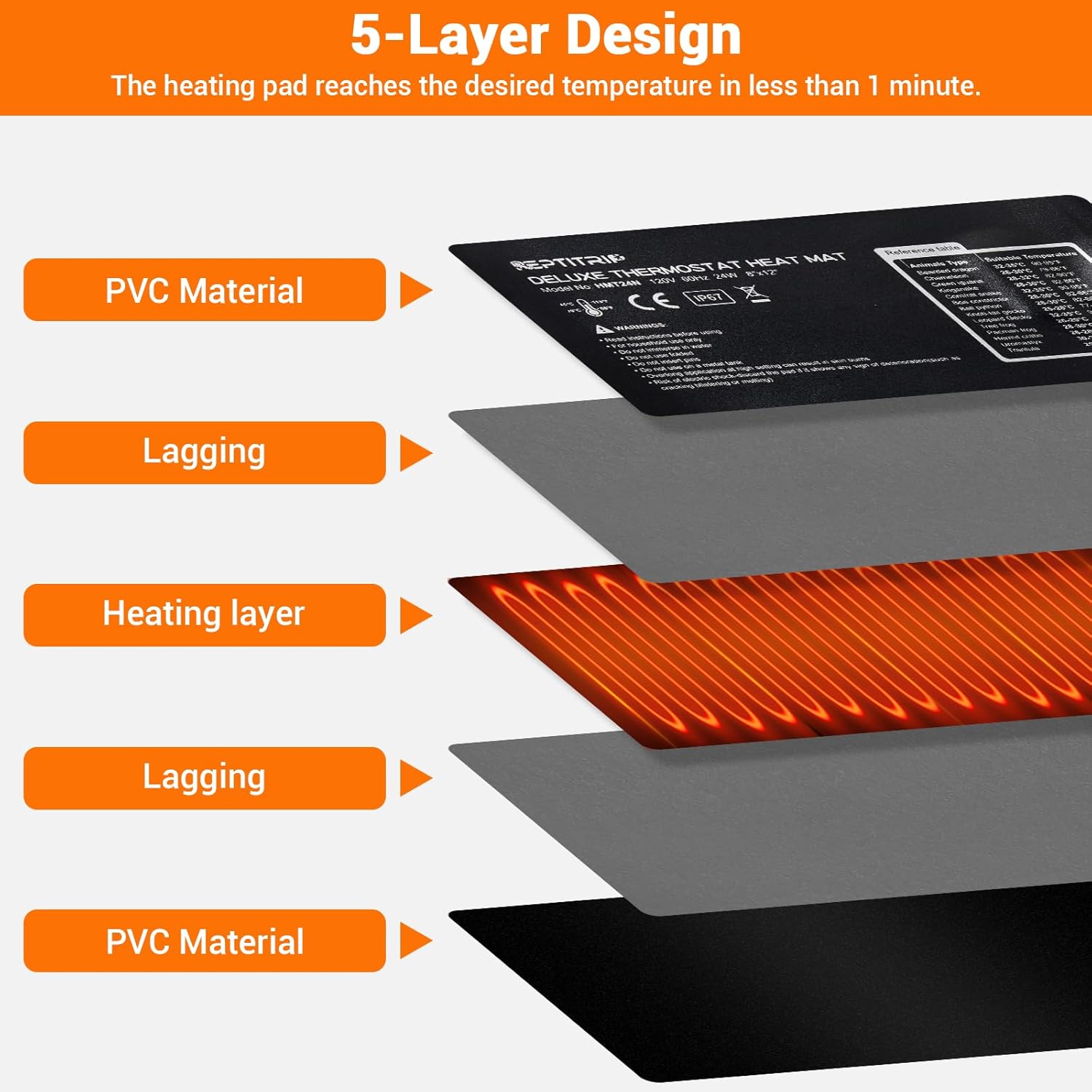
- Ho futhumatsa ka potlako: 24W power heats to 113°F (45°C) in approximately 1 minute.
- Tšireletso e phahameng ea mocheso: Automatically stops heating at 122°F (50°C).
- Ho lemoha Mocheso: Built-in sensor and external probe for real-time temperature monitoring.
- Kaho e Ts'oarellang: 5-layer design including PVC material, lagging, and heating layer.
- Moralo o sa keneleng metsi: IP67 rated heating pad (do not immerse).
- Tšehetso ea Sekhomaretsi: Equipped with 3M adhesive for secure mounting.

Litaelo tsa ho seta
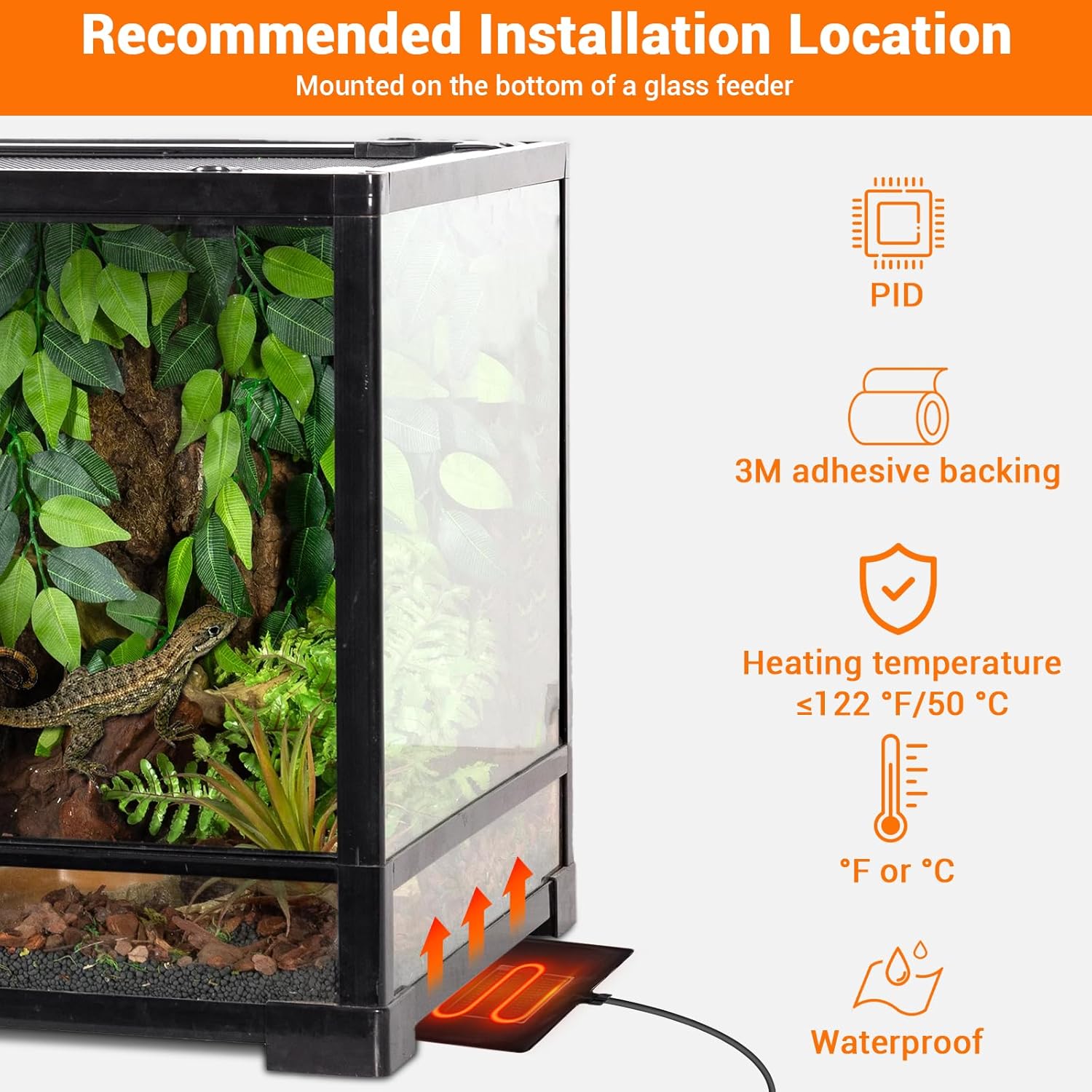
- Khetha Sebaka: Select a suitable location for the heating pad, typically on the bottom or side of a glass terrarium. Ensure the surface is clean and dry.
- Apply Heating Pad: Remove the protective film from the 3M adhesive backing on the heating pad. Carefully press the pad firmly onto the chosen surface of the terrarium. Ensure there are no air bubbles or wrinkles.
- Position Temperature Probe: Place the external temperature probe inside the terrarium, near the area where the heat is needed most, but away from direct contact with the heating pad to ensure accurate ambient temperature readings. Secure it to prevent movement.
- Hokela Thermostat: Plug the heating pad into the thermostat controller. Then, plug the thermostat controller into a standard electrical outlet.


Litaelo tsa Ts'ebetso
The PID thermostat controller allows for precise temperature management. The controllable temperature range is 68°F to 113°F (20°C to 45°C).
Mesebetsi ea Controller:

- Pontšo ea LCD: Shows current time, sensor temperature, set temperature, and power percentage.
- Konopo ya HO TULA/TLOA: Press and hold to power the unit on or off.
- SET Konope: Press to enter temperature setting mode.
- '+' Konopo: Increases the set temperature or navigates menu options.
- '-' konopo: Decreases the set temperature or navigates menu options.
- Konopo e Lokileng: E netefatsa likhetho.
Ho Seta Mocheso:
- Tobetsa ea HLOKOMELA button. The set temperature display will begin to flash.
- Sebelisa le + or - likonopo ho lokisa mocheso o batloang.
- Tobetsa ea OK button to confirm your setting. The display will stop flashing.
Switching Between °F and °C:
To switch the temperature display between Fahrenheit (°F) and Celsius (°C), long press the HLOKOMELA konopo le + konopo ka nako e le nngwe.
Tlhokomelo
- Ho hloekisa: Disconnect the power before cleaning. Wipe the heating pad and controller with a damp lesela. Se ke oa sebelisa li-abrasive cleaners kapa ua inela ka metsing.
- Tlhahlobo: Regularly inspect the heating pad and power cords for any signs of damage, wear, or deterioration. If any damage is observed, discontinue use and replace the unit.
- Polokelo: When not in use, store the heating pad and controller in a dry, cool place, away from direct sunlight and extreme temperatures.
Ho batle phoso
- No Power/Heating:
- Netefatsa hore thapo ea motlakase e hoketsoe ka mokhoa o sireletsehileng setšeng sa motlakase se sebetsang.
- Check if the thermostat controller is powered on (press and hold the ON/OFF button).
- Verify that the heating pad is correctly plugged into the thermostat controller.
- Mocheso o Fosahetseng:
- Ensure the external temperature probe is properly positioned within the terrarium and not directly touching the heating pad or other heat sources.
- Check for any obstructions around the probe that might affect its reading.
- Ho Fetoha ha Mocheso:
- The PID system is designed for stable control, but significant external temperature changes or drafts can affect stability.
- Ensure the terrarium is adequately insulated and placed in a stable environment.
- Heating Pad Overheating (reaching 122°F/50°C):
- The built-in protection will temporarily stop heating. This is a safety feature.
- Check if the set temperature is too high for the environment or if the pad is covered by insulating material that traps excessive heat.
Litlhaloso
| Sebopeho | Lintlha |
|---|---|
| Nomoro ea Mohlala | HMT24N |
| Heating Pad Dimensions | 8 x 12 lisenthimithara (20.3 x 30.5 cm) |
| Sehlahisoa sa Matla | 24 Watts |
| Moqtage | 120V, 60Hz |
| Mocheso Taolo Range | 68°F ho isa ho 113°F (20°C ho isa ho 45°C) |
| Tšireletso e Phahameng ea Mocheso | 122°F (50°C) |
| Lintlha tse sa keneleng metsi | IP67 (Heating Pad) |
| Bolelele ba Khoele ea Matla | 70 inches (hoo e ka bang 178 cm) |
| Probe Cord Bolelele | 60 inches (hoo e ka bang 152 cm) |
| Boholo ba Tanka bo khothalelitsoeng | 30-40 Lithako |
| Moetsi | REPTRIE |
Warranty le Customer Support
For warranty information, technical assistance, or customer support, please refer to the contact information provided with your purchase or visit the official REPTITRIP websebaka. Boloka rasiti ea hau ea theko e le bopaki ba hore u rekile.