
LIEMKE LO-MERLIN35
LIEMKE MERLIN-35 Thermal Imaging Device User Manual
Model: MERLIN-35
Selelekela
The LIEMKE MERLIN-35 (2020) is a versatile thermal imaging device designed for both field and forest hunting. It functions as a hand-held thermal monocular when used with a booster adapter, or as an attachment for day optics when combined with an appropriate clamping adapter. This manual provides comprehensive instructions for the setup, operation, maintenance, and troubleshooting of your MERLIN-35 device.
Equipped with a 384 x 288 VOx ceramic thermal detector and a 1,024 x 768 OLED display, the MERLIN-35 delivers a brilliant and sharp image with outstanding imaging performance. Its robust aluminum housing and compact design ensure durability and ease of handling in various conditions.

Figure 1: The LIEMKE MERLIN-35 Multifunctional Thermal Imaging Device.
Litaba tsa Sephutheloana
Upon opening the package, please verify that all components are present and in good condition. The standard package for your MERLIN-35 includes:
- LIEMKE MERLIN-35 Thermal Imaging Device
- USB Charging Cable
- Cable e hlahisoang ke video
- 2 x CR123 Batteries (700mAh)
- Sesebelisoa sa Wrench
- Adapter Ring (for attachment)
- Bukana ea mosebelisi (tokomane ena)
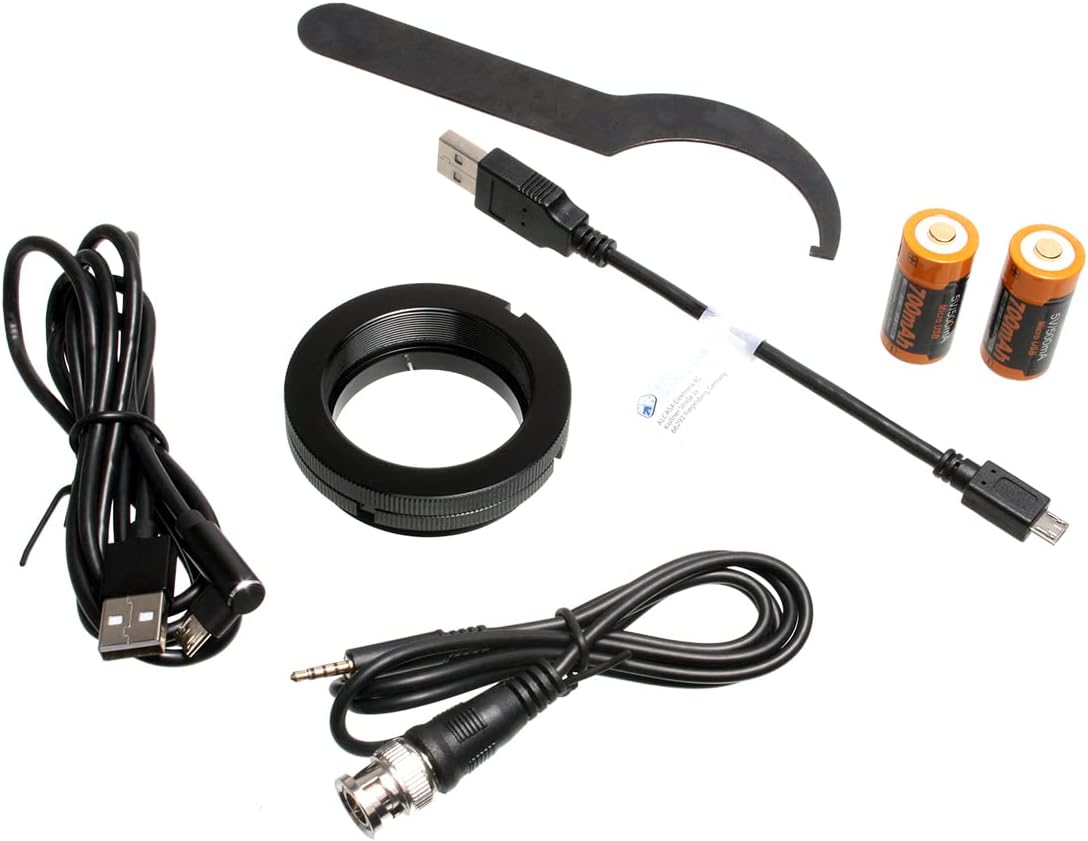
Figure 2: Contents of the MERLIN-35 package, including cables, batteries, and tools.
Tlhophiso
1. Ho kenya Battery
The MERLIN-35 operates on two CR123 (3.7V) batteries. Ensure correct polarity when inserting the batteries.
- Locate the battery compartment on the side of the device.
- Open the battery compartment cover by unscrewing or unlatching it.
- Insert two CR123 batteries, observing the polarity markings inside the compartment.
- Koala sekoaelo sa karolo ea betri ka mokhoa o sireletsehileng.
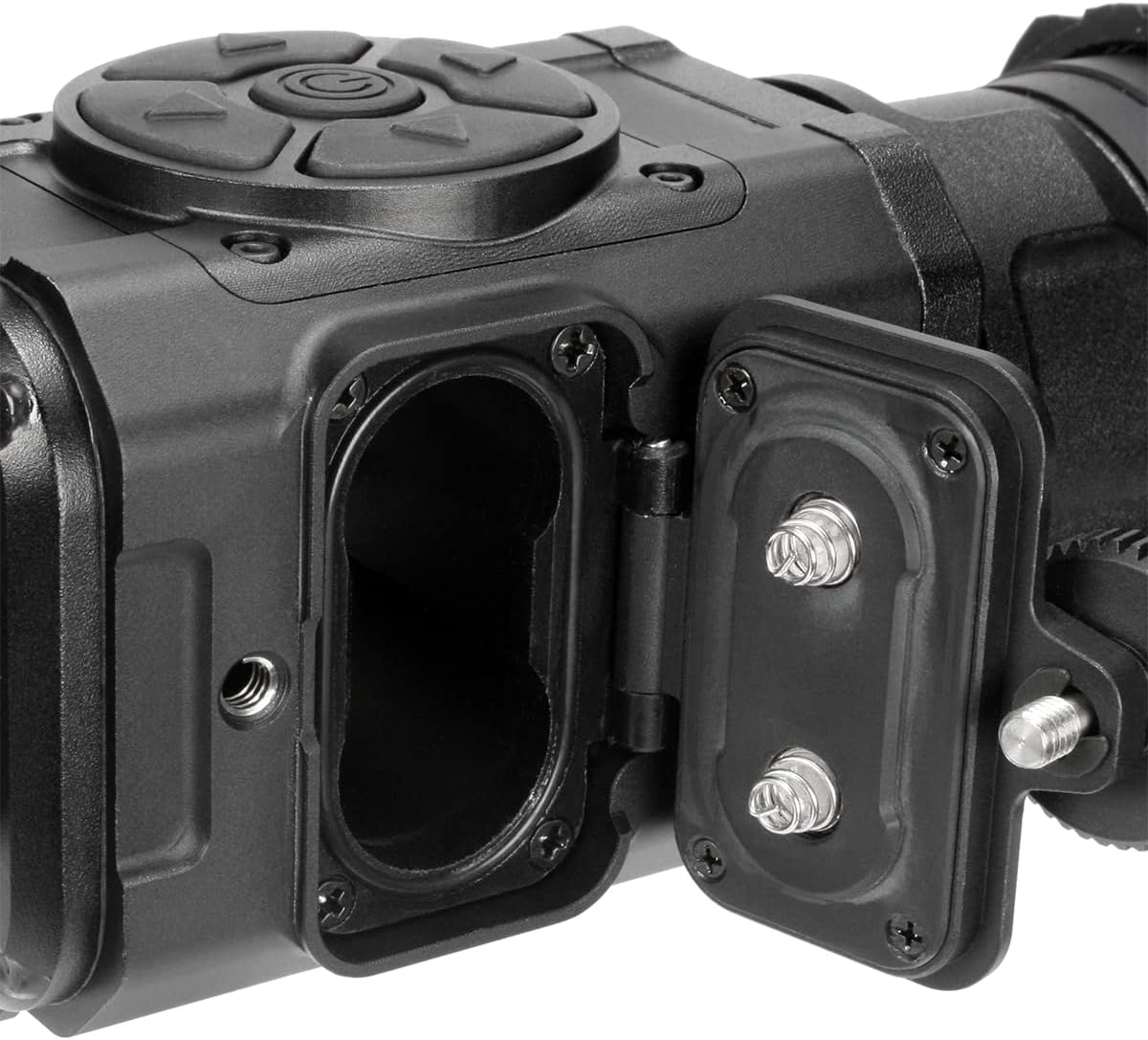
Setšoantšo sa 3: View of the MERLIN-35 with the battery compartment open, showing the battery slots.
2. Ho tjhaja Sesebelisoa
The MERLIN-35 can be operated and charged via an external USB power source. Connect the provided USB cable to the Micro USB port on the device and to a compatible power adapter or computer.
3. Attachment to Day Optics (Optional)
To use the MERLIN-35 as an attachment for day optics, you will need an appropriate clamping adapter (sold separately) and the included adapter ring. Follow the instructions provided with your clamping adapter for proper installation.
Litaelo tsa Ts'ebetso
1. Ho tima/Ho tima
Locate the power button on the control panel. Press and hold the power button to turn the device on or off.
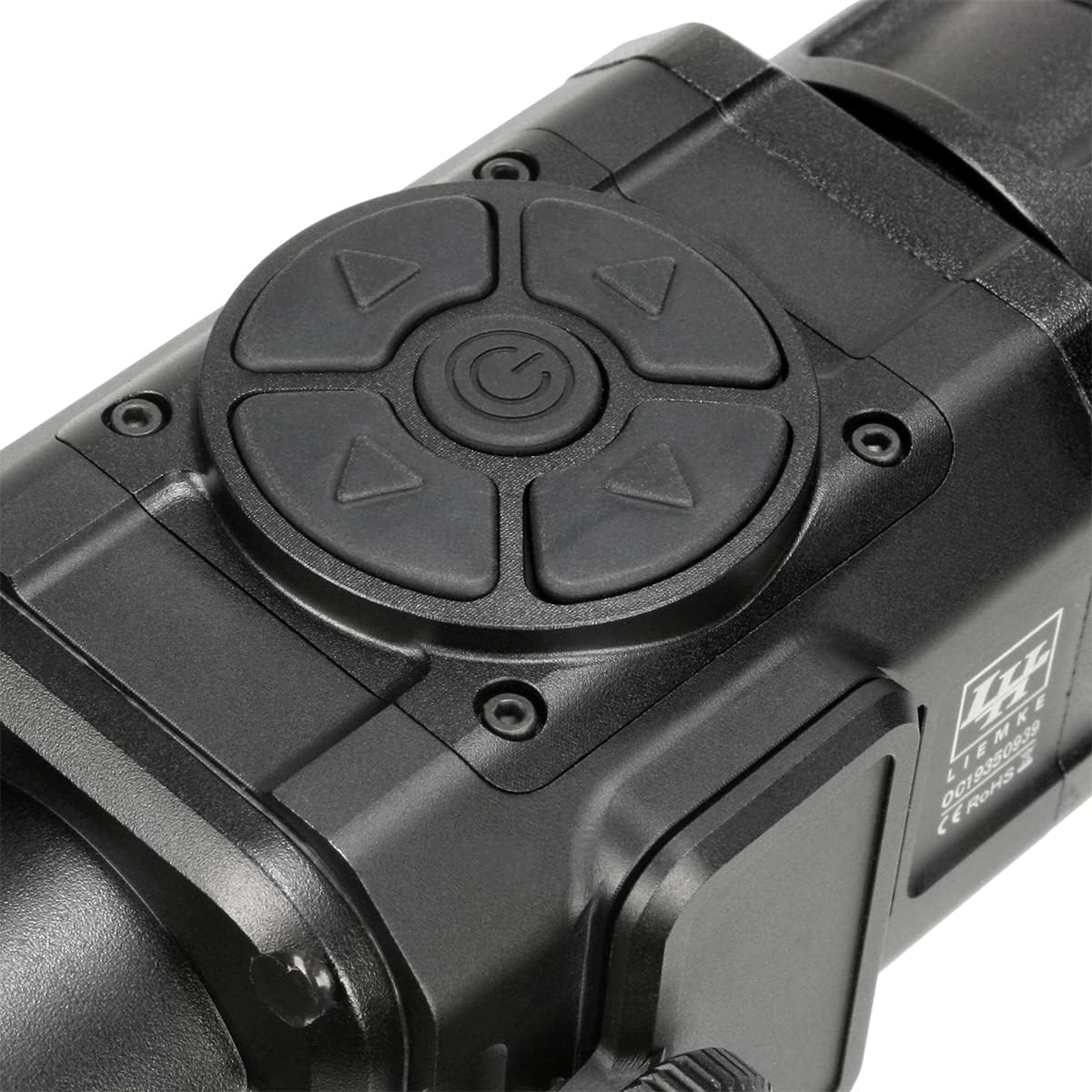
Setšoantšo sa 4: Haufi view of the control buttons on the top of the MERLIN-35 device.
2. Manual Focus Adjustment
The 35mm objective lens features manual focus. Rotate the objective lens ring to achieve a clear and sharp image of your target.
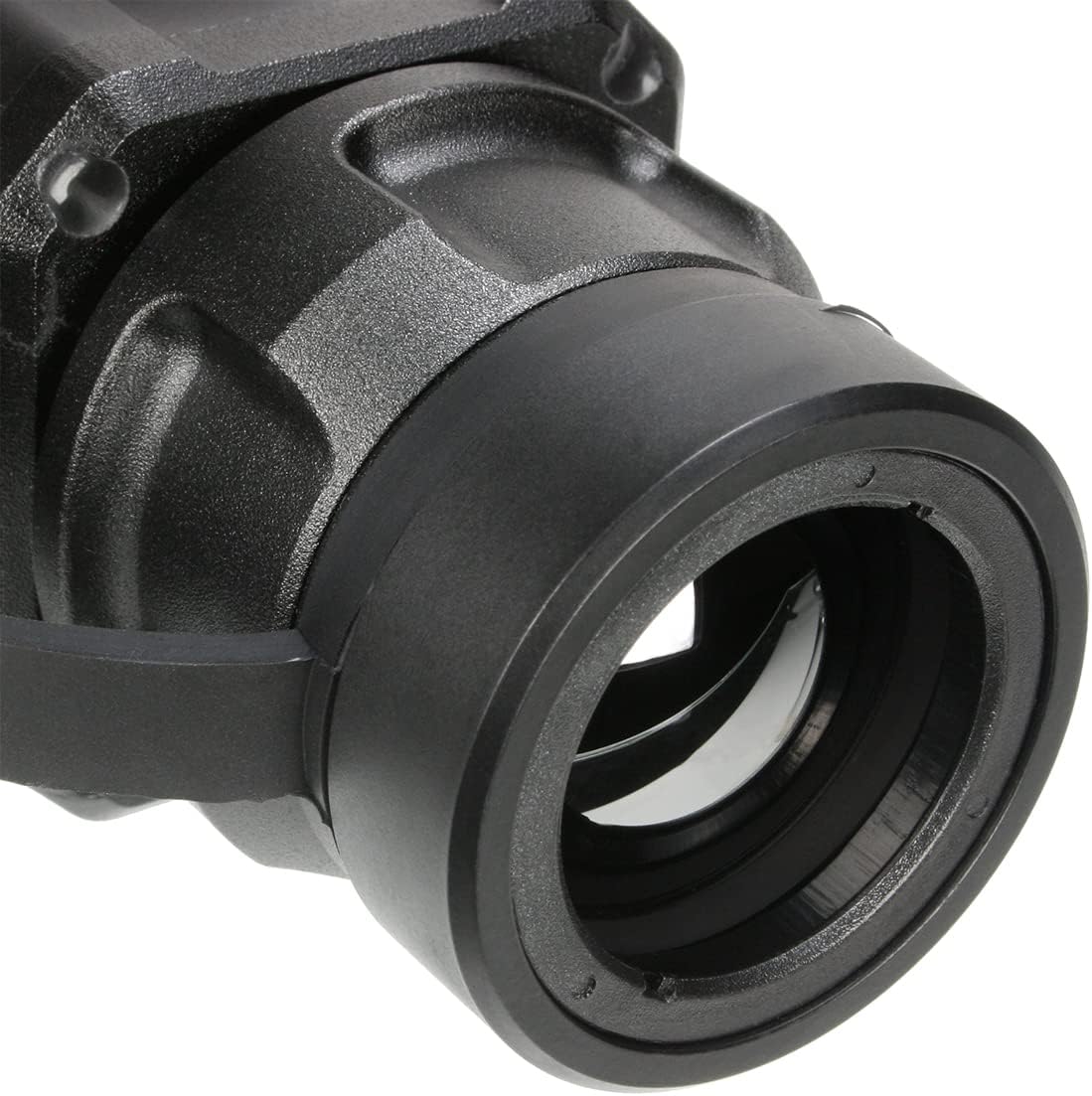
Setšoantšo sa 5: Ka botlalo view of the MERLIN-35's objective lens, which can be manually focused.
3. Wi-Fi Function and Livestream
The integrated Wi-Fi function allows you to transfer image data from the thermal imager directly to your Android or Apple device via livestream. This function supports a range of up to 50 meters.
- Download the official LIEMKE app from your device's app store.
- Turn on the MERLIN-35 and activate its Wi-Fi mode (refer to on-screen menu or quick start guide for specific button presses).
- Connect your smartphone or tablet to the MERLIN-35's Wi-Fi network.
- Open the LIEMKE app to view the livestream and access additional features.

Setšoantšo sa 6: Lehlakore view of the MERLIN-35, highlighting the AV OUT and Micro USB ports for connectivity.
4. User Interface and Controls
The MERLIN-35 features an intuitive control panel designed for ease of use, even when wearing gloves. Navigate through menus and adjust settings using the directional buttons and central selection button.

Setšoantšo sa 7: Angled view of the MERLIN-35, providing a clear look at the user-friendly control panel.
Tlhokomelo
1. Ho hloekisa sesebelisoa
To maintain optimal performance and longevity of your MERLIN-35, regular cleaning is recommended.
- Sebelisa lesela le bonolo, le se nang lint ho hlakola bokantle ba sesebelisoa.
- For the objective lens and display, use a specialized optical cleaning cloth and solution to avoid scratches.
- Do not use abrasive cleaners or solvents, as they may damage the device's finish or optical components.
2. Tšireletso ea Tikoloho
The MERLIN-35 is certified according to IP66 standards, providing optimal protection against dust and heavy rain. While robust, avoid prolonged submersion in water or exposure to extreme temperatures.
Ho batle phoso
This section addresses common issues you might encounter with your MERLIN-35 device. If the problem persists after following these steps, please contact customer support.
| Bothata | Lebaka le ka khonehang | Tharollo |
|---|---|---|
| Sesebelisoa ha se sebetse. | Low or depleted batteries; incorrect battery installation. | Replace batteries with fresh ones, ensuring correct polarity. Charge the device via USB. |
| Setšoantšo se lerootho kapa ha se shebahale hantle. | Incorrect manual focus adjustment. | Rotate the objective lens ring to manually adjust focus until the image is clear. |
| Mathata a khokahano ea Wi-Fi. | Device Wi-Fi not activated; incorrect network selection; too far from device. | Ensure Wi-Fi is enabled on the MERLIN-35. Select the correct Wi-Fi network on your smart device. Move closer to the MERLIN-35 (within 50m). |
| Bophelo ba betri e khutšoanyane. | Old or low-quality batteries; continuous use of power-intensive features. | Use high-quality CR123 batteries. Reduce screen brightness or Wi-Fi usage if not needed. Consider using an external USB power source for extended operation. |
Litlhaloso
The following table outlines the key technical specifications of the LIEMKE MERLIN-35 thermal imaging device.
| Sebopeho | Lintlha |
|---|---|
| Lebitso la Mohlala | MERLIN-35 |
| Nomoro ea Karolo ea Moetsi | LO-MERLIN35 |
| Mohloli oa Mocheso | 384 x 288 VOx ceramic |
| Pixel Pitch | 17µm |
| Pontšo | 1,024 x 768 OLED |
| Boikemisetso ba lense bophara | 35mm (Manually Focusable) |
| Tšimo ea View (at 100m) | 19m |
| Sebaka sa ho Khetholla | Ho fihla ho 1,235m |
| Mohloli oa Matla | 2 x CR123 (3.7V) batteries |
| Bophelo ba Battery | Ho fihlela lihora tse 4 |
| Matla a Kantle | USB (via Micro USB port) |
| Mosebetsi oa Wi-Fi | Yes (Livestream to Android/Apple devices, up to 50m) |
| Lintho tse bonahalang | Ntlo ea aluminium |
| Boima ba 'mele | 420g (16.9 Ounces) |
| Tšireletso ea Ingress | IP66 (Dust and heavy rain protection) |
| Mmala | Ntsho |
| Mofuta oa ho Beha | Dovetail Mount (for attachment) |
Warranty le Tšehetso
Boitsebiso ba Warranty
The LIEMKE MERLIN-35 thermal imaging device comes with a Waranti ea lilemo tse 3 ho tloha ka letsatsi la theko. Tiisetso ena e koahela mefokolo ea thepa le moetso tlas'a tšebeliso e tloaelehileng. Ka kopo, boloka bopaki ba theko ea hau bakeng sa likopo tsa tiisetso.
The warranty does not cover damage caused by misuse, unauthorized modifications, accidents, or natural disasters. For detailed warranty terms and conditions, please refer to the official LIEMKE websebaka kapa ikopanye le tšehetso ea bareki.
Tšehetso ea Bareki
For technical assistance, warranty claims, or any other inquiries regarding your MERLIN-35, please contact LIEMKE customer support. You can typically find contact information on the official LIEMKE websebaka kapa ka morekisi oa hau.
When contacting support, please have your product model (MERLIN-35) and serial number (if applicable) ready to expedite the process.