
Be Cool BC121TU2201F
Be Cool 121 cm Tower Fan User Manual
Model: BC121TU2201F
Selelekela
Thank you for choosing the Be Cool 121 cm Tower Fan. This manual provides important information regarding the safe operation, assembly, maintenance, and troubleshooting of your new appliance. Please read this manual thoroughly before use and keep it for future reference.

Setšoantšo: Pele view of the Be Cool 121 cm Tower Fan in white, showcasing its sleek design and tall profile.
Boitsebiso ba Bohlokoa ba Tšireletseho
- Always ensure the fan is placed on a stable, flat surface to prevent tipping.
- Do not insert fingers or any objects into the fan grilles.
- Tlosa fene ka har'a sokete ea motlakase pele u hloekisa kapa u etsa tlhokomelo efe kapa efe.
- Boloka fene hole le metsi le libaka tse mongobo o phahameng.
- Do not operate the fan with a damaged cord or plug. Contact qualified service personnel for repair.
- Sesebelisoa sena ke sa ts'ebeliso ea kahare feela.
Litaba tsa Sephutheloana
Ka kopo, sheba litaba tsa sephutheloana ha se buloa ho netefatsa hore lintho tsohle li teng ebile ha lia senyeha:
- Be Cool 121 cm Tower Fan Unit
- Base (two halves)
- Remote Control (with 1 CR2430 battery included)
- Bukana ea Mosebelisi
- Mounting Screws for Base
Tlhophiso le Kopano
Follow these steps to assemble your Be Cool Tower Fan:
- Carefully remove all packaging materials from the fan unit and its components.
- Take the two halves of the base and align them. They should snap together or fit snugly.
- Place the main fan unit onto the assembled base, ensuring the alignment tabs or slots match.
- Secure the fan unit to the base using the provided screws. Typically, these are tightened from the underside of the base.
- Place the assembled fan on a firm, level surface.
- Insert the CR2430 battery into the remote control if not already pre-installed.
- Plug the power cord into a standard electrical outlet (220V).

Setšoantšo: Lehlakore view of the Be Cool Tower Fan, illustrating its slim profile and stable circular base.
Litaelo tsa Ts'ebetso
Your Be Cool Tower Fan can be operated using the touch control panel on top of the unit or the included remote control.
Panopo ea taolo le Pontšo ea LED
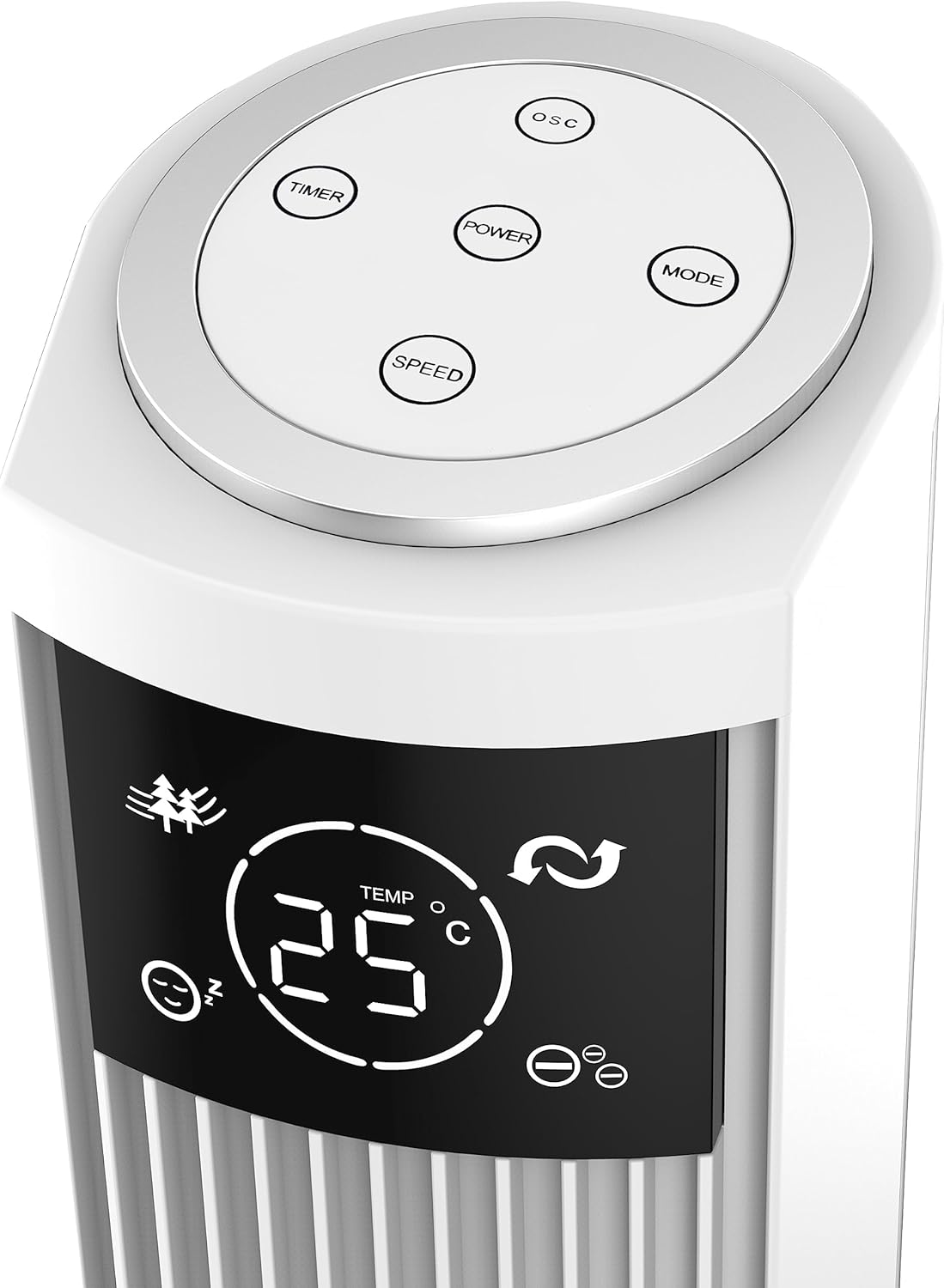
Image: Close-up of the fan's top control panel, showing the touch buttons for Power, Speed, Timer, Oscillation, and Mode.
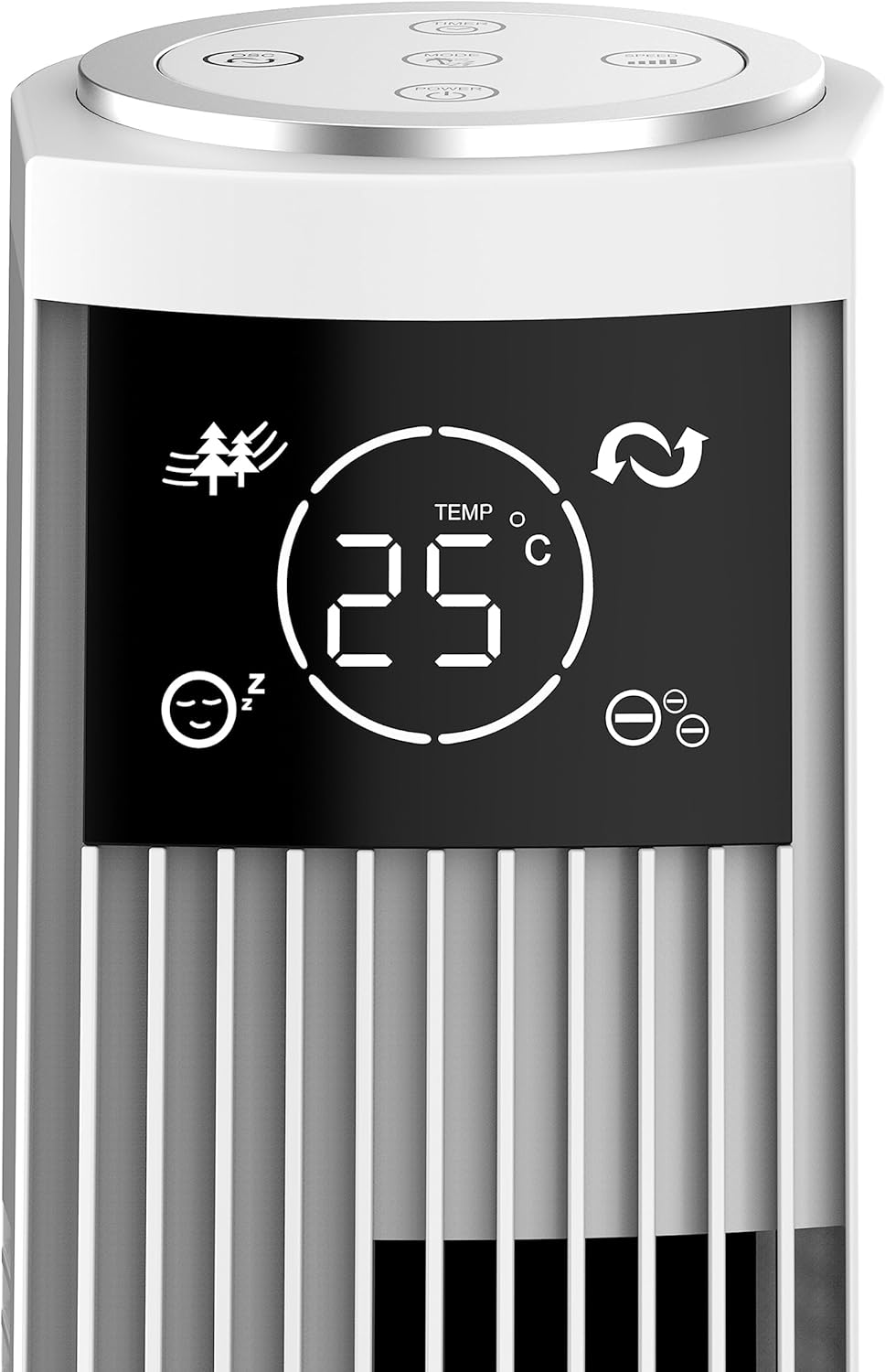
Setšoantšo: Ka botlalo view of the fan's LED display, showing temperature, mode icons (Nature, Sleep), and oscillation indicator.
The LED display shows the current room temperature and active settings. The touch-sensitive buttons allow for easy control of all functions.
Remote Control

Image: The remote control for the Be Cool Tower Fan, featuring buttons for Power, Speed, Oscillation, Ionizer, Timer, and Mode.
The remote control provides convenient access to all fan functions from a distance.
- MATLA: E bulela kapa e tima fene.
- LEBELO: Cycles through fan speeds: Low, Medium, High.
- OSC (Oscillation): Activates or deactivates the oscillating function, allowing the fan to rotate from side to side to distribute air.
- ION (Ionizer): Turns the ionizer function On or Off. The ionizer helps to purify the air by releasing ions tse mpe.
- TIMER: Sets the automatic shut-off timer. Press repeatedly to cycle through 1-hour increments, up to 12 hours.
- MOKHOA: Cycles through different wind modes:
- Tloaelehileng: Phallo ea moea e sa khaotseng ka lebelo le khethiloeng.
- Boemo ba Tlhaho: E etsisa moea oa tlhaho ka ho fapana ka lebelo la fan.
- Mokhoa oa ho robala: Gradually decreases fan speed over time for quiet operation during sleep.
Tlhokomelo
Tlhokomelo ea kamehla e netefatsa ts'ebetso e nepahetseng le bophelo bo bolelele ba fan ea hau.
Ho hloekisa
- Kamehla u tlose fene pele u hloekisa.
- Sebelisa bonolo, damp lesela ho hlakola bokaholimo ba kantle ba fene. U se ke ua sebelisa lihlatsoi tse khorofo kapa li-solvent.
- Use a vacuum cleaner with a brush attachment to gently clean dust from the air inlet and outlet grilles.
- Se ke oa qoelisa fene metsing kapa ua lumella metsi hore a rothele ka har'a ntlo ea enjene.
Polokelo
Ha e sa sebelisoe ka nako e telele, boloka fene sebakeng se pholileng, se omileng, haholo-holo ka har'a sephutheloana sa eona sa pele, ho e sireletsa lerōleng le tšenyo.
Ho batle phoso
Haeba o kopana le mathata ka fene ea hau, ka kopo sheba mathata le litharollo tse latelang tse tloaelehileng:
| Bothata | Lebaka le ka khonehang | Tharollo |
|---|---|---|
| Fane ha e bulele. | No power supply; power cord not plugged in; power outlet faulty. | Netefatsa hore fene e hoketsoe hantle ka har'a sokete ea motlakase e sebetsang. Hlahloba sethibela-khaello sa potoloho. |
| Moea o fokolang. | Fan speed set too low; air inlets/outlets blocked by dust. | Increase the fan speed. Clean the air grilles as per maintenance instructions. |
| Fene e etsa lerata le sa tloaelehang. | Fan not on a stable surface; foreign object inside; internal component issue. | Place the fan on a stable, flat surface. Unplug and check for any obstructions. If noise persists, contact customer support. |
| Remote control ha e sebetse. | Battery depleted or incorrectly inserted; remote out of range. | Replace the battery (CR2430). Ensure the remote is pointed towards the fan's receiver and within range. |
If the problem persists after trying these solutions, please contact Be Cool customer support for assistance.
Litlhaloso
| Sebopeho | Lintlha |
|---|---|
| Brand | Khotsofala |
| Nomoro ea Mohlala | BC121TU2201F |
| Mmala | Bosoeu |
| Litekanyo (Sehlahisoa) | 31.5D x 31.5W x 121H cm |
| Boima ba 'mele | 3.5 lik'hilograma |
| Matla | 45 Watts |
| Moqtage | 220V |
| Lintho tse bonahalang | Plastiki |
| Palo ea Mabelo | 3 (tlase, mahareng, holimo) |
| Likarolo Tse Khethehileng | Ionizer, LED Display, Oscillation, Timer (up to 12h), Remote Control |
| Mofuta oa Molaoli | Remote Control, Touch Panel |
| Mohloli oa Matla | Matla a Matla |
Warranty le Tšehetso
Your Be Cool Tower Fan comes with a manufacturer's warranty. Please refer to the warranty card included with your product for specific terms and conditions. For technical support, spare parts, or any inquiries not covered in this manual, please contact Be Cool customer service through their official website or the contact information provided on your purchase receipt.
Ask a question about this manual
Ask about setup, troubleshooting, compatibility, parts, safety, or missing instructions. Manuals+ will review the question and use this page’s manual context to help answer it.