
Selelekela
Thank you for choosing the Dpofirs Portable MP3 Player. This device is designed to provide high-quality, lossless audio playback in a compact and durable form factor. This manual will guide you through the setup, operation, and maintenance of your new MP3 player.
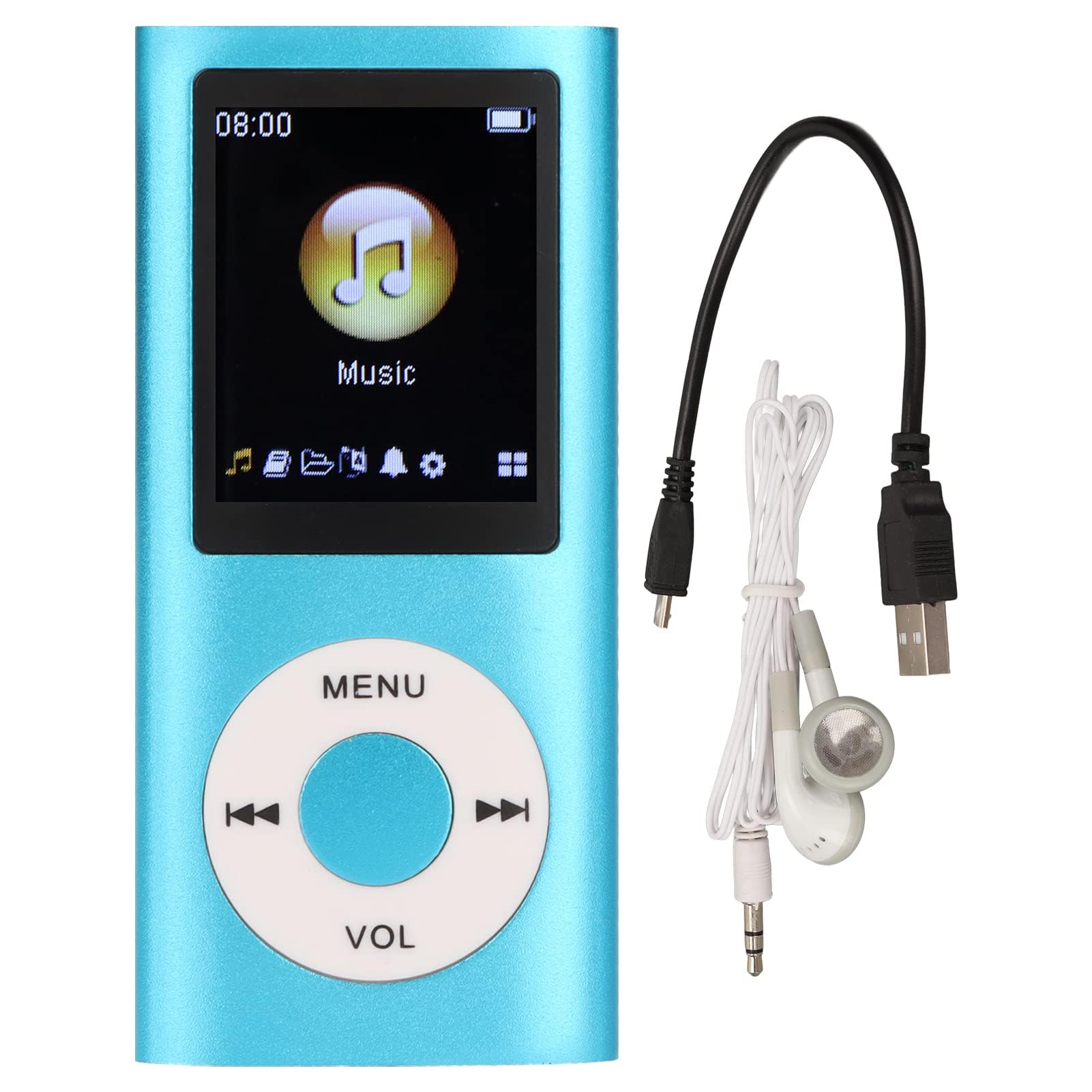
Image: The Dpofirs Portable MP3 Player, featuring a blue aluminum alloy casing and a circular control pad. A person is visible in the background, enjoying music with headphones.
Litaba tsa Sephutheloana
Ka kopo, sheba sephutheloana sa lintho tse latelang:
- 1 x Dpofirs MP3 Player
- 1 x Cable ea ho tjhaja
- 1 x Li-earphone
Likarolo tsa Bohlokoa
- Boleng bo sa Lahleheng ba Modumo: Supports MP3, WMA, FLAC, APE, AAC, OGG, and ACELP audio formats.
- Mehopolo e Atolositsoeng: Supports up to 64GB memory card (not included). MYMAHDI memory cards are recommended.
- Sehokelo se Sebeletsang Mosebelisi: Easy navigation for selecting songs, creating playlists, and managing playback.
- Bophelo bo Bolelele ba Battery: Ho fihla ho lihora tse 8 tsa ho bapala u sa lefelle tefo e felletseng.
- Moralo o tšoarellang: Constructed from premium aluminum alloy for enhanced durability.
- Mekhoa ea ho Bapala: Supports sequential and random playback, and sleep shutdown function.
Tlhophiso
1. Ho tjhaja Sesebelisoa
Before first use, fully charge your MP3 player.
- Connect the provided charging cable to the MP3 player's charging port.
- Hokela ntlha e 'ngoe ea thapo ho adaptara ea matla ea USB (ha e kenyelelitsoe) kapa koung ea USB ea komporo.
- The device will indicate charging status. A full charge typically takes approximately 2 hours.
Bohlokoa: Ensure the charging cable is functioning correctly. If the device does not charge, try a different USB port or adapter.
2. Ho kenya karete ea memori
The MP3 player requires a memory card for storing music.
- Locate the memory card slot on the side of the MP3 player.
- Gently insert a microSD card (up to 64GB, not included) into the slot until it clicks into place.
- Ho tlosa, sutumelletsa karete ka hare hanyenyane ho fihlela e tsoa.
Hlokomela: A memory card is not included with the player. MYMAHDI brand memory cards are recommended for optimal performance.
3. Ho hokahanya li-Earphone
Connect the provided earphones or your preferred 3.5mm audio headphones to the headphone jack on the MP3 player.
Litaelo tsa Ts'ebetso
1. Matla On/O tima
- To power on, press and hold the power button (usually the Play/Pause button or a dedicated power button) until the screen lights up.
- To power off, press and hold the power button again until the screen turns off.
2. Basic Navigation
The MP3 player features a circular control pad with several buttons:
- MENU: Access the main menu or go back to the previous screen.
- BOLUMO (+/-): Fetola boemo ba molumo.
- Bapala/Emisa: Qala kapa emisa ho bapala.
- E latelang/E Fetileng: Skip to the next track or go back to the previous track. Long press to fast forward/rewind.
3. Ho Fetisa 'Mino Files
To transfer music to your MP3 player:
- Connect the MP3 player to your computer using the charging cable.
- The player should appear as a removable disk drive on your computer.
- Hula u tlohele 'mino oa hau files (MP3, WMA, FLAC, APE, AAC, OGG, ACELP) into the player's memory card folder.
- Tlosa sesebelisoa komporong ea hau ka mokhoa o sireletsehileng pele o hakolla thapo.
4. Ho bapala 'Mino
- From the main menu, navigate to the "Music" or "Audio" section.
- Browse your music by artist, album, genre, or all songs.
- Khetha pina ho qala ho bapala.
- Use the Play/Pause, Next/Previous, and VOL buttons to control playback.
5. Playback Options
- Manane a bapalwang: Create and manage custom playlists directly on the device.
- Shuffle/Repeat: Toggle between sequential playback, shuffle, and repeat modes.
- Sleep Shutdown: Set a timer for the device to automatically power off.
Tlhokomelo
- Keep the device dry. Moisture can damage internal circuits.
- Qoba mocheso o feteletseng.
- Clean the device with a soft, dry cloth. Do not use harsh chemicals or cleaning agents.
- Sireletsa skrine khahlanong le ho ngoatheha.
- Boloka sesebelisoa sebakeng se sireletsehileng ha se sa sebelisoe.
Ho batle phoso
Sesebelisoa ha se sebetse:
- Ensure the battery is charged. Connect the player to a power source and allow it to charge for at least 30 minutes.
- Try pressing and holding the power button for an extended period (5-10 seconds).
Cannot hear any sound:
- Check if the earphones are properly connected to the headphone jack.
- Eketsa molumo o sebedisa konopo ya VOL+.
- Test with a different pair of earphones to rule out faulty headphones.
- Netefatsa molumo files are not corrupted and are in a supported format.
Mmino files are not recognized:
- Ensure the memory card is properly inserted and recognized by the device.
- Netefatsa hore 'mino files are in one of the supported formats (MP3, WMA, FLAC, APE, AAC, OGG, ACELP).
- Try reformatting the memory card (this will erase all data) and re-transferring the music.
- Ensure the memory card is not full.
Device freezes or becomes unresponsive:
- Tobetsa 'me u tšoare konopo ea matla bakeng sa metsotsoana e ka bang 10-15 ho qobella ho qala bocha.
- If available, use a small pin to press the reset button (if present on the device).
Litlhaloso
| Brand | Dpofirs |
| Nomoro ea Mohlala | Dpofirs5yhtvp70d23123-13 |
| Lintho tse bonahalang | Aluminium Alloy |
| Betri | E hahelletsoeng ka har'a 200mAh Lithium Battery |
| Nako ea ho tjhaja | Hoo e ka bang. Lihora tse 2 |
| Nako ea ho Bapala | Ho fihla ho lihora tse 8 (e qositsoe ka botlalo) |
| Tšehetso ea karete ea memori | Up to 64GB (microSD, not included) |
| Liforomo tsa Audio tse tšehelitsoeng | MP3, WMA, FLAC, APE, AAC, OGG, ACELP |
| Theknoloji ea Khokahano | Auxiliary, Bluetooth, Wi-Fi (Note: Bluetooth/Wi-Fi functionality not detailed in product description, focusing on core MP3 player features) |
| Mmala | Boputsoa |
| Naha ea tlhaho | China |
Warranty le Tšehetso
Specific warranty information for this product is not provided in the available documentation. Please refer to the retailer's return policy or contact the seller directly for details regarding warranty coverage.
For technical support or further assistance, please contact Dpofirs customer service through the platform where you purchased the product.