
1. Selelekela
Thank you for choosing the AIRAM Smart Home GU10 PAR16 RGB+CCT LED Bulb. This smart LED lamp offers versatile lighting options, including full-color RGB and adjustable white color temperatures from warm (2700K) to cool (6500K). It is designed for general home lighting and can be controlled via the Airam SmartHome mobile application or through voice commands with compatible smart assistants.
This manual provides essential information for the safe installation, operation, and maintenance of your new smart bulb. Please read it thoroughly before use and retain it for future reference.

Figure 1.1: AIRAM Smart Home GU10 PAR16 LED bulb displaying a gradient of warm to cool white light.
2. Boitsebiso ba Tšireletseho
Ka kopo ela hloko mehato e latelang ea tšireletso ho thibela tšenyo ea sehlahisoa kapa kotsi ho uena:
- Ensure the power is turned off at the main switch before installing or removing the bulb.
- This bulb is designed for indoor use only. Do not expose it to water or high humidity.
- Do not disassemble, modify, or attempt to repair the bulb. This will void the warranty.
- Use only in GU10 compatible fixtures.
- Avoid looking directly into the light source when it is illuminated, as this may cause eye strain.
- Boloka moo bana ba ka fihlang teng.
3. Seta
3.1. Ho Kena ka 'Meleng
- Turn off the power to the light fixture at the main switch before installation.
- Insert the AIRAM Smart Home GU10 LED bulb into a compatible GU10 socket.
- Turn the power back on. The bulb should illuminate in its default setting.
3.2. Ho jarolla le ho kopanya ha app
The AIRAM Smart Home bulb is controlled using the Airam SmartHome app. No separate access point or hub is required; the bulb connects directly to your home WiFi network.
- Khoasolla sesebelisoa: Download the free Airam SmartHome app from the App Store (bakeng sa iOS) kapa Google Play (for Android). You can also scan the QR code on the product packaging or visit smartapp.tuya.com/iotairam.
- Ngodisa/Kena: Bula sesebelisoa 'me u latele litaelo tse skrineng ho theha ak'haonte kapa ho kena.
- Kenya Sesebelisoa: Tobetsa letšoao la "+" kapa konopo ea "Kenya Sesebelisoa" ka har'a sesebelisoa.
- Kenya Mokhoa oa Pairing: Turn the bulb on and off three times (on-off-on-off-on) until it starts flashing rapidly. This indicates it is in pairing mode.
- Hokela ho WiFi: Select your home 2.4 GHz WiFi network and enter the password when prompted. The app will then search for and connect to the bulb.
- Reha Sesebelisoa bocha: Once connected, you can rename the bulb for easier identification (e.g., "Living Room Lamp").

Figure 3.1: Product packaging showing app download information.
3.3. Ho Kopanya Taolo ea Lentsoe
The AIRAM Smart Home bulb supports voice control with Google Assistant, Amazon Alexa, and Siri Shortcut.
- For Google Assistant/Amazon Alexa: Follow the instructions within the Google Home or Amazon Alexa app to link your Airam SmartHome account. Once linked, you can use voice commands like "Hey Google, turn on Living Room Lamp" or "Alexa, set Living Room Lamp ho ba putsoa.
- For Siri Shortcut: Create custom shortcuts within the Airam SmartHome app or Apple's Shortcuts app to control your bulb with Siri commands.
4. Ts'ebetso
Control your AIRAM Smart Home bulb using the Airam SmartHome app or compatible voice assistants.
4.1. Basic On/Off Control
You can switch the bulb on or off using the app or the physical light switch. When switched off and on again via the physical switch, the bulb will retain its last lighting setting.
4.2. Ho Fetola Mocheso oa 'Mala (CCT)
Within the Airam SmartHome app, navigate to the bulb's control interface. You can adjust the white light color temperature from a warm 2700K to a cool 6500K to suit your mood or activity.

Figure 4.1: User controlling smart lighting via the mobile app.
4.3. Changing Colors (RGB)
The bulb features an RGB function, allowing you to select from a wide spectrum of colors. Use the color wheel or preset color options in the app to change the light color according to the mood or occasion.
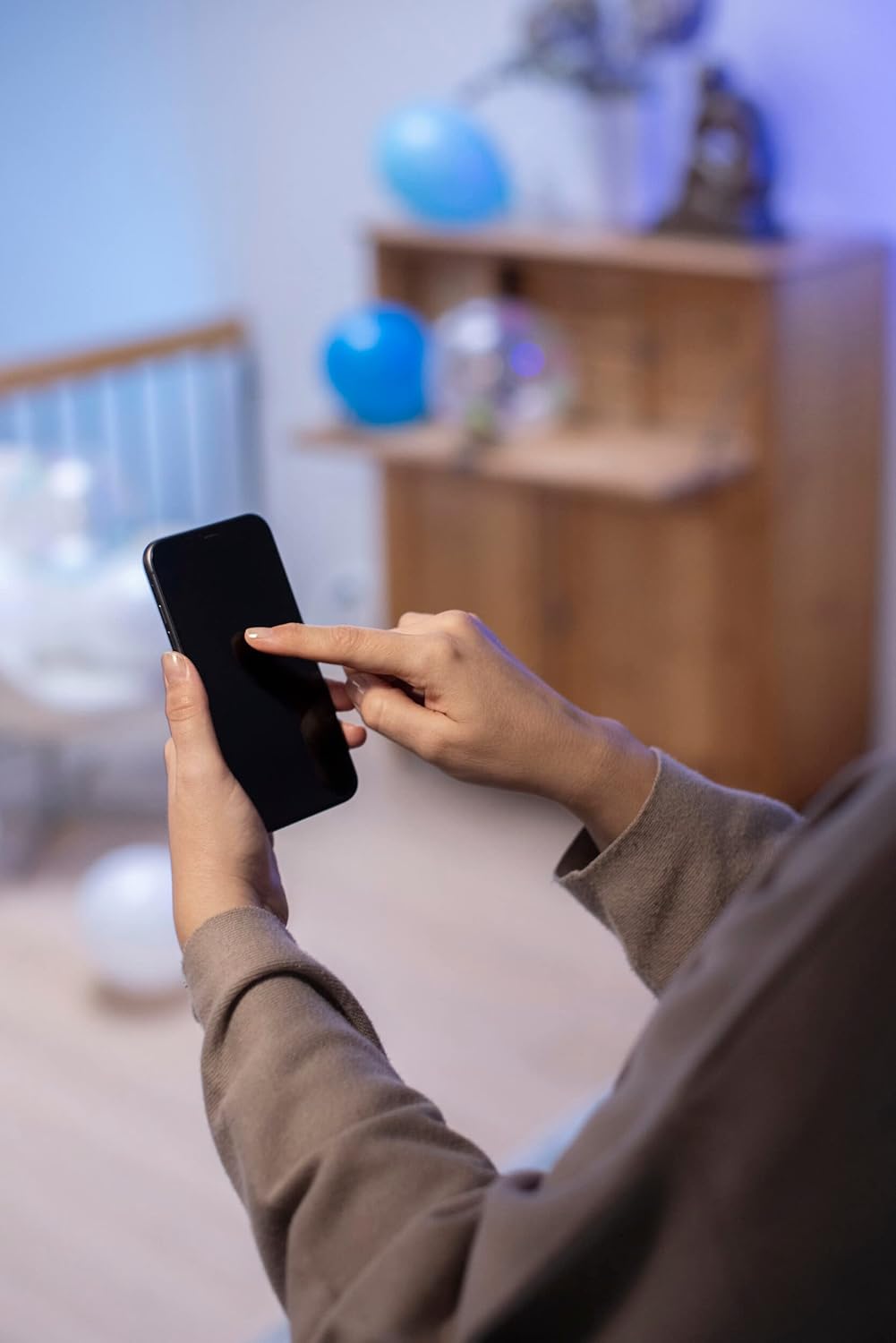
Figure 4.2: Close-up of app interface for color selection.
4.4. Scenes and Automation
The Airam SmartHome app allows you to create custom scenes (e.g., "Movie Night," "Reading") and set schedules or timers for your bulb to turn on/off or change settings automatically.
Video ea 4.1: Phelloview of the AIRAM Smart Home lighting system in various home settings, demonstrating color and brightness adjustments for different activities and moods.
5. Tlhokomelo
The AIRAM Smart Home LED bulb requires minimal maintenance.
- Ho hloekisa: Netefatsa hore tleloubu e pholile 'me motlakase o timme pele o e hloekisa. Hlakola tleloubu ka lesela le bonolo, le omileng. U se ke ua sebelisa litlhoekiso tse metsi kapa tse khorofo.
- Polokelo: If storing the bulb for an extended period, keep it in its original packaging in a cool, dry place.
6. Ho rarolla mathata
If you encounter issues with your AIRAM Smart Home bulb, refer to the following common solutions:
| Bothata | Lebaka le ka khonehang | Tharollo |
|---|---|---|
| Bulb ha e khantše. | No power; improperly installed; bulb faulty. | Check power supply. Ensure bulb is securely screwed into the socket. Test with another bulb or fixture. |
| Bulb cannot connect to the app. | Incorrect WiFi password; not in pairing mode; 5GHz WiFi network. | Ensure correct 2.4 GHz WiFi password. Put bulb into pairing mode (on-off-on-off-on). Confirm your router is broadcasting a 2.4 GHz network. |
| Taolo ea lentsoe ha e sebetse. | Account not linked; incorrect commands. | Ensure your Airam SmartHome account is correctly linked in the Google Home/Alexa app. Use the exact device name configured in the app. |
| Bulb loses connection frequently. | Weak WiFi signal; network interference. | Move the bulb closer to the WiFi router or consider a WiFi extender. Reduce interference from other devices. |
7. Litlhaloso
Detailed technical specifications for the AIRAM Smart Home GU10 PAR16 LED Bulb:
- Nomoro ea Mohlala: 9410768
- Lebitso: AIRAM
- Mofuta oa Leseli: LED
- Boholo ba Sebopeho sa Bulb: PAR16
- Motheo oa Bulb: GU10
- Wattage: 4.7 Watts
- Incandescent Equivalent: 25 Watts
- Sehlahisoa sa Lumen: 345 lumens
- Mocheso oa Mobala (CCT): 2700K - 6500K (Tšebeliso e Tšoeu)
- Mosebetsi oa Mmala: RGB (Full Color)
- Beam Angle: 36 likhato
- Index ea ho Fana ka Mebala (CRI): 80
- Moqtage: 230 Volts (AC)
- Khokahano: WiFi (2.4 GHz)
- Likarolo tse Khethehileng: Alexa, Google Assistant, Timer
- Bolele ba bophelo: Ho fihlela lihora tse 15,000
- Boholo ba Sehlahisoa: 5 x 5.4 x 5.4 cm,
- Boima ba 'mele: 170 g
- Tekanyetso ea Matla a Matla: F

Figure 7.1: EU Energy Efficiency Label. For more details, scan the QR code or visit the Setsi sa database sa EPREL.
8. Tiisetso le Tšehetso
AIRAM products are manufactured to high-quality standards. This product comes with a manufacturer's warranty against defects in materials and workmanship. Please refer to the product packaging or the official AIRAM websebaka bakeng sa lipehelo le maemo a itseng a tiisetso.
For technical support, troubleshooting assistance, or warranty claims, please contact AIRAM customer service through their official channels. You can find contact information on the AIRAM websebaka kapa ka morekisi oa hau.