
ORIA Bluetooth Receiver 5.0 User Manual
Model: Bluetooth Receiver 5.0
1. Selelekela
The ORIA Bluetooth Receiver 5.0 is a versatile audio adapter designed to add Bluetooth functionality to non-Bluetooth devices. It supports both receiving (RX) and transmitting (TX) modes, allowing you to wirelessly stream audio from your smartphone to a car stereo or speaker, or from your TV to Bluetooth headphones. Featuring Bluetooth 5.0 technology and CVC noise reduction, it provides stable connections and clear audio quality for music and hands-free calls.
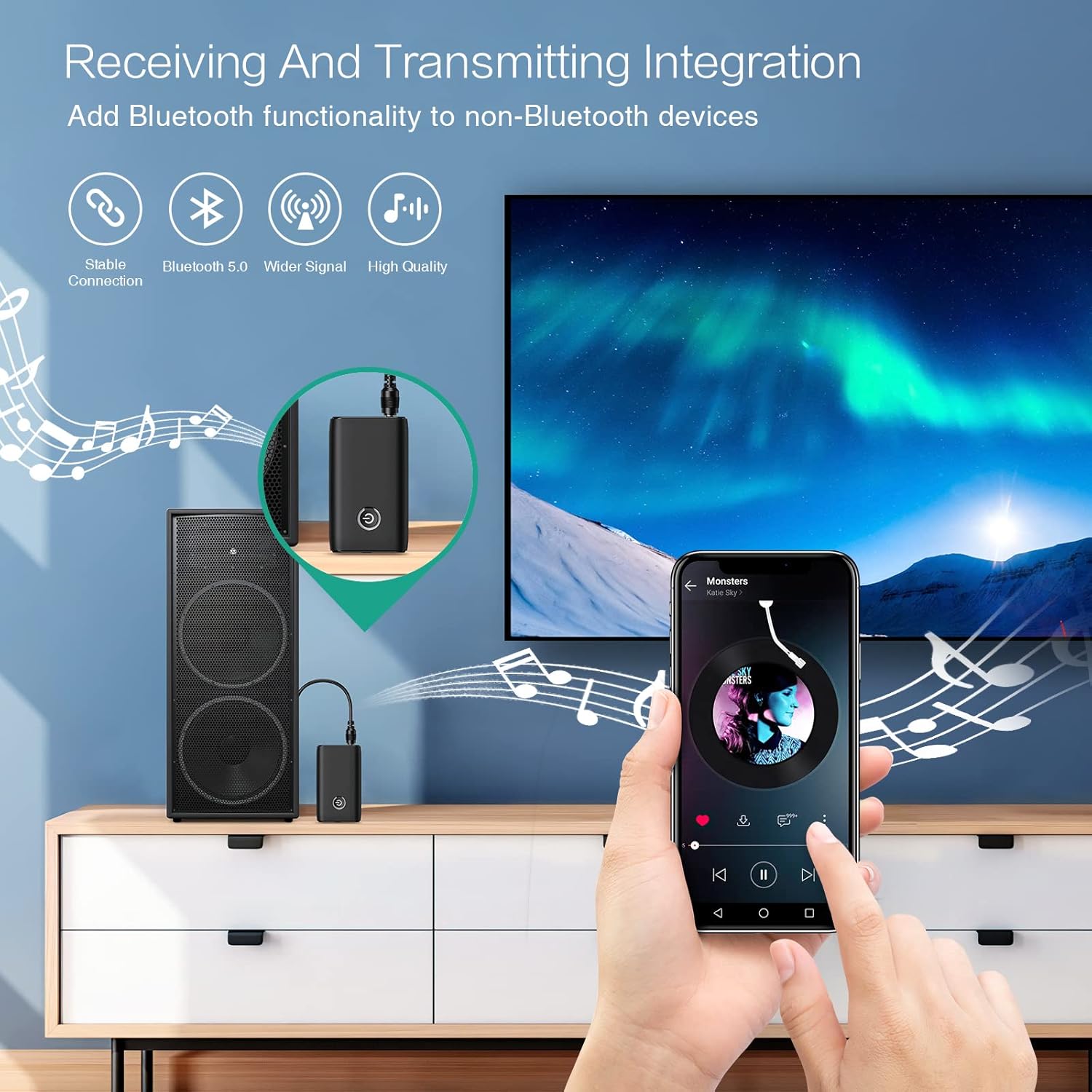
Figure 1.1: The ORIA Bluetooth Receiver 5.0 integrating with various audio systems, showcasing its dual receiving and transmitting functions.
2. Likahare tsa Sephutheloana
Ka kopo, sheba sephutheloana sa lintho tse latelang:
- ORIA Bluetooth Receiver 5.0 Unit
- 3.5mm Audio Cable
- USB Charging Cable (Mofuta-C)
- Bukana ea Mosebelisi

Figure 2.1: All items included in the ORIA Bluetooth Receiver 5.0 package.
3. Sehlahisoa Overview
Familiarize yourself with the device's components and indicators:

Figure 3.1: Detailed diagram of the ORIA Bluetooth Receiver 5.0, highlighting its ports, buttons, and LED indicator meanings.
- Boema-fofane ba 3.5mm: Connects to audio input/output devices.
- Sebaka sa ho tjhaja Micro ea USB: Bakeng sa ho tjhaja sesebelisoa.
- RX/TX Switch: Toggles between Receiver (RX) and Transmitter (TX) modes.
- Konopo ea Multifunction: Bulela/tima, bapala/ emisa, araba/ kgaotsa mehala.
- Connection Indicator Light:
- Red & Blue flashing: Pairing State
- Red flashing: Low Battery Warning
- Blue solid: Connected
4. Likarolo
- Bluetooth 5.0: Provides a stable wireless connection up to 10 meters for music streaming and audio calls.
- Intelligent Noise Reduction (CVC): Enhances audio clarity by reducing background noise, supporting A2DP, AVRCP, HFP, HSP protocols.
- Dual Mode (TX/RX): Converts non-Bluetooth devices into Bluetooth-enabled devices for both transmitting and receiving audio.
- Bophelo bo Bolelele ba Battery: Up to 8 hours of play/talk time, 60 days standby, with a 2-hour full charge time.
- Ho tjhaja USB: Allows use while charging without interrupting calls or music.
- Ts'ebetso e bonolo: Simple one-button control for power, play/pause, and call management.
- Moralo o nkehang habonolo: Small and lightweight for convenient transport and use anywhere.
5. Seta le Ts'ebetso
5.1 Ho tjhaja Sesebediswa
Before first use, fully charge the device. Connect the provided USB charging cable to the Micro USB Charging Port on the receiver and the other end to a USB power source (e.g., car charger, wall adapter, computer USB port). The indicator light will show charging status.

Figure 5.1: Battery life and charging duration of the ORIA Bluetooth Receiver 5.0.
5.2 Switching Between Receiver (RX) and Transmitter (TX) Modes
The device features a physical switch to change between RX and TX modes. Bohlokoa: Always power off the device before switching modes to ensure proper functionality.

Figure 5.2: Instructions for switching between Transmitter (TX) and Receiver (RX) modes.
5.3 Receiver Mode (RX) Setup
Use RX mode to receive audio from a Bluetooth-enabled device (e.g., smartphone, tablet) and play it through a non-Bluetooth audio system (e.g., car stereo, home speaker, wired headphones).
- Switch to RX: Ensure the device is powered off, then slide the switch to the "RX" position.
- Hokela ho Sisteme ea Molumo: Plug one end of the 3.5mm audio cable into the receiver's 3.5mm Audio Port and the other end into the AUX input of your car stereo, home speaker, or wired headphones.
- Matlafatsa: Press and hold the Multi-function Button to power on the receiver. The indicator light will flash red and blue, indicating pairing mode.
- Kopanya le Fono: On your smartphone or other Bluetooth device, enable Bluetooth and search for "ORIA-B6" (or similar name). Select it to pair. Once connected, the indicator light will turn solid blue.
- Bapala 'Mino: Start playing audio on your paired device. The sound will now be transmitted wirelessly to your connected audio system.

Figure 5.3: Easy setup steps for Receiver (RX) mode, typically used in a car.
5.4 Transmitter Mode (TX) Setup
Use TX mode to transmit audio from a non-Bluetooth device (e.g., TV, PC, MP3 player) to a Bluetooth-enabled audio output (e.g., Bluetooth headphones, Bluetooth speaker).
- Switch to TX: Ensure the device is powered off, then slide the switch to the "TX" position.
- Hokela ho Mohloli oa Mantsoe: Plug one end of the 3.5mm audio cable into the receiver's 3.5mm Audio Port and the other end into the audio output (e.g., headphone jack) of your TV, PC, or MP3 player.
- Matlafatsa: Press and hold the Multi-function Button to power on the transmitter. The indicator light will flash red and blue, indicating pairing mode.
- Pair with Bluetooth Headphones/Speaker: Put your Bluetooth headphones or speaker into pairing mode. The receiver will automatically search for and connect to nearby Bluetooth audio devices. Once connected, the indicator light will turn solid blue.
- Natefeloa ke Molumo: Play audio from your connected source device. The sound will now be transmitted wirelessly to your Bluetooth headphones or speaker.

Figure 5.4: Easy setup steps for Transmitter (TX) mode, typically used with a TV.
5.5 Ho lumellana ho akaretsang
The ORIA Bluetooth Receiver 5.0 is designed for broad compatibility with various devices in both TX and RX modes.
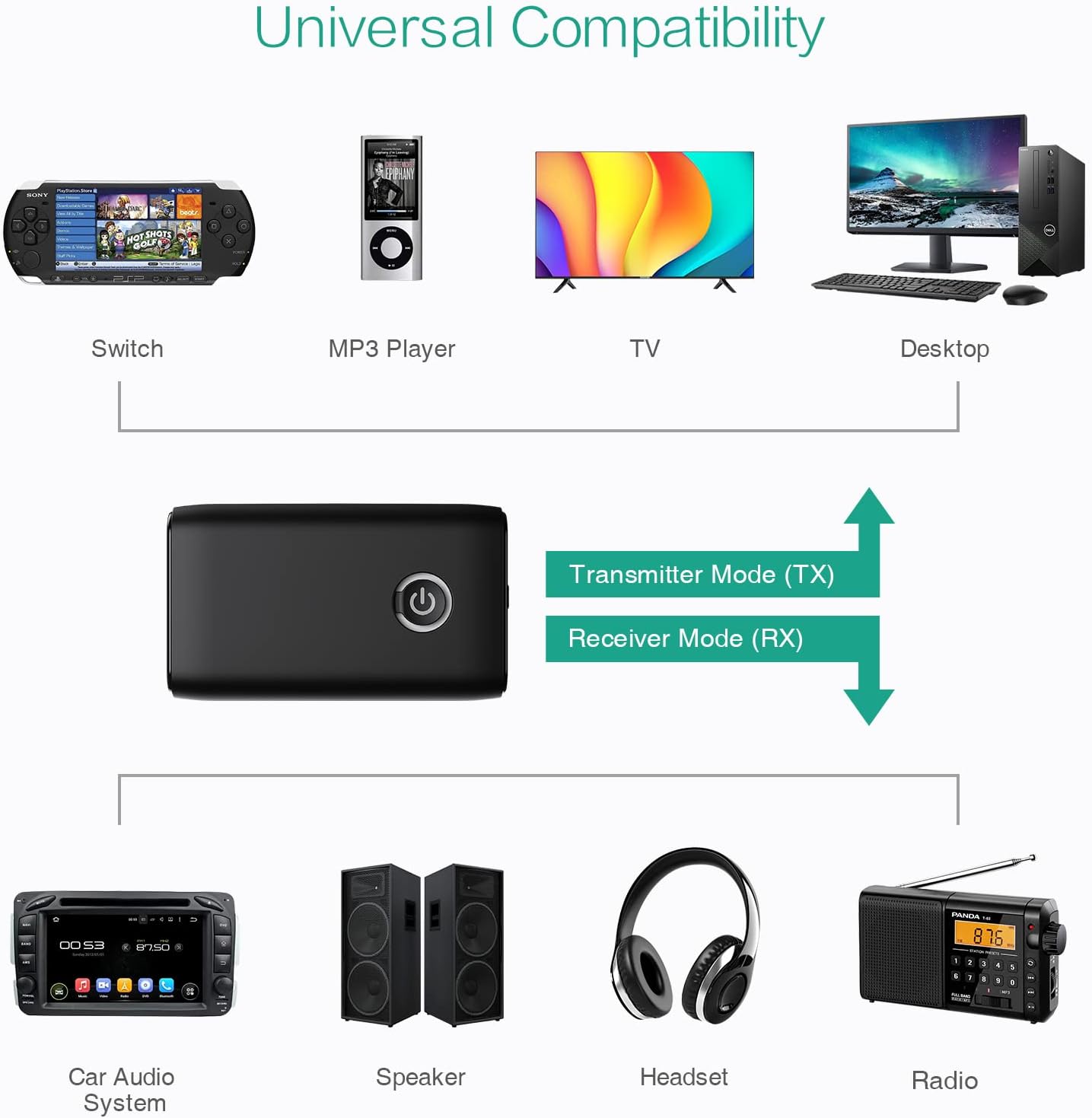
Setšoantšo sa 5.5: Examples of devices compatible with the ORIA Bluetooth Receiver 5.0 in both TX and RX modes.
6. Litaelo tsa Ts'ebetso
6.1 Taolo ea ho Bapala 'Mino
- Bapala/Emisa: Tobetsa hakhutšoanyane konopo ea Multi-function.
- Pina e Latelang: (Functionality may vary depending on connected device and mode. Typically controlled via the source device.)
- Pina e fetileng: (Functionality may vary depending on connected device and mode. Typically controlled via the source device.)
- Taolo ea Bolumo: Adjust volume directly on your paired device (smartphone, TV, etc.) or the connected audio system.
6.2 Hands-Free Calling (RX Mode Only)
When in Receiver (RX) mode and paired with a smartphone:
- Araba Mohala: Short press the Multi-function Button when a call comes in.
- Qetella Mohala: Short press the Multi-function Button during a call.
- Hana Mohala: Press and hold the Multi-function Button for 2 seconds when a call comes in.
- Hape Nomoro ea ho Qetela: Tobetsa habeli Konopo ea Multi-function.
7. Tlhokomelo
- Boloka sesebediswa se omme. Qoba ho pepesehela mongobo kapa metsi.
- O se ke wa leka ho qhaqha kapa ho fetola sesebediswa. Sena se tla etsa hore tiisetso e se ke ya sebetsa.
- Hloekisa sesebediswa ka lesela le bonolo, le omileng. O se ke wa sebedisa dikhemikhale tse bohale kapa dihlwekisi tse kgohlang.
- Boloka sesebelisoa sebakeng se phodileng, se omeletseng ha se sa sebelisoe nako e telele.
8. Ho rarolla mathata
If you encounter issues with your ORIA Bluetooth Receiver 5.0, please refer to the following common solutions:
| Bothata | Tharollo |
|---|---|
| Sesebelisoa ha se sebetse. | Netefatsa hore sesebediswa se tjhajilwe ka botlalo. Se hokele mohloding wa motlakase o sebedisa thapo ya ho tjhaja ya USB. |
| Ha e khone ho hokahanngoa le sesebelisoa sa Bluetooth. |
|
| Ha ho molumo kapa boleng bo tlase ba molumo. |
|
| Sesebelisoa se khaoha khafetsa. |
|
9. Litlhaloso
| Sebopeho | Lintlha |
|---|---|
| Brand | ORIA |
| Theknoloji ea Khokahano | Bluetooth, USB |
| Tekanyetso ea puisano e se nang mohala | Bluetooth 5.0 |
| Mohloli oa Matla | Motlakase oa Battery, Motlakase oa Khoele |
| Tšobotsi e Khethehileng | Bluetooth Receiver, Portable |
| Mofuta oa Tlhophiso | Hokela |
| Sesebelisoa sa Hardware | Bluetooth, USB |
| Phokotso ea Lerata | Theknoloji ea CVC |
| Battery Life (Play/Talk) | Ho fihlela lihora tse 8 |
| Nako ea ho ema | 60 matsatsi |
| Nako ea ho tjhaja | Hoo e ka bang lihora tse 2 |
10. Tiisetso le Tšehetso
This ORIA Bluetooth Receiver 5.0 comes with a Waranti ea lilemo tse 1 ho tloha ka letsatsi la theko.
If you experience any problems with the product's use or function, or if the product is defective or damaged, please contact the seller directly for assistance. They will provide support and solutions to resolve your issue.