
1. Selelekela
Thank you for choosing the JTEMAN Portable Phone Stand with Bluetooth Speaker. This versatile device combines a stable phone stand with a high-quality Bluetooth speaker, offering convenience for media consumption, video calls, and audio playback. This manual will guide you through the setup, operation, and maintenance of your new device.

Figure 1: JTEMAN Portable Phone Stand with Bluetooth Speaker (White)
2. Likahare tsa Sephutheloana
Ka kopo, sheba lebokose bakeng sa lintlha tse latelang:
- Sebaka sa fono se nang le Bluetooth speaker
- Bukana ea mosebelisi
- USB-A to Type-C charger cable (1)
3. Sehlahisoa Overview
The JTEMAN L9 is designed for multi-functional use, serving as both a phone stand and a Bluetooth speaker. It features an adjustable and foldable design for portability and optimal viewing angles.
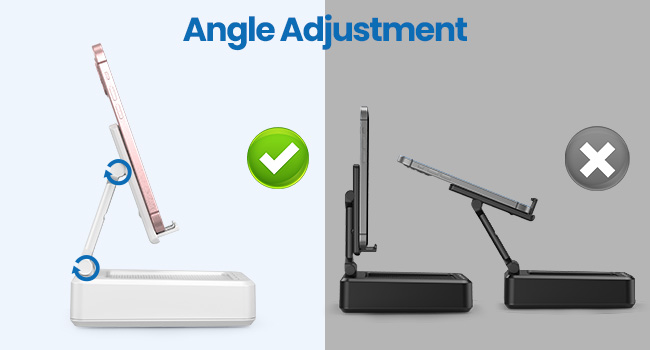
Figure 2: Product Dimensions and Controls
Likarolo tsa Bohlokoa:
- 2-in-1 Tshebetso: Combines a phone stand with a Bluetooth speaker.
- Bophara ba Tšebelisano: Supports most 4-13 inch smartphones, tablets, and e-readers with Bluetooth.
- Adjustable & Foldable: Tse ngatanyana viewing angles and a compact, portable design.
- Stable & Anti-slip: Features anti-slip silicone pads for device protection and stability.
- Microphone e hahelletsoeng ka hare: Enables clear hands-free calls.

Figure 3: Integrated Features
4. Seta
4.1 Ho tjhaja Sesebediswa
- Connect the provided USB-A to Type-C charging cable to the charging port on the side of the JTEMAN L9.
- Hokela pheletso e 'ngoe ea thapo ho adaptara ea motlakase ea USB e tsamaellanang (ha e kenyelelitsoe).
- The charging indicator light will show red during charging and turn green when fully charged. A full charge takes approximately 4 hours.
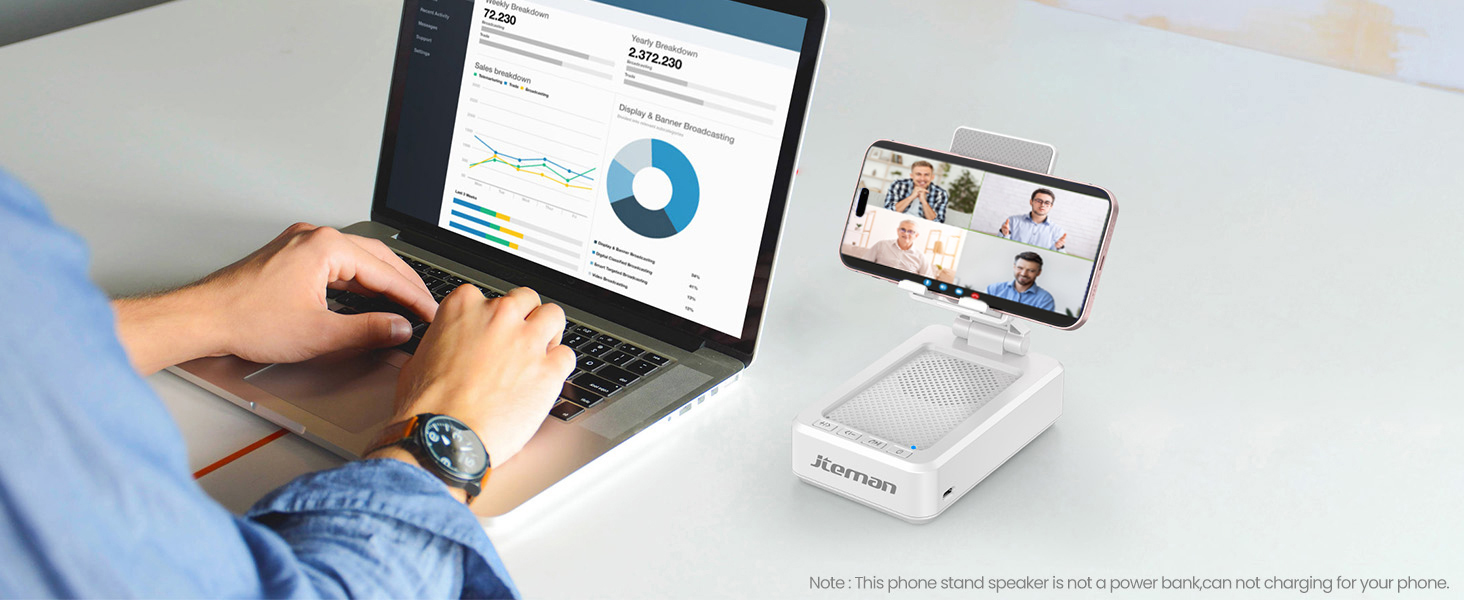
Figure 4: Charging the JTEMAN L9
4.2 Ho hokahanya ha Bluetooth
- Press and hold the power button on the JTEMAN L9 until you hear an audible prompt indicating it's powered on and in Bluetooth pairing mode. The Bluetooth indicator light will flash.
- On your smartphone, tablet, or e-reader, go to the Bluetooth settings.
- Batla available devices and select "JTEMAN L9" from the list.
- Once connected, you will hear a confirmation tone, and the Bluetooth indicator light will remain solid.
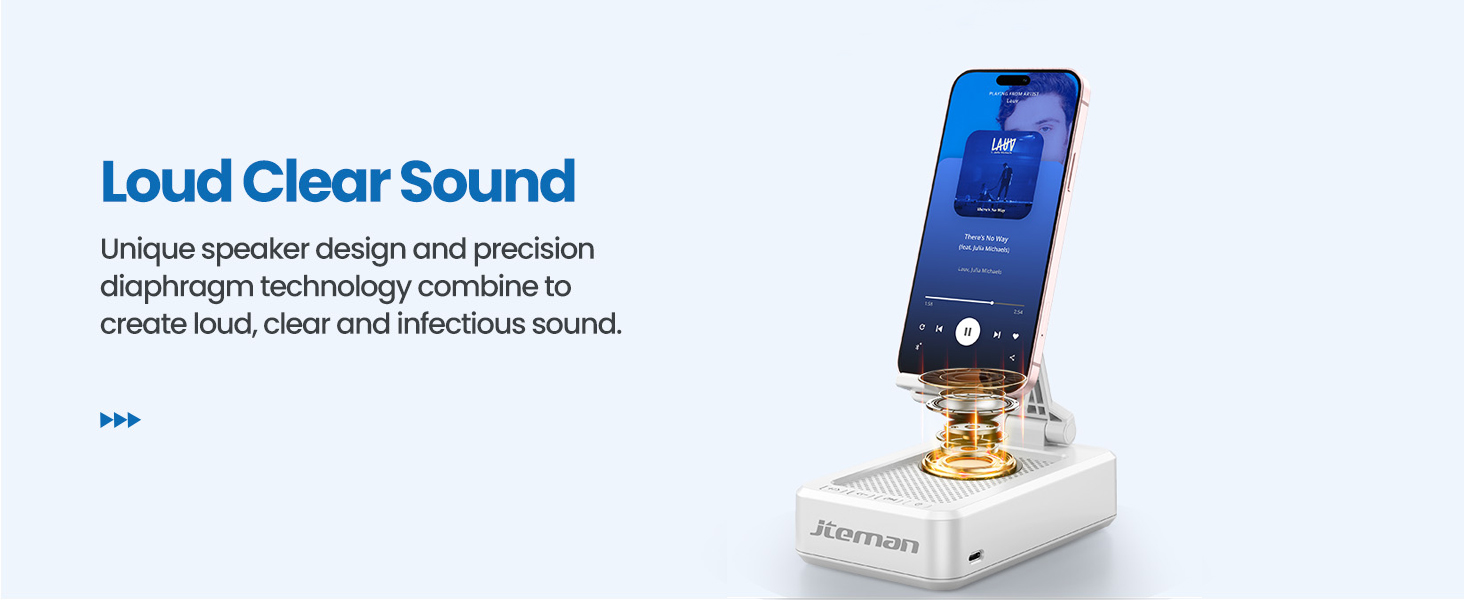
Figure 5: Easy Bluetooth Connection
5. Litaelo tsa Ts'ebetso
5.1 Using as a Phone/Tablet Stand
- Gently pull up the phone holder arm from its folded position.
- Adjust the angle of the holder to your preferred viewing position. The stand is designed to be stable at various angles.
- Place your smartphone, tablet, or e-reader onto the holder. The anti-slip silicone pads will secure your device.
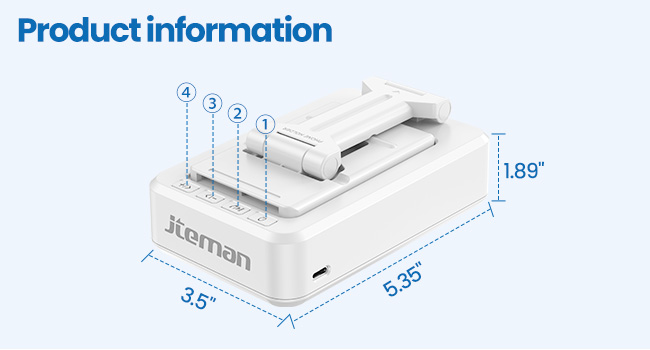
Figure 6: Angle Adjustment for Optimal Viewng
5.2 Using the Bluetooth Speaker
Once paired with your device, audio will automatically play through the JTEMAN L9 speaker.
- Bapala/Emisa: Press the Play/Pause button on the speaker to control media playback.
- Taolo ea Bolumo: Use the volume buttons (+/-) on the speaker to adjust the audio level.
- Track Navigation: Use the skip buttons (<< / >>) to go to the previous or next track.
- Mehala e sa sebeliseng matsoho: The built-in microphone allows for clear hands-free communication. Press the phone icon button to answer or end calls.

Figure 7: Loud and Clear Sound Output
5.3 Ho nkeha habonolo
When not in use, the phone holder arm can be folded down, making the device compact and easy to carry in a bag.

Figure 8: Foldable and Portable Design
5.4 Livideo tsa Sehlahisoa sa Semmuso
Video 1: Demonstrates the sound quality and instant pairing of the JTEMAN L9.
Video 2: Showcases the power and versatility of the JTEMAN L9 speaker and stand.
Video 3: Highlights the compact design, clear sound, and anti-slip base of the JTEMAN L9.
6. Tlhokomelo
- Boloka sesebelisoa se hloekile ka ho se hlakola ka lesela le bonolo, le omeletseng.
- Qoba ho beha sesebelisoa mochesong o feteletseng, mongobo, kapa mahlaseling a letsatsi.
- Se ke oa sebelisa li-abrasive cleaners kapa solvents.
7. Ho rarolla mathata
| Bothata | Lebaka le ka khonehang | Tharollo |
|---|---|---|
| Sesebelisoa ha se sebetse | Betri e tlase | Teha sesebelisoa u sebelisa thapo e fanoeng ea USB-C. |
| Ha e khone ho para ka Bluetooth | Bluetooth not enabled on source device; device too far; already paired to another device | Ensure Bluetooth is on and within range (approx. 10m). Disconnect from other devices. |
| Ha ho modumo kapa modumo o tlase | Volume too low on speaker or source device; not properly connected | Increase volume on both devices. Re-pair Bluetooth connection. |
| Audio skipping/interruption | Interference; device too far; low battery | Move closer to the source device. Ensure no obstructions. Charge the device. |
8. Litlhaloso
| Sebopeho | Lintlha |
|---|---|
| Litekanyo tsa Sehlahisoa | 5.35 x 3.5 x 1.89 lisenthimithara |
| Boima ba Ntho | 11.5 lik'hilograma |
| Ntho Nomoro ea Mohlala | L9 |
| Brand | JTEMAN |
| Mmala | Bosoeu |
| Sebopeho sa Foromo | Ho ema ka Mohala le Sebui |
| Lisebelisoa tse lumellanang | Mobile phone, Tablet |
| Mehlala ea Mehala e Tšoanang | iPhone, Samsung, iPad mini, Samsung Tab, Google Nexus, Kindle |
| Bokhoni ba Battery | 1800mAh (approx. 8-10 hours play time at medium volume) |
9. Tiisetso le Tšehetso
JTEMAN products are manufactured with high-quality standards. For any issues or support needs, please refer to the contact information provided with your purchase or visit the official JTEMAN websebaka. Boloka bopaki ba hau ba theko bakeng sa likopo tsa waranti.